
Measure ROI From Lead Qualification Automation Software
Learn how to measure ROI from lead qualification automation software: the baseline, the formula, and the mistakes that make the number unreliable.
- ROI from lead qualification automation software depends on a documented baseline captured before deployment, not on post-deployment claims alone.
- The core formula is gain from automation minus cost of automation, divided by cost of automation, applied separately to labor savings and pipeline impact.
- Cost per qualified lead, lead-to-opportunity conversion rate, and time to qualification are the three metrics that move the ROI number most.
- A 30/60/90-day tracking cadence separates early novelty gains from performance that holds up over a full quarter.
- Counting raw lead volume instead of qualified pipeline is one of the most common mistakes that makes an ROI number unreliable.
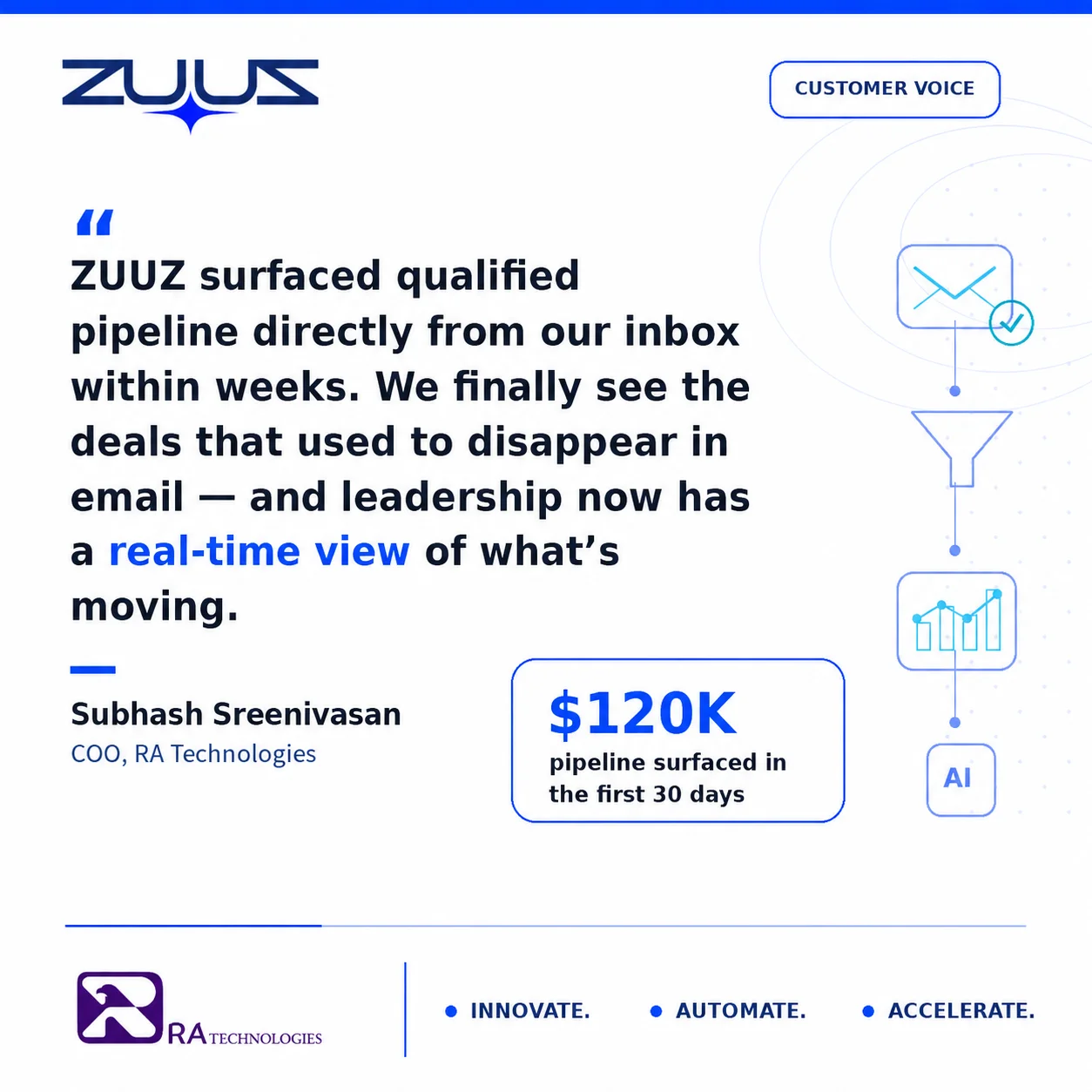
- ZUUZ customer RA Technologies surfaced $120,000 in pipeline within 30 days of deployment, a verified example of what a clean baseline comparison can show.
- ZUUZ connects to your sales inbox, reads LinkedIn messages and meeting or call transcripts, and writes leads, stakeholders, next steps and renewal signals into the CRM for the rep to approve in one click, which is what makes a before-and-after ROI comparison come from one system.
Most lead qualification automation purchases get evaluated on features, not results. A demo goes well, the contract gets signed, and six months later nobody can say with confidence whether the tool paid for itself. Measuring ROI from lead qualification automation software requires more than checking whether response times improved.
It requires a documented baseline, a small set of metrics tracked on a fixed schedule, and a formula that accounts for both cost reduction and pipeline impact. This article breaks down that framework: how to set a baseline, what to track and when, how to calculate the number, and the mistakes that make ROI reporting unreliable.
What Measuring ROI from Lead Qualification Automation Actually Requires
Most ROI conversations about sales automation start in the wrong place. A vendor cites an industry average, and a sales leader compares it to gut feel.
The resulting number gets repeated in a board deck without anyone checking it against what actually happened inside the company’s own pipeline. That approach produces a number that sounds credible and means nothing.
Measuring ROI from lead qualification automation software requires three specific inputs. A documented baseline from before the tool went live, a fixed set of metrics tracked on the same schedule, and a calculation that separates labor savings from pipeline impact make up the three. Skipping any one of the three produces a number that cannot survive a follow-up question from finance.
The baseline answers what qualification cost and how long it took before automation. Metrics show what changed afterward, and the formula converts both into a figure a finance team can defend rather than a claim a vendor supplied.
This matters most at renewal time, when a sales or revenue operations leader has to justify continuing the subscription. A credible number holds up in that conversation because it was built from this team’s own leads, sales cycle, and cost structure.
A figure pulled from a vendor’s case study or an industry average was never tied to any of that, which is why it rarely survives the next follow-up question.
The starting point for that framework is the baseline itself, captured before the automation tool touches a single lead.
- Does the ROI case rest on a baseline you captured yourself before deployment, or on the vendor’s benchmark?
- Can the tool show where each qualified lead came from, with a timestamp, so the before and after figures are counted the same way?
- Does it capture from the channels where qualification actually happens – the sales inbox, meeting and call transcripts, LinkedIn messages – or only from leads already sitting in the CRM?
- Does what it captures land in CRM fields a report can read, or only in an activity feed someone has to open?
- Is the rep still the one who approves what gets written, in one step rather than a second system?
- What does the first 30 days surface that the CRM never had? That is the pipeline half of the ROI number, and it is the half finance asks about.
Setting the Baseline Before Automation Starts
Most teams that skip the baseline do so because they already committed to the purchase and want to see progress, not paperwork. That instinct undermines the ROI number before automation goes live. Without a documented starting point, every later comparison is a guess dressed up as a metric.
Manual qualification is not a marginal cost to begin with. Sales reps spend less than 30% of their time actually selling, with much of the remainder consumed by administrative work, according to Salesforce’s 2022 State of Sales report. Lead qualification, done by hand, is one of the tasks eating that time.
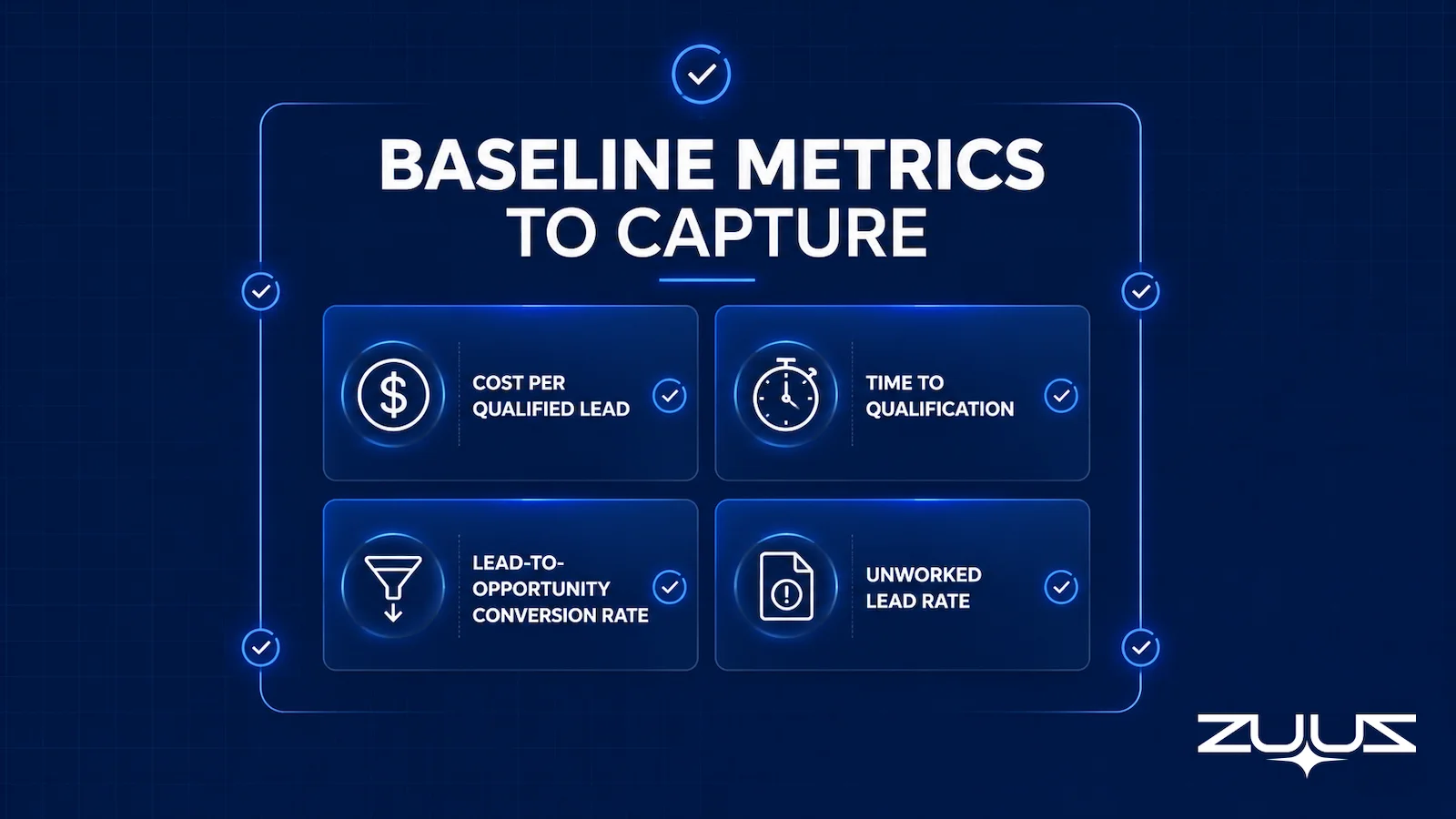
A usable baseline covers four figures, gathered over the 30 days immediately before deployment. Each figure should come from actual CRM and email records, not estimates from memory.
Table 1: Baseline Metrics to Capture Before Automation
| Metric | How to Calculate | Typical Data Source |
|---|---|---|
| Cost per qualified lead | (Rep hours spent qualifying x hourly cost) divided by qualified leads | CRM activity logs, payroll records |
| Time to qualification | Average days from lead capture to qualified status | CRM timestamp fields |
| Lead-to-opportunity conversion rate | Opportunities created divided by total leads qualified | CRM pipeline stage history |
| Unworked lead rate | Leads with no logged activity divided by total leads received | CRM records plus inbox audit |
| Capture gap | Deal facts that mattered in a thread but appear in no CRM field, divided by facts found | Email, message and transcript threads compared against CRM fields; this is the set ZUUZ surfaces when a mailbox is first connected |
These four figures do not need to be perfect. They need to be consistent, captured the same way before and after automation, so the comparison holds up under scrutiny.
Teams whose qualification work happens mostly over email often find this baseline hardest to reconstruct, since the activity was never logged anywhere the CRM could see. The ZUUZ section below covers how that gap gets closed.
Once the baseline is documented, the next decision is how often to check it against post-deployment performance.
Tracking ROI at 30, 60, and 90 Days After Deployment
Automation tools often show a burst of improvement in the first two weeks that has nothing to do with the technology itself. Reps pay closer attention because something new launched, and qualification gets prioritized in a way it was not before.
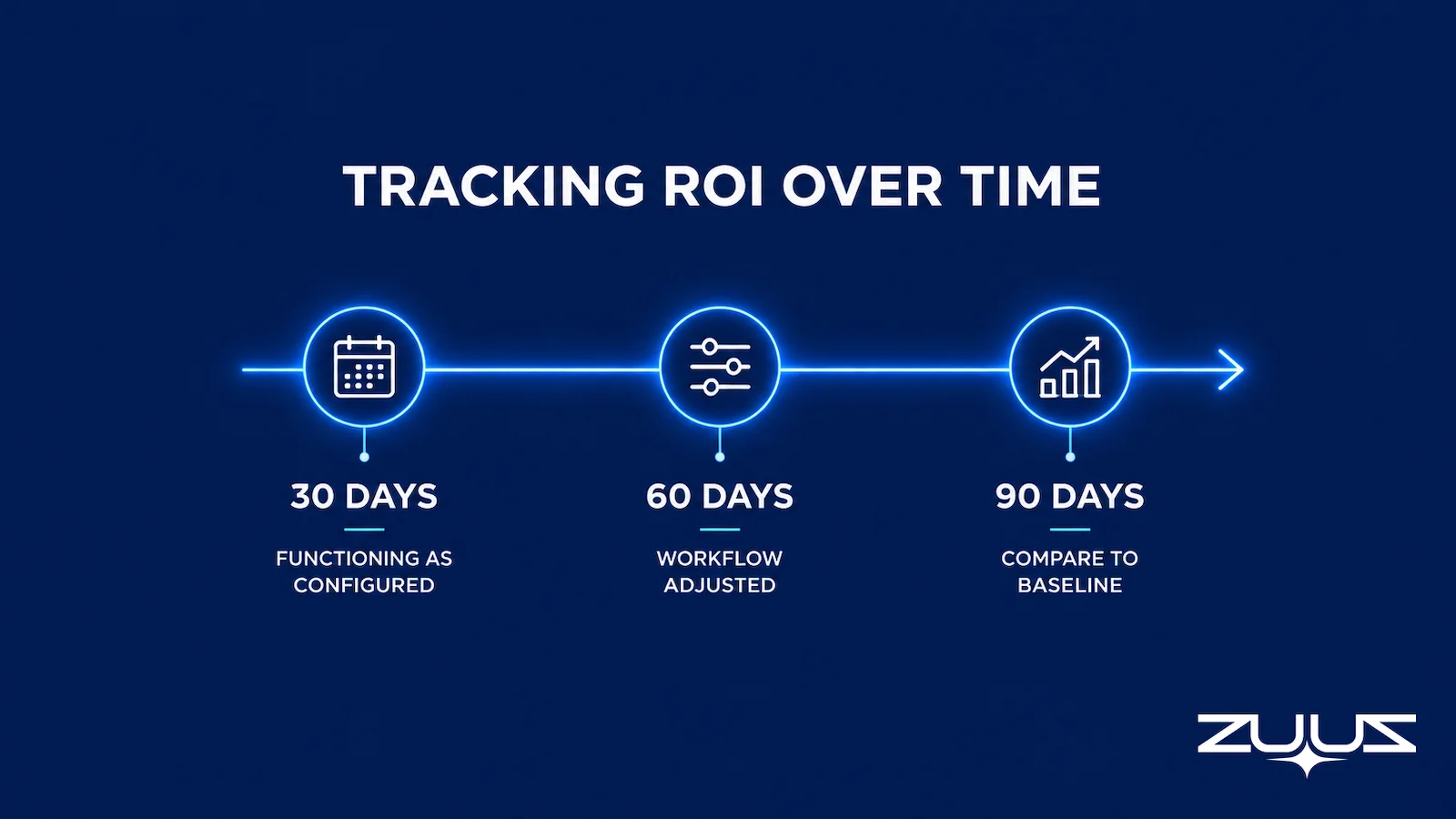
A 30/60/90-day cadence separates that novelty effect from durable performance. The 30-day mark shows whether the tool is functioning as configured.
The 60-day mark shows whether the team has adjusted its workflow around it. The 90-day mark is close enough to a full quarter to compare against the pre-automation baseline with confidence.
Response speed already has a documented relationship to qualification quality, which is part of why the early weeks can be misleading. Companies that contact a lead within an hour are far more likely to qualify it than companies that wait a day, per a 2011 Harvard Business Review study of web lead response patterns. Automation changes response speed immediately, but qualification accuracy takes longer to stabilize.
This cadence also answers the time-to-value question finance teams ask before approving the next budget cycle. A tool that has not moved the baseline numbers by day 90 is unlikely to do so without a configuration change, not simply more time.
With a cadence in place, the next step is converting the tracked metrics into an actual ROI figure.
Calculating ROI from Lead Qualification Automation with a Worked Example
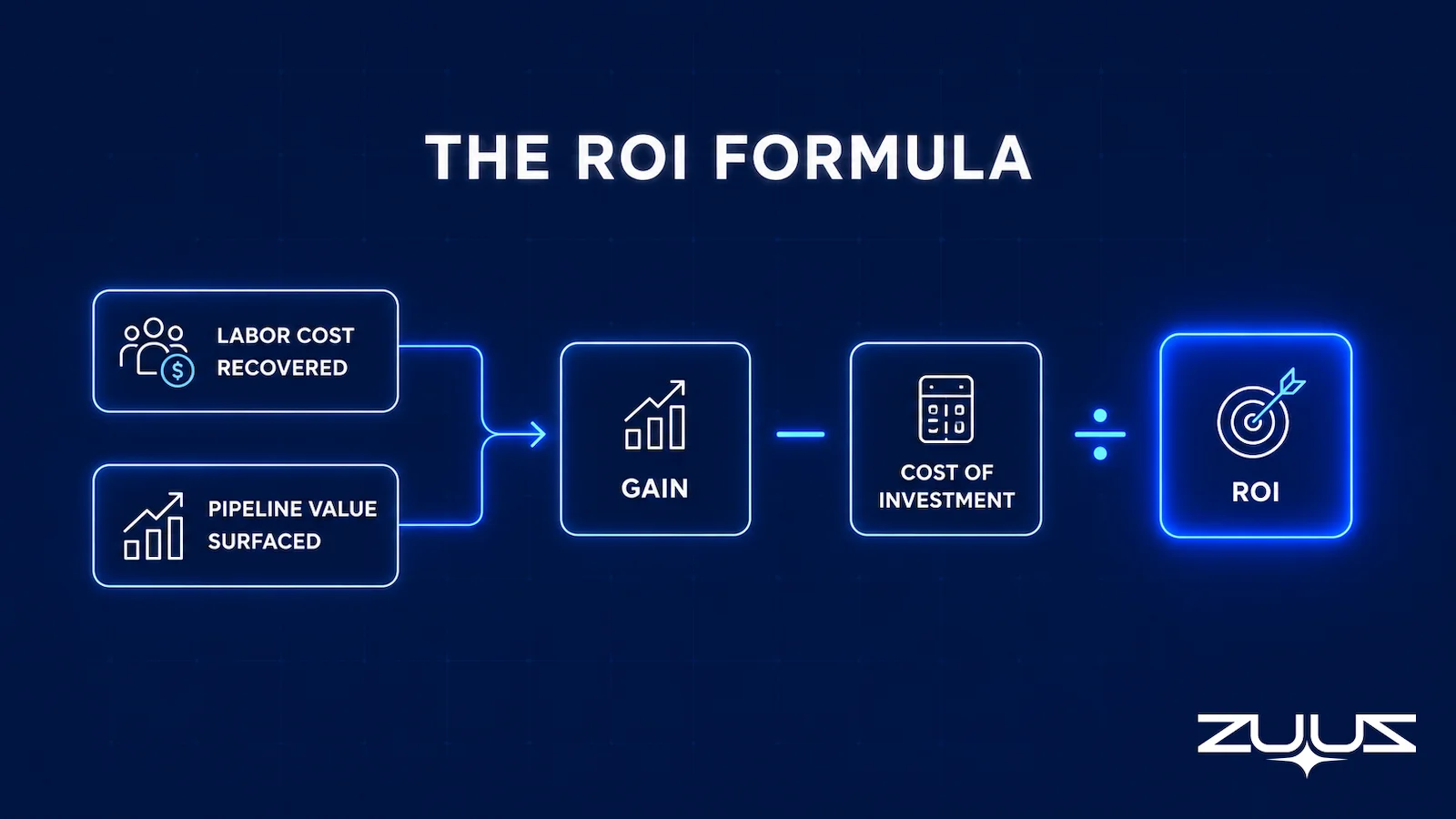
The standard ROI formula applies directly to lead qualification automation software: ROI equals the gain from the investment minus the cost of the investment, divided by the cost of the investment. Gain from the investment includes two components here, the labor cost recovered from reps no longer manually qualifying leads, and the value of pipeline that would have gone unworked without it.
Cost of the investment includes the software subscription, implementation time, and any ongoing administration. Both sides of the equation should use the baseline figures from the 30 days before deployment as the comparison point.
Consider an illustrative example, not a reported result. A hypothetical eight-rep team spends roughly two hours per rep per day on manual qualification before automation, at a fully loaded hourly cost of $45.
After deployment, that time drops to 20 minutes per rep per day. The team’s qualified pipeline also grows, because leads that previously sat unworked in a shared inbox now get processed the same day they arrive.
The labor side of the calculation is the easiest to defend because it relies on hours and hourly cost, both of which are already tracked somewhere in payroll or time-allocation data. The pipeline side takes more judgment, since it depends on the company’s own average deal value and win rate, but it is usually the larger of the two numbers once it is included.
Table 2: Illustrative ROI Calculation
| Input | Before Automation | After Automation |
|---|---|---|
| Hours per rep per day on qualification | 2.0 | 0.33 |
| Monthly labor cost (8 reps, $45/hour, 22 days) | $15,840 | $2,613 |
| Monthly labor cost recovered | N/A | $13,227 |
| Software subscription and administration | N/A | $2,000 |
| Net monthly gain | N/A | $11,227 |
| Monthly ROI | N/A | 561% |
This example isolates labor cost only. A complete calculation would add the dollar value of any additional qualified pipeline the automation surfaced, using the company’s own average deal value, which typically increases the ROI figure further. ZUUZ’s ROI calculator walks through this same labor-plus-pipeline math using a team’s own inputs.
Common Mistakes That Distort the ROI Number
A handful of recurring mistakes turn an otherwise sound ROI calculation into a number that does not hold up.
- Comparing against no baseline. Without a documented starting point, any improvement claim is unverifiable, regardless of how large it looks.
- Counting raw lead volume instead of qualified pipeline. More leads processed is not the same as more leads qualified accurately. A tool that processes twice the volume with a lower conversion rate has not actually improved anything.
- Measuring only cost savings and ignoring pipeline impact, or the reverse. A complete ROI figure includes both labor cost recovered and the value of previously unworked pipeline that automation surfaced.
- Stopping measurement before day 90. Early results are inflated by the novelty effect described above, and a 30-day snapshot alone tends to overstate the long-term number.
- Ignoring seasonality and lead source shifts. A conversion rate change that coincides with a new marketing campaign or a seasonal spike in inbound demand may have little to do with the automation itself. Attributing it entirely to the new tool inflates the result.
Each of these mistakes produces a number that looks impressive in isolation but falls apart the moment someone in finance asks how it was calculated.
Get a Baseline You Can Actually Defend.
ZUUZ captures qualification activity from email automatically, so the before-and-after comparison comes from one system instead of two different tracking methods.
The Capture Gap Audit
Before any baseline is worth defending, it helps to know how much of what the team already knew never reached the CRM. The Capture Gap Audit measures that directly, on two deals, in an afternoon.
- Pick one closed-won and one slipped deal from the last quarter.
- Read the full email and message thread end to end; list every fact that mattered – people, objections, dates, competitors, commitments.
- Open the CRM record for the same deal and mark which of those facts appear in a field, not a note.
- The percentage missing is the capture gap. Anything above about a third means the team is running on a CRM that records outcomes, not the deal.
Worked through on an ROI baseline, the audit usually reads like this: the closed-won thread named two stakeholders who were never contacts, one competitor, and a dated commitment to revisit budget after a board meeting, while the CRM record held the amount, the stage and the close date. If seven of the ten facts that mattered appear in no field, the capture gap on that deal is most of the deal. That fraction is the honest starting point for the pipeline half of the ROI calculation, because it describes the leads and opportunities a tool could surface that the current process never counted. Run the audit on both deals and use the worse of the two numbers.
From an operator’s seat
The part teams do not plan for is that the capture gap has to be measured before anything is switched on. Once a capture layer starts writing fields, the same threads have fields, and nobody can reconstruct which facts were there first – the before number is gone, and the ROI case loses its denominator. Across the deployments ZUUZ runs, the pattern is that the labor-savings half of the ROI case is easy to produce and almost never argued with, while the pipeline half is the half finance interrogates, so the two are tracked as separate lines from day one rather than blended into a single percentage. The other cost nobody budgets is the hour or two of field mapping before the pilot: deciding which captured facts become fields rather than notes, because a fact in a note cannot appear in the report the ROI number comes from.
ZUUZ is an AI layer on top of the CRM a team already runs – it is never a CRM and never replaces one. Most tools in this category report ROI on what the rep remembered to enter; ZUUZ writes the record the ROI is calculated from, and the rep approves it.
Baseline to Payback: How ZUUZ Makes Lead Qualification ROI Verifiable
The framework above depends on clean before-and-after data, which is exactly where most teams get stuck. Manual qualification data lives in scattered inboxes and rep memory, not in a format that supports a credible baseline.
ZUUZ addresses this by reading inbound email threads directly and extracting deal signals such as purchase requests, renewal requests, and partner deal registrations. It prepares qualified leads for the rep to approve into the CRM, whether that is Salesforce, HubSpot, or Zoho. Because every qualified lead gets a timestamp and a source record the moment it is captured, the baseline and the post-deployment comparison both come from the same system instead of two different tracking methods.
RA Technologies, a US-based IT services company, ran its sales motion almost entirely through email before working with ZUUZ. RFPs, renewals, and partner deal registrations were being qualified inside inboxes the CRM never saw, which meant the pipeline figure a sales leader could point to was smaller than the pipeline that actually existed. Within 30 days of deployment, ZUUZ surfaced $120,000 in pipeline the CRM had no record of, giving the team a baseline-to-result comparison it could show finance without qualification.
See What RA Technologies Found in 30 Days.
ZUUZ surfaced $120,000 in pipeline that RA Technologies’ CRM had never seen. Book a session to see what a baseline-to-result comparison looks like on an actual inbox.
The ROI Number Worth Presenting to Finance
ROI from lead qualification automation software is not a number a vendor hands over at signing. It is the output of a baseline captured before deployment, a small set of metrics tracked on a fixed cadence, and a formula that separates labor savings from pipeline impact. Teams that skip any of the three end up with a number nobody trusts by the next budget cycle.
The version worth presenting to finance combines the qualification cost recovered with the pipeline that automation surfaced and would otherwise have gone unworked. That is the number that survives a follow-up question.
A first step that produces the baseline, not a quote
The concrete first step is narrow on purpose: connect one mailbox. ZUUZ reads the last 90 days, and the rep reviews what it found before anything is written to the CRM. That review is the capture gap audit done for you at scale, and it gives you a documented pre-deployment figure instead of an estimate. The trial runs 30 days free, with no credit card: https://zuuz.ai/trial/
Frequently Asked Questions
How do you calculate ROI on lead qualification automation software?
ROI on lead qualification automation software is calculated by subtracting the total cost of the tool, including subscription, implementation, and administration, from the total gain, which combines labor cost recovered and pipeline value surfaced. The result is divided by the total cost. The figure should be measured against a documented baseline captured before deployment, not against industry averages or vendor claims.
What is a good cost-per-qualified-lead benchmark?
Cost per qualified lead varies widely by industry, deal size, and sales cycle length, which is why benchmarking against a company’s own pre-automation baseline matters more than comparing to an industry average. The relevant comparison is the qualification cost measured over the 30 days before deployment against the same calculation 90 days after.
How long does it take to see ROI from lead qualification automation?
Most teams can compare early results at the 30-day mark, but a 90-day comparison against the pre-deployment baseline gives a more reliable picture. The first 30 days often show a novelty effect from increased attention on the new process, which tends to settle by day 60 to 90 once the workflow becomes routine rather than a novelty.
What should be measured before turning on lead qualification automation?
Four figures should be captured in the 30 days before deployment: cost per qualified lead, average time from lead capture to qualification, lead-to-opportunity conversion rate, and the percentage of leads with no follow-up. These four numbers form the baseline every later comparison depends on, and each should come from CRM and email records rather than estimates.
Does lead qualification automation actually reduce sales cycle length?
Automation can shorten the qualification stage specifically, which is typically the slowest part of an early sales cycle when leads sit unworked in an inbox. Whether the full sales cycle shortens depends on downstream factors like proposal turnaround and buyer decision speed that automation does not control, so qualification speed alone is not a reliable proxy for total cycle length.
What is the difference between cost savings and pipeline ROI?
Cost savings measures the rep hours no longer spent manually qualifying leads, converted into a dollar figure using average hourly cost. Pipeline ROI measures the value of leads and opportunities that automation surfaced and qualified that would otherwise have gone unworked. A complete ROI calculation includes both, not just one.
How is lead-to-opportunity conversion rate used in ROI calculations?
Lead-to-opportunity conversion rate shows whether automation is qualifying leads accurately, not just quickly. A rising conversion rate alongside a shrinking qualification cost indicates the automation is filtering correctly, rather than simply processing volume faster with the same accuracy as before. A falling conversion rate alongside a lower cost is a warning sign, not a win.
What mistakes make ROI numbers for automation unreliable?
The most common mistakes are skipping the pre-deployment baseline, counting raw lead volume instead of qualified pipeline, and stopping measurement before the 90-day mark when novelty effects have settled. Any one of these produces a number that looks credible but cannot withstand a follow-up question from finance, which is usually where an unverified ROI claim falls apart.

CEO of ZUUZ. He scaled Cloud Box Technologies from 0 to $25M ARR in IT services and distribution before building ZUUZ. Connect on LinkedIn

