
Missed Sales Leads in Email: 6 Signals to Fix It
Missed sales leads in email cost B2B teams millions in unlogged pipeline. Learn the six signal types that hide in inboxes and how AI email parsing fixes it.
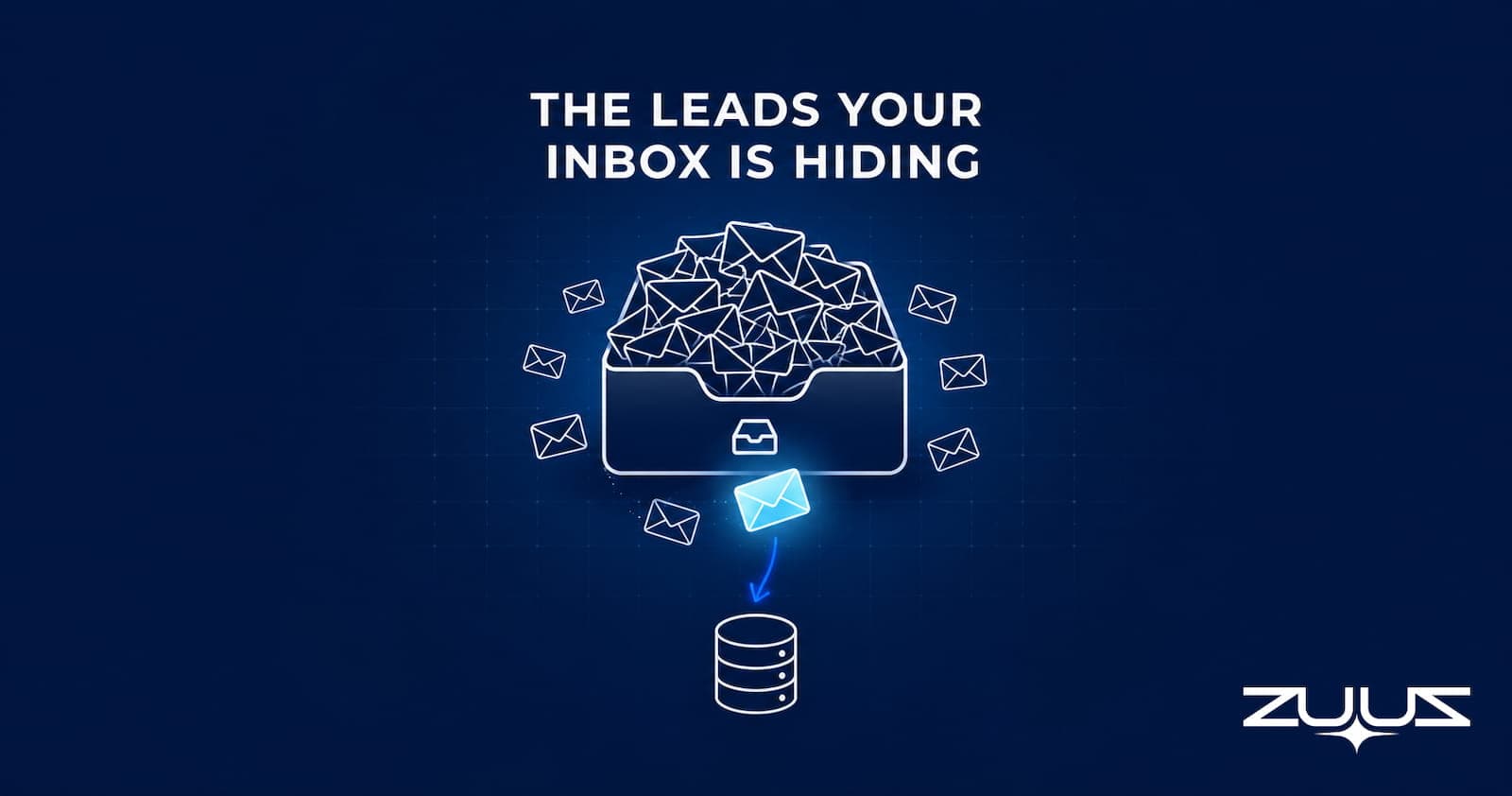
- Missed sales leads in email happen because inboxes have no routing logic, ownership assignment, or urgency flags built in. The cause is structural, not careless reps.
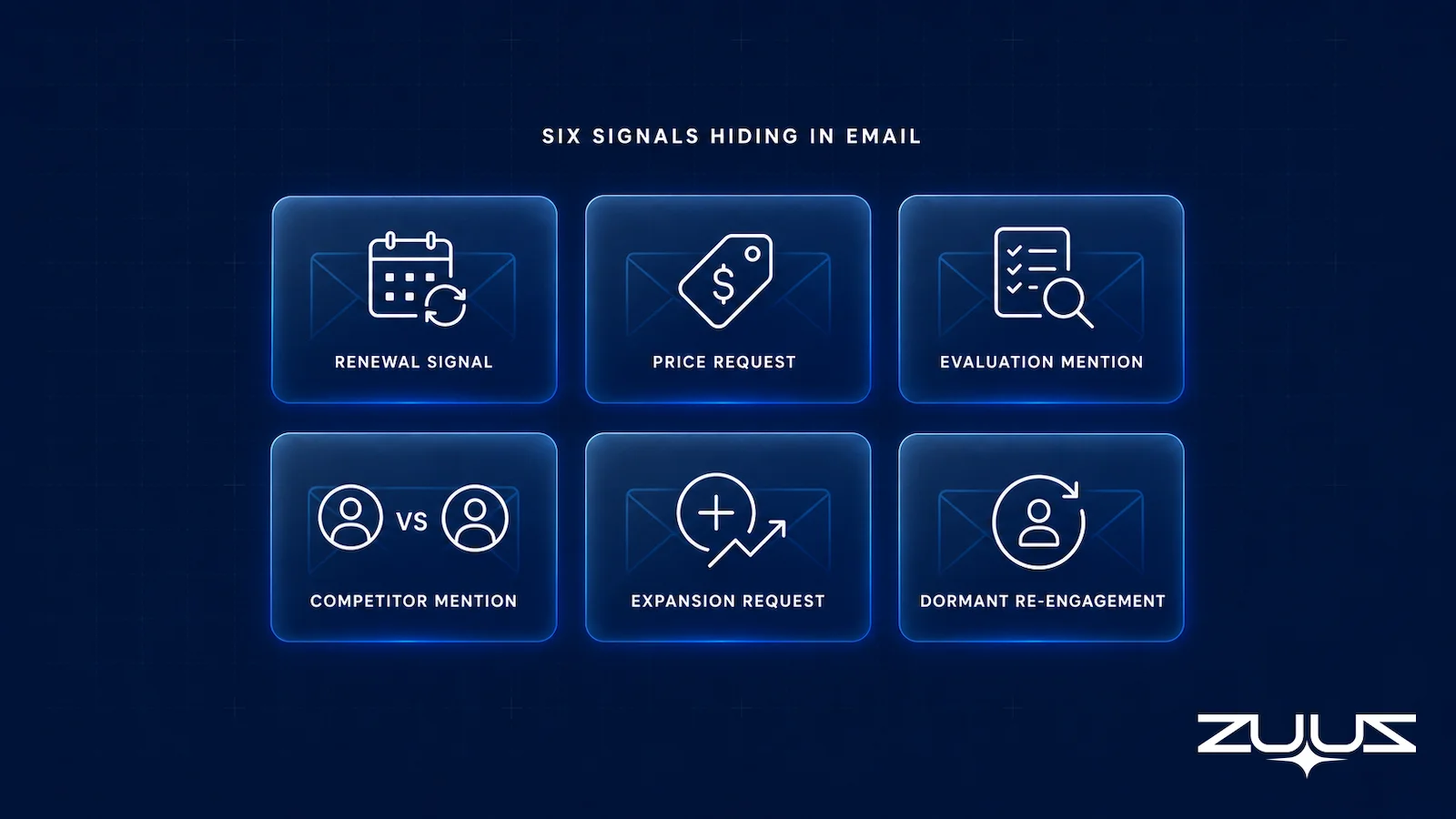
- Six signal types account for most email pipeline leakage: renewals, price requests, evaluations, competitor mentions, expansion asks, and re-engagement from dormant accounts.
- CRM manual entry captures what reps remember to log; it has no mechanism to surface signals buried in reply chains, forwarded threads, or shared mailboxes.
- IT services and distribution environments compound the problem because deal signals appear in technical language and multi-vendor threads that generic tools do not recognize.
- BCC-to-CRM rules create inbox noise without solving the core capture problem; AI email parsing is the only approach that requires no change to rep behavior.
- RA Technologies surfaced $120,000 in pipeline from a 90-day email lookback. The conversation had been sitting unlogged in their CRM for eight weeks.
- The mechanism is specific: ZUUZ connects to your sales inbox, reads LinkedIn messages and meeting or call transcripts, and writes leads, stakeholders, next steps and renewal signals into Salesforce, HubSpot, Zoho, Attio or Pipedrive for the rep to approve in one click.
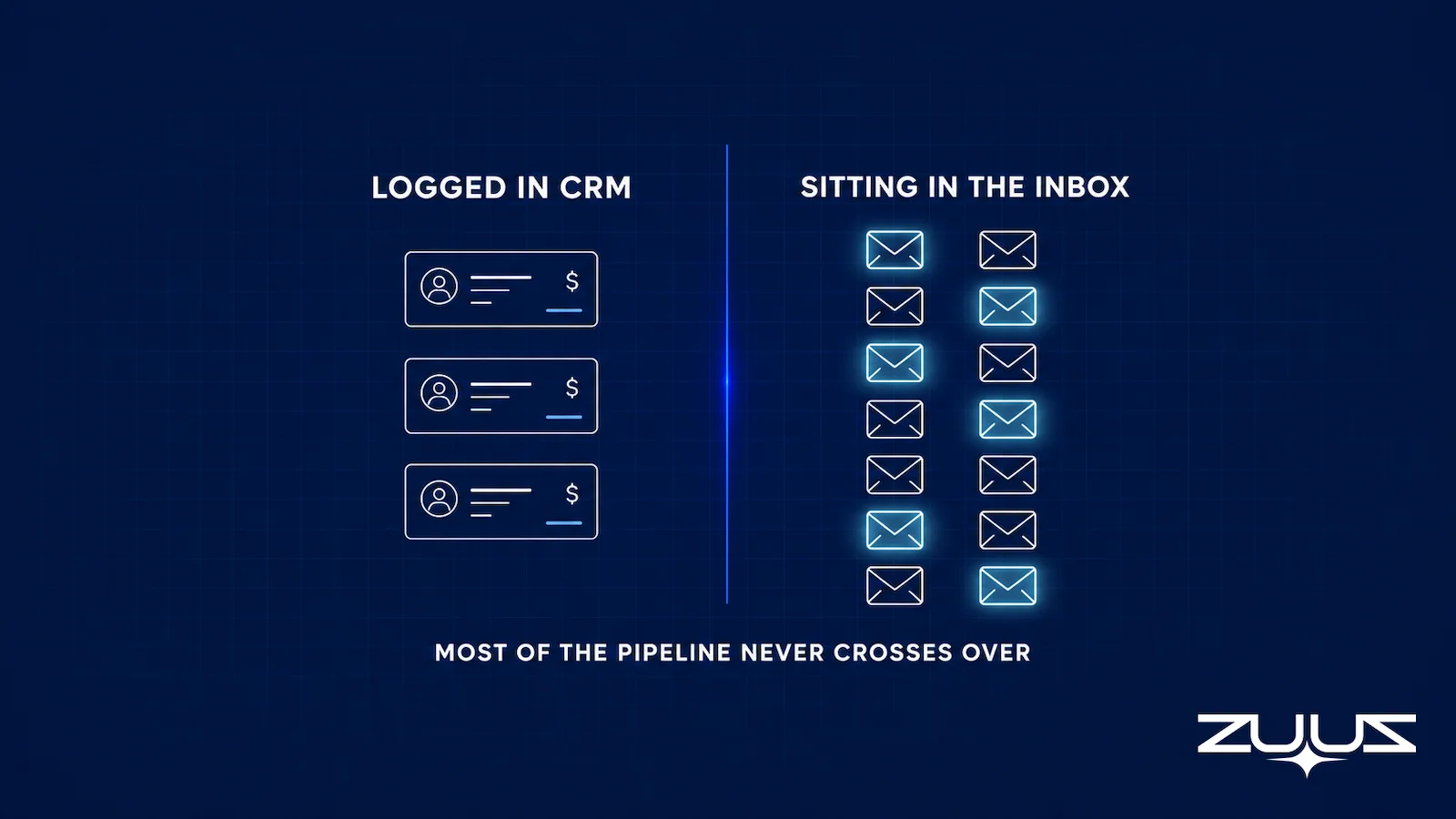
Most CRM records are outdated by the time a rep opens them. The call happened, the email came in, the proposal went out, and none of it got logged. This is not a discipline problem. It is structural: email cannot route buying signals into a sales system.
Missed sales leads in email are a consistent source of unrecognized pipeline in B2B organizations. According to Salesforce’s State of Sales research, reps spend 60% of their time on non-selling tasks. Manual CRM logging is part of that lost time, and when reps choose between closing and typing, logging loses.
This article breaks down why email leads go undetected, what the six most common missed signal types look like, why standard CRM tools cannot catch them, and what a working fix requires.
The Lead That Never Existed in Your CRM
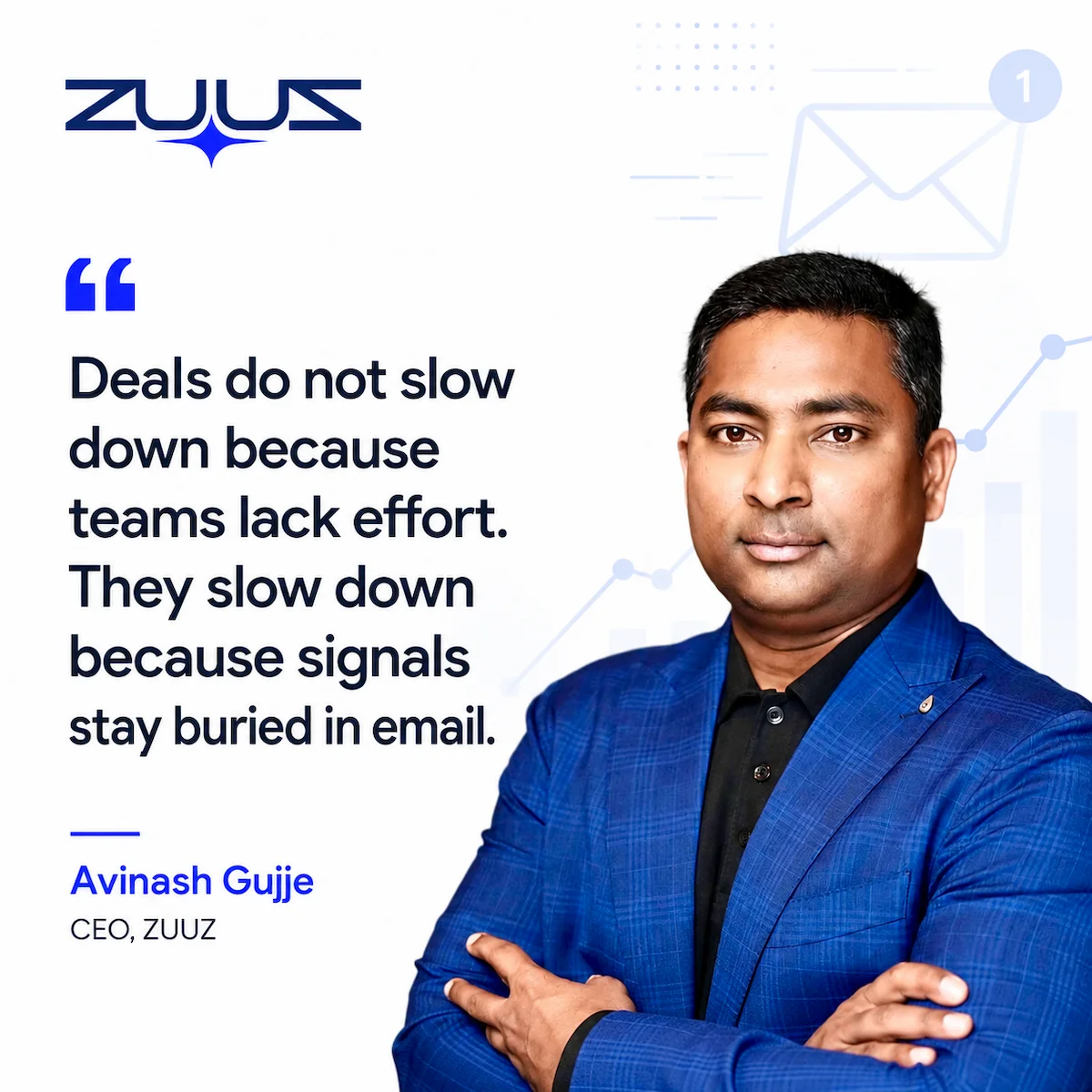
Avinash Gujje built Cloud Box Technologies, an IT services and cloud distribution company, from the ground up to $25M ARR with a team of 80. At that scale, 10 to 12 renewal signals passed through employee inboxes every month without ever reaching Salesforce. Not because the reps were negligent. Because email was never designed to function as a sales system.
An email arrives. A rep reads it on a phone during a commute. The message signals a renewal inquiry. The rep intends to log it after the next call. Two meetings and a proposal later, the intention has dissolved. The signal is gone. The CRM still shows the account as healthy, with no open opportunities and no pending action.
This is the architecture of a missed lead in email. No one failed. The system just lacks the infrastructure to capture what happens.
See the Pipeline Your CRM Can’t See.
ZUUZ connects to the sales inbox, extracts the deal signal, and writes it to Salesforce, HubSpot, Zoho, Attio or Pipedrive. Book a 15-minute walkthrough on your own inbox.
Why Email Is Where Leads Go to Die
Email is where most business communication happens. Deals get initiated, negotiated, and closed over email. Renewals get signaled. Expansions get requested. Competitors get named. Yet email has none of the structural features that make a sales system work.
There is no ownership assignment. Any message can sit in a shared inbox with no attributed rep. There is no urgency flag. A renewal inquiry that requires a response within 48 hours looks identical to a vendor invoice at first glance. There is no routing logic. A buying signal in a forwarded thread does not automatically reach the person responsible for that account.
The result is a system where the most important sales conversations happen in the channel least equipped to capture them. Leads that arrive through the inbox live or die based on a rep’s attention state at the moment of reading, a condition that cannot be reliably managed at scale.
Classic research from Harvard Business Review on the short life of online sales leads (2011 study, framed historically) found that firms responding within an hour were far more likely to qualify a lead than those waiting longer, yet most waited far past that window. For email-sourced leads that were never logged, the response time is effectively infinite.
Six Types of Missed Sales Leads in Email
The following signal categories account for the majority of undetected pipeline in IT services, distribution, and enterprise B2B environments. Each category looks routine at first glance, which is precisely why each gets skipped.
Renewal Signals
A customer mentions that their current contract is expiring in the next quarter. The message arrives in a thread about a support issue. The support rep addresses the ticket and archives the thread. No renewal opportunity is created in the CRM. The account manager learns about the expiration two weeks later from the customer, not from the system.
Price and Quote Requests
Pricing inquiries buried in forwarded threads are among the highest-intent signals a sales inbox receives. The forward structure hides the urgency. A prospect who forwards a quote request from a colleague to a sales rep has already passed internal approval to evaluate. That signal carries more weight than a cold demo request, yet it often goes unlogged because it reads like routine correspondence.
Evaluation Mentions
When a prospect says they are comparing three vendors, that sentence contains the timeline, the competitive context, and the stage of the deal. If the rep reads it and does not create an opportunity record immediately, the context is gone. By the time the rep circles back, the prospect has advanced in their evaluation without the sales team’s knowledge.
Competitor Name-Drops
A customer mentioning a competitor’s product in an email is a competitive intelligence signal. It indicates that the account is either at risk or actively shopping. Most CRMs have a competitive field, but that field only gets populated when a rep explicitly fills it in. Competitor mentions that arrive by email and are not immediately logged disappear from the intelligence picture entirely.
Expansion Requests
An existing customer asks whether additional licenses, products, or services are available. The email arrives during a period of high inbox volume. The rep reads it, marks it as something to follow up on, and the message sinks below the fold. The customer, hearing nothing, either buys elsewhere or assumes the expansion is not possible.
Re-Engagement from Dormant Accounts
A contact who went silent 90 days ago sends a message asking about a specific product or renewal timeline. This is a high-value signal because the account already knows the company and has returned voluntarily. If this message is not captured in the CRM immediately, the account continues to appear dormant in pipeline reports while an active buying conversation goes untracked.
These six categories surface repeatedly in email lead qualification audits across IT services and distribution companies. The common factor in all of them is that the signal arrived by email and required no action from the CRM to detect it.
Why CRM Data Does Not Help You Catch These
A CRM is a database. It records what sales teams tell it to record. Salesforce, HubSpot, and Zoho all share this characteristic: no record appears unless a human being creates it. The system has no awareness of what is happening in the inbox.
This means that CRM pipeline reports reflect not the actual state of deals, but the state of deals that were manually entered. The gap between those two things is where missed sales leads in email accumulate. The pipeline view a sales leader sees is always incomplete, missing the conversations that happened but were never logged.
BCC-to-CRM rules attempt to bridge this gap by logging every sent email to the associated CRM record. They create two problems. First, they flood the CRM with irrelevant activity: vendor emails, internal communications, and automated notifications. Second, they only capture what the rep actively BCCs. Messages received in shared mailboxes, forwarded threads that the rep reads but does not reply to, and conversations on mobile devices where BCC is not configured all fall through.
The result is a CRM that contains more data but not better data. Lead records that exist are cluttered with noise. Lead records that should exist remain absent.
The IT Sales Inbox Problem Is Worse Than Other Industries
General-purpose email parsing tools are trained on broad commercial language. They recognize standard lead indicators: a subject line that says “pricing inquiry,” a message body that contains “I would like to schedule a demo.” In IT services and distribution, buying signals rarely present this way.
An IT rep might receive a message that says: “Hey, we need three Cisco ISR 4321s, two Fortinet 60F units, and a quote for the Meraki MX75 bundle, can you get back to me by Thursday?” This is a high-value purchase request. To a generic email parser, it looks like technical correspondence. To an IT-trained model, it is an inbound quote request with a deadline.
The same problem applies to renewal signals. In IT distribution, renewals are tied to software assurance agreements, maintenance contracts, and vendor-specific renewal windows. A message referencing “SA renewal” or “SmartNet expiration” is a time-sensitive sales signal. Without vocabulary trained on these terms, the signal is invisible.
This is why the missed sales lead problem in email is structurally harder for IT services and distribution companies than for standardized SaaS sales environments. The signals exist. The tools to detect them have to be built specifically for the context.
For distributors and VARs managing complex multi-vendor pipelines, the renewal tracking challenge extends across product families and vendor timelines simultaneously, compounding the inbox capture problem.
Stop Losing Pipeline in the Inbox.
Connect your CRM in minutes and let ZUUZ capture the signals your team never logs. Start free, with no integration project required.
Three Ways Companies Try to Fix This
Organizations that recognize the missed email lead problem typically attempt one of three fixes. Two of them address symptoms rather than root causes.
| Approach | How It Works | Core Limitation | Behavior Change Required? |
|---|---|---|---|
| Manual CRM discipline | Reps log every email interaction into the CRM manually | Works only for deals reps are actively tracking; misses signals they did not recognize as leads | Yes, significant ongoing burden |
| BCC-to-CRM rules | Every sent email is copied to the CRM automatically via BCC or email integration | Creates noise without classification; misses received messages, mobile reads, and shared mailbox threads | Partial, reps must remember to configure and use BCC |
| AI-native email parsing | An AI layer reads inbound and historical email, classifies signals by type, and writes structured records to the CRM | Requires a model trained on industry-specific vocabulary for IT and distribution accuracy | No, reps work exactly as they do today |
Manual CRM discipline fails at volume. The moment inbox load increases, logging frequency drops. It also fails categorically for signals that reps do not consciously recognize as leads. A renewal mention in a support thread, for example, may not register as a sales opportunity to the rep who handles technical queries.
BCC-to-CRM rules create a false sense of completeness. Activity is logged, but most of it is noise. The signals that matter, inbound messages, forwarded threads, and conversations the rep read but did not initiate, remain uncaptured. The CRM looks more active without actually being more accurate.
AI-native email parsing addresses the structural problem. The system reads every relevant email, classifies signals by category, enriches them against existing CRM data, and writes structured records to Salesforce or HubSpot without requiring the rep to change anything about how they work. The inbox remains the rep’s working environment. The CRM receives accurate, classified records automatically.
Missed Sales Leads in Email: How ZUUZ Surfaces What Gets Skipped
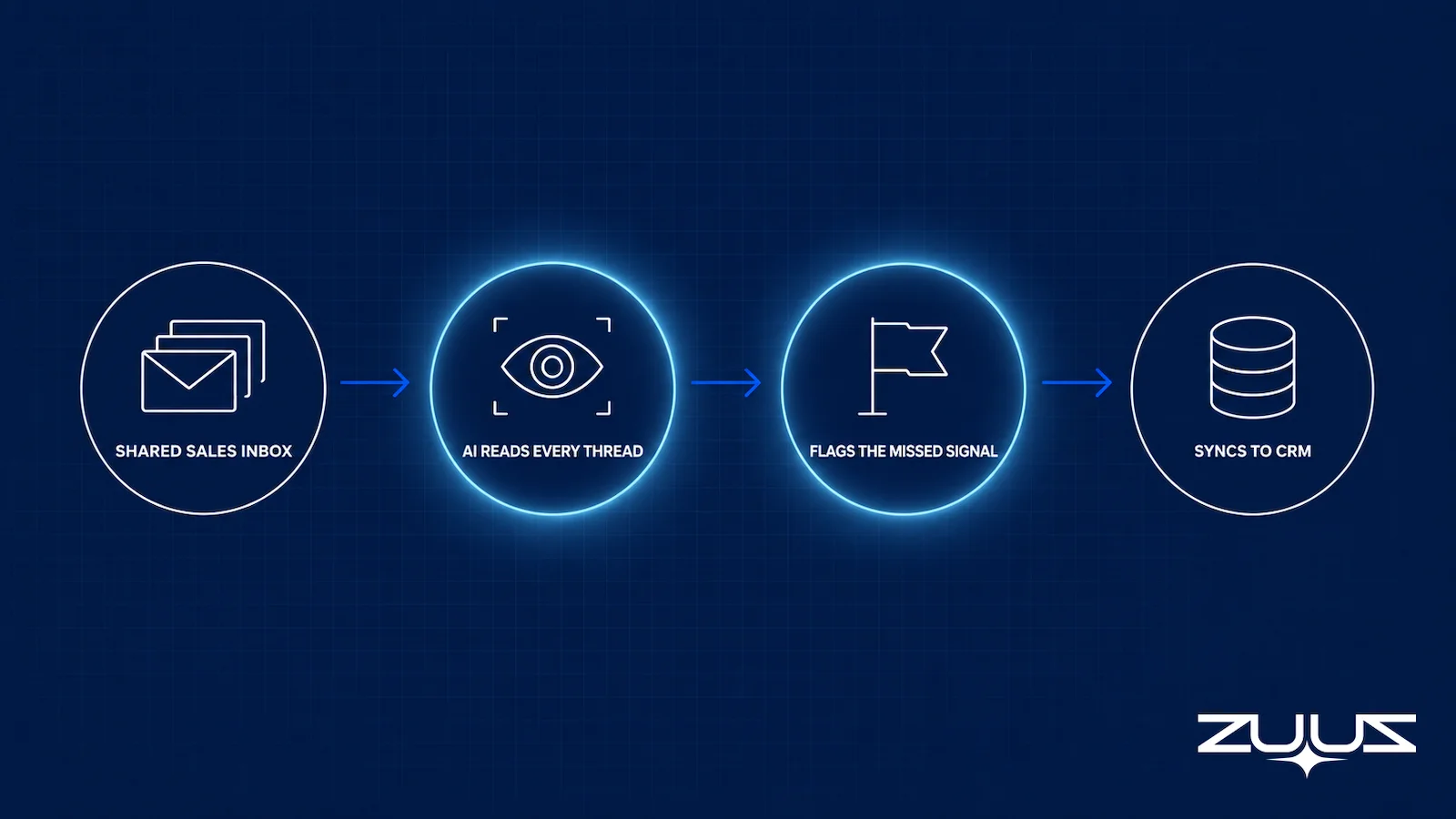
ZUUZ operates as the execution layer between the inbox and the CRM. It reads every inbound email, extracts deal signals using a model trained on IT services and distribution vocabulary, and writes classified records to Salesforce, HubSpot, or Zoho automatically. No rep action is required for any part of this process.
The workflow runs in four steps. First, ZUUZ scans both incoming and historical emails, including conversations from the past 90 days that were never logged. Second, it classifies each signal by type: renewal, quote request, evaluation, competitive mention, expansion, or re-engagement. Third, it enriches each record against the existing CRM data to match the signal to the correct account and contact. Fourth, it writes a structured opportunity or activity record to the CRM with the signal type, timestamp, and relevant context preserved.
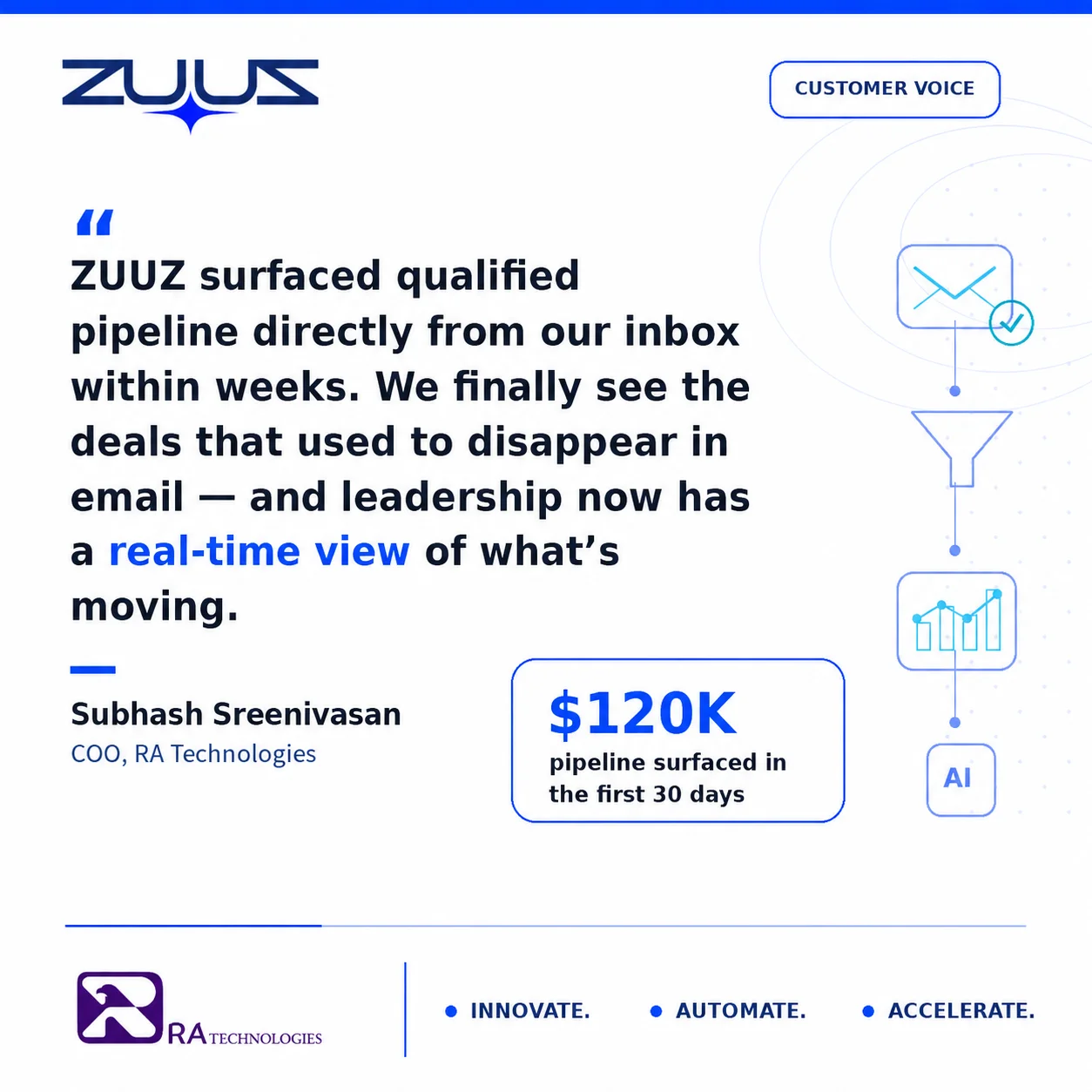
The historical lookback is where most organizations first see the scale of the problem. RA Technologies, an IT services company in the US, connected ZUUZ to their HubSpot instance and ran a 90-day email lookback. The scan surfaced a customer renewal inquiry that had been sitting unlogged for eight weeks. The opportunity value was $120,000. No one on the team had known the conversation existed in the CRM record, because it had never been entered there.
ZUUZ operates across Salesforce, HubSpot, Zoho, Attio or Pipedrive from the same deployment. For organizations managing accounts across multiple CRM environments, or evaluating a CRM migration while needing to maintain pipeline continuity, this matters. The integration with Salesforce for IT sales teams handles the vocabulary-specific classification that generic email tools miss, and the same applies to HubSpot and Zoho deployments.
A retail and distribution company uses ZUUZ for bulk order matching, achieving a 10-to-1 efficiency ratio on order processing that previously required manual review. The email parsing capability that surfaces missed leads operates from the same underlying model, adapted to the distribution context.
For sales leaders who need visibility into what is actually happening in the pipeline, the question is not whether email contains missed leads. The question is how many, and from how far back.
Stated plainly, because this category invites the confusion: ZUUZ is an AI layer on top of the CRM a team already runs, never a CRM and never a replacement for one. Most tools competing for this budget report on what the rep entered; ZUUZ writes the record, from the sales inbox, LinkedIn messages and meeting or call transcripts, for the rep to approve.
From an operator’s seat
Across the deployments ZUUZ runs, the pattern is that the 90-day lookback is not the hard part. Deciding what to do with it is. A lookback on a shared IT sales inbox returns renewal mentions that are genuinely live alongside threads that were already resolved on a call nobody logged, and in an export the two look identical. The order of operations that works is one person triaging the lookback with the owning rep present before any record is created, because a batch of opportunities a rep does not recognize is the fastest way to lose their trust in everything written afterwards. The part teams do not plan for is the permission conversation: in IT services the mailbox holding the most signal is usually the shared one, orders@ or support@, it belongs to a different manager, and that approval takes longer than the technical connection does.
The Capture Layer Test
Four questions sit underneath the criteria table below. They are what separates a capture layer from a logging feature, and they apply to any tool on the shortlist, this one included.
- Does it capture from the channels where the deal actually moves, email, calendar, LinkedIn messages, meeting and call transcripts?
- Does what it captures land in CRM fields a report can read, or only in an activity feed a human must open?
- Does the rep have to remember anything, a BCC, a button, a sidebar, a sync?
- Can the rep correct it in one click before it is written?
A tool that fails 2 or 3 produces activity history, not a pipeline you can run a review on.
Worked example. A procurement contact forwards a thread mentioning that a support contract expires in March and asks what a three-year renewal would cost. BCC-to-CRM fails question one, because nobody sent that message. An email integration that logs received mail passes question one and fails question two, since the renewal signal exists only as a logged email on a contact, invisible to any renewal report. A capture layer passes both: “renewal signal”, a date and the account land in fields, and the rep either approves or rejects the record in one click.
What to Look for When Evaluating a Solution
Not all email parsing tools perform the same way in IT services and distribution contexts. The following criteria distinguish tools that will reliably capture missed sales leads in email from those that produce marginal improvement.
| Criteria | What to Verify | Why It Matters for IT and Distribution | How ZUUZ Answers It |
|---|---|---|---|
| IT vocabulary training | Ask for examples of signals detected in technical threads containing vendor SKUs, product codes, and contract terminology | Generic models miss procurement-specific language entirely | Classification is tuned on IT services and distribution language, including vendor SKUs, product codes and contract terms |
| Native CRM compatibility | Verify bi-directional sync, not just logging, but reading existing CRM data for enrichment | One-way logging creates duplicate records and misses account context | Reads existing records to match and enrich, then writes back to Salesforce, HubSpot, Zoho, Attio or Pipedrive |
| Signal accuracy and classification | Request precision and recall figures on the signal types most relevant to your deal flow | Low-accuracy models generate false positives that require manual review, eliminating efficiency | Every signal is surfaced with the thread behind it, so the rep approves or rejects it in one click instead of auditing a score |
| Historical email scanning | Confirm the tool can connect to existing inboxes and scan past conversations, not just new messages forward | Most missed pipeline already exists; catching only future signals leaves historical losses unaddressed | A 90-day lookback runs on first connection, and the rep reviews it before anything is written |
| No required behavior change | Verify that reps do not need to BCC, tag, or take any inbox action for the system to work | Any workflow requiring rep action will reintroduce the manual capture problem within weeks | No BCC, button or sidebar to remember; the rep keeps working in the inbox and approves what gets written |
| Multi-CRM support | Confirm the tool operates across the CRMs your organization currently runs | Enterprise IT organizations often operate Salesforce in one division and HubSpot or Zoho in another | One deployment runs across Salesforce, HubSpot, Zoho, Attio and Pipedrive at the same time |
The HubSpot email lead capture automation path and the Salesforce integration path require different technical configurations. A tool that handles both from a single deployment reduces the operational overhead of managing two separate capture systems.
For a broader view of how email intelligence feeds into pipeline accuracy, the question of what pipeline visibility tools actually require in an IT sales environment covers the evaluation criteria at the pipeline level, beyond individual email capture.
Frequently Asked Questions
Why Do Sales Teams Miss Leads That Come Through Email?
Email has no built-in routing logic, no ownership assignment, and no urgency flag. A rep reads a message on a mobile device, intends to log it later, and the intention dissolves before the CRM is ever opened. The problem is structural, not behavioral. Most B2B inboxes carry 50 to 100 messages per day, and buying signals are scattered across forwarded threads, reply chains, and CC’d conversations that look identical to routine correspondence.
How Is This Different from a CRM Follow-Up Reminder?
A CRM follow-up reminder only fires on deals that have already been logged. Missed email leads are deals that were never entered in the first place. No reminder system can surface a record that does not exist. The gap is at the point of capture, not the point of follow-up. Fixing follow-up sequences without fixing email capture leaves the primary source of pipeline leakage completely unaddressed.
Does This Apply to Inbound Leads Only, or Outbound Too?
Both. Inbound leads arrive as replies to outbound sequences, RFP responses, and direct contact-form submissions forwarded by operations staff. Outbound leads surface when prospects respond to cold outreach with questions, pricing requests, or availability checks. Both types carry buying signals that get buried in inbox volume. AI email parsing reads all of these uniformly, regardless of which direction the conversation originated.
What Types of Email Signals Indicate Buying Intent?
Six categories account for the majority of missed signals in IT services and distribution environments: renewal mentions tied to contract terms or pricing, price or quote requests buried in forwarded threads, evaluation mentions where a prospect references a competitor comparison, competitor name-drops that reveal competitive pressure on an existing account, expansion requests for additional products or headcount, and re-engagement from contacts who had gone dark for 60 days or more.
How Long Does Implementation Take for an AI Email Parsing Tool?
Implementation timelines vary by vendor and CRM complexity. For ZUUZ, the connection between the inbox and the CRM is configured during onboarding and does not require changes to rep workflow. Historical email scanning typically completes within a few days of connection. RA Technologies, an IT services company in the US, surfaced $120,000 in pipeline from a 90-day email lookback within 72 hours of deployment.
Why Is the Problem Worse in IT Services and Distribution?
IT services and distribution deals involve multi-vendor conversations, technical specifications, and procurement language that standard CRM email parsers are not trained to recognize. A request for a Cisco quote buried inside a forwarded thread looks like routine vendor correspondence to a generic tool. IT-specific models trained on procurement vocabulary, vendor names, and SKU patterns identify these signals where generic systems return nothing.
What Is the Risk of Using BCC-to-CRM Rules to Capture Email Leads?
BCC-to-CRM rules log every email indiscriminately, flooding the CRM with internal notes, vendor invoices, and irrelevant correspondence. Reps must still manually sort through logged items to find actual leads, which eliminates most of the time savings. More critically, BCC rules only capture what the rep remembers to BCC. Messages read on mobile, or those received in shared mailboxes, are missed entirely. The result is a noisier CRM with the same fundamental gap.
Which CRM Platforms Does an Email Lead Capture Tool Need to Support?
The enterprise B2B market is divided across Salesforce, HubSpot, and Zoho, with some organizations running more than one system across divisions. An email lead capture tool that requires a single CRM as its underlying platform locks out organizations running a different or mixed stack. ZUUZ operates across Salesforce, HubSpot, Zoho, Attio or Pipedrive from the same deployment, making it functional for companies with multiple CRM environments without requiring a separate integration per platform.
See What Your Inbox Is Actually Doing.
If your team manages IT services, distribution, or enterprise accounts over email, the missed lead gap is measurable. A 15-minute conversation covers what the lookback typically surfaces and whether ZUUZ fits your CRM stack.
A first step that fits in one afternoon. Connect one mailbox, let ZUUZ read the last 90 days, and have the rep review every renewal, quote request and evaluation it found before a single record is written. The size of that list is the answer to how much pipeline the inbox has been holding. 30-day free trial, no credit card: https://zuuz.ai/trial/

CEO of ZUUZ. He scaled Cloud Box Technologies from 0 to $25M ARR in IT services and distribution before building ZUUZ. Connect on LinkedIn

