
| Dimension | Sales Operations | Revenue Operations |
|---|---|---|
| Scope | Sales team only | Sales, marketing, customer success |
| Owns | Quotas, territories, CRM admin, sales reporting | Shared data model, end-to-end process, unified metrics |
| Primary metric | Sales productivity and attainment | Full-funnel revenue efficiency and retention |
| Software job | Optimize one function | Connect data across functions |
| Data challenge | Keep the sales pipeline clean | Make one deal mean the same thing everywhere |
Revenue Operations Software: What to Evaluate Before You Buy
A buyer’s guide to revenue operations software: the category map, evaluation framework, criteria by size, and the buying mistakes that waste budget.
Key Takeaways
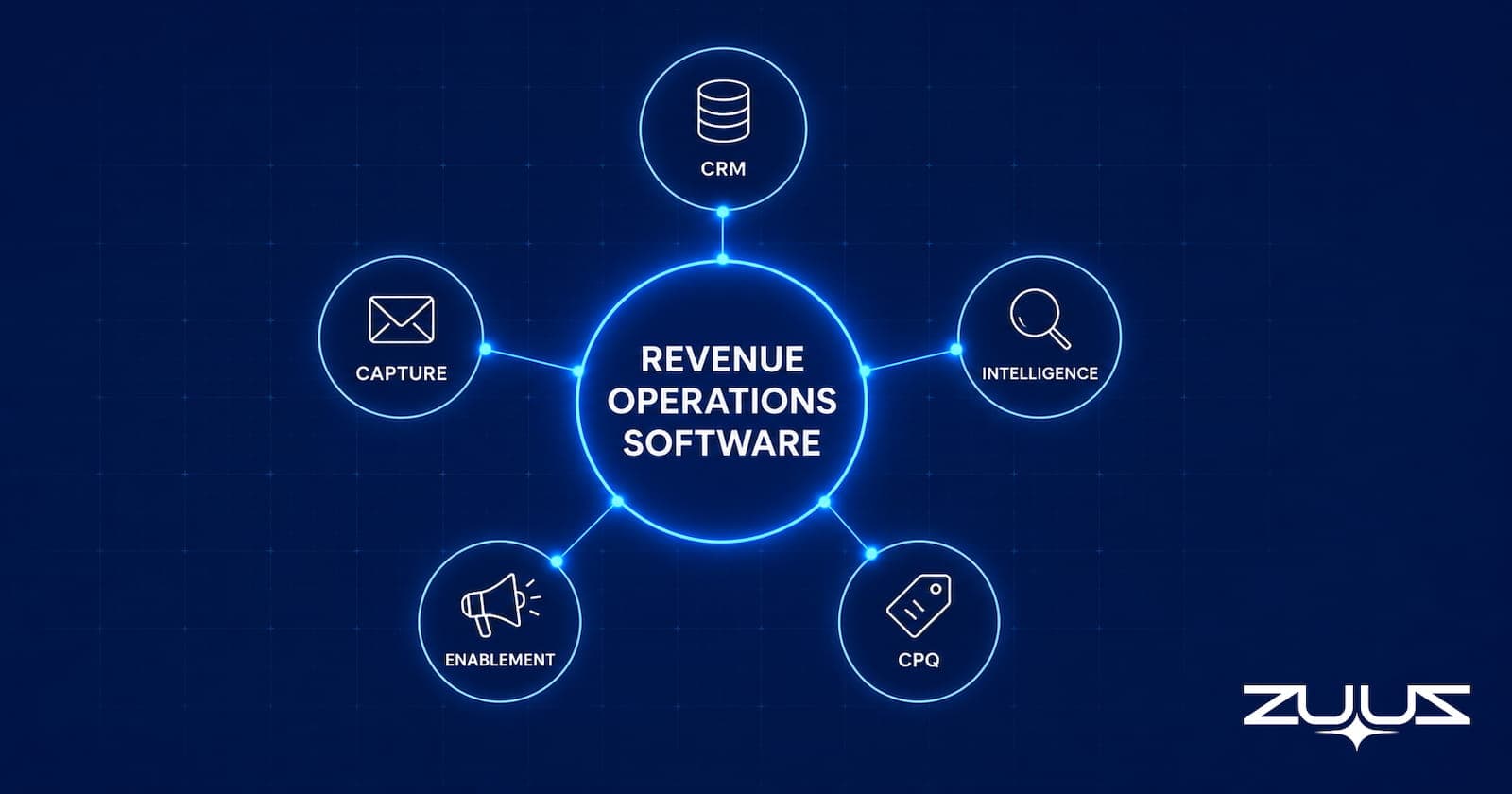
- Revenue operations software is not one product. It is a set of categories, including CRM, capture, intelligence, forecasting, enablement, and CPQ, and most teams assemble a stack rather than buy a single platform.
- RevOps differs from sales operations by scope. Sales ops serves the sales team, while RevOps aligns sales, marketing, and customer success around one revenue process and one data model.
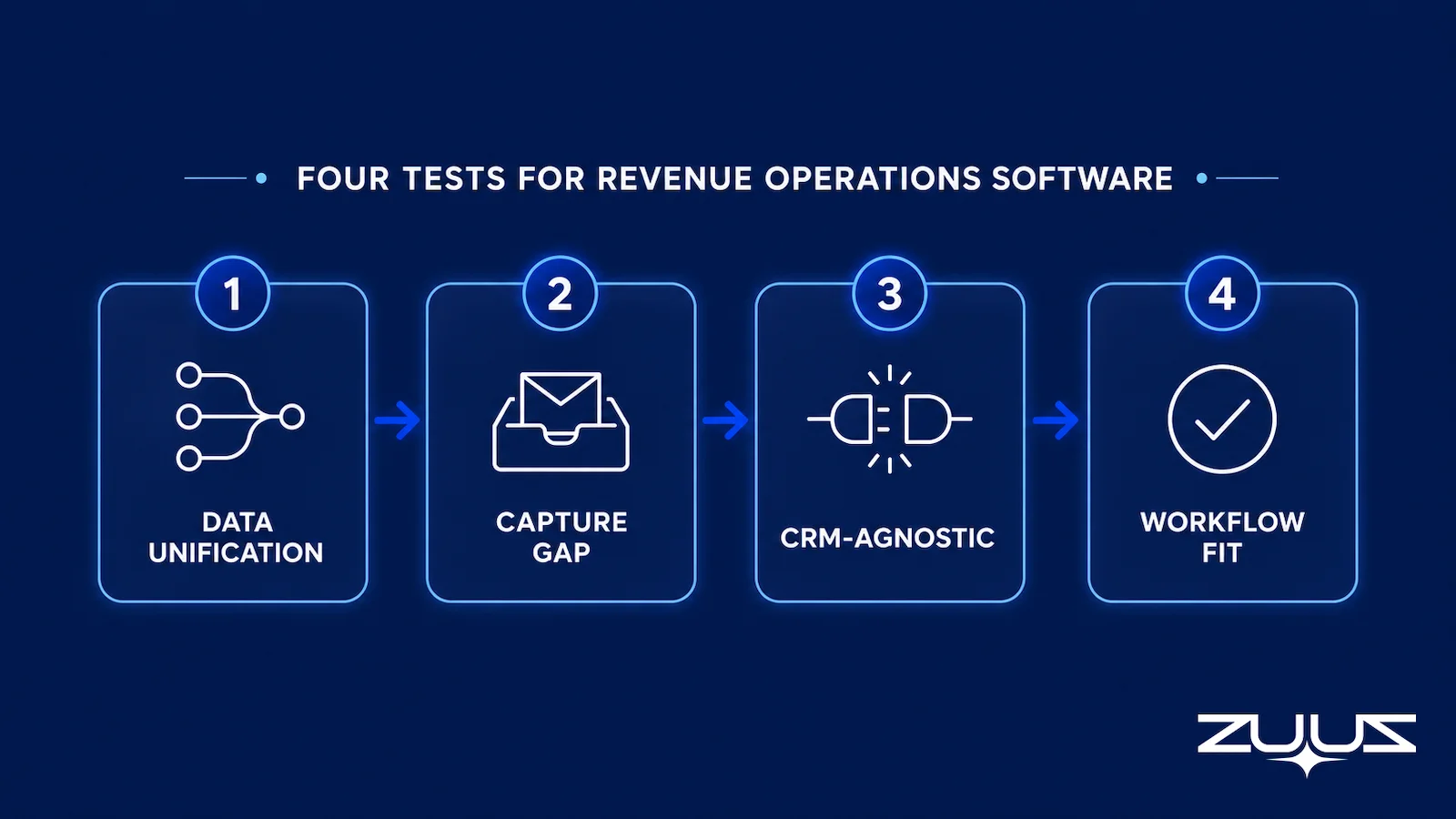
- The four evaluation tests that matter most are whether a tool unifies data, closes the email-to-CRM capture gap, operates across any CRM, and fits existing rep workflow without adding manual entry.
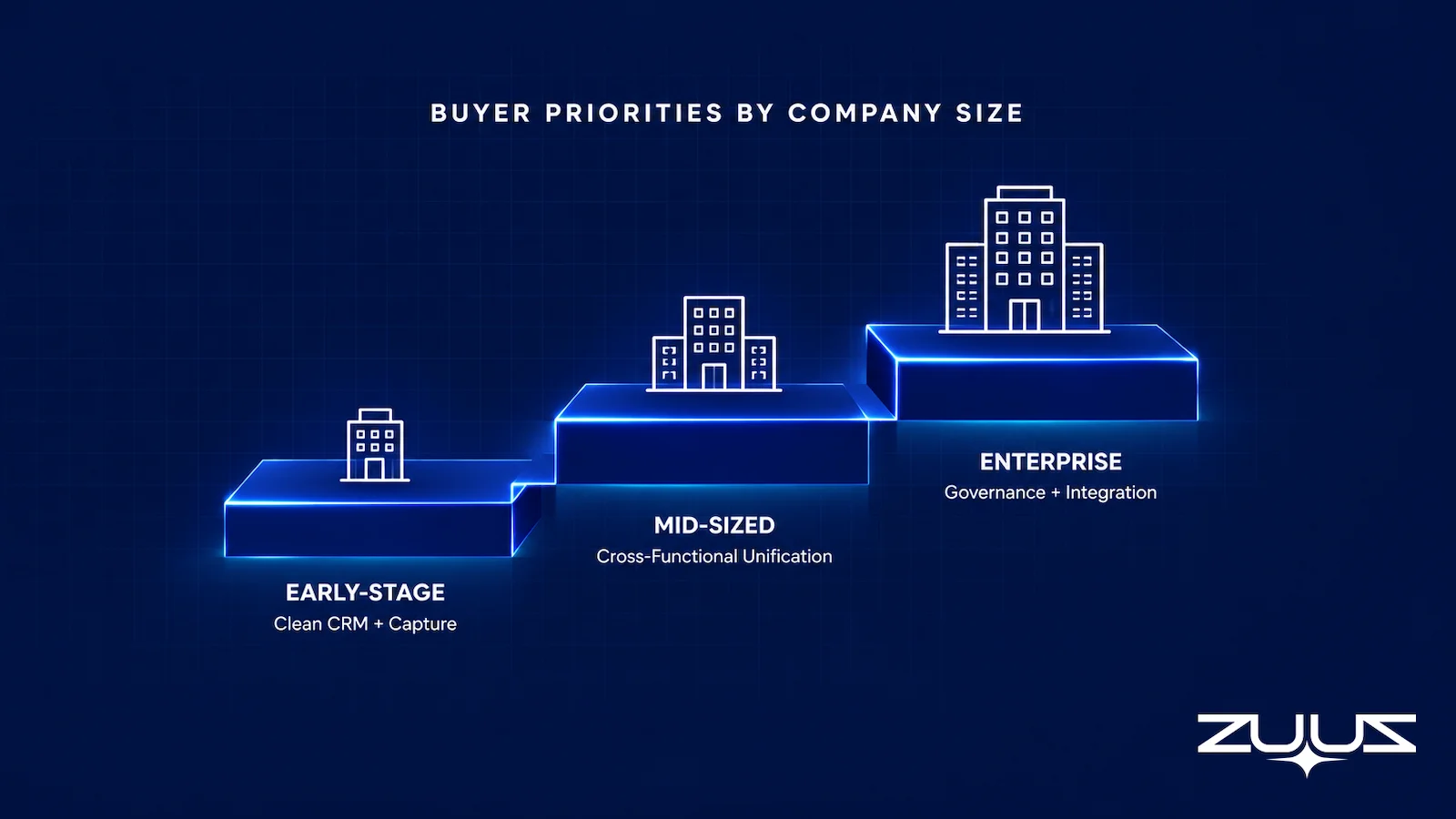
- Buyer priorities shift by company size. Early teams need capture and a clean CRM, mid-sized tech companies need cross-functional data unification, and enterprises need governance and integration depth.
- The most expensive buying mistake is purchasing a reporting or intelligence layer before fixing data capture, because every downstream tool inherits the gaps in the CRM it reads from.
- ZUUZ operates as the capture and execution layer that keeps CRM data current from email across Salesforce, HubSpot, Zoho, Attio or Pipedrive. RA Technologies surfaced $120,000 in unrecorded pipeline within 72 hours.
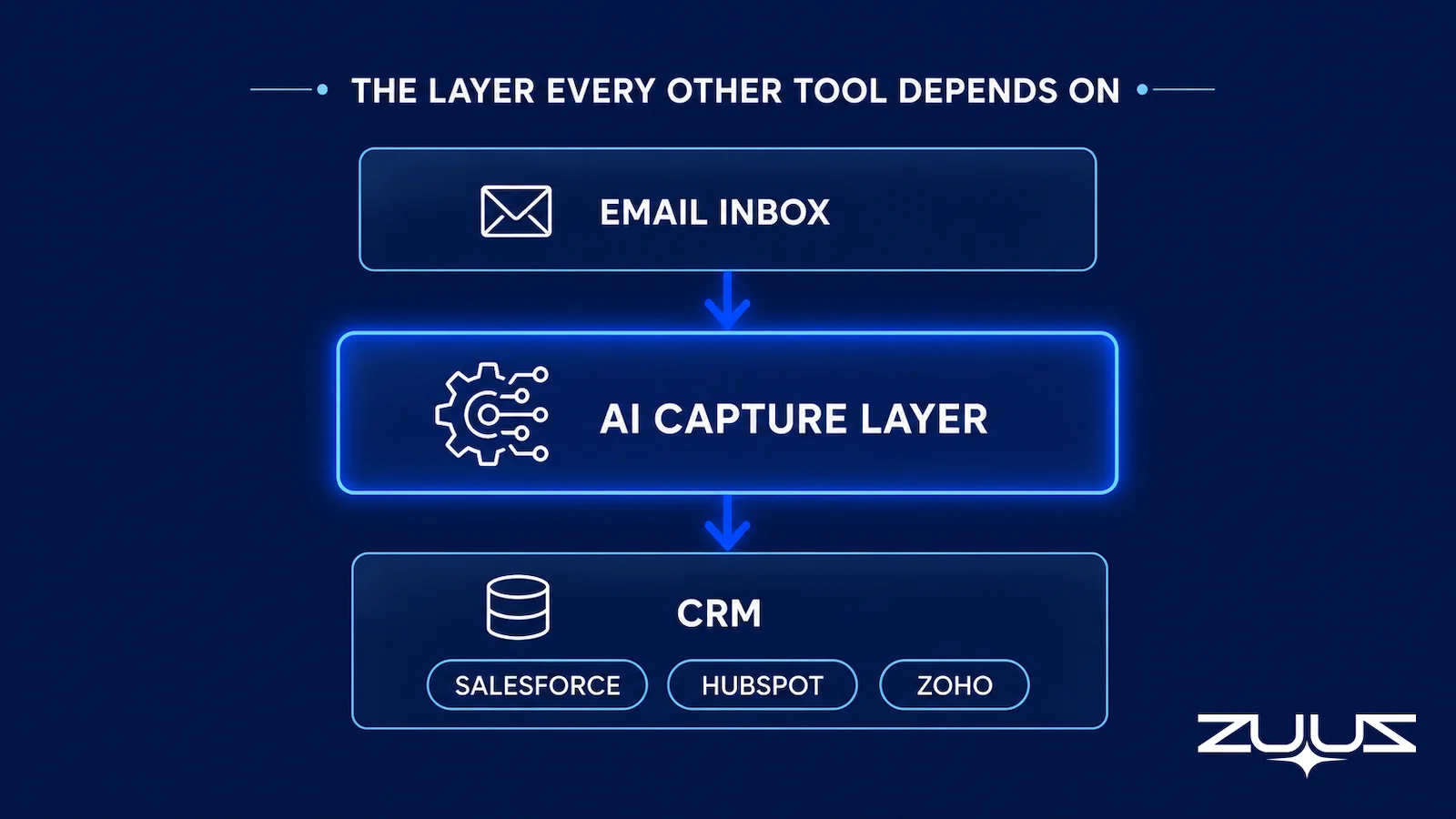
- The mechanism, stated plainly: ZUUZ connects to the sales inbox, reads LinkedIn messages and meeting or call transcripts, and writes leads, stakeholders, next steps and renewal signals into the CRM for the rep to approve in one click.
A VP of RevOps inherits a stack of six tools, a forecast that is wrong by a quarter, and a CRM that nobody trusts. Adding a seventh tool is the obvious move and usually the wrong one. The problem is rarely a missing feature. It is that the tools already in place are reading from a record that does not reflect what is happening in accounts.
Revenue operations software is sold as a cure for that exact pain, and the market is crowded with platforms that promise alignment, forecast accuracy, and a single source of truth. Most buyers compare feature lists. Few compare the categories those features belong to or the order in which they should be bought.
This guide maps the categories that count as revenue operations software, separates RevOps from sales operations, lays out an evaluation framework, and names the buying mistakes that cost the most. The aim is a sharper purchase, not a longer shortlist.
What Revenue Operations Software Actually Is
Revenue operations is the function that aligns sales, marketing, and customer success around one revenue process, one data model, and one definition of pipeline. Where those three teams once ran on separate systems and separate metrics, RevOps treats the revenue engine as a single motion from first touch through renewal.
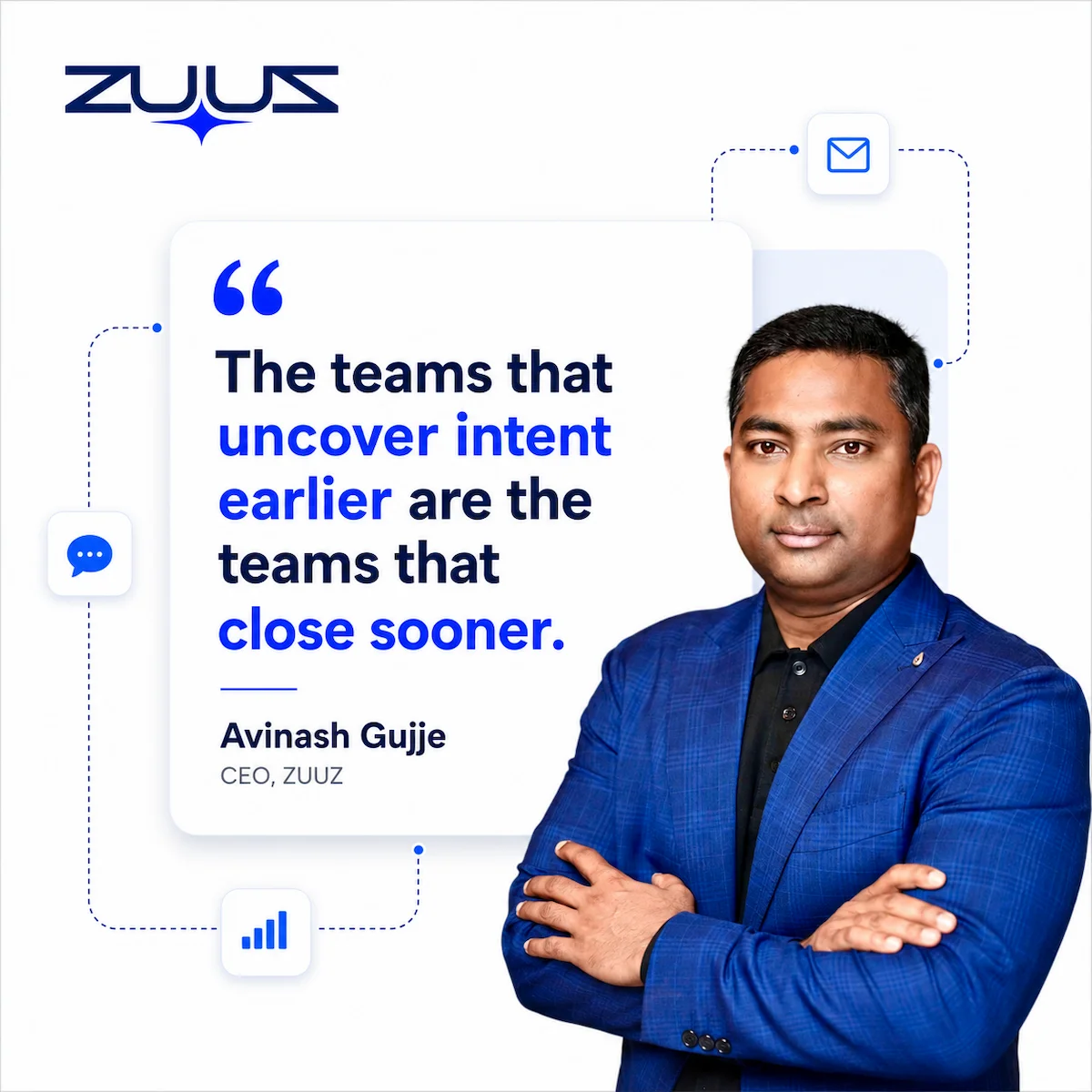
Revenue operations software is the tooling that supports that function. It is not a single product category. It spans the CRM that holds the record, the capture tools that keep the record current, the intelligence tools that score what is in it, the forecasting tools that project from it, the enablement tools that move deals, and the CPQ tools that price them. Each category solves a different part of the same problem.
The interest in the function is not abstract. Gartner predicted that 75 percent of the highest-growth companies in the world would deploy a RevOps model by 2025, which is why the software market around the function has grown so fast. The risk in a fast market is buying a label rather than a capability.
The single most important property of a RevOps stack is whether it runs on accurate data. A platform that unifies dashboards across functions still produces a misleading picture if the records underneath are incomplete. That is why the category map below leads with capture, not reporting.
RevOps Versus Sales Operations
Sales operations and revenue operations get used interchangeably, and the conflation drives bad purchases. Sales ops supports the sales team alone. It owns quota setting, territory design, CRM administration, commission plans, and sales reporting. Its job is to make one function run well.
Revenue operations covers the whole revenue engine. It aligns the data, process, and metrics across sales, marketing, and customer success so that a lead source, a closed deal, and a renewal all live in the same model. The difference is scope, and scope changes what the software has to do.
A sales ops tool can optimize a single function in isolation. A revenue operations platform has to connect data across functions that historically ran on different systems with different definitions. The harder problem in RevOps software is not analytics. It is making sure the same deal means the same thing in marketing automation, the CRM, and the customer success platform.
The practical takeaway for a buyer is to know which function the budget is solving for. A team that buys cross-functional RevOps software to fix a sales-only reporting problem overspends. A team that buys a sales ops point tool to fix a cross-functional alignment problem underbuys.
The Revenue Operations Software Category Map
Most teams do not buy one revenue operations platform. They assemble a stack from six categories. Knowing the boundaries between them is what keeps a purchase from overlapping with a tool already in place. For a deeper walkthrough of how these layers fit together in practice, the modern RevOps software stack guide for 2026 covers the architecture in detail.
1. CRM, the System of Record
Salesforce, HubSpot, and Zoho hold the contacts, deals, and activity that everything else reads from. The CRM does not create RevOps on its own. It stores what reaches it, which makes its accuracy a function of what feeds it rather than of the platform itself.
2. Email-to-CRM Capture, the Foundation
Capture tools read inbound and outbound email and write structured deal records to the CRM without rep action. This is the category most stacks skip, and the one that determines whether every other tool is accurate. The piece that matters is described further in the guide to the best CRM setup to reduce manual data entry. Capture is only the first stage of a full inbound lead management process, which still has to score, route, and sync what gets captured before it reaches a rep.
3. Revenue Intelligence
Revenue intelligence tools score deals, surface risk, and analyze conversation and email signals to predict outcomes. They are powerful when the underlying record is complete. The mechanics of how scoring and forecast modeling work are covered in the dedicated revenue intelligence software guide, which sits alongside this one.
4. Forecasting and Planning
Forecasting platforms roll deal records into projections, apply probability models, and support quota and capacity planning. They consume CRM data and produce a number leadership commits to. Their accuracy is bounded by the completeness of the pipeline they read.
5. Sales Enablement and Engagement
Enablement and engagement tools run sequences, manage content, and coordinate outreach across the team. They move deals forward and feed activity back into the record. They overlap with capture but solve a different job: outbound motion rather than inbound signal capture.
6. CPQ and Quoting
Configure-price-quote tools handle pricing rules, approvals, and quote generation, especially where products are configurable or discounting needs governance. CPQ closes the loop between an agreed deal and a clean order, and writes the resulting value back to the CRM.
Teams that respond to formal tenders rather than simple quotes hit a different bottleneck: the work is assembling a compliant response rather than configuring a price.
| Category | Job | Reads From | Writes To | Buy Priority |
|---|---|---|---|---|
| CRM | System of record for contacts, deals, activity | All inputs | Itself | Required first |
| Email-to-CRM Capture | Turn email signals into structured CRM records | Email inbox | CRM | Before any reporting layer |
| Revenue Intelligence | Score deals, surface risk, predict outcomes | CRM, email, calls | CRM, dashboards | After capture is solid |
| Forecasting and Planning | Project revenue, plan quota and capacity | CRM | Planning tools | After capture is solid |
| Enablement and Engagement | Run outreach, sequences, and content | CRM | CRM | Parallel to capture |
| CPQ and Quoting | Price, approve, and generate quotes | CRM, product catalog | CRM, order systems | When deals are configurable |
The pattern in the right two columns is the point. Four of the six categories write back to the CRM and three of them read from it. A gap in the CRM does not stay contained. It spreads to every tool that touches the record, which is why capture sits ahead of intelligence and forecasting in any sane buying order.
Fix the Record Before You Buy the Dashboard.
ZUUZ connects to the sales inbox, extracts the deal signal from threads in both directions, and writes it to Salesforce, HubSpot, Zoho, Attio or Pipedrive. Book a 15-minute walkthrough on your own inbox.
A Four-Test Evaluation Framework
Feature checklists make every tool look similar. Four tests separate revenue operations software that holds up from software that demos well and disappoints in production. Run each candidate through all four.
Test 1: Does It Unify Data Across Functions
The first job of RevOps software is one source of truth across sales, marketing, and customer success. The test is whether a lead, a deal, and a renewal resolve to the same account and the same definitions without manual reconciliation. A tool that produces a clean view of one function while leaving the others in silos is a point solution wearing a RevOps label.
Test 2: Does It Close the Capture Gap
Deals happen in email. They are recorded in the CRM. The distance between those two places is where pipeline goes missing. The test is whether the tool captures signals that would otherwise never leave the inbox, or whether it simply reports on what reps already logged. Most categories assume the data exists. Capture tools generate it. This is the angle the listicle reviews skip, and it is the one that decides accuracy.
Test 3: Is It CRM-Agnostic
CRM migrations happen. Divisions run different systems. A tool locked to a single CRM becomes a liability the moment the underlying platform changes. The test is whether the software runs natively across Salesforce, HubSpot, and Zoho, so the RevOps layer survives a CRM decision made above it. CRM-agnostic operation is not a nice-to-have for a growing company. It is insurance.
Test 4: Does It Fit Existing Workflow
Adoption is where most RevOps tools quietly fail. Software that demands new rep behavior, extra logging, or a changed inbox routine gets ignored within a quarter. The test is whether the tool fits how reps already work, ideally requiring no behavior change at all. According to the Salesforce State of Sales report, sales teams already lose significant selling time to non-selling tasks, so any tool that adds manual work fights the trend rather than helping it.
| Test | Question to Ask the Vendor | Red Flag Answer | How ZUUZ Answers |
|---|---|---|---|
| Data unification | How does a lead, deal, and renewal resolve to one account? | Requires manual matching or only covers one function | Resolves inbox, LinkedIn message and transcript activity to the account record already in the CRM |
| Capture gap | Does the tool create records from email, or only report on logged data? | Assumes the data already exists in the CRM | Creates the record from the connected sales inbox, LinkedIn messages and meeting or call transcripts |
| CRM-agnostic | Does it run natively on Salesforce, HubSpot, and Zoho? | Locked to one CRM with no migration path | Runs on Salesforce, HubSpot, Zoho, Attio and Pipedrive; ConnectWise PSA is on the roadmap |
| Workflow fit | What new behavior do reps have to adopt? | Requires new logging steps or a changed inbox routine | None; the rep keeps working in email and approves what ZUUZ drafted in one click |
A tool that passes all four tests is rare, which is why a stack tends to specialize. The framework still works for a stack: every layer should pass the tests relevant to its job, and no layer should be bought if it fails the capture test for the record it depends on.
Buyer Criteria by Company Size
The right revenue operations software depends on company stage. The same platform that fits a 400-person organization is overkill for a 20-person team, and the reverse is worse. Buyer priorities shift in a predictable order.
Early-Stage and Small Teams
Below roughly 30 people, the priority is a clean CRM and reliable capture, not a forecasting suite. The risk at this stage is buying enterprise tooling that nobody has the time to administer. The right first purchases keep the record current and let the founders see real pipeline. Reporting sophistication can wait.
Mid-Sized Tech Companies
This is where the term best revenue operations software for a mid-sized tech company earns its weight. Between roughly 50 and 500 people, sales, marketing, and customer success have grown into separate systems, and the cost of misalignment shows up in the forecast. The priority is data unification across functions and a capture layer that keeps the CRM honest as volume rises. The guide to sales pipeline management software covers how pipeline tooling fits at this stage.
Enterprise
Above 500 people, the priorities shift to governance, security review, and integration depth. The question is less which features exist and more whether the tool fits an existing architecture, satisfies procurement and compliance, and integrates with systems that cannot be ripped out. Capture still matters at enterprise scale, where the volume of unlogged email is largest.
| Company Size | Top Priority | Buy First | Common Mistake |
|---|---|---|---|
| Under 30 people | Clean CRM and reliable capture | CRM plus email-to-CRM capture | Buying a forecasting suite nobody administers |
| 50 to 500 people | Cross-functional data unification | Capture plus intelligence on a unified record | Adding dashboards before the record is complete |
| 500 plus people | Governance and integration depth | Tools that fit existing architecture and compliance | Choosing on features alone and ignoring fit |
Build Versus Buy
Every RevOps team with engineering resources eventually asks whether to build a piece of the stack internally. The honest answer depends on the category. Some logic is specific enough to build. Most of the hard problems are better bought.
Building makes sense for logic unique to one company and unlikely to change, such as a custom lead-routing rule tied to an internal account hierarchy. The cost is contained because the requirements are stable and narrow. A weekend script can outperform a configurable product for a problem that only one team has.
Buying makes sense for categories where vendors have solved hard problems at scale. Email parsing accuracy, multi-CRM sync, and forecast modeling all involve edge cases that take years to handle well. Teams that build email-to-CRM capture internally usually underestimate two costs: the accuracy required to make parsing trustworthy, and the maintenance load when CRM APIs change. Many rebuild it within a year.
| Capability | Lean Build | Lean Buy | Why |
|---|---|---|---|
| Custom routing logic | Yes | Specific to one company, stable requirements | |
| Email-to-CRM capture | Yes | Parsing accuracy and API maintenance are costly to own | |
| Multi-CRM sync | Yes | Edge cases across Salesforce, HubSpot, Zoho are deep | |
| Forecast modeling | Yes | Models take years of data and tuning to trust | |
| Internal report views | Yes | Thin layer on top of existing data, low maintenance |
A category map answers what to buy. It does not answer what to buy first or what to skip entirely, and those two questions account for most of the regret in this category.

The Buying Mistakes That Waste Budget
Three mistakes account for most of the wasted spend in revenue operations software. Each is avoidable once the category map and the evaluation framework are in hand.
The first and most expensive is buying a reporting or intelligence layer before fixing data capture. Forecasting tools, dashboards, and revenue intelligence all read from the CRM. When the CRM holds only part of the real activity, because reps cannot log every email at volume, those tools produce precise reports on incomplete data. The output looks authoritative and is quietly wrong. As covered in why your CRM pipeline is wrong, the forecast gap is a capture failure that reporting then amplifies.
The second is buying on feature count rather than fit. A tool with the longest feature list often demands the most behavior change, and adoption collapses. The right question is not how many features a platform has but how few new habits it requires. The comparison in ZUUZ versus manual CRM entry shows how much manual logging costs in lost pipeline visibility.
The third is buying a CRM-locked tool that becomes dead weight after a migration. A platform that only runs on one CRM is a bet that the CRM will never change. For a growing company, that bet rarely holds. CRM-agnostic operation protects the RevOps investment from a decision made one level up.
Speed to signal is speed to revenue. A forecast built on data that arrived two weeks late is a forecast that describes the past.
The Pipeline Truth Test
The four vendor tests above sort the market. This one sorts the pipeline the market is being bought to fix, and it checks whether a number can survive a question.
- Take the top five deals by value in the current quarter.
- For each, find the evidence in the CRM for its stage and close date – a dated, written commitment, not a rep’s assurance.
- Count how many rest on a stage last changed more than two weeks ago.
- A pipeline in which most of the top five lack dated evidence is a forecast of rep optimism. ZUUZ does not forecast; it makes the record underneath the number real.
This is the test that decides buying order. If the top five pass, a reporting or intelligence layer will pay for itself. If they do not, the same layer will render the gap more confidently, which is the first mistake above with a nicer interface.
From an operator’s seat
From an operator’s seat, the stack order is the whole decision, and it usually gets made backwards. The dashboard is bought in the quarter the forecast misses, which is precisely the quarter the record is least trustworthy, and the new tool then reports the same gap with better typography. Across the deployments ZUUZ runs, the first honest number a RevOps lead sees is not a larger pipeline but a shorter one, because some deals lose their stage once the evidence behind it turns out to be a note from two months ago. The part teams do not plan for is who arbitrates that: the week after capture turns on is a conversation about stage definitions and ownership, not about software.
Revenue Operations Software: How ZUUZ Closes the Capture Gap
ZUUZ sits in the category most stacks skip. It is the capture and execution layer between email and the CRM. It reads inbound and outbound email, extracts deal signals, and writes structured records to Salesforce, HubSpot, or Zoho. It does not replace the CRM. It keeps the CRM current so that every tool reading from the record reads from a complete one.
The CRM-agnostic design is the differentiator. ZUUZ does not require a specific CRM and does not lock a team into one. It connects to whichever system is already in place and writes in that system’s native format, which means the RevOps layer survives a future migration. For a mid-sized tech company running different systems across divisions, that property removes a real risk from the purchase.
Capabilities span lead capture and scoring from email, email sequencing, meeting scheduling, RFP and quote generation, document and contract ingestion, pipeline monitoring, renewal and churn-risk monitoring, and bi-directional CRM sync. A Sales AI agent answers natural-language questions against the record. The point is not the feature count. It is that the record stays accurate without adding rep work.
The Cloud Box Technologies Origin
The insight behind ZUUZ came from operating Cloud Box Technologies, an IT services and cloud distribution company that grew from $0 to $25 million ARR. At that scale, the pipeline was not in the CRM. It was in email. Reps were closing and renewing through shared inboxes while the CRM showed a fraction of the activity. Buying a reporting layer on top of that record would have reported on a fraction of the business. The fix had to start at capture.
RA Technologies: $120K Surfaced in 72 Hours
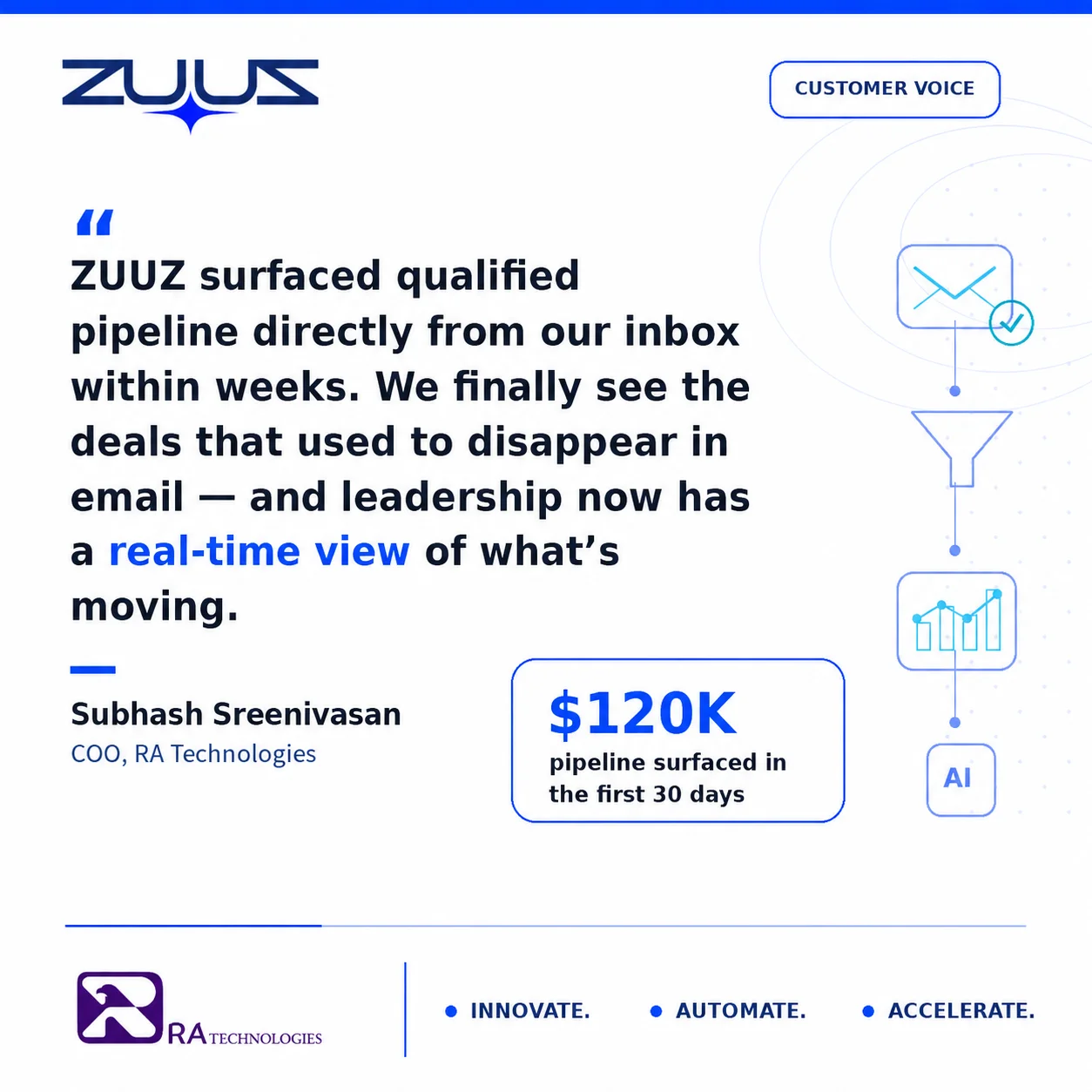
RA Technologies, an IT services firm in the United States, connected their shared inbox to ZUUZ and ran a 90-day historical lookback on first connection. The system identified $120,000 in pipeline from prior email threads that had never been recorded in their CRM. These were not lost opportunities. They were active conversations, including renewal discussions and project expansions, that had been progressing in email while remaining invisible to leadership.
The figure represented pipeline still in motion that the team could work, not a retrospective on past losses. That distinction is the difference between a capture tool and a reporting tool. One surfaces business that can still be worked. The other describes business that is already gone.
Start With the Layer Every Other Tool Depends On.
Connect your CRM in minutes and let ZUUZ keep the record current from email. Start free, with no integration project required.
Aligning the revenue engine is not only a tooling question. Forrester research found that customer-obsessed companies, which align around the customer across functions, grow revenue meaningfully faster than those that do not. Software supports that alignment only when the data underneath it is accurate, which returns the buyer to the same first principle: fix capture, then build the stack.
For teams comparing the intelligence and forecasting layers in more depth, the revenue intelligence software guide covers deal scoring and forecast modeling, and the modern RevOps software stack guide walks through how the categories assemble into a working architecture.
A First Step Before the Stack Decision
None of this requires a platform commitment to test. Connect one mailbox, let ZUUZ read the last 90 days, and have the rep who owns those accounts review what it surfaced before anything is written into the CRM. Run the Pipeline Truth Test again afterwards on the same five deals and the comparison answers the buying-order question better than any demo. ZUUZ is an AI layer on top of the CRM a team already runs; it is never a CRM and never replaces one. The trial runs 30 days, free, with no credit card: https://zuuz.ai/trial/
Frequently Asked Questions
What Is Revenue Operations Software?
Revenue operations software is the set of tools that supports the RevOps function: aligning sales, marketing, and customer success around one revenue process and one source of data. It spans several categories, including CRM, email-to-CRM capture, revenue intelligence, forecasting, sales enablement, and CPQ. No single product covers every category, so most teams assemble a stack. The category that quietly determines whether the rest works is data capture.
What Is the Difference Between RevOps and Sales Operations?
Sales operations supports the sales team alone: quota setting, territory design, CRM administration, and sales reporting. Revenue operations covers the full revenue engine across sales, marketing, and customer success, with one shared data model and one definition of pipeline. The practical difference for software buyers is scope. A sales ops tool optimizes one function, while RevOps software has to connect data across functions that previously ran on separate systems.
What Categories Count as Revenue Operations Software?
Six categories make up most RevOps stacks: the CRM as system of record, email-to-CRM capture that keeps the record current, revenue intelligence for deal and forecast scoring, forecasting and planning tools, sales enablement and engagement, and CPQ for quoting and pricing. Some vendors bundle two or three of these. The mistake is treating the bundle as complete when the capture category, the one that feeds every other tool, is missing.
How Should a Mid-Sized Tech Company Evaluate Revenue Operations Software?
A mid-sized tech company should evaluate against four tests: does the tool unify data across sales, marketing, and customer success; does it close the gap between where deals happen, which is email, and where they are recorded, which is the CRM; is it CRM-agnostic so it survives a future migration; and does it fit existing rep workflow without adding manual entry. Buy the capture layer before the reporting layer.
What Is the Most Common Revenue Operations Software Buying Mistake?
The most common mistake is buying a reporting or intelligence layer before fixing data capture. Forecasting tools, dashboards, and revenue intelligence all read from the CRM. When the CRM holds only part of the real activity because reps cannot log every email, those tools produce precise reports on incomplete data. Fixing capture first makes every downstream tool more accurate. Buying it last wastes the spend.
Should a Company Build or Buy Revenue Operations Software?
Building makes sense only for logic that is specific to one company and unlikely to change, such as a custom routing rule. Buying makes sense for categories where vendors have solved hard problems at scale, including email parsing, multi-CRM sync, and forecast modeling. Most teams that build email-to-CRM capture internally underestimate the maintenance cost of parsing accuracy and CRM API changes, and end up rebuilding it.
Does Revenue Operations Software Replace the CRM?
No. Most revenue operations software sits on top of the CRM rather than replacing it. The CRM remains the system of record. Capture tools keep it current, intelligence tools score what is in it, and forecasting tools project from it. ZUUZ runs as the capture and execution layer above Salesforce, HubSpot, or Zoho, writing structured records back into whichever CRM the team already uses, so the CRM stays central.
See the Pipeline Your Stack Can’t See.
Every reporting and intelligence tool reads from your CRM. ZUUZ keeps that record current from email, so book 15 minutes and see the pipeline that exists today but is not in your reports.

Avinash Gujje
CEO of ZUUZ. He scaled Cloud Box Technologies from 0 to $25M ARR in IT services and distribution before building ZUUZ. Connect on LinkedIn

