
How Email-Centric CRM Follow-Up Reminders Work
Learn how email-centric CRM automated follow-up reminders detect stalled deals from the inbox and trigger tasks automatically, without manual CRM entry.

CEO of ZUUZ. He scaled Cloud Box Technologies from 0 to $25M ARR in IT services and distribution before building ZUUZ. Connect on LinkedIn
- An email-centric CRM follow-up reminder fires from what the buyer actually wrote in the thread, not from a date field a rep remembered to set.
- Cadence and capture answer different questions. Cadence decides when a rep gets nudged; capture decides whether there is anything real to nudge about.
- Four things can fire a reminder: a date field, silence on a thread, a commitment written in the text, or a CRM stage change. Only one of them reads what the buyer said.
- Reminders built on records that are missing the last two weeks of conversation create noise, and reps learn to clear the queue without reading it.
- Only 35% of sales professionals completely trust the accuracy of their organization’s data, according to Salesforce survey data from 2023 republished in State of Sales, 6th Edition. A reminder inherits that same discount.
- Follow-up reminders are one of five patterns that CRM email automation covers, alongside lead capture, nurturing, renewal alerts and deal-risk notifications.
- ZUUZ is an AI layer on top of the CRM a team already runs. It connects to the sales inbox, reads LinkedIn messages and meeting or call transcripts, and writes the stakeholders, next steps and commitments a reminder can fire from, for the rep to approve in one click.
Most reminder systems fire from a date. Someone sets a task for next Tuesday, Tuesday arrives, the CRM raises a flag, and a rep is nudged about an account whose last real event nobody ever logged. Email-centric CRM follow-up reminders work from the other end, reading what the buyer actually wrote and what was actually promised, then deciding whether a nudge is warranted at all.
That difference, between a cadence that controls timing and a capture layer that establishes facts, decides whether a reminder queue is a plan or a pile. This guide covers what fires a reminder, how cadence and capture differ, why reminders without capture create noise, and what to check before adding another reminder tool on top of the CRM already in place. It is the reminder-specific companion to the broader guide on CRM email automation.
What Email-Centric Follow-Up Reminders Actually Are
A follow-up reminder is a prompt telling a rep that an account needs attention. What makes one email-centric is where the prompt comes from. Instead of reading a due date on a task record, the system reads the thread, finds the last real exchange, and works out whether anything is still outstanding.
The distinction matters because the two designs fail differently. A date-driven reminder fails silently when nobody sets the date, so no alert ever fires on the deal that quietly went cold. A thread-driven reminder fails loudly by occasionally nudging about a thread that needed nothing, which is a far easier problem to correct.
Reminders are one of five places email-driven CRM automation tends to run, alongside lead capture and routing, lead nurturing, renewal and churn alerts, and internal deal-risk notifications. The rest of this guide stays on the reminder card in that set.
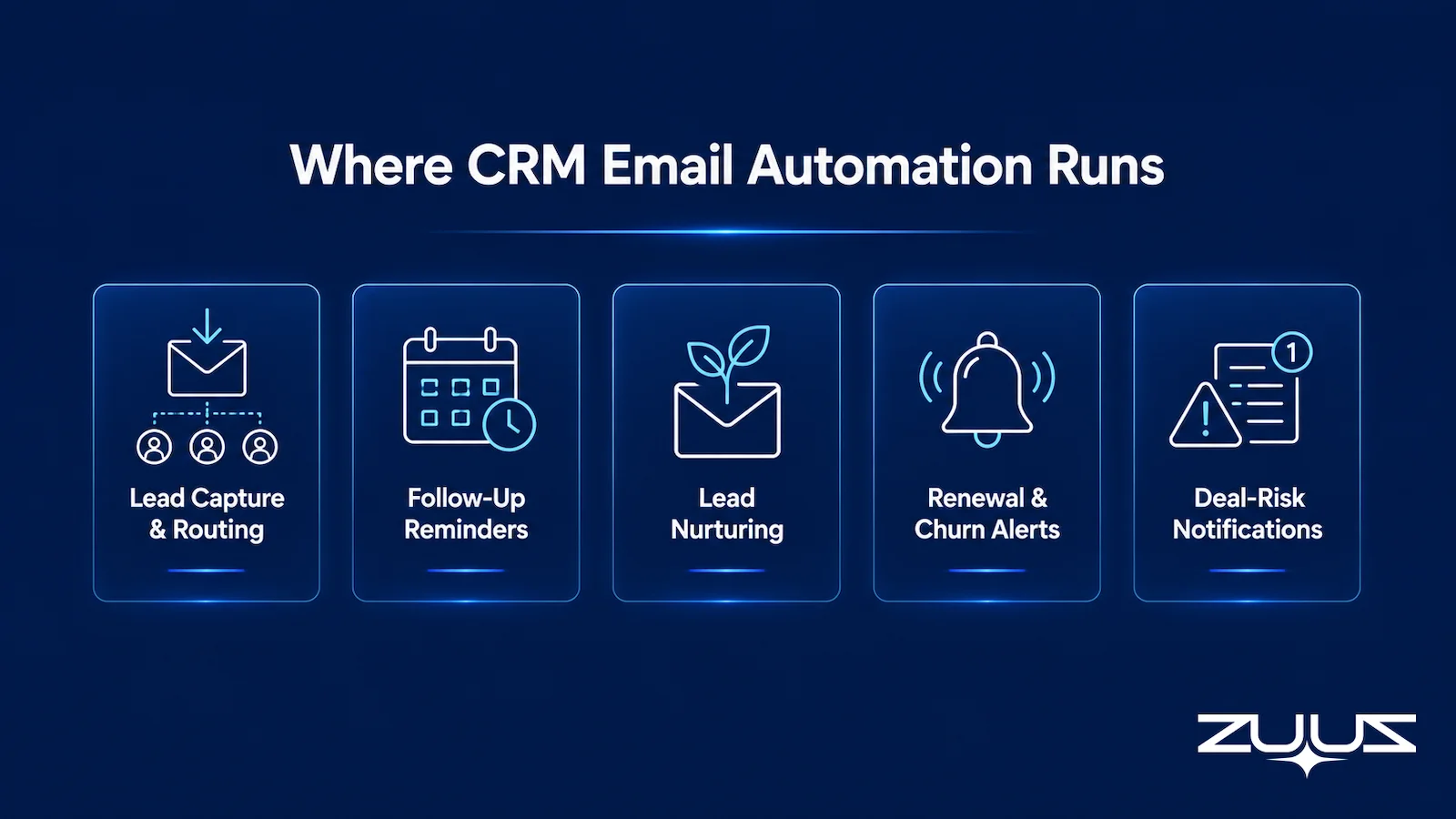
Each of those patterns asks something different of the CRM record. Reminders ask for the least data and the most accuracy, because a reminder rests on a single judgment, whether this account needs attention now, and a wrong judgment spends the rep’s attention directly.
What Actually Fires a Follow-Up Reminder
Four things can fire a follow-up reminder, and they are not equally reliable.
A date field. A rep sets a next-step date and the CRM raises the task when it arrives. This is the default behavior in Salesforce, HubSpot, Zoho, Attio and Pipedrive, and it works exactly as well as the habit of setting dates holds up across a busy quarter.
Silence on a thread. No reply for a set number of days triggers a nudge. This catches deals a date field misses, and it over-fires on threads that went quiet for a good reason, such as a buyer who already said no.
A commitment written in the text. A buyer writes that they will circle back after the board meeting on the 14th, and the reminder lands on the 15th because that is what was agreed. This is the most useful trigger and the hardest to build, since it means parsing meaning rather than matching a rule.
A stage or field change. A deal moves to Proposal Sent and a reminder fires a week later. This one is driven by CRM state rather than by the conversation, so it reflects what someone entered rather than what happened.
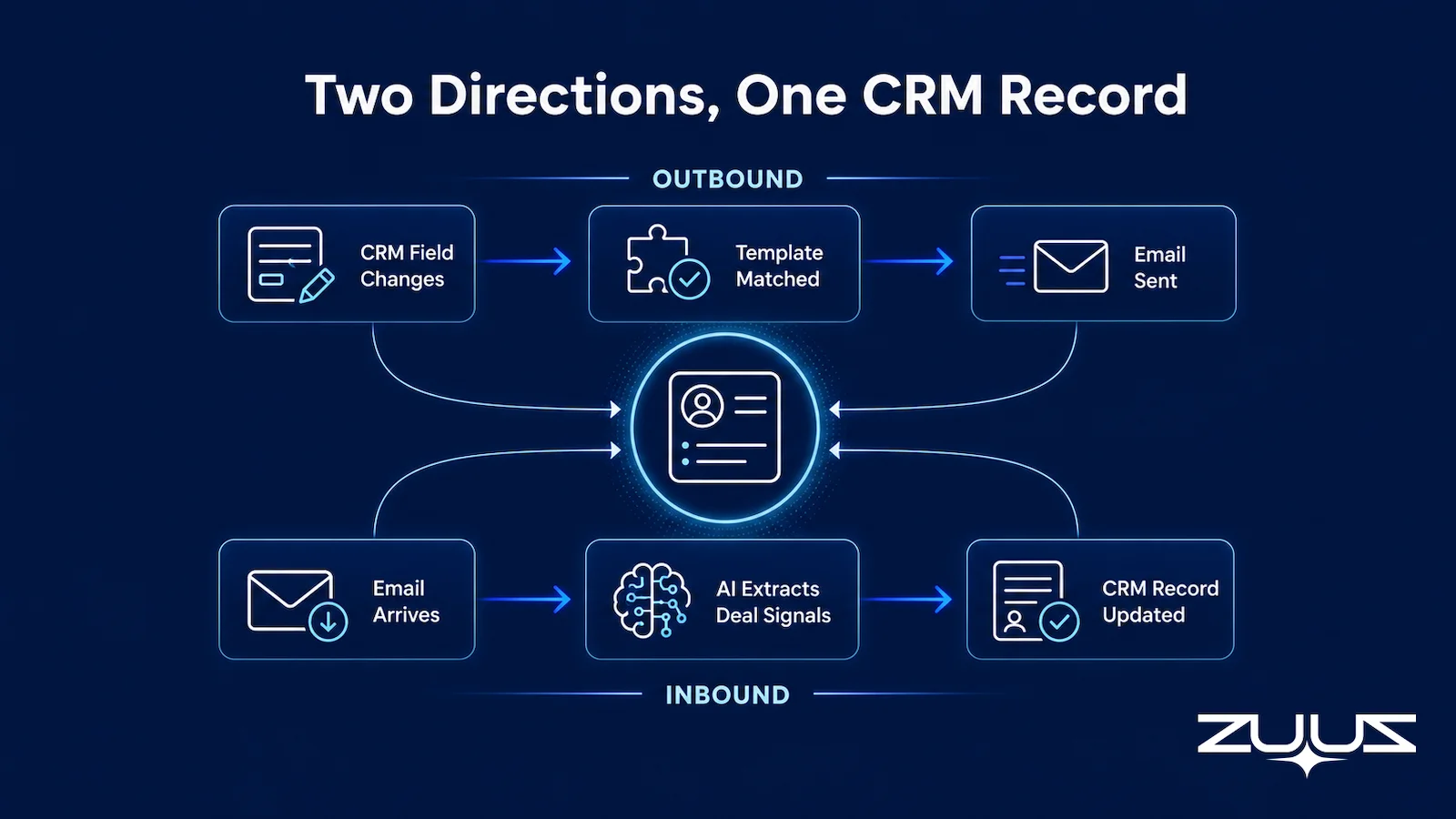
The two paths in that diagram are the two halves of the problem. The top path starts with a CRM field change and ends with an email going out. The bottom path starts with an email arriving and ends with a record being updated. A reminder built only on the top path can never know what the buyer said, because nothing on that path ever reads the thread.
The buying group is what makes the parsing step worth the effort. Gartner puts the typical buying group for a complex B2B solution at six to 10 decision makers, each holding four or five pieces of information gathered independently, in its B2B buying journey research. A reminder that carries one contact name and a due date has discarded most of that, leaving the rep to rebuild it from the inbox before acting. Capturing who joined the thread and what each of them asked for is what turns a prompt into something a rep can act on without re-reading a month of email.
What to look for in a follow-up reminder setup
- What fires the reminder. A date on a task, or something the buyer actually said? A reminder tied only to elapsed time fires whether or not the thread moved.
- Whether it reads the reply. If a customer answered yesterday and the reminder still fires today, reps learn to dismiss the whole queue within a week.
- Channel coverage. Email and calendar are the minimum; ask whether LinkedIn messages and meeting or call transcripts count as activity, because a deal that moved there looks dormant otherwise.
- Where the commitment is stored. A CRM field a report can read, or a note a human has to open? A reminder is only as good as the record underneath it.
- Rep effort to keep it honest. Any setup that needs a rep to remember a BCC, a button or a sidebar decays in the third busy week of a quarter.
- Correction in one click. Can a rep dismiss or reschedule with the reason captured, and do manual entries take precedence over anything the system proposes?
Cadence Reminders vs Capture-Driven Reminders
Cadence and capture get conflated because both end in a reminder appearing at a moment in time. They answer different questions. Cadence answers when to nudge. Capture answers whether there is anything to nudge about.
A cadence-only setup assumes the record is right and schedules against it. A capture-driven setup establishes what is true first and lets timing follow from the conversation. Teams that buy a cadence-only reminder tool to fix a capture problem end up with the same wrong records, delivered on a tighter schedule.
Table 1: Cadence-Only Reminders vs Capture-Driven Reminders
| Capability | Cadence-Only Reminders | Capture-Driven Reminders | ZUUZ |
|---|---|---|---|
| What fires the reminder | A date field or a fixed interval | The last real exchange on the thread | The buyer’s last reply and what it committed to |
| If nobody logged the activity | No reminder exists at all | The reminder still fires, from the thread | Fires from the sales inbox, LinkedIn messages and meeting or call transcripts |
| What the reminder carries | A contact name and a due date | Who replied, what was agreed, what is outstanding | Stakeholders, next steps and commitments written to CRM fields |
| Where the context lands | An activity feed a human has to open | CRM fields a report can read | CRM fields a report can read, once the rep approves in one click |
| A thread that has genuinely ended | Keeps nudging until someone dismisses it | Reads the closing signal and stops | Reads the closing signal; the rep can dismiss it in one click |
| CRM scope | A single CRM instance | Works across more than one instance | Runs on the CRM already in place: Salesforce, HubSpot, Zoho, Attio or Pipedrive |
The pattern in the table explains a complaint common among sales leaders: the reminder queue is full and deals still slip. A queue built on date fields measures how recently someone did admin, not how recently a deal actually moved, which is why deal slippage survives a well-maintained task list.
Why Reminders Without Capture Create Noise
Noise is the specific failure mode of a reminder system with no capture layer underneath it, and it arrives in a predictable sequence.
First, reminders fire on records that are missing the last two weeks of the conversation. The rep opens the account, finds nothing actionable, and closes it again. Second, that happens often enough that the rep begins clearing the queue without reading it. Third, the one reminder that mattered gets cleared with the rest.
The cost is not the minute spent on each empty prompt. It is that the queue stops carrying information, so the team loses the mechanism that was supposed to catch a stalling deal before it became a missed sales lead sitting in an inbox.
A reminder inherits whatever confidence the record already has. When roughly two thirds of a sales team does not completely trust the underlying data, a prompt derived from that data starts at the same discount. This is why reminder adoption tends to decay a few weeks after rollout rather than at launch, and why CRM data quality is the real constraint on any reminder project.
- Does the reminder fire from the thread itself – the buyer’s last reply and what it committed to – or only from a date field a rep remembered to set?
- Is there a capture layer underneath it, so the reminder still exists when nobody logged the call or the email?
- Does the reminder carry the context needed to act on it (who replied, what was agreed, what is outstanding), or just a name and a due date?
- Does what it captures land in CRM fields a report can read, or only in an activity feed a human has to open?
- Does it run on the CRM already in place – Salesforce, HubSpot, Zoho, Attio or Pipedrive – without consolidating systems first?
- Can the rep correct or dismiss what it wrote in one click, so the record stays human-curated?
Every item on that list is answerable in an afternoon with a trial mailbox, and most reminder tools fail at least two of them.
Reminders Are Only as Good as the Record.
ZUUZ reads the sales inbox, LinkedIn messages and meeting transcripts, then writes the stakeholders, next steps and commitments into Salesforce, HubSpot, Zoho, Attio or Pipedrive for the rep to approve. See it run on a live inbox.
Follow-Up Reminders Across Salesforce, HubSpot, Zoho, Attio or Pipedrive
Every major CRM ships reminder functionality and the mechanics are broadly similar: a task object, a due date, an owner, and a view listing what is due. Salesforce has tasks and activity timelines, HubSpot has tasks and queues, Zoho has follow-up rules, and Attio and Pipedrive both surface activity-based prompts.
What none of them does natively is establish the facts the reminder should fire from. Each one reminds accurately against whatever has been entered, which hands the problem straight back to entry and to manual CRM updates nobody has time for.
The multi-instance case is harder still. Distribution companies, IT services firms and multi-brand retailers often run more than one CRM across regions or business units, frequently as a result of an acquisition rather than a decision. A reminder rule written for one instance does not follow a deal into another, so the accounts sitting in the second system are precisely the ones nobody is reminded about, a pattern covered in more depth in email to CRM automation for IT companies.
Rolling Out Follow-Up Reminders Without Burying the Team
The rollout order decides whether reps trust the queue. Switching reminders on before capture is reliable produces a nudge for every thread nobody had owned, which is the worst possible first week and the hardest impression to undo.
A more durable sequence runs capture alone first, with the rep approving what gets written, until records are accurate enough to be worth firing on. Reminders come second, on top of records the team has already seen and corrected. Teams that want to size what is currently being lost before setting an order can start with ZUUZ’s ROI calculator.
Human approval gates matter during the transition. Rather than letting every extracted update write to the CRM from day one, a rep reviews flagged changes until the extraction earns trust, and that review step shrinks over the first few weeks, a pattern visible across ZUUZ’s published customer case studies.
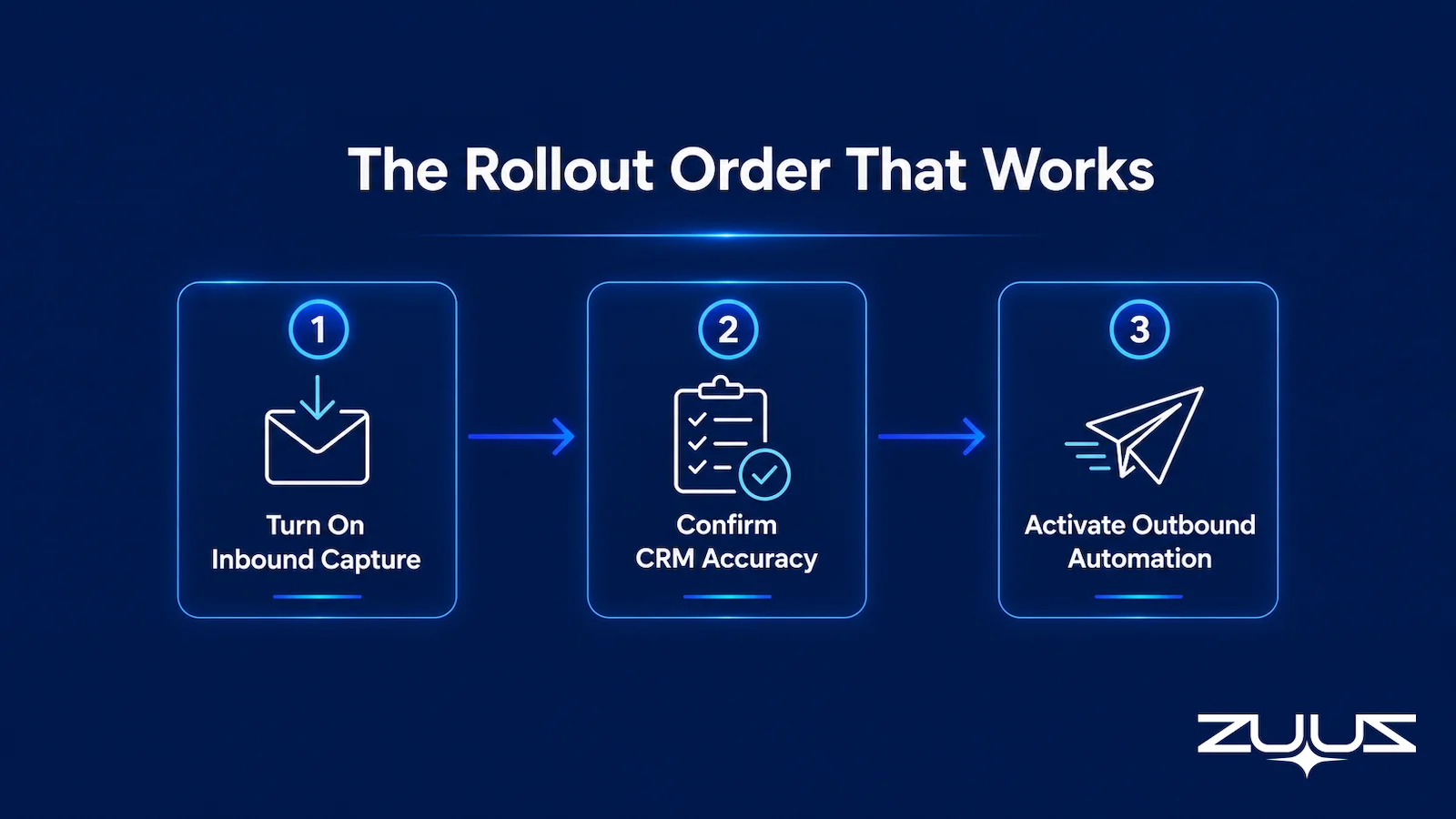
An IT services company in the US followed this order during its own rollout, turning on capture first and holding the reminder layer back until the team trusted what the CRM was showing.
The Record-Ready Test
A reminder is only as good as the record it fires from. Before layering another reminder tool on top of the CRM already in place, run the Record-Ready Test. Its purpose is to decide whether a record could be handed to someone else today without a conversation.
- Choose an account the owning rep has not touched in two weeks.
- Ask a colleague to say who the buying group is, what was last agreed and what happens next, using the CRM alone.
- Every answer that needs the rep, the inbox or a call is a record-ready failure.
- A record that passes survives a handoff, a territory change and a departure. One that fails is a person, not a system.
Worked example. Take an account whose last logged activity is a stage change to Proposal Sent. A colleague reading the record can see the stage and the close date and nothing else. The procurement contact who joined the thread three weeks ago is not a contact on the record. The buyer’s written “circle back after the board meeting on the 14th” sits in an email. The reminder that fired last Tuesday said “follow up with Dave.” That is three record-ready failures, and the reminder system was faithfully nudging a rep about a record that never held the deal. This is what a follow-up reminder built on capture fixes and a follow-up reminder built on a date field cannot.
Follow-Up Reminders: How ZUUZ Fires Them From the Thread
ZUUZ is an AI layer on top of the CRM a team already runs. It connects to the sales inbox, reads LinkedIn messages and Microsoft Teams meeting transcripts, and writes the stakeholders, next steps and commitments into the CRM record, where the rep approves them in one click. The CRM stays the system of record throughout.
That is the capture half, and the reminder half follows from it. Once the record holds what the buyer actually said and when they said they would come back, a prompt can fire from the commitment rather than from a date somebody typed. The same mechanism keeps sales activity tracking current without asking anyone to log it by hand.
The approach runs on whichever CRM is already in place, because ZUUZ was built CRM-agnostic rather than as a plugin for one platform. A distribution and trading company in the UAE uses it to keep deal records current without asking reps to log activity by hand, so the prompts those reps see reflect the thread rather than the last time someone did admin.
The rep stays the one deciding what to act on. ZUUZ hands over finished work to approve, and a reminder the rep dismisses stays dismissed.
Fire Reminders From What the Buyer Said.
If most deal activity still lives in email, a 15-minute walkthrough covers what ZUUZ would capture from a real inbox and what the reminders built on it would actually say.
From an operator’s seat
From an operator’s seat, the order of operations matters more than the reminder logic. Across the deployments ZUUZ runs, the pattern is that teams switch reminders on first and capture second, and week one buries reps under a nudge for every thread nobody had owned. Running capture alone for the first week or two, with the rep approving what gets written, gets the record accurate before anything starts nudging. The part teams do not plan for is ownership: once the thread rather than the field drives the reminder, a deal with two reps on the same thread produces two reminders, and someone has to decide whose queue it belongs in. That is a five-minute decision, and it is the one nobody puts on the rollout plan.
ZUUZ is an AI layer on top of the CRM a team already runs; it is never a CRM and never replaces one. Most reminder tools in this category report on what the rep entered; ZUUZ writes the record the reminder fires from, and the rep approves it in one click.
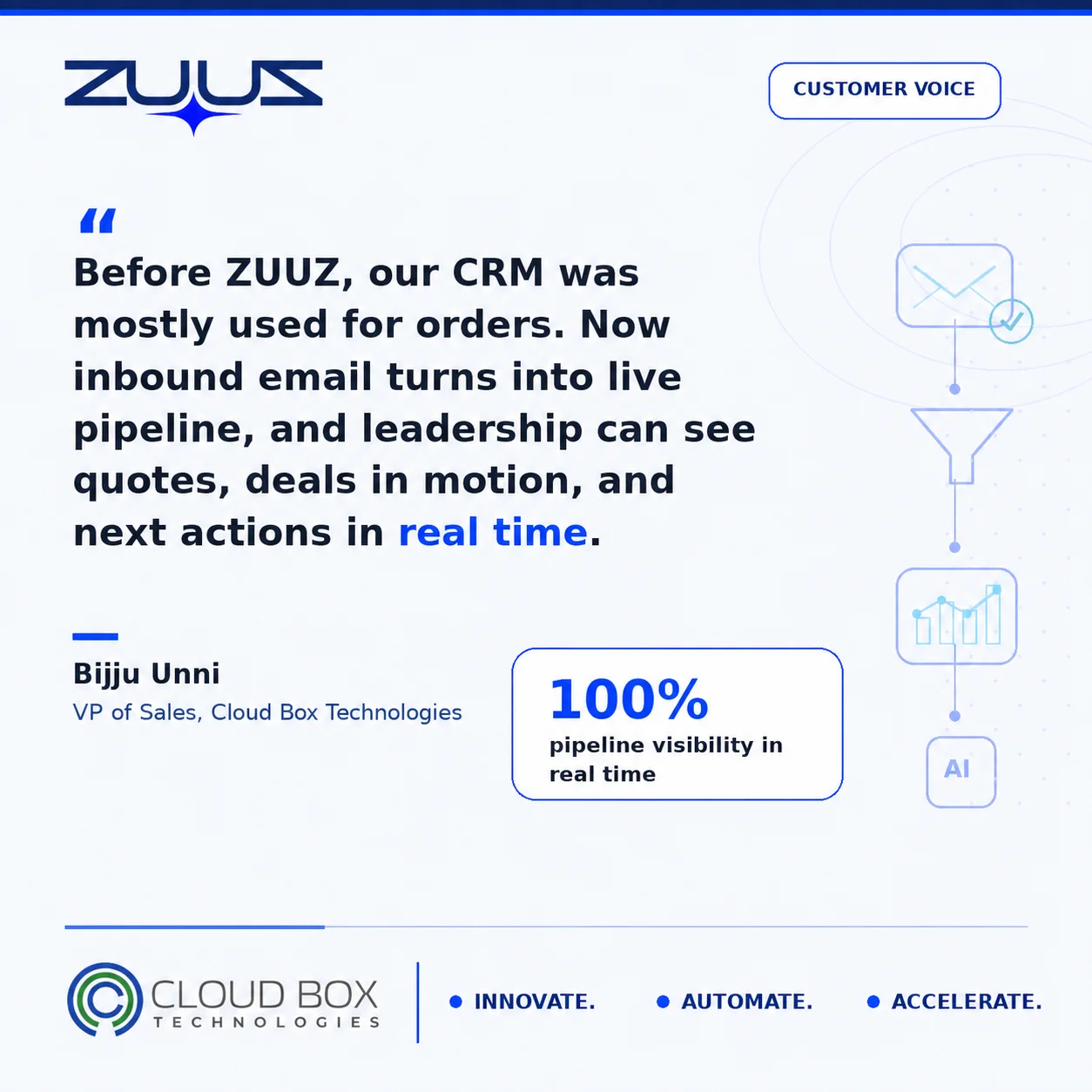
Two deployments show what that changes. RA Technologies, a US IT services company, had run HubSpot for two years; ZUUZ ran on the same instance with the same team and surfaced $120K in pipeline in the first 30 days that the CRM had never seen. Cloud Box Technologies, a UAE cloud and IT services company, used its CRM for order processing only; ZUUZ turns inbound email into leads and renewals there, so leadership sees live pipeline from a single connected user and 10 to 12 renewals are tracked in minutes.
The Real Test for Any Follow-Up Reminder Setup
A follow-up reminder setup works when the queue is short, specific and trusted. Short, because most threads on any given day need nothing. Specific, because each prompt carries who replied and what is outstanding. Trusted, because the record underneath it actually holds the deal.
Teams evaluating reminder tools should start by asking what fires the reminder. The second question is whether the same setup works on every CRM instance the business runs, rather than only the primary one, a fit question the ZUUZ team can walk through directly on a call.
A concrete first step
The cheapest way to find out whether the reminders are the problem or the record underneath them is to connect one mailbox. ZUUZ reads the last 90 days of that inbox, and the rep reviews what it found before anything is written to the CRM. Thirty-day free trial, no credit card: https://zuuz.ai/trial/
Frequently Asked Questions
How do automated follow-up reminders work in a CRM?
Automated follow-up reminders work in one of two ways. The common design reads a due date on a task record and raises a flag when that date arrives. The email-centric design reads the email thread instead, finds the last real exchange, and fires only when something is genuinely outstanding. The second needs a capture layer that writes what happened into the CRM first.
How can a company prevent missing follow-ups in a CRM?
Missed follow-ups usually trace back to missing records, not missing reminders. If a deal is only tracked when a rep remembers to set a date, the deals nobody logged never generate a prompt at all. Connecting the sales inbox so activity lands in CRM fields automatically closes that gap, because the reminder can then fire from the conversation rather than from a field.
What is the difference between a cadence reminder and a capture-driven reminder?
A cadence reminder controls timing: it nudges on a schedule or after a fixed number of quiet days. A capture-driven reminder controls relevance: it fires because the thread shows something outstanding. Cadence decides when a rep gets nudged, capture decides whether the nudge is about anything real, and a setup with cadence alone reminds reps accurately about records that are out of date.
Why do CRM follow-up reminders create so much noise?
Reminders create noise when they fire from records that are missing recent conversation. The rep opens the account, finds nothing to act on, and closes it. After enough empty prompts, the queue gets cleared without being read, and the one reminder that mattered goes with it. The fix is accuracy underneath the reminder, not a smarter schedule on top of it.
Can follow-up reminders work across Salesforce, HubSpot, Zoho, Attio or Pipedrive?
Yes, but only when the layer generating the reminders is CRM-agnostic rather than native to one platform. Each CRM has its own task and reminder model, and a rule written for one instance does not follow a deal into another. Companies running more than one CRM after a merger or a regional rollout need a layer that reads and writes across the instances they already have.
What should a small business look for in CRM follow-up reminders?
The first thing to check is what fires the reminder. A setup that depends entirely on someone setting a date will go quiet exactly when the team gets busy. Smaller teams should also confirm that a prompt carries enough context to act on, who replied and what was agreed, and that anything written to the CRM can be corrected or dismissed in one click.
Do follow-up reminders replace a sales rep’s judgment?
No. A reminder narrows attention to the accounts that look like they need something, and the rep still decides what the account actually needs and what to say. The useful division is that the system keeps the record current and surfaces what is outstanding, while the rep keeps the judgment calls about timing, tone and strategy.
How can a team tell whether its follow-up reminders are working?
The clearest signal is whether reps read the queue or clear it. A working setup produces a short list whose items are individually specific, and reps act on most of them. A failing setup produces a long list cleared in bulk. Checking how often a fired reminder matched real thread activity over a fortnight gives a concrete answer.
See What Your Inbox Is Actually Doing.
If a team runs Salesforce, HubSpot, Zoho, Attio or Pipedrive and most deal activity still lives in email, a 15-minute conversation covers what ZUUZ would capture from that inbox and whether it fits the existing CRM stack.

