
CRM Email Automation Explained for B2B Revenue Teams
Learn what CRM email automation actually means, how inbound and outbound automation differ, and how it works across Salesforce, HubSpot, and Zoho.

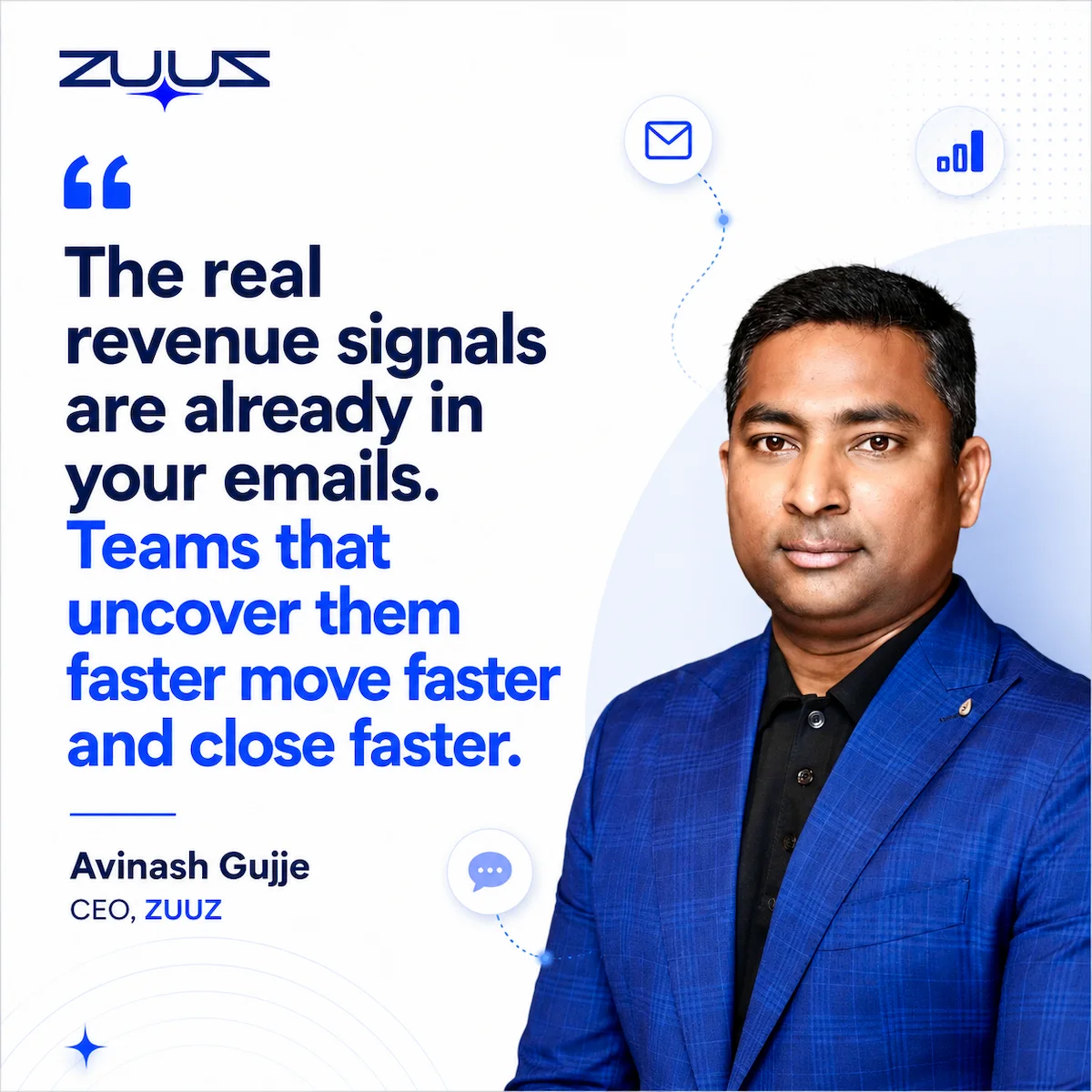
CEO of ZUUZ. He scaled Cloud Box Technologies from 0 to $25M ARR in IT services and distribution before building ZUUZ. Connect on LinkedIn
- CRM email automation spans two directions: capturing inbound email activity into CRM records, and triggering outbound emails from CRM data changes.
- Most commercial tools automate the outbound half (sequences, drip campaigns, nurture emails) and leave inbound capture to manual entry.
- Sales reps lose roughly 13 hours a week to manual data entry, which is 28% of a working week, according to 2024 research from SuperOffice.
- Common use cases include lead capture, follow-up reminders, nurture sequences, renewal alerts, and internal deal-risk notifications.
- CRM-agnostic automation matters because most B2B companies run more than one system across sales, marketing, and support teams.
- The strongest CRM email automation setups treat the inbox as a data source, not just a delivery channel.
- ZUUZ is an AI layer on top of the CRM a team already runs: it connects to the sales inbox, reads LinkedIn messages and meeting or call transcripts, and writes leads, stakeholders, next steps and renewal signals into the CRM for the rep to approve in one click.
Most B2B deals do not close inside a CRM. They close across dozens of email threads, and the CRM finds out about them days later, if it finds out at all. That gap between what actually happened in a deal and what the CRM record shows is the real problem CRM email automation is supposed to solve.
The term covers two different jobs that often get lumped together: getting email activity into the CRM automatically, and getting emails out of the CRM automatically once a record changes. This guide breaks down what CRM email automation actually means, how it works mechanically, and where most tools stop short. It also covers how the approach differs when the CRM has to stay in sync across Salesforce, HubSpot, or Zoho instead of just one.
What CRM Email Automation Actually Means
CRM email automation is the use of a customer relationship management system to trigger, personalize, or log email activity without a rep manually composing or recording each message. That definition sounds simple, but it hides an important split. For teams evaluating this from the outbound side specifically, turning a qualified lead into a nurture sequence rather than a one-off log entry, the more specific guide is CRM automated lead nurturing via email.
One branch is outbound: a CRM field changes, a workflow fires, and an email goes out. Welcome sequences, renewal reminders, and drip campaigns fall into this category. This is what most crm email marketing automation platforms are built for, and it is well covered by existing marketing tools.
The other branch is inbound: emails arrive, and the CRM is supposed to reflect what happened in them. A prospect asks a pricing question, a champion goes quiet, a decision-maker gets copied. None of that logs itself.
Most commercial CRM email automation tools solve the outbound branch well. Far fewer solve the inbound branch, which is where deal context actually originates and where CRM data quality problems start.
A simple example makes the split concrete. Say a prospect emails a rep directly with a question about a contract term, the rep replies and closes the loop, and neither message ever touches the CRM.
Outbound automation had nothing to trigger, because no field changed. The deal moved, and the record did not.
Closing that gap requires understanding the mechanics behind both directions, starting with how the trigger and extraction logic actually runs.
How CRM Email Automation Works in Practice
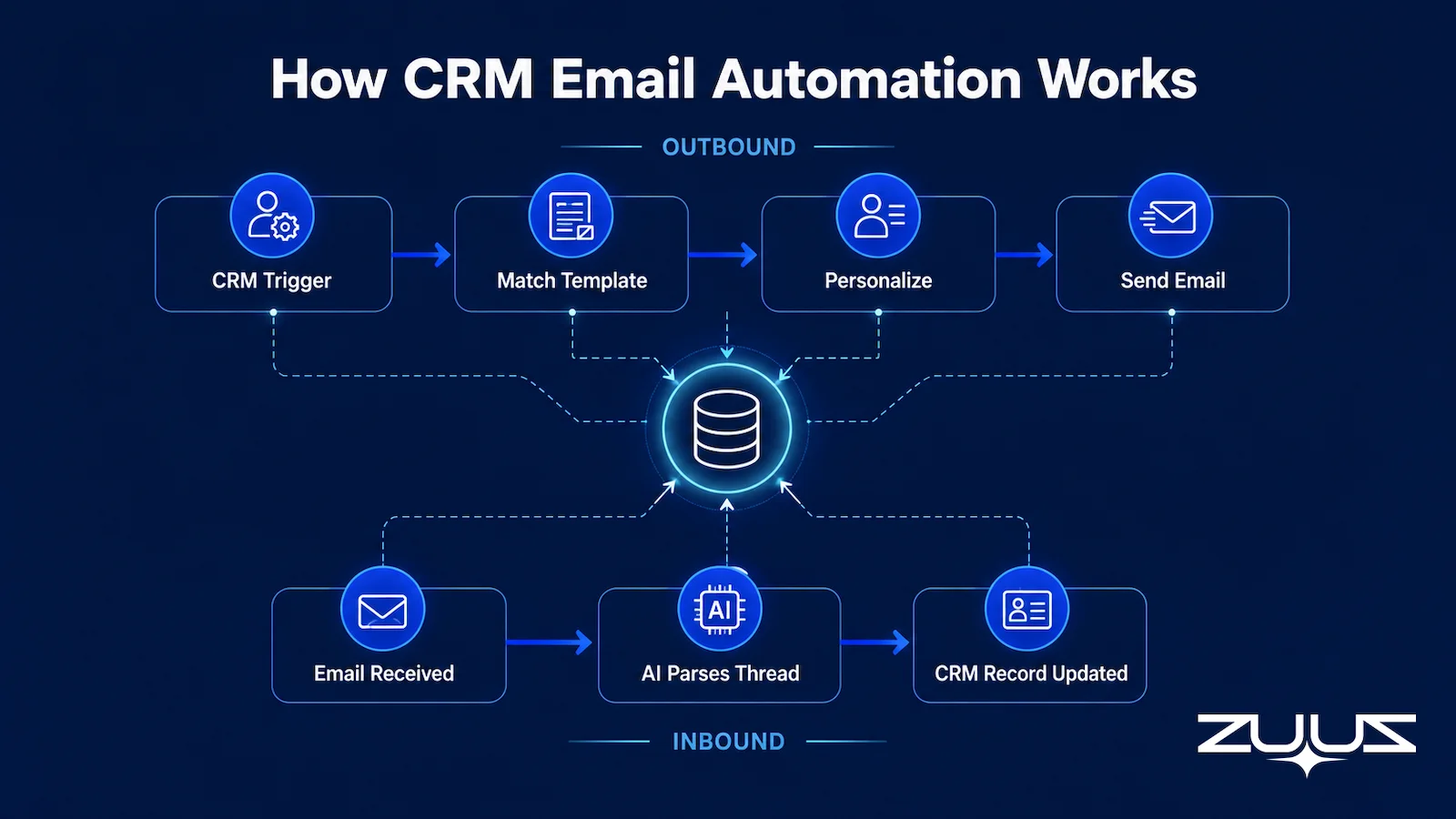
The outbound side is the more familiar mechanism. A trigger condition changes inside the CRM, such as a new lead status or a deal stage shift. The automation engine matches that trigger to a template, fills in personalization fields, and sends the message on a schedule or immediately.
The inbound side works differently, and this is the part most CRM vendors treat as an afterthought. A working email to crm automation setup reads incoming and outgoing messages, extracts the relevant details (who is involved, what was discussed, what was promised), and writes structured updates back to the CRM record.
That extraction step is the hard part. Email threads are unstructured, inconsistent in tone, and full of context that a simple keyword rule cannot parse reliably. This is where AI-based parsing has made the inbound branch practical in a way manual field mapping never was.
Most rule-based systems fail here because real conversations do not follow a fixed template. A single thread might cover pricing, timeline, and a competitor mention in three consecutive replies, and each of those details belongs in a different CRM field. Parsing has to hold that context across the whole thread, not just the most recent message.
Done well, both directions run without a rep opening the CRM at all. The record updates because the email happened, and the next email goes out because the record updated.
That mechanism supports a wider range of workflows than most teams initially plan for.
Common CRM Email Automation Use Cases
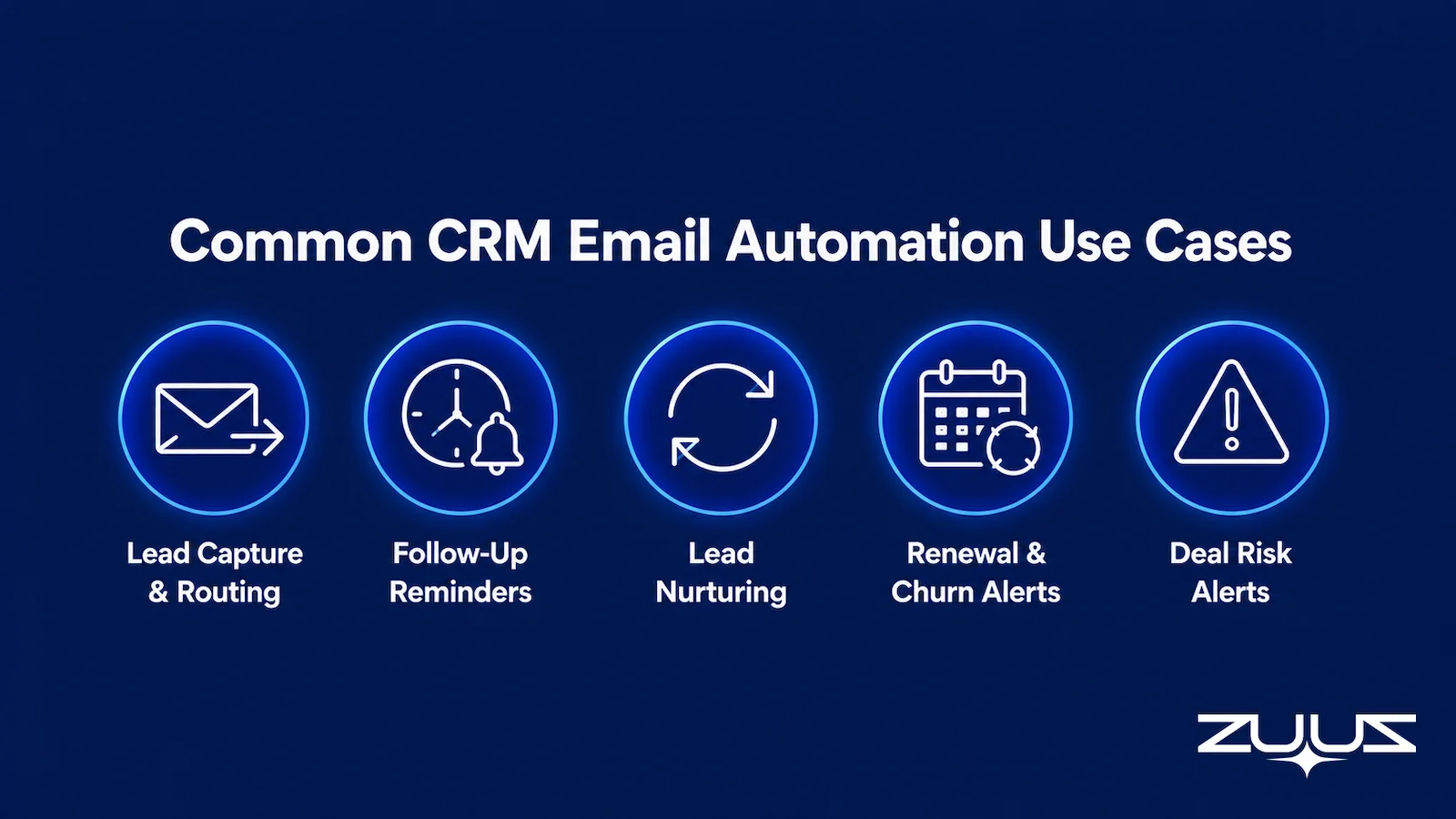
Most CRM email automation use cases fall into a handful of recurring patterns, and a single deployment usually needs more than one of them working together.
Lead capture and routing. Inbound emails from new contacts get logged, matched to an existing account or created as a new one, and routed to the right owner without a form submission. Email lead qualification automation builds on this by scoring those captured leads for intent before a rep ever sees them.
Follow-up reminders. Automated email-centric CRM follow-up reminders flag deals that have gone quiet, prompting a rep before the opportunity stalls. That use case has its own guide, covering what actually fires a reminder and why cadence without capture underneath it creates noise.
Lead nurturing. A CRM with automated lead nurturing via email moves prospects through a sequence based on stage and engagement, adjusting timing and content as new signals arrive. Like follow-up reminders, this is broad enough to warrant its own dedicated coverage rather than a summary here.
Renewal and churn alerts. Contract dates and usage signals trigger internal notifications or customer-facing emails before a renewal window closes.
Deal risk notifications. When automated email sequences crm workflows detect a stalled thread or a missed reply, they can alert a manager instead of waiting for a pipeline review to catch what is effectively a missed sales lead sitting in an inbox.
For B2B teams evaluating crm email automation tools, the mistake is picking a platform built for only one of these patterns and expecting it to cover the rest. A tool built for outbound nurture sequences rarely handles inbound lead capture well, and vice versa.
- Which half does it automate – sending email out of the CRM, or getting what happened in the inbox into the CRM?
- Is there a capture layer: does it read the channels where the deal actually moves (email, calendar, LinkedIn messages, meeting and call transcripts)?
- Does what it captures land in CRM fields a report can read, or only in an activity feed someone has to open?
- Does the rep have to remember anything – a BCC, a button, a sidebar, a sync – for the record to be complete?
- Can the rep correct what was captured in one click before it is written?
- Does it work across every CRM instance the business already runs, rather than requiring consolidation first?
Why Most CRM Email Automation Tools Miss the Inbound Half
The gap shows up once a team compares what a typical automation platform promises against what actually reaches the CRM record.
Table 1: Outbound-Only Automation vs. Capture-and-Execute Automation
| Capability | Outbound-Only Tools | Capture-and-Execute Approach | ZUUZ |
|---|---|---|---|
| Trigger source | CRM field change only | CRM field change and inbound email content | Inbound thread content as well as a CRM field change |
| Data entry | Manual, rep-dependent | Automated from email parsing | Written from the sales inbox, LinkedIn messages and meeting or call transcripts; the rep approves in one click |
| Follow-up timing | Fixed schedule | Adjusted to real reply signals | Driven by the last real reply in the thread |
| CRM record accuracy | Lags actual deal activity | Reflects deal activity close to real time | Fields updated as the conversation happens, once the rep approves |
| Setup scope | Single CRM instance | Works across multiple CRM instances | Runs on the CRM already in place: Salesforce, HubSpot, Zoho, Attio or Pipedrive |
The pattern in the table explains a familiar complaint from sales leaders: the CRM looks clean in a demo and falls out of date within a month of real use. Automation that only handles the outbound half cannot fix that, because the outbound half was never where the data problem started, and it is a large part of why interest in conversational CRM approaches has grown.
That gap matters because of how much of the buying relationship actually happens in the inbox to begin with.
When that much of the relationship lives in the inbox, an automation strategy that ignores inbound email is only automating a fraction of the actual sales process. The inbound gap gets harder to close, not easier, once a company runs more than one CRM system.
Stop Automating Only Half the Job.
ZUUZ reads inbound and outbound email, extracts the deal signals, and writes them to Salesforce, HubSpot, or Zoho automatically. See it work on a live inbox.
CRM Email Automation Across Salesforce, HubSpot, and Zoho
Most crm email integration setups are built for a single platform. A tool designed for HubSpot’s native email capture generally will not extend cleanly to a company running Salesforce for sales and Zoho for support.
That single-platform assumption breaks down fast in mid-market and enterprise environments. Distribution companies, IT services firms, and multi-brand retailers often run more than one CRM across regions, business units, or functions, sometimes as a result of acquisitions rather than deliberate choice.
CRM-agnostic email automation reads and writes across Salesforce, HubSpot, and Zoho instances without requiring a full migration to a single system first. The automation layer sits above the CRMs rather than being native to just one of them.
Distribution and IT services companies often run parallel CRM instances after a merger or a regional rollout. For them, that portability determines whether email automation reaches every deal, or only the ones logged in the primary system.
Getting the technical setup right is only half the work. The sequence a team follows to turn automation on matters just as much.
Rolling Out CRM Email Automation Without Disrupting the Team
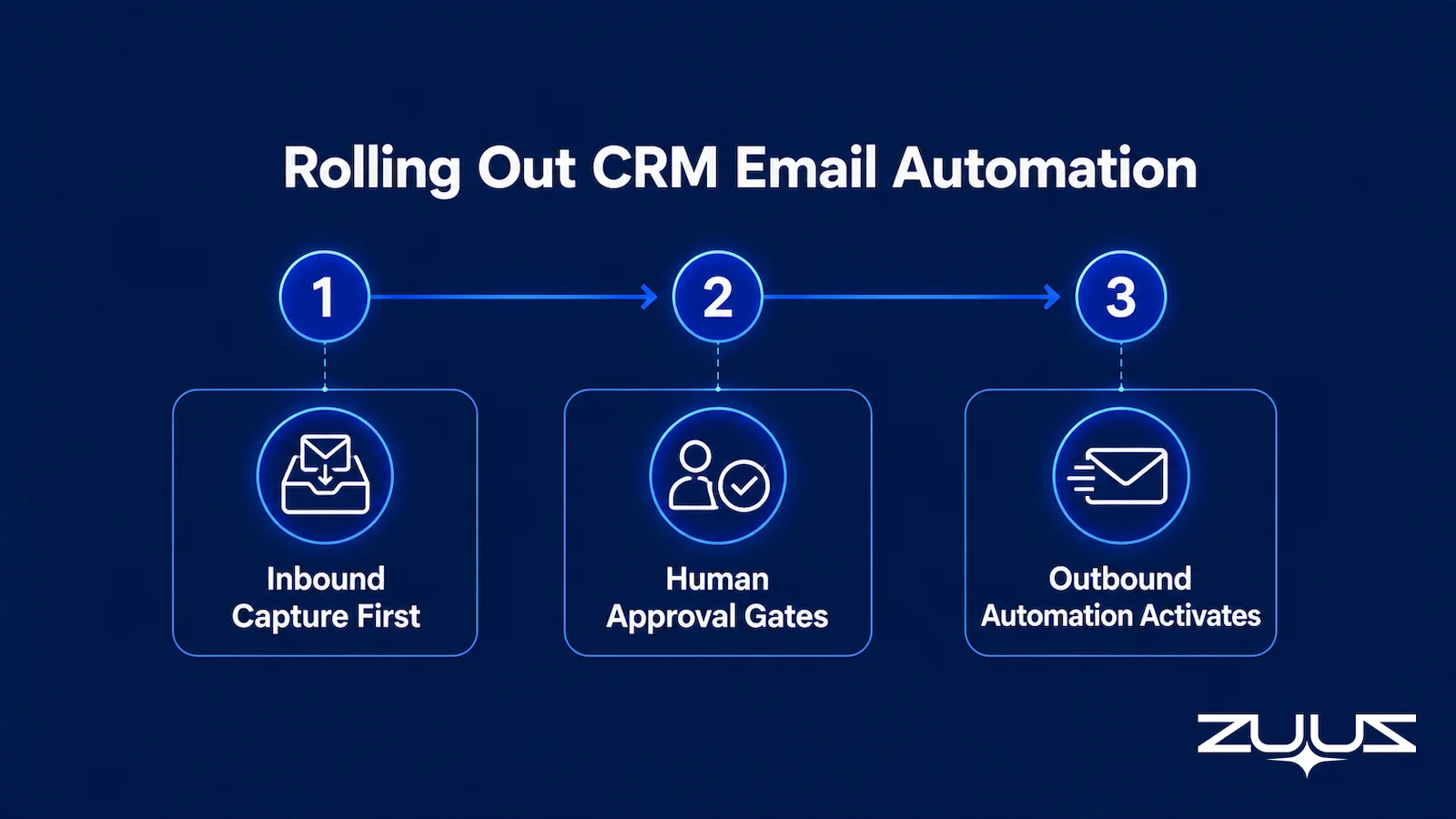
The rollout order matters more than most teams expect. Turning on outbound sequences before inbound capture is reliable just automates bad data faster, sending follow-ups based on stage fields that were already wrong.
A more durable sequence starts with inbound capture, lets the team confirm CRM records are actually accurate for a few weeks, and only then activates outbound automation on top of that cleaner data. Reversing the order tends to produce automated emails that reference outdated deal stages, which erodes trust in the system faster than doing nothing at all. Teams that want to size the time currently lost to manual data entry before setting a rollout order can start with ZUUZ’s ROI calculator.
Human approval gates help during the transition. Rather than letting every extracted update write to the CRM automatically from day one, a rep or manager can review flagged changes until the extraction accuracy earns full trust. That review step usually shrinks over the first few weeks, a pattern visible across ZUUZ’s published customer case studies.
An IT services company in the US followed this exact order during its own rollout, turning on inbound capture first and holding outbound sequences until the team trusted what the CRM was showing.
The Capture Gap Audit
Before choosing an automation tool, measure the problem. The Capture Gap Audit exists to measure how much of what the team already knows never reached the CRM, and it takes an afternoon with no software involved.
- Pick one closed-won and one slipped deal from the last quarter.
- Read the full email and message thread end to end; list every fact that mattered – people, objections, dates, competitors, commitments.
- Open the CRM record for the same deal and mark which of those facts appear in a field, not a note.
- The percentage missing is the capture gap. Anything above about a third means the team is running on a CRM that records outcomes, not the deal.
Worked example. On a slipped deal, the thread typically yields something like eighteen facts that mattered: four people who joined the thread after the first call, a written budget freeze, two competitor names, a procurement step nobody had modelled, and a date the buyer proposed and then moved. The CRM record holds the amount, the stage, the close date and two contacts. Most of what decided that deal existed in writing and never reached a field, which is why outbound automation firing off that record sent a nurture email to a buyer who had already told the rep the budget was frozen. That is the capture gap doing damage rather than sitting idle.
CRM Email Automation: How ZUUZ Closes the Capture Gap
ZUUZ operates as the execution layer that sits between the inbox and the CRM, handling the inbound half of crm email automation that most platforms leave to manual entry. It reads every inbound and outbound email tied to a deal, extracts the relevant signals, and writes structured updates directly to the CRM record, whether that CRM is Salesforce, HubSpot, or Zoho.
That capability runs independently of which CRM a company uses, because ZUUZ was built CRM-agnostic from the start rather than as a plugin for one platform. A distribution and trading company in the UAE uses this approach to keep deal records current without asking reps to log activity by hand. Follow-up sequences trigger from what actually happened in the thread, not from a stage field nobody has touched in weeks.
The same mechanism supports outbound automation once inbound data is reliable. Renewal reminders, follow-up nudges, and nurture sequences all draw on CRM fields that reflect real deal activity, not a snapshot from the last time someone remembered to update it.
See the Pipeline Your CRM Can’t See.
ZUUZ reads every inbound email, extracts the deal signal, and writes it to Salesforce, HubSpot, or Zoho. Book a 15-minute walkthrough on your own inbox.
From an operator’s seat
From an operator’s seat, the audit result is usually misread, because teams run it on closed-won deals first and conclude the gap is small. Won deals get written up at the end, so they look complete; the gap lives in the middle of open deals, where nobody has had a reason to tidy anything yet. Across the deployments ZUUZ runs, the pattern is that the gap is widest between the second meeting and the decision, exactly where a stalled deal is still recoverable. The part teams do not plan for is the field mapping: half the facts worth capturing have nowhere to land, so someone has to decide whether a competitor mention becomes a picklist value, a stakeholder role or a next step. That is a week of work nobody budgets, and skipping it is what turns capture into another activity feed.
ZUUZ is an AI layer on top of the CRM a team already runs; it is never a CRM and never replaces one. Most tools in this category automate sending and then report on what the rep entered; ZUUZ writes the record itself, from the conversation, for the rep to approve.
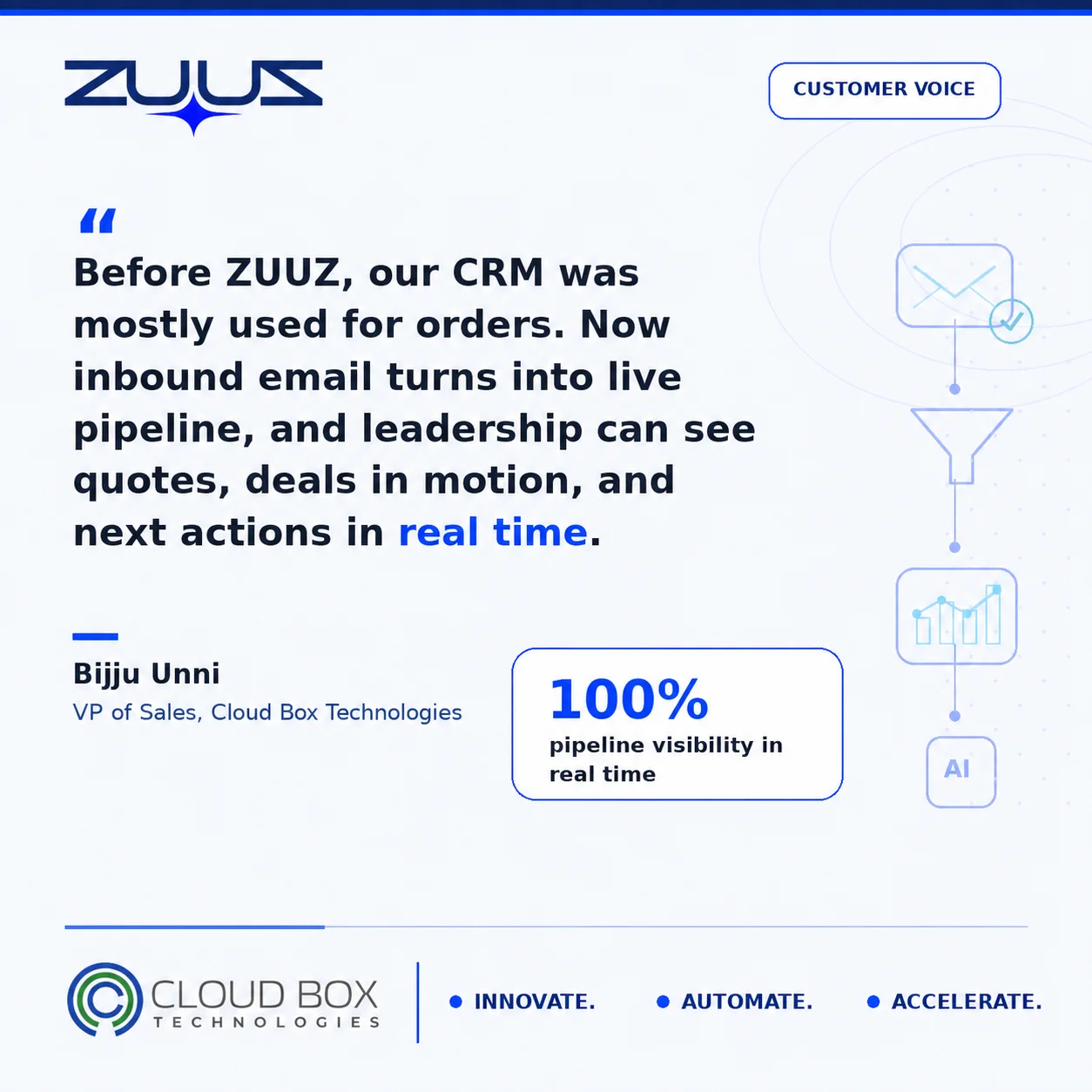
Two deployments show the size of the gap in practice. RA Technologies, a US IT services company, had run HubSpot for two years; ZUUZ ran on the same instance with the same team and surfaced $120K in pipeline in the first 30 days that the CRM had never seen. Cloud Box Technologies, a UAE cloud and IT services company, used its CRM for order processing only; ZUUZ turns inbound email into leads and renewals there, so leadership sees live pipeline from a single connected user and 10 to 12 renewals are tracked in minutes.
The Real Test for Any CRM Email Automation Setup
CRM email automation only works fully when it covers both directions: reading what happens in the inbox and acting on it, and using CRM data to trigger the next outbound message. Most tools on the market handle one side well and leave the other to manual effort.
Teams evaluating crm email automation tools should start by asking which half of the process a platform actually automates. The second question is whether it can operate across more than one CRM if the business ever needs it to, a fit question the ZUUZ team can walk through directly on a call.
A concrete first step
Running the audit by hand gives a number. Connecting one mailbox closes it: ZUUZ reads the last 90 days of that inbox, and the rep reviews what it found before anything is written to the CRM. Thirty-day free trial, no credit card: https://zuuz.ai/trial/
Frequently Asked Questions
What is CRM email automation?
CRM email automation is the use of a customer relationship management system to trigger, personalize, or log email activity without manual effort from a sales rep. It covers two directions: automatically capturing inbound email activity into CRM records, and automatically sending outbound emails when CRM data changes. Most tools focus on the outbound side.
How does CRM email automation work?
Outbound automation works by matching a CRM trigger, such as a new lead status, to a template and sending it on schedule. Inbound automation works by parsing email content to extract deal-relevant details and writing structured updates back to the CRM record, typically using AI-based extraction rather than simple keyword rules.
What is the difference between CRM email automation and email marketing automation?
Email marketing automation typically refers to outbound campaign tools built for broad audiences, such as newsletters and product announcements sent to a full list. CRM email automation is narrower and deal-specific, covering individual sales conversations tied to a single record, and it often includes inbound capture, which most marketing automation platforms never attempt at all.
What are common CRM email automation use cases?
The most common use cases are lead capture and routing, automated follow-up reminders for stalled deals, lead nurturing sequences, renewal and churn alerts, and internal deal-risk notifications sent to managers. Most companies need several of these running together, since a single isolated workflow rarely covers how a real sales cycle actually moves through email.
Can CRM email automation work across multiple CRM platforms?
Yes, but only when the automation layer is built to be CRM-agnostic rather than native to a single platform. Companies running Salesforce, HubSpot, and Zoho in parallel, often after a merger, an acquisition, or a regional expansion, need automation that reads and writes across all three instead of forcing a migration to one system first.
Does CRM email automation replace a sales rep’s job?
No. CRM email automation removes manual data entry and repetitive follow-up tasks, but it does not replace judgment calls like negotiation, relationship building, or deal strategy that a person has to make. The goal is to free reps from logging activity so they can spend more time on conversations that actually move a deal forward.
How can a company measure whether CRM email automation is working?
The clearest signal is whether CRM records reflect real deal activity without a rep manually updating them after the fact. Teams can check how often stage changes match actual email activity, how quickly new inbound leads get logged into the system, and whether follow-up timing tracks real reply signals instead of running on a fixed schedule regardless of what happened.
What should a company look for when evaluating a CRM email automation approach?
There is no single best crm with email automation for every team, since the right fit depends on whether inbound capture, outbound sending, or both are the priority. Buyers should also confirm whether the platform works across every CRM instance the company runs, rather than requiring consolidation onto a single system first.
See What Your Inbox Is Actually Doing.
If your team runs Salesforce, HubSpot, or Zoho and most deal activity still lives in email, a 15-minute conversation covers what ZUUZ would capture from your own inbox and whether it fits your CRM stack.

