
ZUUZ vs Manual CRM Entry: What Gets Lost in the Gap
ZUUZ vs manual CRM entry: see what pipeline signals vanish, how data quality collapses, and why agentic AI capture recovers revenue reps never logged.
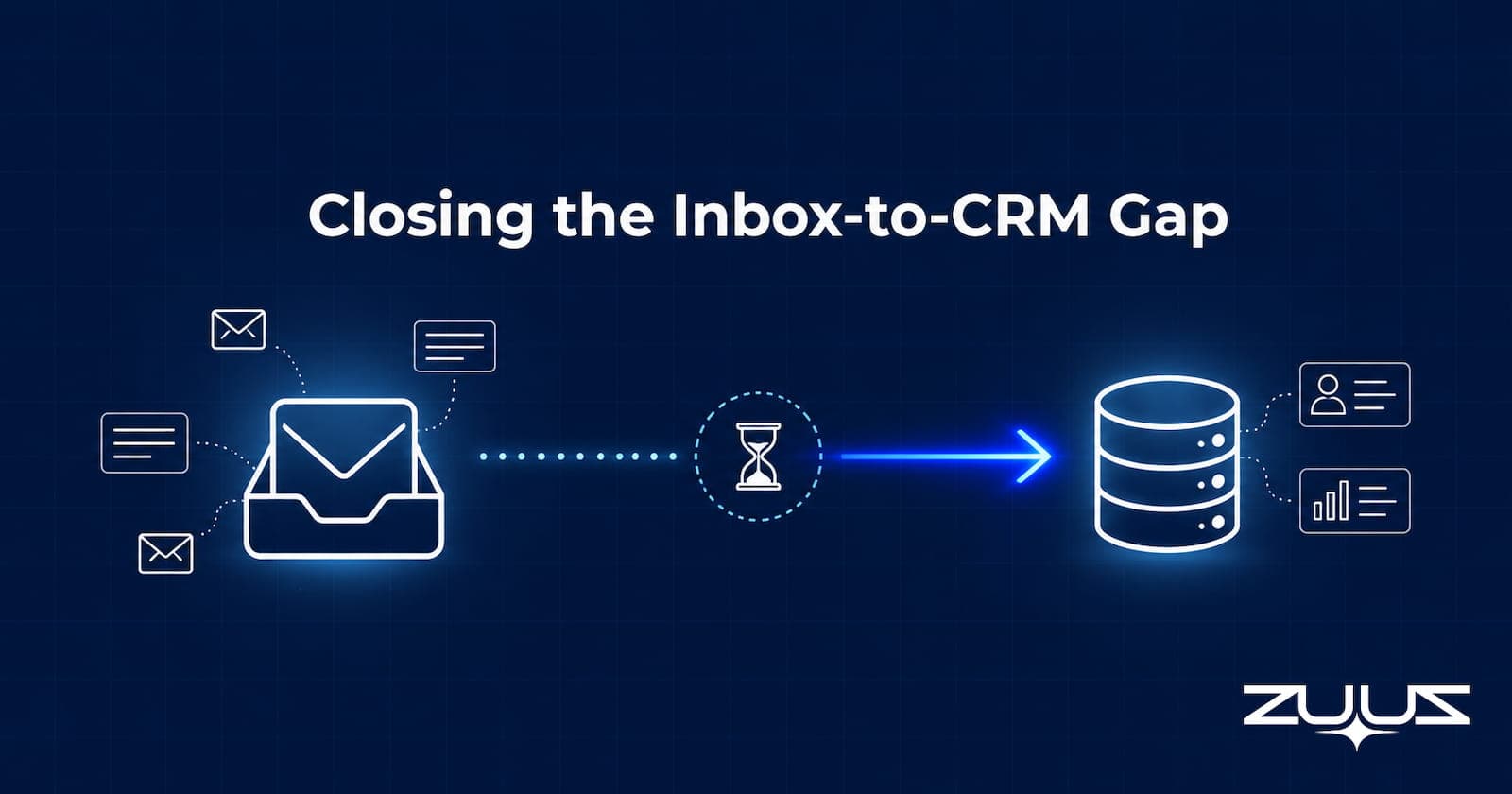
- Manual CRM entry takes six to eight clicks per email and consistently lags the inbox by ten to fourteen days, creating a pipeline picture that reflects history, not current reality.
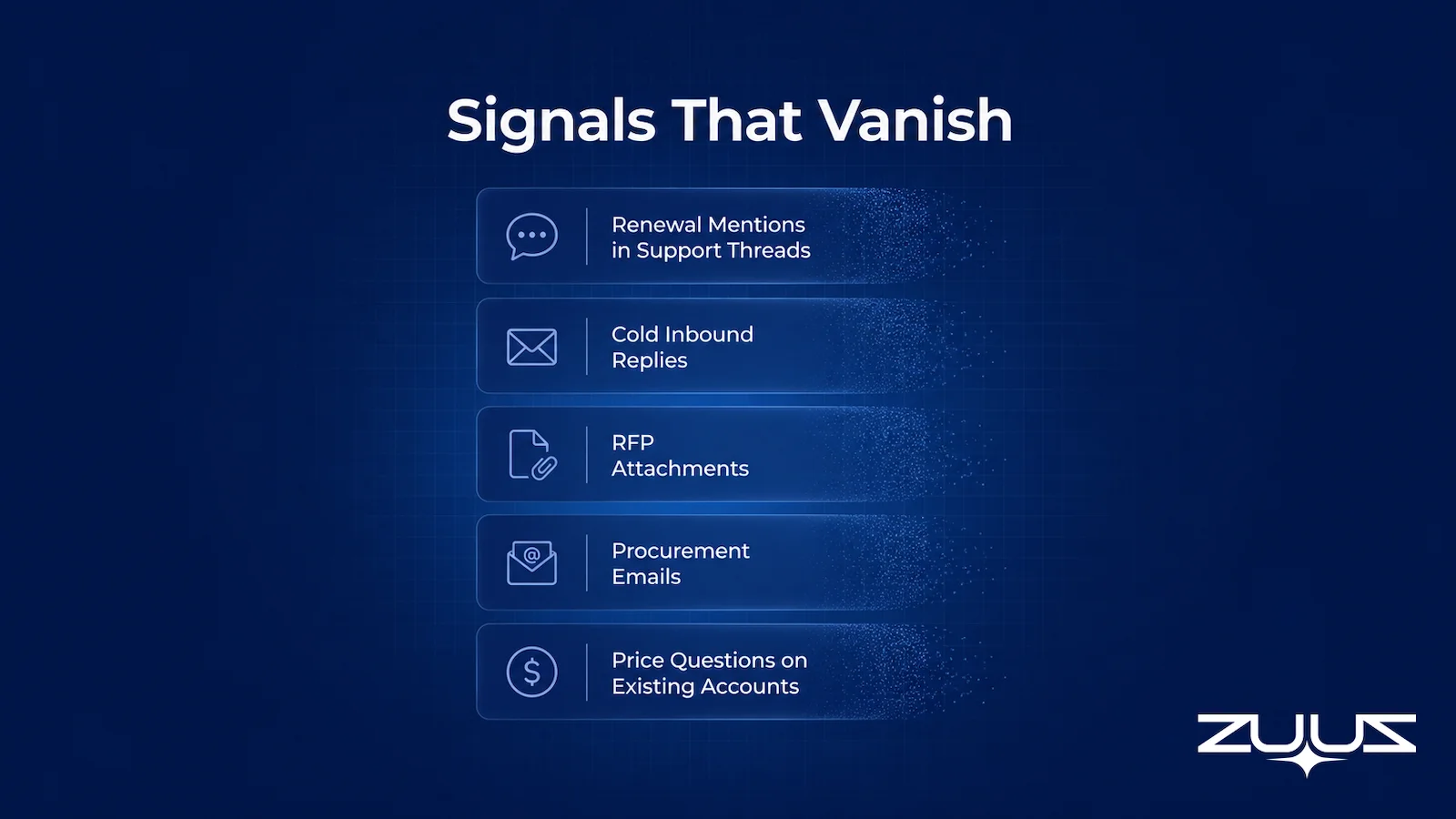
- The signals most likely to be skipped are the highest-value ones: renewal threads, RFP attachments, procurement emails, and price questions that indicate upsell intent.
- ZUUZ monitors the inbox continuously and writes classified, structured updates to Salesforce, HubSpot, or Zoho, reducing pipeline lag to under one hour.
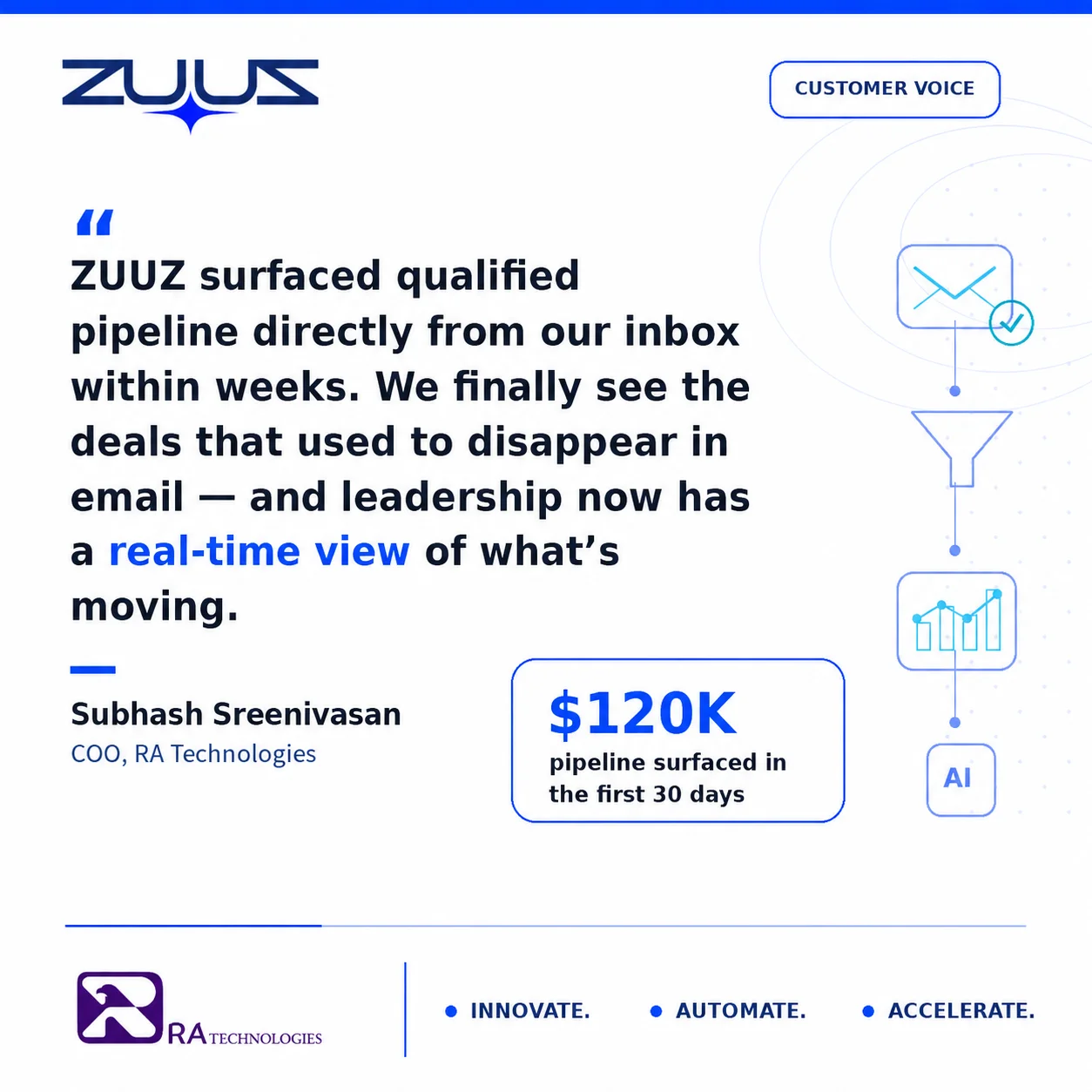
- RA Technologies surfaced $120,000 in pipeline from a 90-day email lookback during initial ZUUZ deployment, pipeline the CRM had never recorded.
- Reps using ZUUZ spend roughly ninety seconds reviewing daily suggestions rather than ninety minutes in the CRM, keeping judgment in the loop without the data-entry burden.
- Forecast accuracy and pipeline-review quality both improve when CRM data reflects actual email conversations rather than what reps recalled on Friday afternoon.
- ZUUZ connects to your sales inbox, reads LinkedIn messages and meeting or call transcripts, and writes leads, stakeholders, next steps and renewal signals into Salesforce, HubSpot, Zoho, Attio or Pipedrive for the rep to approve in one click.
ZUUZ vs manual CRM entry is not a philosophical debate about sales discipline. It is a measurement problem. Every week, sales teams treat the gap between inbox and CRM as an inconvenience rather than a revenue leak, and the numbers compound quietly.
Salesforce’s 2024 State of Sales report found that sales reps spend only 28 percent of their week on actual selling. CRM administration ranks among the top drains. The mechanism is well understood: reps read emails on their phones between calls, intend to log later, and by Friday are reconstructing Monday’s conversations from memory.
This article examines how manual CRM data entry fails structurally, which deal signals disappear first, how ZUUZ automates CRM entry across Salesforce, HubSpot, Zoho, Attio or Pipedrive, and what the pipeline looks like when the gap closes.
How Manual CRM Entry Works in Practice
The theoretical workflow for logging a single inbound email runs like this: the rep reads the message, opens the CRM in a separate tab, searches for the account, navigates to the correct opportunity, updates the stage, logs the activity, attaches the email thread, and creates a follow-up task. That is six to eight clicks under ideal conditions, and it takes roughly ninety seconds when the CRM loads quickly and the account name matches exactly.
In practice, reps read important emails at 9:47 a.m. on a phone between customer calls. They intend to log the update after lunch. By Thursday, the backlog covers four days of threads. By Friday, the rep is reconstructing Monday’s conversations from memory, and the entries going into the CRM are half wrong and half missing.
This is not a character flaw. It is the predictable outcome of asking a person whose compensation depends on closing deals to also serve as the organization’s data-entry clerk. The incentive structure does not support the behavior, and no amount of CRM training changes that math.
See the Pipeline Your CRM Can’t See.
ZUUZ connects to the sales inbox, extracts the deal signal, and writes it to Salesforce, HubSpot, Zoho, Attio or Pipedrive. Book a 15-minute walkthrough on your own inbox.
What Gets Skipped: High-Value Signals That Vanish
Manual entry does not fail randomly. It fails first on signals that require context to recognize, because those are the ones a rep cannot classify in two seconds while scrolling a phone screen.
The Five Signal Types Most Likely to Go Unlogged
- Renewal mentions inside support threads. A procurement contact replying to a technical ticket with “let’s discuss our renewal timeline” looks like a support message. A rep skimming quickly files it as non-urgent and never logs it as an opportunity signal.
- Cold inbound replies that appear to be noise. The first reply from a prospect who received outbound outreach six weeks earlier often lands with a subject line that no longer matches the original campaign. It gets skimmed and deferred.
- RFP attachments with unextracted line items. An attached PDF containing a formal RFP requires opening, reading, and manually transcribing data into the CRM. Under time pressure, reps log “RFP received” and stop there. The line-item detail that would allow accurate opportunity sizing never enters the system.
- Procurement email threads. A message from a procurement address rather than the sales contact’s direct counterpart is the single strongest late-stage buying signal in B2B. It means the deal has moved to formal evaluation. Reps who are not monitoring procurement addresses closely miss this entirely.
- Price questions on existing accounts. A current customer asking about pricing on an adjacent product is an upsell signal. It often arrives as a forwarded thread from someone the rep does not recognize, making it easy to defer until “more context” is available.
The deals that close on manual entry are the ones the rep was already tracking closely. The deals that close later than they should, or not at all, are the ones that surfaced as ambiguous signals and never made it into the CRM in the first place.
For IT services firms and distributors managing multi-product accounts with renewal cycles, this pattern is especially costly. A single missed renewal thread on a $200,000 account can absorb months of new-business effort to replace. The full analysis of how missed leads accumulate in email and what that costs in closed revenue is covered separately.

- Capture breadth: does it capture from the channels where the deal actually moves, meaning email, calendar, LinkedIn messages and meeting or call transcripts, or only one of those?
- Where it lands: does what it captures reach CRM fields a report can read, or only an activity feed a human has to open?
- Rep memory load: does the rep still have to remember a BCC, a button, a sidebar or a sync?
- Correction path: can the rep fix a wrong field in one click before it is written, rather than cleaning up afterwards?
- CRM fit: does it run on top of Salesforce, HubSpot, Zoho, Attio or Pipedrive as they are configured today, with no migration?
- History: does it read the last 90 days on day one, or does only new mail count?
The Data Quality and Pipeline Visibility Gap
The discipline problem produces a downstream data problem. When five reps on the same team log the same type of activity in five different ways, three different definitions of “pipeline” emerge from the same CRM. Stage names mean different things. Opportunity values reflect different assumptions. Close dates reflect optimism rather than conversation content.
Pipeline review meetings absorb the cost directly. The first ten to fifteen minutes of a weekly call typically go to resolving what is actually in the pipeline, rather than deciding what to do about it. According to Gartner research on CRM data quality, poor CRM data costs organizations an average of $12.9 million annually in lost productivity and missed revenue, driven primarily by inconsistent manual entry across teams.
There is also a forecasting problem. When CRM data lags the inbox by ten to fourteen days, the revenue forecast is built on a view of the pipeline that is already two weeks out of date. A deal that moved to procurement on Tuesday does not appear in the forecast until a rep logs it, which may not happen until the following Monday’s prep for pipeline review.
ZUUZ vs Manual CRM Entry: Side-by-Side Comparison
The comparison below is based on a representative week of 80 inbound emails containing approximately 20 sales-relevant signals across an IT services or distribution sales team.
| Dimension | Manual CRM Entry | ZUUZ Automated Capture |
|---|---|---|
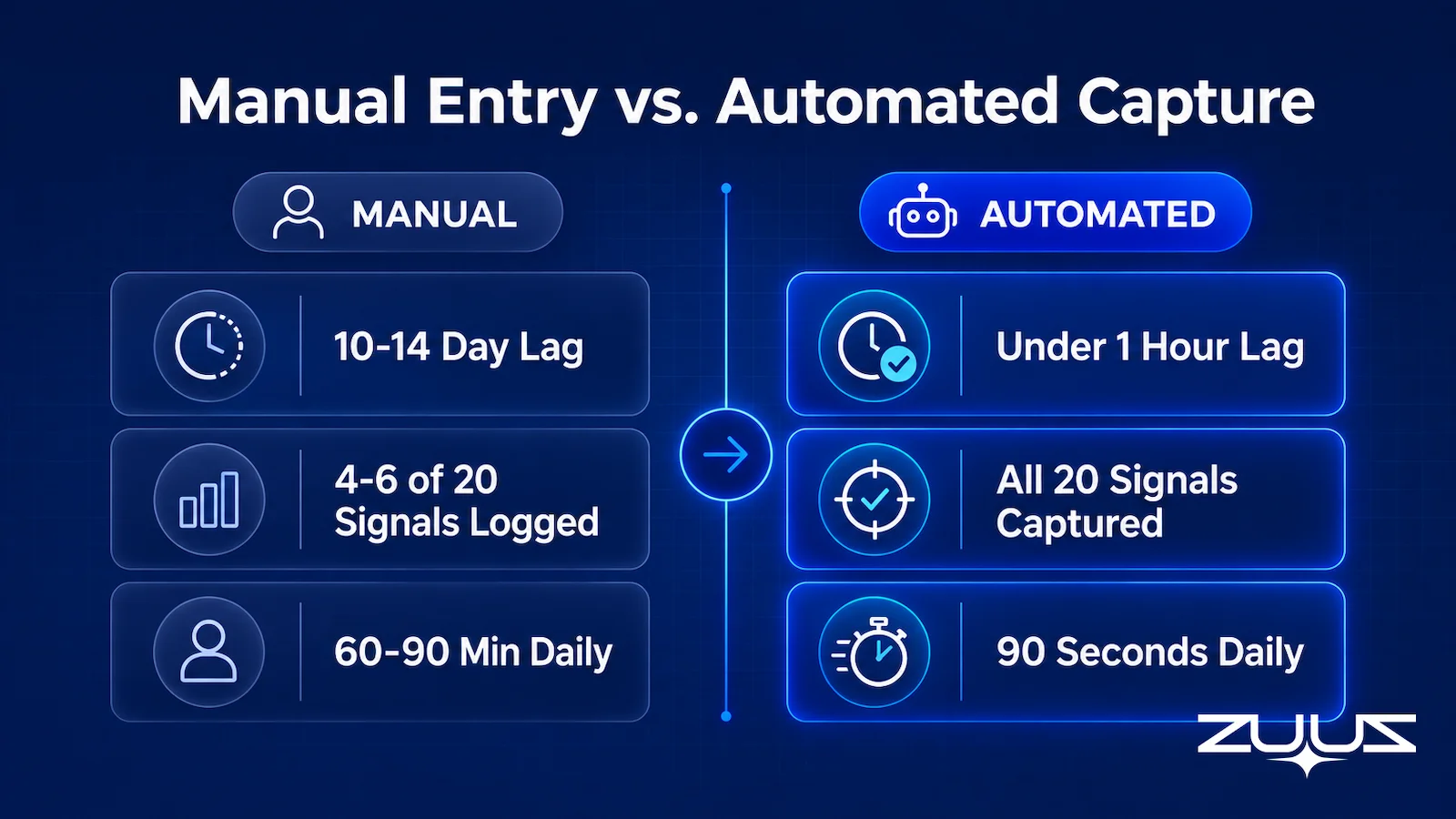
| Signals logged per week (of 20) | 4 to 6 within the same week; 14 logged late, incorrectly, or never | All 20 extracted, classified, and attached to correct accounts |
| Pipeline lag vs. inbox | 10 to 14 days | Under 1 hour |
| Rep time on CRM administration | 60 to 90 minutes daily | 90 seconds daily reviewing suggestions |
| Forecast accuracy | 50 to 60 percent range | Operates on actual conversation data |
| Renewal and upsell signal capture | Missed when buried in thread context or non-sales sender | Extracted from thread context regardless of sender or subject |
| RFP and attachment data | “RFP received” logged; line items rarely transcribed | Attachment content extracted and structured automatically |
| CRM compatibility | Whatever the rep can access | Salesforce, HubSpot, Zoho (CRM-agnostic) |
| Data consistency across reps | Varies by individual logging habit and interpretation | Consistent classification applied uniformly across team |
| Historical lookback on deployment | Not available; past data stays unlogged | 90-day lookback surfaces previously uncaptured pipeline |
| Pipeline review quality | First 10 to 15 minutes spent resolving data accuracy | Reviews begin with strategy because data is already verified |
The gap widens in proportion to team size and email volume. A five-person team with 80 emails per week loses revenue to missed signals. A fifty-person team with 800 emails per week loses that revenue at scale, plus it loses management visibility into what is actually moving.
Stop Losing Pipeline in the Inbox.
Connect your CRM in minutes and let ZUUZ capture the signals your team never logs. Start free, with no integration project required.
How ZUUZ Captures What Manual Entry Misses
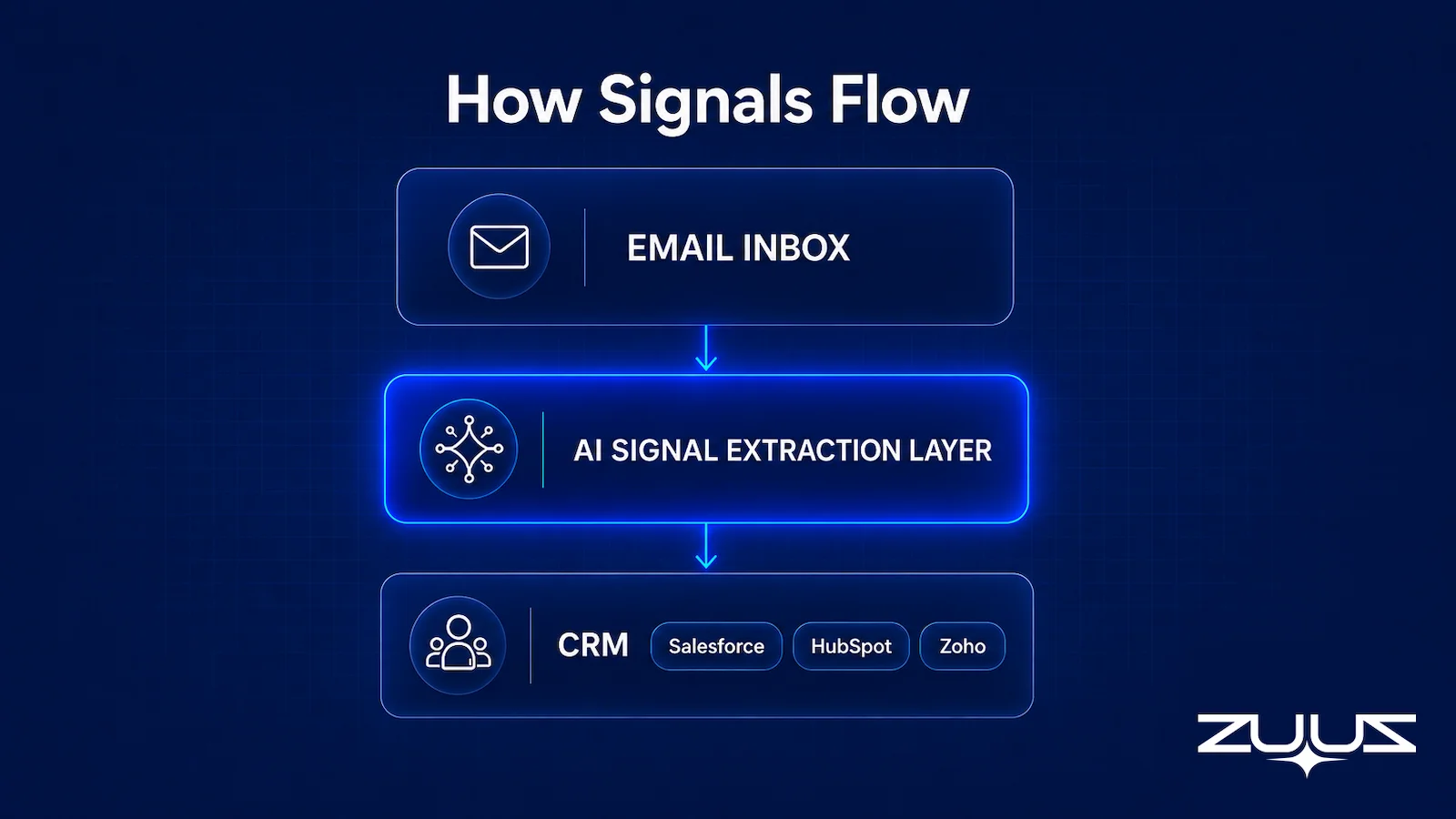
ZUUZ operates as an agentic AI layer that sits between the email inbox and the CRM. It reads incoming and outgoing threads continuously, identifies signals that indicate sales-relevant activity (stage movement, buying intent, renewal discussion, pricing inquiry, RFP receipt), and classifies them against the existing account and opportunity structure in the CRM.
Signal Extraction Without Rep Intervention
The extraction runs on thread context, not subject lines. A procurement email buried in a support thread gets classified correctly because ZUUZ reads the content of the message and its sender domain, not just whether the subject line says “Opportunity” or “Deal.” This is why ZUUZ captures the signal types manual entry misses first: renewal mentions in support threads, cold inbound replies, procurement emails from non-sales contacts.
Rep Review in 90 Seconds
ZUUZ does not make silent overwrites to the CRM. Each captured signal is surfaced as a rep-reviewable suggestion. The rep sees what ZUUZ extracted, which account and opportunity it mapped to, and what CRM update it proposes. Approving or adjusting takes seconds. This preserves human judgment at the decision point while removing the logging burden from the workflow entirely.
CRM-Agnostic Integration
ZUUZ writes structured updates to Salesforce, HubSpot, Zoho, Attio or Pipedrive without requiring a CRM migration or replacement. For enterprise teams that have already invested in CRM configuration and training, this matters. The Salesforce email integration workflow for IT sales teams runs through the same ZUUZ layer that serves HubSpot and Zoho customers.
90-Day Lookback on Deployment
When ZUUZ deploys, it runs a historical lookback across the prior 90 days of email. Signals that were never logged surface immediately as pipeline that already exists but was invisible to the CRM. At RA Technologies, an IT services firm in the United States, this lookback surfaced $120,000 in pipeline within 72 hours. These were not new opportunities. They were earned conversations from active accounts that the team had conducted over email but never recorded.

What Sales Reports Look Like With Automated Capture
The most visible operational change when teams move from manual CRM entry to ZUUZ is what happens to the pipeline review. With manual entry, the first portion of any review meeting is spent validating the data: which deals are real, which stage updates are current, which close dates are actual commitments versus carry-overs from previous weeks. Managers develop workarounds, like pre-call check-ins with individual reps, to build a picture of the pipeline before the formal discussion even starts.
With automated capture, stage movement in the CRM reflects what happened in email conversations. Every deal in the pipeline links back to the thread that moved it. A deal at “Proposal Sent” has an attached email showing when the proposal went out and what the prospect replied. A deal at “Verbal Commitment” has the thread where the customer confirmed intent. Managers can verify any entry in seconds rather than relying on rep memory.
The Forecasting Effect
Forecast accuracy is a function of data timeliness and consistency. When manual entry lags the inbox by two weeks, a forecast built on that data is structurally unreliable regardless of the forecasting model applied. ZUUZ reduces the lag to under an hour, which means the forecast reflects current pipeline state rather than a reconstruction of the past. For IT distribution businesses managing large accounts with multi-product renewal cycles, this accuracy difference changes the quality of decisions made at the executive level.
A retail and distribution enterprise uses ZUUZ for bulk order matching and report generation at a ten-to-one efficiency ratio compared to its prior manual process. The efficiency gain is not primarily in rep time saved; it is in decision quality at the management level, where accurate data produces better inventory and revenue planning.
Pipeline Accuracy Across Multi-Product Accounts
For organizations managing accounts with multiple products and overlapping renewal cycles, the challenge of tracking renewals across multiple products is compounded by manual entry. Each renewal cycle requires a rep to monitor a separate thread, log a separate set of updates, and maintain stage accuracy for multiple opportunities per account simultaneously. ZUUZ handles this at the account level, mapping signals from a single thread to the correct opportunity within a multi-product account structure without requiring rep coordination.
The broader question of why CRM pipelines are structurally inaccurate in most enterprise sales organizations goes beyond manual entry alone, but entry failure is the primary driver. Fixing that driver changes everything downstream: forecast quality, renewal visibility, upsell timing, and the quality of decisions managers make based on what the CRM shows them.
The Capture Gap Audit
Before changing how entry works, measure what the current method actually costs. The Capture Gap Audit exists to measure how much of what the team already knows never reached the CRM.
- Pick one closed-won and one slipped deal from the last quarter.
- Read the full email and message thread end to end; list every fact that mattered, meaning people, objections, dates, competitors, commitments.
- Open the CRM record for the same deal and mark which of those facts appear in a field, not a note.
- The percentage missing is the capture gap. Anything above about a third means the team is running on a CRM that records outcomes, not the deal.
On a manually maintained record the audit is quick, because the pattern repeats: the amount, the stage and the close date are in fields, and everything that explained them is in the thread. The procurement contact who was copied in on reply nine, the competitor named in passing, the two week delay the buyer asked for: none of those are countable, so none of them reach a pipeline review. That is the gap manual entry produces, and it is a measurement, not an opinion about rep discipline.
From an operator’s seat
Most teams run this audit on the deal they lost first, expecting the gap to be widest there. Across the deployments ZUUZ runs, the closed-won record is usually the emptier of the two, because a loss gets a post-mortem and a win gets a celebration. The second surprise is where the missing facts sit: often not absent from the CRM at all, but parked in a free-text note that no report can read, which looks like coverage during an audit and behaves like nothing during a pipeline review. The part teams do not plan for is deciding who owns the fields once the gap is visible, and that conversation takes longer than connecting the mailbox does.
Where ZUUZ sits
ZUUZ is an AI layer on top of the CRM a team already runs: it is never a CRM and never replaces one. Manual entry records what the rep remembered to type after the fact; ZUUZ writes the record from the conversation itself and leaves the rep one click to approve or correct it, which is why this is a capture question rather than a discipline question.
Frequently Asked Questions
What Is the Difference Between ZUUZ and Manual CRM Entry?
Manual CRM entry requires a rep to read an email, open the CRM, find the correct account, update the opportunity stage, log the activity, and set follow-up tasks manually. ZUUZ monitors the inbox continuously, extracts sales-relevant signals, and writes structured updates to Salesforce, HubSpot, or Zoho without rep intervention. The result is pipeline data that reflects actual current conversations rather than what a rep remembered to type days later.
How Much Time Does Manual CRM Entry Waste Per Sales Rep?
Each manual CRM update takes six to eight clicks and roughly ninety seconds under ideal conditions. Across a full inbox week, that accumulates into 60 to 90 minutes of daily CRM administration time per rep. Salesforce’s 2024 State of Sales research found that sales reps spend only 28 percent of their week on actual selling, with CRM administration as one of the leading contributors to that constraint.
What Types of Pipeline Signals Does Manual CRM Entry Typically Miss?
Manual entry misses signals that require thread context to recognize: renewal mentions inside support tickets, cold inbound replies with mismatched subject lines, RFP attachments with unextracted line items, procurement emails from non-sales contacts, and price questions from existing accounts indicating upsell intent. These are often the highest-value late-stage signals in a B2B pipeline, and they are also the ones most likely to arrive from unexpected senders or buried in non-sales threads.
Does ZUUZ Work With Salesforce, HubSpot, Zoho, Attio or Pipedrive?
Yes. ZUUZ is CRM-agnostic and integrates with Salesforce, HubSpot, Zoho, Attio or Pipedrive. It reads the email inbox, classifies sales signals against the existing account and opportunity structure, and writes structured updates to whichever CRM the team uses. No migration or CRM replacement is required, and existing CRM configuration, fields, and workflows are preserved.
How Quickly Does ZUUZ Surface Pipeline Data Compared to Manual Entry?
Manual CRM entry typically lags the inbox by ten to fourteen days, because reps log conversations from memory at the end of the week or when prompted before pipeline review. ZUUZ reduces that lag to under one hour. On deployment, the 90-day historical lookback surfaces pipeline that existed in email but was never logged. At RA Technologies, this surfaced $120,000 in pipeline within 72 hours.
Is Automated CRM Entry Accurate Enough for Enterprise Use?
ZUUZ presents extracted signals as rep-reviewable suggestions rather than silent overwrites. Reps spend roughly ninety seconds daily reviewing and approving what ZUUZ surfaces, keeping human judgment in the loop while removing the logging burden. A retail and distribution enterprise uses ZUUZ for bulk order matching at a ten-to-one efficiency ratio, and Western International Group and Cloud Box Technologies use it across active sales operations.
Can ZUUZ Help With Email Lead Qualification, Not Just Logging?
Yes. ZUUZ classifies signals by type and intent, which includes qualifying inbound leads by their email content and account context before surfacing them for rep review. The email lead qualification automation workflow runs through the same signal-extraction layer that powers CRM entry, so qualification and logging happen together rather than as separate steps.
See What Your Inbox Is Actually Doing.
Book a 15-minute session to see how ZUUZ connects to your email and CRM, what the lookback surfaces in your specific pipeline, and what the rep review workflow looks like in practice.

CEO of ZUUZ. He scaled Cloud Box Technologies from 0 to $25M ARR in IT services and distribution before building ZUUZ. Connect on LinkedIn

