
Email to CRM Automation for IT Companies
Email to CRM automation for IT companies surfaces buried pipeline. See how IT sales teams recover deals, classify signals, and sync CRMs without manual entry.
- According to Salesforce’s 2026 State of Sales report, sales reps spend 60% of their time on non-selling tasks, with manual CRM logging being one of the largest drains on IT sales teams.
- IT sales email is structurally different from SaaS or retail email. A single renewal thread can span the end customer, VAR, distributor, and OEM, requiring a system trained on IT-specific vocabulary.
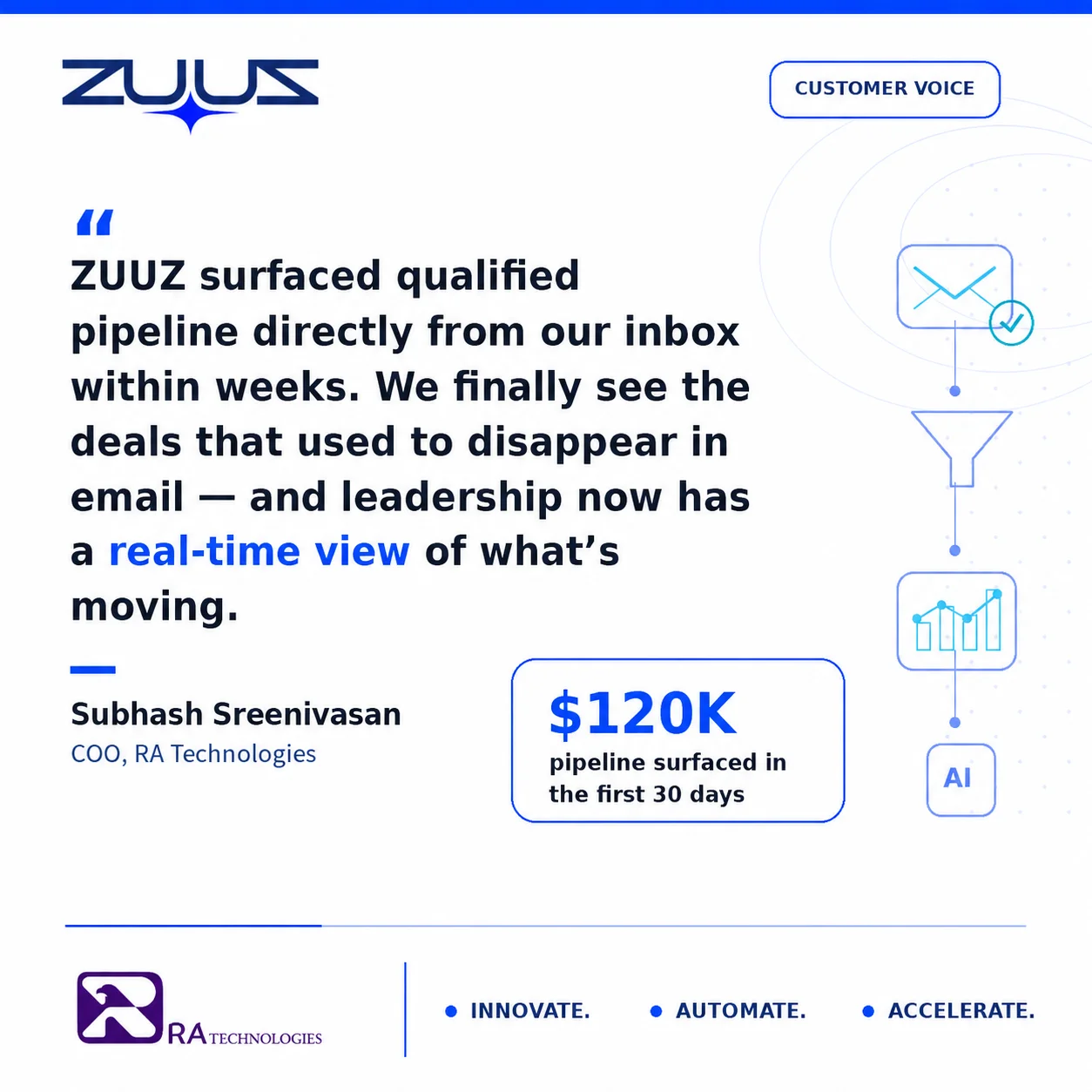
- RA Technologies, a US-based IT services company, surfaced $120,000 in active pipeline through a 90-day email lookback, surfacing deals that had never been logged in their CRM.
- Generic email-to-CRM tools miss the signals that matter most in IT sales: co-term structuring, OEM allocation discussions, refresh cycle language, and multi-thread distributor pricing.
- Effective email to CRM automation for IT companies requires zero change in rep behavior. The system runs in the background, updates the CRM automatically, and surfaces new pipeline in a dashboard.
- ZUUZ operates across Salesforce, HubSpot, Zoho, Attio or Pipedrive simultaneously, so it fits IT distributors and VARs running more than one CRM instance.
- ZUUZ is an AI layer on top of the CRM a team already runs: it connects to the sales inbox, reads LinkedIn messages and meeting or call transcripts, and writes leads, stakeholders, next steps and renewal signals into the CRM for the rep to approve in one click.
Most CRM records are outdated by the time a sales manager opens them. The call happened. The pricing thread came in. The renewal discussion started three weeks ago. None of it got logged.
For IT companies, the gap between what the CRM contains and what is actually happening in the inbox is wider than in any other sector. A single renewal can span emails to the end customer, the VAR account manager, the distributor rep, and the OEM territory manager. Each thread carries deal-critical information. Almost none of it ends up in the CRM. Getting that email content mapped in requires records to stay current in both directions, not just captured once, the mechanics of that are covered in the guide to bidirectional CRM sync.
Email to CRM automation for IT companies is the mechanism that closes this gap. This article covers what that system needs to do, why generic tools fall short, how a US IT services company used it to surface six-figure pipeline, and what to look for when evaluating a tool for an IT sales team.
Why IT Sales Teams Lose Deals in the Inbox
The IT sales workflow is email-heavy by design. Quotes, renewal notices, POC requests, and expansion asks all arrive as unstructured text. The CRM is where deals are supposed to live, but it only contains what a rep manually entered.
At Cloud Box Technologies, a managed services and cloud distribution business built from $0 to $25M ARR, the pattern was consistent: the most important deal conversations happened in email. Reps knew the status of every deal in their head and in their inbox. The CRM reflected maybe 40% of actual deal activity.
This is not a discipline problem. It is a structural problem. The information lives where the work happens, and the work happens over email. CRM pipeline data is wrong not because reps are careless, but because logging every email thread is genuinely not possible alongside the core selling work.
See the Pipeline Your CRM Can’t See.
ZUUZ connects to the sales inbox, extracts the deal signal, and writes it to Salesforce, HubSpot, Zoho, Attio or Pipedrive. Book a 15-minute walkthrough on your own inbox.
The Six-Click Problem Killing IT Pipeline Visibility
Logging a single email thread to a CRM record requires opening the CRM, finding the right account, finding or creating the opportunity, attaching the contact, typing a summary, and saving the record. That is six actions at minimum, and most IT sales teams report four to eight actions per logged email depending on CRM configuration.
For a 12-person IT sales team handling 80 to 100 emails per day, the math produces 100 to 120 manual logging actions per day across the team. In practice, reps log fewer than 10% of the emails that contain deal-relevant information. The rest stays in the inbox.
Salesforce’s 2026 State of Sales report found that sales reps spend 60% of their time on non-selling tasks, with manual CRM entry cited among the primary contributors. The same report found that 70% of data and analytics leaders believe the most critical business insights are trapped in unstructured data. For IT sales teams, that unstructured data lives in the inbox. The shift toward digital buying compounds it: McKinsey’s B2B Pulse research found that two-thirds of B2B buyers prefer digital and self-serve channels, which pushes more renewal and reorder activity into email. The solution is not better training on CRM hygiene. It is removing the manual step entirely.
What Email to CRM Automation Actually Does
A purpose-built email to CRM automation system reads every inbound and outbound email in the sales team’s mailbox. It classifies each message by intent, extracts deal-relevant data, and writes structured records directly into the CRM without requiring manual input.
Three core capabilities define a system worth deploying for IT companies:
- Lead extraction: Identifying new contacts and companies in email threads that are not yet in the CRM. For IT distributors, this includes end-customer contacts arriving through a VAR’s forwarded email chain.
- Intent classification: Distinguishing sales signals (renewal discussions, pricing threads, POC requests) from routine communications (shipping confirmations, support tickets). Generic classification models miss IT-specific vocabulary and produce high false-negative rates on the signals that matter most.
- Bidirectional CRM sync: Creating and updating CRM records from both inbound and outbound email. Most BCC-to-CRM tools only capture inbound. A full system captures the outbound pricing proposal and the inbound reply as part of the same deal thread, linking them to a single opportunity record.
The third capability is where most generic tools fail IT companies entirely. Outbound email from an IT rep (the distributor quote, the OEM pricing sheet, the renewal proposal) carries as much deal intelligence as the inbound reply, and both belong in the same CRM record.

Why IT Companies Need a Different Approach
Generic email-to-CRM tools are trained on SaaS and e-commerce vocabulary. They recognize “proposal,” “contract,” and “onboarding.” They do not recognize “co-term,” “refresh cycle,” “OEM allocation,” or “distributor pricing thread.”
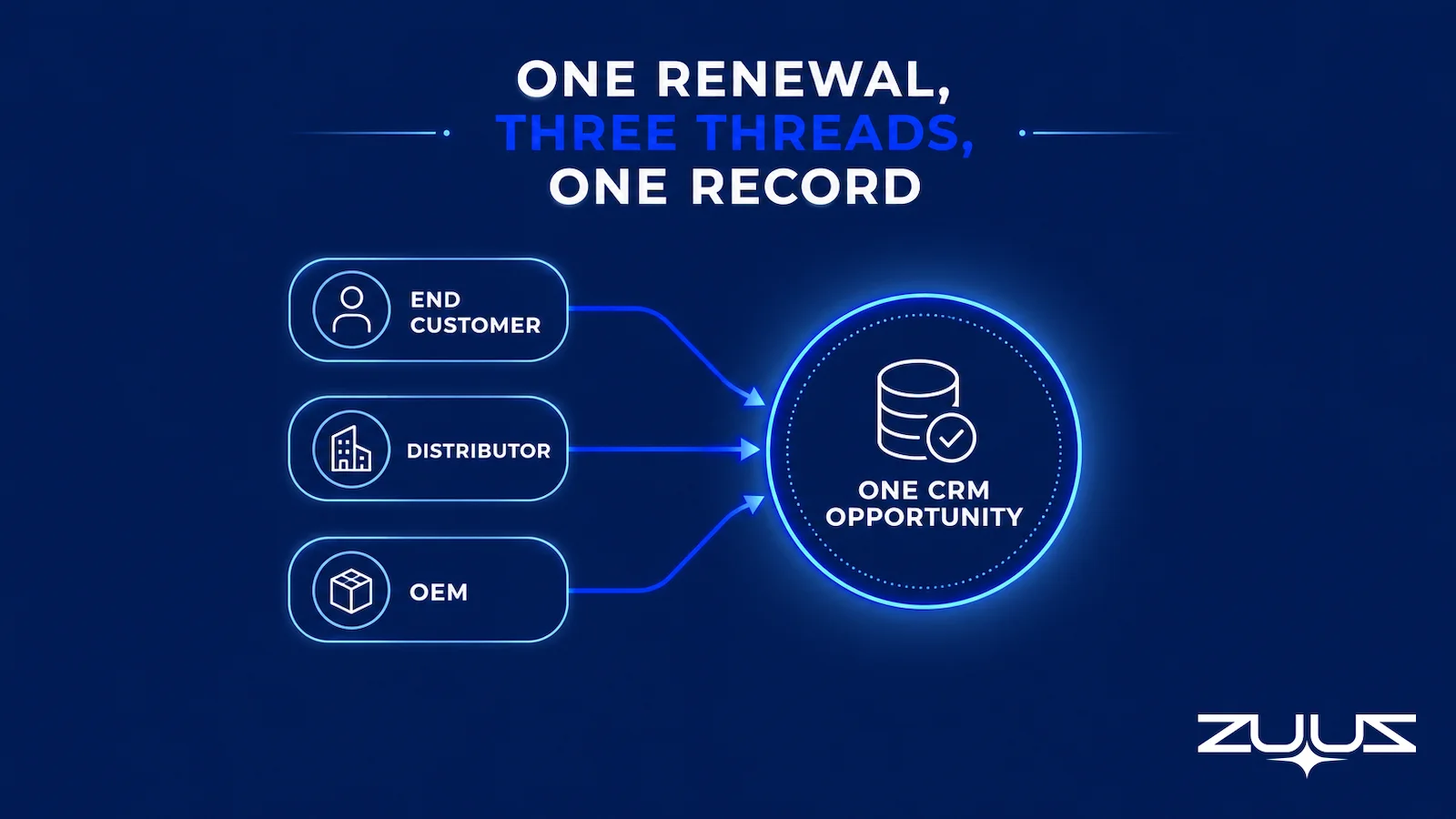
A single IT renewal can involve three separate email threads: one with the end customer about timing, one with the distributor about pricing, and one with the OEM about product availability. Each thread is from a different sender. Each thread is part of the same deal. A generic tool creates three separate CRM leads. An IT-specific system links them to one opportunity.
IT sales also operates on longer cycles than SaaS. A refresh cycle conversation may start six months before the actual renewal date. Renewal tracking for VARs and distributors requires a system that can hold thread context across months, not just surface the most recent email. The table below shows where generic tools diverge from what IT companies actually need.
Table 1: Generic Email-to-CRM Tools vs. IT-Specific Requirements
| Requirement | Generic Tool Behavior | IT-Specific Requirement |
|---|---|---|
| Vocabulary training | SaaS and e-commerce terms | Co-term, refresh cycle, OEM allocation, distributor pricing, VAR margin |
| Multi-thread deal linking | One email = one lead or contact | Multiple threads (customer, VAR, OEM) linked to one opportunity |
| Outbound capture | Inbound only (or BCC-required) | Outbound pricing proposals and RFP responses captured automatically |
| Renewal signal detection | Misses indirect renewal language | Identifies timing, co-term, and refresh cycle references as renewal signals |
| CRM compatibility | Single-CRM (usually Salesforce) | Cross-CRM (Salesforce, HubSpot, Zoho simultaneously) |
| Historical lookback | Forward-looking only | 60 to 90 day historical email scan on first connect |
The gap is not incremental. It is structural. An IT distributor using a generic email integration will surface a fraction of the deal signals that move through the team’s inbox each week.
Categories of Tools and What Each Misses
IT sales teams typically encounter four approaches to email-CRM integration. Each addresses part of the problem, and each has a ceiling that matters when evaluating fit for an IT environment.
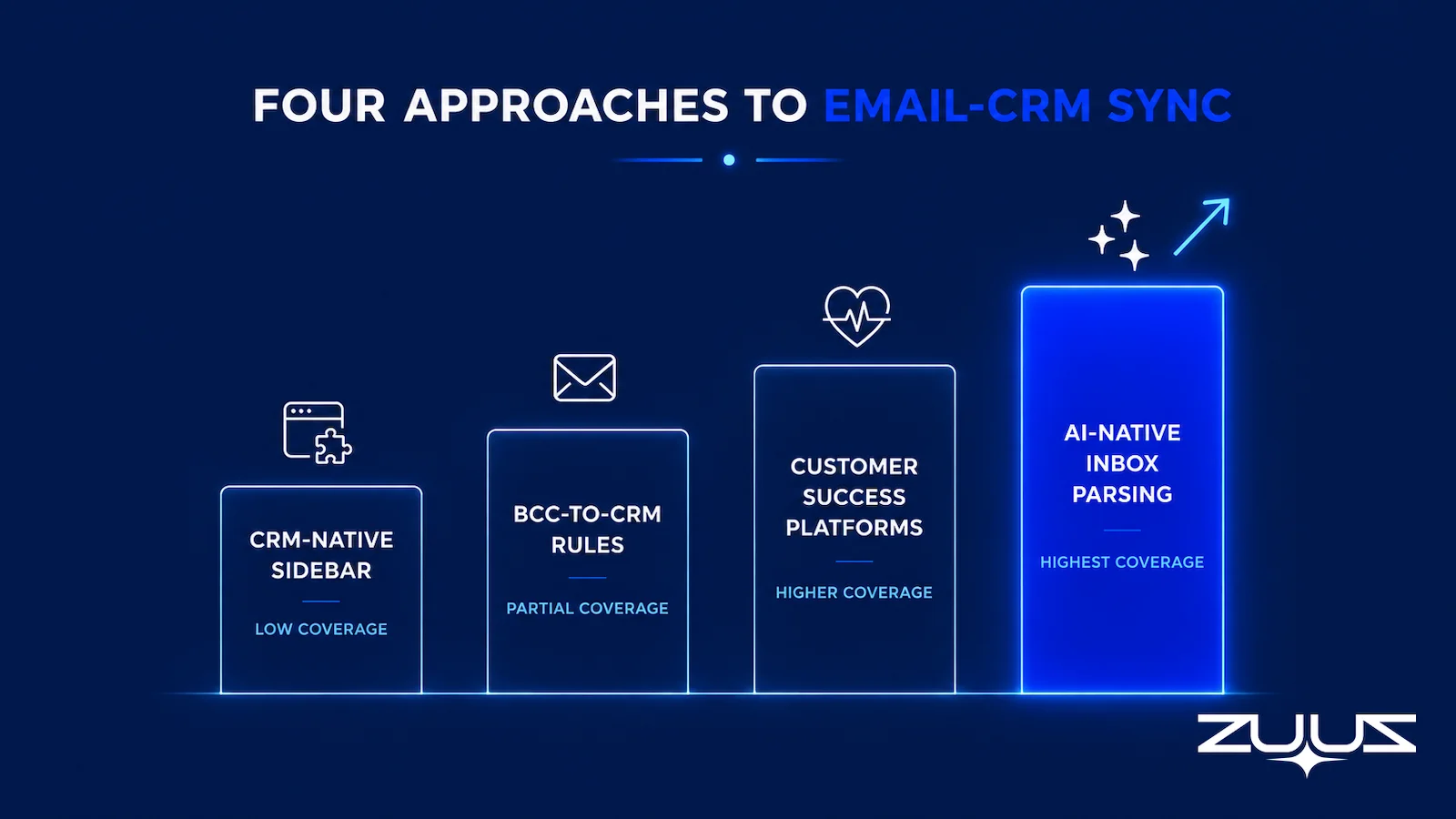
Table 2: Email-to-CRM Tool Categories for IT Companies
| Approach | How It Works | What It Misses for IT Sales |
|---|---|---|
| CRM-native sidebars (Salesforce, HubSpot) | Rep manually logs email from a browser extension | Still requires rep action per email. Logs only what the rep chooses to log, which averages less than 10% of deal-relevant threads. |
| BCC-to-CRM rules | Rep BCCs a CRM address to create an activity log | Requires rep memory every time. Misses inbound replies. Creates activity logs, not opportunity records. |
| AI-native inbox parsing (ZUUZ) | Reads every email, classifies intent, writes CRM records automatically | Requires IT-specific vocabulary training to avoid high false-negative rates on OEM and distributor language. Generic AI parsing fails without this training. |
| Customer success platforms (Gainsight, ChurnZero) | Monitor customer health signals post-sale | Pre-sale pipeline signals in prospect email are invisible to these tools. Built for retention, not pipeline generation. |
For IT companies managing active prospect and renewal pipelines simultaneously, only AI-native inbox parsing addresses both pre-sale and renewal email at scale, without relying on rep behavior to capture the signal.
Stop Losing Pipeline in the Inbox.
Connect your CRM in minutes and let ZUUZ capture the signals your team never logs. Start free, with no integration project required.
Category boundaries matter less than the specific signals that fall between them. In IT sales the same handful of moments account for most of what never reaches the CRM.
Five Buying Signals Your Inbox Is Burying Right Now
The signals below appear consistently in IT sales email threads. Most CRMs contain none of them because no rep logged them. Missed sales leads in IT email follow a predictable pattern: the signal was there, it was just never read by the system supposed to track it.
- Renewal intent references: Contract end dates, co-term structuring questions, and refresh cycle mentions. These appear months before the renewal date and are often buried in distributor or OEM threads, not the end-customer thread.
- Evaluation mentions: Phrases like “running a POC next quarter” or “we are comparing a couple of vendors” indicate active evaluation. Missing this signal means missing the window to influence the vendor decision before it closes.
- Expansion asks: Requests for additional sites, new user counts, or adjacent products. These often arrive as forwarded emails from end-customer IT contacts, not from the primary buyer contact in the CRM.
- Competitor name-drops: Mentions of competing products or vendors in a thread signal that the account is evaluating alternatives. This changes the priority of the opportunity in any accurate pipeline model.
- Re-engagement from lapsed accounts: An inbound email from an account that went dark six months ago represents unrecorded pipeline. Without inbox automation, this email either stays unlogged or requires a rep to manually create a new opportunity from memory.
All five signal types are present in the average IT sales team’s inbox every week. The question is whether the CRM sees them before the window to act closes.
The Capture Gap Audit
Before evaluating any tool, measure the problem. The Capture Gap Audit measures how much of what the team already knows never reached the CRM.
- Pick one closed-won and one slipped deal from the last quarter.
- Read the full email and message thread end to end; list every fact that mattered, people, objections, dates, competitors, commitments.
- Open the CRM record for the same deal and mark which of those facts appear in a field, not a note.
- The percentage missing is the capture gap. Anything above about a third means the team is running on a CRM that records outcomes, not the deal.
Worked example for an IT reseller: take one closed-won refresh deal and one that slipped past quarter end. On the refresh, the facts that mattered were the distributor stock confirmation, the co-term date the customer asked for, the OEM allocation note, and the security reviewer who joined in week three. On the slipped deal, they were a pricing thread running against two distributors and an end-of-support date nobody put in a field. Count how many of those sit in CRM fields today. In most IT sales teams the named people and the amounts survive; the conditions, the dates and the competing quotes do not.
The RA Technologies Story: $120K Surfaced in 72 Hours
RA Technologies is a US-based IT services company. When they connected their email to ZUUZ, the first step was a 90-day historical lookback: a scan of the prior three months of inbox activity against known CRM records.
The lookback surfaced $120,000 in active pipeline that had never been logged. These were not cold leads. They were threads containing pricing questions, renewal discussions, and expansion asks from existing accounts. The deals were closeable within that same quarter.
The pattern is consistent across IT distribution: the inbox contains more active pipeline than the CRM reflects, and the gap widens with team size and email volume. A 12-person team handling 80 to 100 emails per day generates more signal than any manual logging process can sustain. For a deeper look at how IT companies track pipeline across their full product and renewal base, see IT sales pipeline visibility tools.
How ZUUZ Reads IT Deal Signals
ZUUZ operates as the execution layer between the inbox and the CRM. It reads every inbound and outbound email in the connected mailbox, classifies each message by intent, and writes structured records to whichever CRM the team uses, whether Salesforce, HubSpot, or Zoho.
For IT companies, the system is trained on distributor and OEM vocabulary. When a thread contains “co-term structuring,” ZUUZ identifies it as a renewal opportunity and creates or updates the relevant CRM record. When a forwarded email from a VAR contains an end-customer expansion ask, ZUUZ links it to the parent account rather than creating a duplicate contact record.
The CRM-agnostic architecture matters specifically for IT distributors running multiple instances. Many distributors track partner-facing business in HubSpot and end-customer business in Salesforce. ZUUZ syncs to both from a single connected mailbox, meaning the rep does not switch tools and the manager sees a consolidated pipeline view across both systems.
RA Technologies used ZUUZ’s 90-day lookback to calibrate the system against known deals before enabling forward-looking automation. This gave their sales ops team a baseline: confirmed deals in the CRM matched against the email threads that generated them. The gap between the two became the quantified starting point for pipeline recovery.
ZUUZ also monitors for new email to CRM automation signals on an ongoing basis, not just at first connect. Every new email thread is evaluated against the CRM in near real time. When a signal appears in a thread with no matching CRM record, ZUUZ creates the record. When a signal updates an existing deal (a new pricing ask on an open opportunity, for example), ZUUZ updates the record without requiring rep input.
The comparison between ZUUZ and manual CRM entry shows where the time savings and pipeline recovery compound across a full sales quarter.

One distinction is worth stating plainly: ZUUZ is an AI layer on top of the CRM a team already runs, never a CRM and never a replacement for one. Most tools in this category report on what the rep entered; ZUUZ writes the record from the conversations the rep was already having, and the rep approves it in one click.
Eight Criteria for Evaluating a Tool
IT companies evaluating email to CRM automation should test against these criteria before committing to a platform. Generic tools that appear capable on a feature list often fail on the first three criteria when tested against real IT sales email.
- IT vocabulary training: Ask the vendor to classify five sample emails containing distributor pricing language, co-term references, and OEM allocation discussions. Review the output for false negatives before evaluating anything else.
- CRM compatibility: Verify native sync to the specific CRM instance in use, not just the CRM platform family. A tool that syncs to Salesforce Sales Cloud may not sync to a custom Salesforce org without additional configuration time.
- Multi-thread deal linking: Confirm the tool can associate multiple email threads from different senders to a single opportunity record. This is essential for IT distribution, where the customer, VAR, and OEM each generate separate threads for the same deal.
- Signal accuracy: Request false positive and false negative rates from a comparable IT sales deployment. A high false positive rate (non-deal emails classified as opportunities) creates CRM noise faster than manual logging created the original gap.
- Lookback period: Confirm the tool performs a 60- to 90-day historical scan on initial connection. A forward-looking-only tool misses the unrecorded pipeline sitting in the existing inbox from the current and prior quarters.
- No rep behavior change: The tool must run entirely in the background. Any system requiring reps to tag, flag, or forward emails will be abandoned within four to six weeks of deployment, based on consistent behavior patterns across IT sales teams.
- Deployment timeline: Inbox connection and CRM sync should be live within two business days. A multi-week deployment process indicates a complex enterprise integration project, not a sales productivity tool.
- Bidirectional sync: Confirm both inbound and outbound email is captured. An IT rep’s outbound pricing proposal contains as much deal context as the inbound reply. A system that captures only one direction produces an incomplete record and misses half the deal thread.
For IT companies using Salesforce specifically, Salesforce email integration for IT sales teams covers the technical requirements in more detail, including native field mapping for IT-specific opportunity data and common configuration pitfalls.
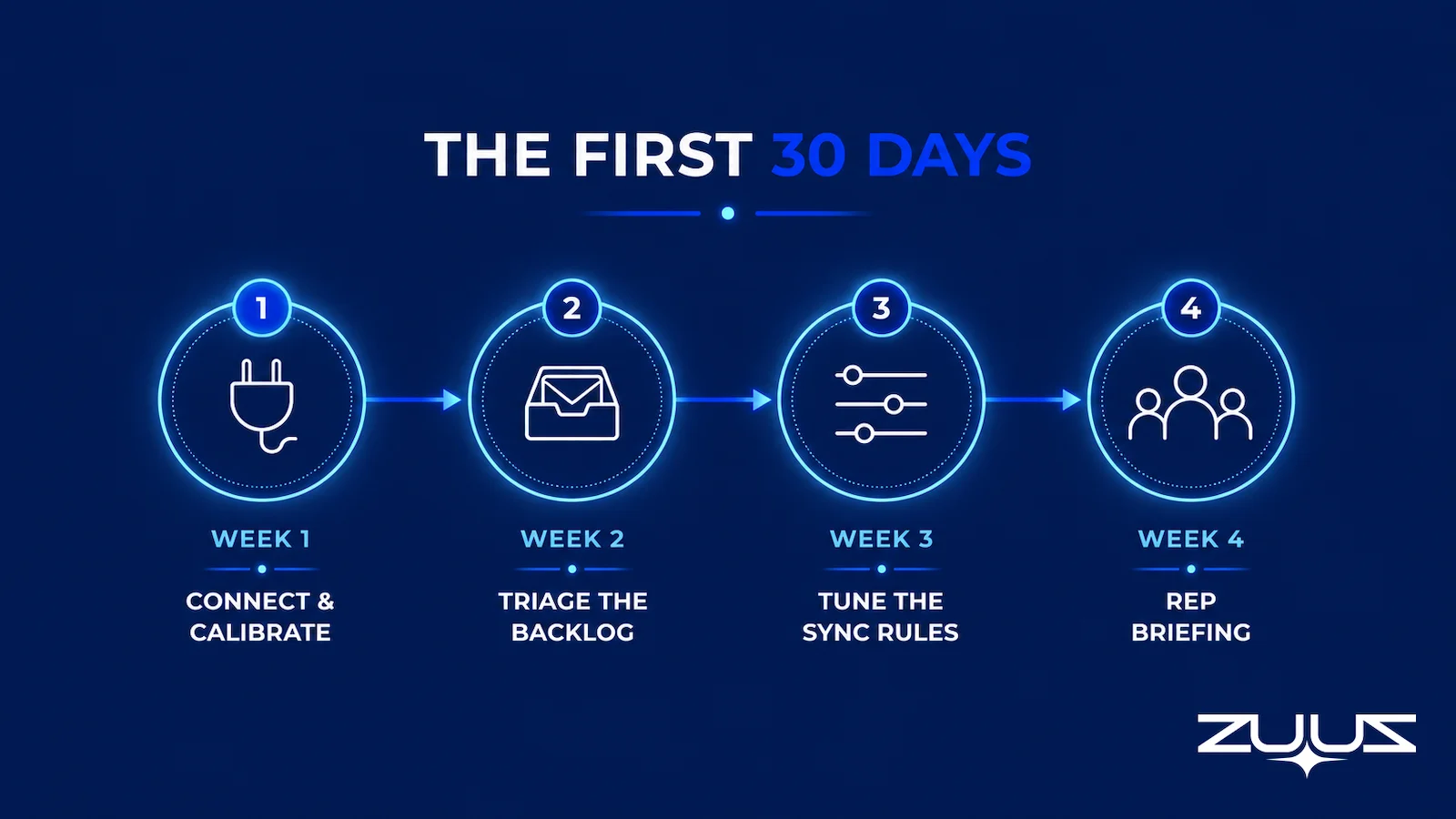
What the First 30 Days Look Like
The first 30 days of email to CRM automation deployment for an IT sales team follows a consistent pattern. The steps below reflect deployment experience with IT distribution and managed services teams, using email hosted on Microsoft 365 or Google Workspace.
Week 1: Connect and calibrate. Connect the mailbox and CRM. Run the historical lookback against the prior 60 to 90 days. Review the output against known open opportunities to establish a baseline accuracy rate. Flag any signal categories producing false positives for vocabulary tuning specific to the team’s distributor and OEM relationships.
Week 2: Triage the backlog. The lookback will surface deals in various states: some closeable this quarter, some dormant, some already closed without CRM record. Prioritize the closeable deals. Assign ownership to any new opportunities without a clear owner. This week typically produces the highest-value output of the entire deployment period.
Week 3: Tune the sync rules. Adjust CRM field mapping for IT-specific data points. Set thresholds for signal confidence before a record is auto-created versus surfaced for rep review. Configure deal-stage logic for renewal signals versus new business signals, since the two require different CRM workflows and often different owner assignments.
Week 4: Rep briefing. Run a 30-minute session with reps focused entirely on how to review the system’s output in the CRM. The briefing covers zero tool mechanics, because reps never interact with the system directly. It covers only how to interpret the new pipeline fields and how to flag a false positive for correction.
By day 30, the CRM should reflect a pipeline state that matches the team’s inbox activity within a two- to three-day lag. That replaces the two- to three-week lag that characterizes manual logging in most IT sales operations. The email lead qualification automation layer can extend this foundation into a full qualification workflow once the CRM sync is stable and producing reliable signal.
From an operator’s seat
Having run this rollout in practice, the surprise in week two is rarely accuracy. It is ownership. The historical lookback hands a team twenty or thirty live conversations that were never opportunities, nobody is assigned to them, and the highest-value output of the whole deployment can sit untouched while the team debates field mapping. The part teams do not plan for is the sales ops or coordinator mailbox: in IT distribution the distributor and registration threads land there, not in a rep inbox, so a deployment scoped to reps only will look accurate and still miss the clock-driven half of the pipeline. Connect the shared mailbox in week one, then tune. Doing it the other way round means tuning twice, against two different sets of threads.
Frequently Asked Questions
What Is Email to CRM Automation for IT Companies?
Email to CRM automation for IT companies is a process where software reads the sales team’s inbox, identifies deal-relevant signals (renewal discussions, expansion requests, pricing questions, competitor mentions), and writes structured records directly into the CRM without requiring manual input from a rep. For IT companies, it must also parse distributor pricing threads, OEM terminology, and co-term renewal language that generic tools miss.
Why Do IT Companies Need a Different Approach to Email CRM Integration?
IT sales involves layered communication: a single renewal may generate emails between the end customer, the VAR, the distributor, and the OEM. Generic email-to-CRM tools are trained on SaaS vocabulary and miss terms like co-term, refresh cycle, OEM allocation, and distributor pricing thread. An IT-specific system needs to understand this vocabulary and link related threads across different senders to a single deal record.
Does Email to CRM Automation Work With Salesforce and HubSpot?
Yes. Purpose-built email-to-CRM systems for IT companies sync natively with Salesforce, HubSpot, and Zoho. ZUUZ operates across all three simultaneously, meaning IT companies running multiple CRM instances (common in distribution) can use one system. The sync is bidirectional: signals from inbound and outbound email both update the relevant CRM record.
How Is This Different from Salesforce Einstein Activity Capture?
Einstein Activity Capture logs email activity to existing Salesforce records after a rep opts in. It does not identify new pipeline signals, classify intent, or create new CRM records from cold inbound email. Email-to-CRM automation for IT companies reads every thread, surfaces new buying signals, and creates or updates records automatically. The rep does not need to flag anything for the system to act.
What Buying Signals Can an Email-to-CRM System Identify in IT Sales Email?
A well-trained system identifies: renewal intent (mentions of contract end dates, refresh cycles), expansion requests (additional seats, new sites, upsell asks), evaluation signals (POC discussions, vendor comparisons), competitor mentions, re-engagement from dormant accounts, pricing and quoting threads, and inbound RFP language. In IT distribution, it also recognizes OEM allocation discussions and co-term structuring conversations.
How Long Does Implementation Take for an IT Sales Team?
A properly designed email-to-CRM tool for IT companies connects to the inbox and CRM within one to two business days. The first week typically surfaces a 60- to 90-day historical email lookback, which serves as calibration against known deals. Material pipeline changes are visible within 30 days. Multi-month implementation timelines indicate an IT infrastructure project, not a sales tool.
Will Reps Need to Change How They Work?
No. Email-to-CRM automation runs in the background, reading the inbox without requiring reps to flag, tag, forward, or categorize anything. The CRM updates automatically. Reps review new pipeline signals surfaced in their CRM dashboard rather than manually logging them. The only rep-side change is reviewing the output, not generating it.
What Pipeline Visibility Lag Does Manual CRM Entry Create for IT Teams?
In most IT sales teams, pipeline data in the CRM lags the actual deal state by two to three weeks. Reps log emails reactively, if at all. In IT distribution, where renewal windows are narrow and pricing threads move quickly, a two-week lag means managers are making forecast decisions based on data that no longer reflects reality. Automated CRM sync eliminates this lag by updating records in near real time.
See What Your Inbox Is Actually Doing.
ZUUZ’s historical email scan surfaces unrecorded pipeline before it expires. Book a 15-minute session to see exactly how IT distributors and VARs use it to close the gap between inbox and CRM.

CEO of ZUUZ. He scaled Cloud Box Technologies from 0 to $25M ARR in IT services and distribution before building ZUUZ. Connect on LinkedIn

