
IT Sales Pipeline Visibility Tools That Actually Work
IT sales pipeline visibility tools fail when CRM data is incomplete. Learn which tools fix the capture gap and how RA Technologies surfaced $120K in 72 hours.
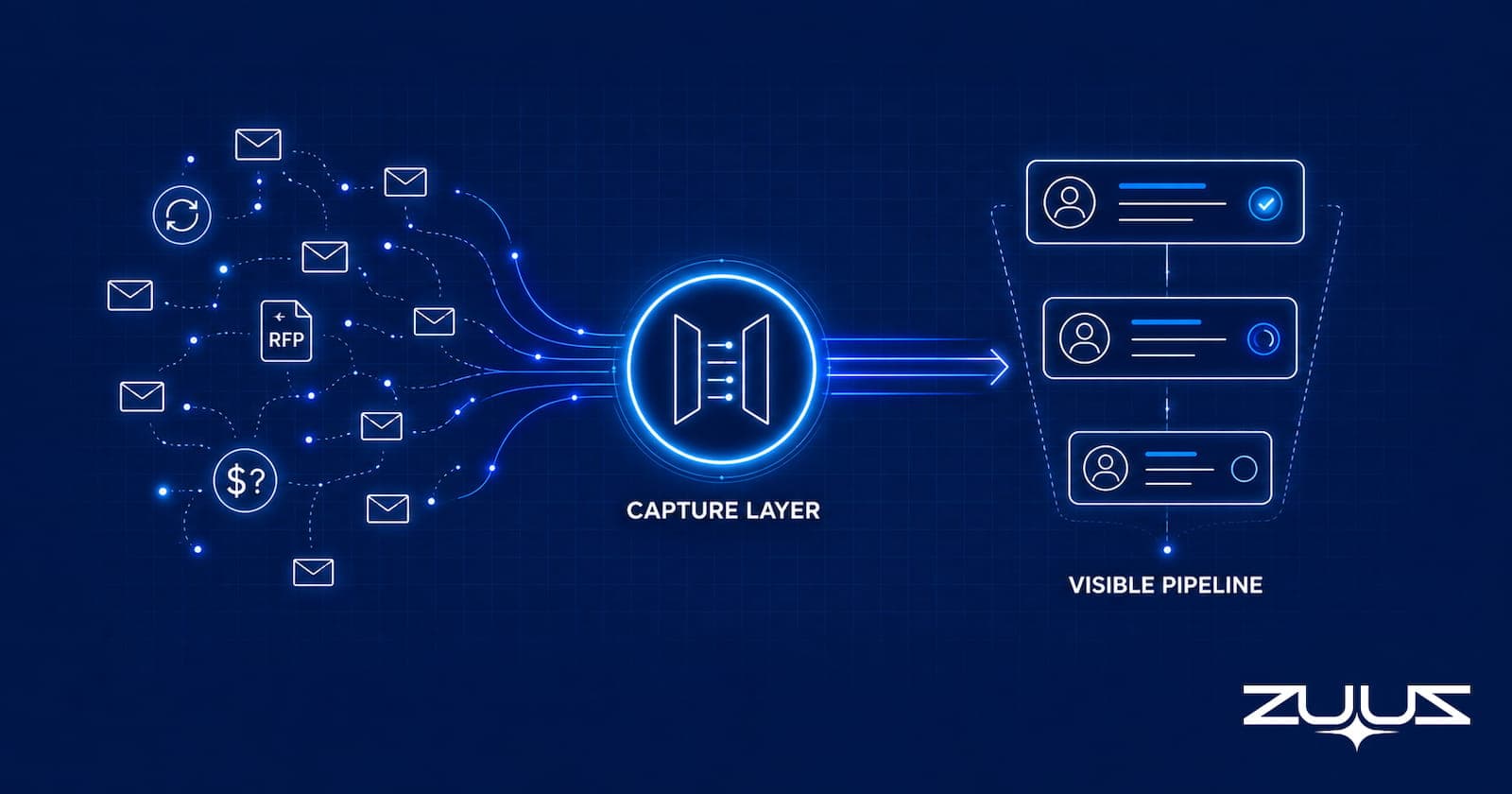
- IT sales pipeline visibility tools fail not because of bad dashboards, but because the CRM data feeding those dashboards is incomplete from the start.
- In IT sales, a single account can run renewals, active projects, quote requests, and support escalations in parallel through the same inbox thread, making manual CRM logging structurally impossible at scale.
- The gap lives in the capture layer, not the reporting layer. Forecasting and BI tools display what exists; they do not recover what was never recorded.
- RA Technologies surfaced $120,000 in previously unrecorded pipeline within 72 hours by connecting their shared inbox to ZUUZ and running a 90-day historical email lookback.
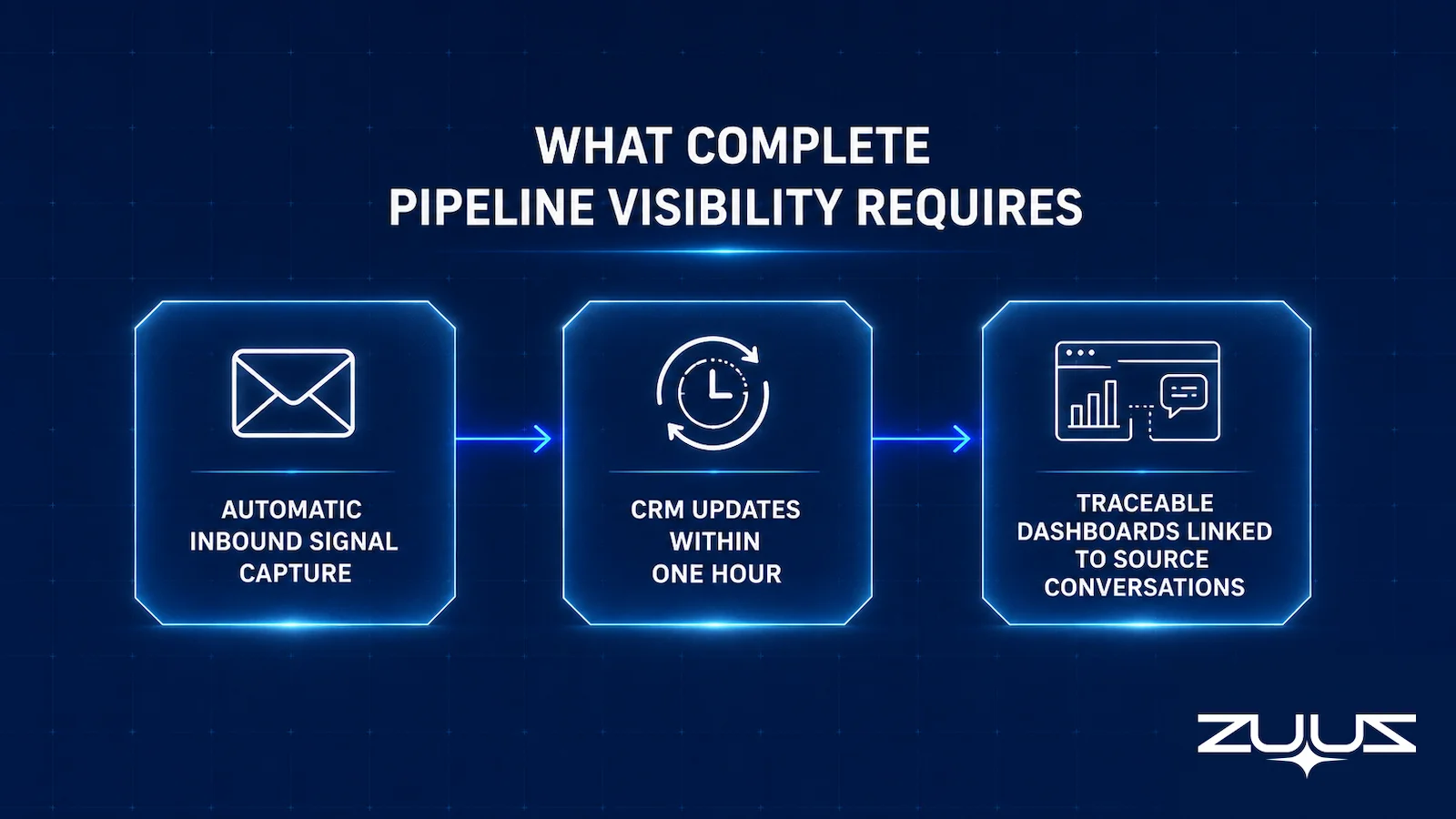
- A complete visibility stack requires automatic inbound signal capture, CRM updates in real time from each deal signal, and traceable dashboards that link each data point back to its source conversation.
- ZUUZ is CRM-agnostic, running natively on Salesforce, HubSpot, Zoho, Attio or Pipedrive without requiring reps to change how they work in email.
- ZUUZ is an AI layer on top of the CRM a team already runs, never a CRM itself: it connects to your sales inbox, reads LinkedIn messages and meeting or call transcripts, and writes leads, stakeholders, next steps and renewal signals into the CRM for the rep to approve in one click, which is what makes the dashboards above it worth reading.
Most IT sales teams already have IT sales pipeline visibility tools in place: a CRM, a forecasting layer, and a BI dashboard. Yet pipeline reports lag two weeks behind reality, and renewals slip through. The tools are not broken. The data feeding them is.
IT sales does not follow the clean funnel that SaaS pipeline tools assume. A single account can carry a renewal, three active quote threads, and a new project scope through the same procurement contact at once. Those signals scatter across inboxes and forwarded threads rather than CRM stages.
This article covers the full stack of IT sales pipeline visibility tools, where each category breaks down, why the capture layer is the piece most teams skip, and how one IT services firm surfaced $120,000 in hidden pipeline.
Why IT Sales Pipeline Visibility Fails Before It Starts
IT sales differs structurally from the SaaS motion that most modern pipeline tools are designed around. In a SaaS model, one deal has one stage, one close date, and one contact driving the decision. In IT distribution or IT services, a single account might carry a hardware refresh, a software renewal with co-term complexity, a new project scope, and a warranty extension running through the same procurement contact simultaneously.
Deal signals in IT sales rarely arrive as clean CRM entries. They arrive as an RFP attachment in a shared inbox, a renewal mention buried in a support thread, a pricing question forwarded from a technical buyer, or a verbal commitment from a procurement manager that never makes it into any system. According to the Salesforce State of Sales report (2024), high-performing sales teams are 2.8x more likely to use guided selling processes, yet the underlying assumption is that deal data exists to guide at all.
The fundamental problem is structural. Pipeline visibility tools are built to display data. They are not built to generate it. If the deal signal never leaves the inbox, no visibility tool in the stack can surface it.
See the Pipeline Your CRM Can’t See.
ZUUZ connects to the sales inbox, extracts the deal signal, and writes it to Salesforce, HubSpot, Zoho, Attio or Pipedrive. Book a 15-minute walkthrough on your own inbox.
The CRM Data Problem Hiding Behind Every Dashboard
CRMs in IT sales are not empty. They are incomplete in a very specific way. Reps log the deals they remember. They log the deals that are large enough to matter for commission. They do not log the renewal mention from Tuesday’s email, the RFP attachment that arrived in a shared inbox while they were on another account, or the pricing question a technical buyer forwarded on Friday afternoon.
Enterprise IT reps receive 60 to 100 emails per day. Logging a single email in Salesforce requires four to six clicks: finding the contact, opening the account record, navigating to the activity section, filling in the fields, and saving. Across a 12-person team handling 80 emails each daily, that volume creates hundreds of micro-decisions about what is worth logging. Most signals do not make the cut.
The consequence is a CRM that looks populated but reflects only 40 to 60 percent of actual account activity. Forecasting tools, BI dashboards, and pipeline review meetings then operate on that partial record. As explored in why your CRM pipeline is wrong, the forecast gap is not a reporting failure. It is a capture failure that reporting then amplifies.

What to look for when comparing these tools
- Does it capture from the channels where the deal actually moves: email, calendar, LinkedIn messages, and meeting or call transcripts?
- Does what it captures land in CRM fields a report can read, or only in an activity feed a human must open?
- Does the rep have to remember anything: a BCC, a button, a sidebar, a sync?
- Can the rep correct what it found in one click before it is written?
- Does every number on the dashboard drill down to the records and messages that produced it?
- Does it run on the CRM the team already has, with no migration and no second system of record?
IT Sales Pipeline Visibility Tools, Ranked by Layer
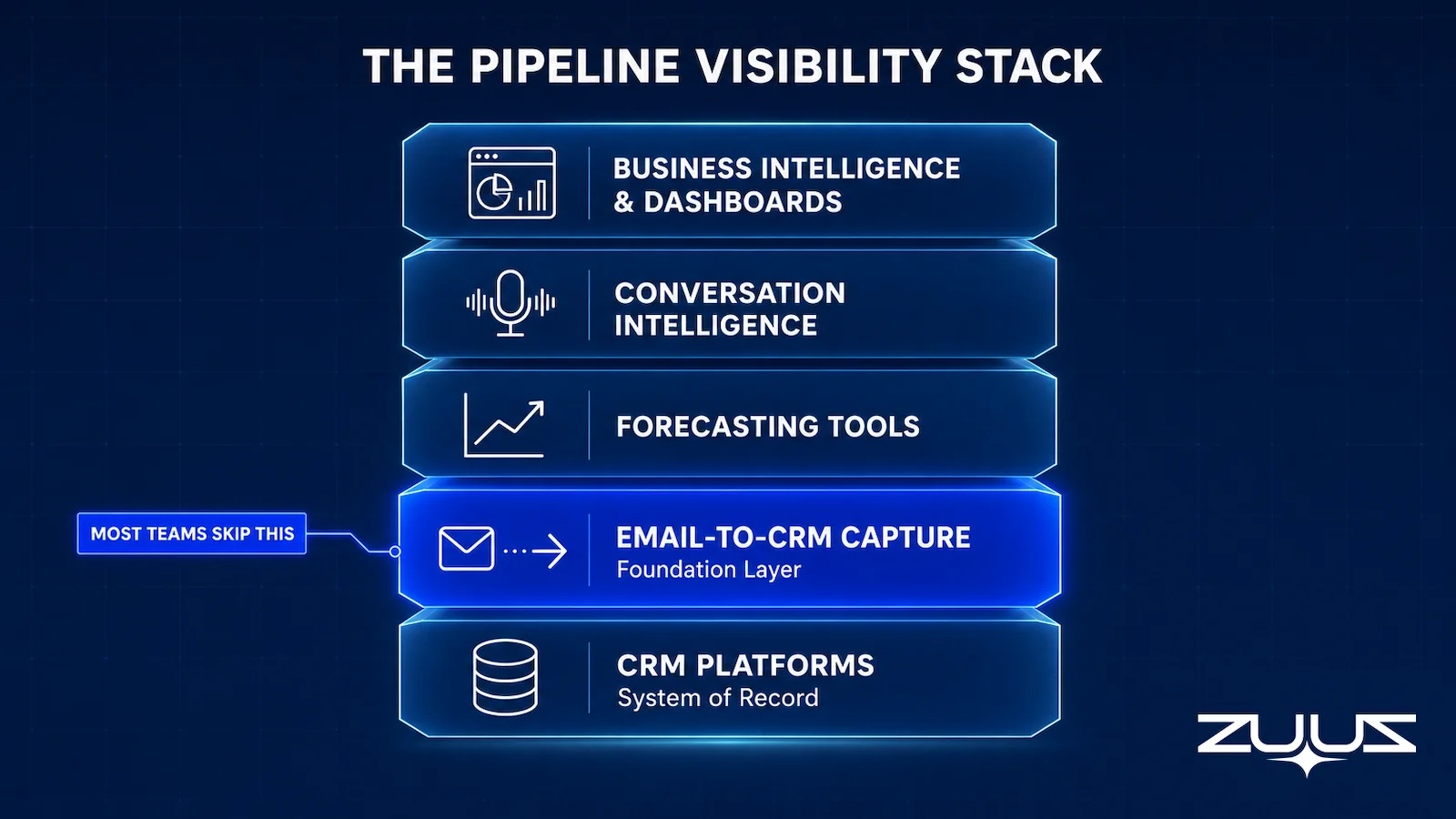
The pipeline visibility stack for IT sales teams spans five distinct layers. Each layer has a job. The problem is that most teams invest in the upper layers before the foundation is solid.
Layer 1: CRM Platforms (System of Record)
Salesforce, HubSpot, and Zoho CRM are the foundational systems of record where deals, contacts, and activity logs live. They do not create pipeline visibility on their own. They store what is given to them. For IT sales teams, the critical question is not which CRM to choose but how much of the actual deal activity is reaching the CRM in the first place.
Layer 2: Email-to-CRM Capture (Foundation Layer)
This is the layer most teams skip or underinvest in. Email-to-CRM tools automatically extract deal signals from inbound and outbound email threads and sync structured records to the CRM without requiring rep action. For IT sales teams specifically, the tool needs to understand IT vocabulary: co-term, refresh cycle, OEM allocation, end-of-life, renewal window. Generic email parsers trained on SaaS deal language miss the signals that matter.
ZUUZ sits in this layer. When RA Technologies, an IT services firm in the US, connected their shared inbox to ZUUZ and ran a 90-day historical lookback, the system surfaced $120,000 in pipeline that had never been recorded in their HubSpot instance. Those were not lost deals. They were active conversations that never made it from inbox to CRM. The email-to-CRM automation guide for IT companies covers the implementation steps in detail.
Layer 3: Forecasting Tools
Forecasting platforms like Clari and BoostUp sit above the CRM and apply AI-based scoring to deal records, flagging risk and projecting close probabilities. They work well when the underlying CRM data is complete. When the data is partial, they apply sophisticated models to an incomplete picture and produce forecasts that look precise but miss the deals still sitting in email threads.
Layer 4: Conversation Intelligence
Conversation intelligence tools like Gong and Chorus transcribe and analyze sales calls, extracting coaching signals and deal risk indicators from recorded conversations. They address visibility for the portion of IT sales activity that happens on calls. They do not address the email layer, where the majority of IT deal signals, renewal conversations, and procurement exchanges actually occur.
Layer 5: Business Intelligence and Dashboards
BI tools like Tableau, Looker, and Power BI connect to the CRM and generate pipeline reports, trend analysis, and revenue projections. They are the final display layer. Beautiful dashboards built on incomplete CRM data do not create visibility. They create the appearance of visibility while the actual pipeline remains hidden in email.
Side-by-Side Comparison of Pipeline Visibility Tool Categories
The table below maps each tool category against the specific visibility job it performs and where each breaks down for IT sales teams.
| Tool Category | Primary Job | Examples | Works Best When | Breaks Down When | IT Sales Fit |
|---|---|---|---|---|---|
| CRM Platform | System of record for deals, contacts, activities | Salesforce, HubSpot, Zoho, Attio or Pipedrive CRM | Data entry is complete and timely | Reps manually log only high-value deals | Required foundation; accuracy depends on capture layer |
| Email-to-CRM Capture | Automatically extract deal signals from email into CRM | ZUUZ | IT-specific vocabulary is trained; bidirectional email capture is active | Tool uses generic SaaS deal language and misses IT signals | Highest ROI for IT sales; directly addresses capture gap |
| Forecasting Tools | AI-scored deal risk, close probability, pipeline projection | Clari, BoostUp | CRM data is complete and reflects real account activity | Applied to partial CRM data; amplifies incompleteness | Useful after capture layer is fixed; limited value before |
| Conversation Intelligence | Call transcription, coaching signals, deal risk from calls | Gong, Chorus | Sales motion is call-heavy; reps use the platform for every call | IT deal signals arrive via email, not calls | Partial fit; does not address email-based pipeline signals |
| Business Intelligence | Pipeline dashboards, trend analysis, revenue reporting | Tableau, Looker, Power BI | Underlying CRM data is accurate and current | Built on CRM data that is 40-60% incomplete | Display layer only; does not solve the source data problem |
Stop Losing Pipeline in the Inbox.
Connect your CRM in minutes and let ZUUZ capture the signals your team never logs. Start free, with no integration project required.
Category comparisons show what each tool was built to do. They are less useful for showing what happens when one of them is missing, which is where most visibility gaps actually start.
What Complete Pipeline Visibility Actually Requires
Complete IT sales pipeline visibility requires three things working in sequence. Most teams have the second and third but skip the first.
Automatic Inbound Signal Capture
Every deal signal that arrives via email, whether it is a renewal mention, an RFP attachment, a pricing question, or a cold inbound reply, must be captured without requiring rep action. This is not about building better habits. It is about removing humans from a task they cannot perform reliably at volume. An enterprise IT rep making 400 manual CRM micro-decisions per day will miss signals. That is not a discipline problem. It is a workload problem.
CRM Updates in Real Time
Stale pipeline data compounds in IT sales because deal windows in hardware refresh and software renewal cycles are narrow. A renewal conversation that sits in an inbox for two weeks without reaching the CRM is a renewal that the sales manager cannot see, cannot resource, and cannot save if the customer is evaluating alternatives. The comparison of ZUUZ versus manual CRM entry shows the specific lag difference: manual logging creates a 10 to 14-day pipeline visibility lag; automated capture reduces that to under one hour.
Traceable Dashboards Linked to Source Conversations
Pipeline data that cannot be traced back to a specific email thread or conversation is not trustworthy. Sales managers need to see not just that a deal exists in the CRM but where that deal signal originated. Traceable dashboards also enable better coaching: managers can see which accounts have active email activity and which have gone quiet, even when the CRM record looks healthy.

The Pipeline Truth Test
Before adding another layer to the stack, run the Pipeline Truth Test on the pipeline the current tools already report. It takes twenty minutes and it shows whether the problem sits in the dashboard or in the record underneath it.
- Take the top five deals by value in the current quarter.
- For each, find the evidence in the CRM for its stage and close date: a dated, written commitment, not a rep’s assurance.
- Count how many rest on a stage last changed more than two weeks ago.
- A pipeline in which most of the top five lack dated evidence is a forecast of rep optimism. ZUUZ does not forecast; it makes the record underneath the number real.
Worked example for an IT services pipeline: the top five deals are a hardware refresh, two renewals and two project scopes. Two carry a dated buyer email confirming the next step and a date. One has sat in the same stage for six weeks while the thread in the shared inbox shows the procurement contact went quiet. One carries a close date set from a verbal comment in a quarterly review. The BI layer renders all five identically, which is the point: only two of them would survive a question.
How ZUUZ Fills the Capture Gap for IT Sales Teams
ZUUZ operates as the execution layer between email and CRM. It reads inbound and outbound email, identifies deal signals using vocabulary trained on IT sales (co-term, refresh cycle, OEM allocation, end-of-life, renewal window, licensing consolidation), and syncs structured records to Salesforce, HubSpot, or Zoho. Reps review flagged signals in a lightweight daily digest rather than performing manual CRM entry. The review takes roughly 90 seconds per day.
The CRM-agnostic design matters for IT sales organizations that run different CRM systems across divisions or that have recently migrated. ZUUZ does not require a specific CRM. It connects to whichever system is already in place and writes structured data in that system’s native format.
The Cloud Box Technologies Context
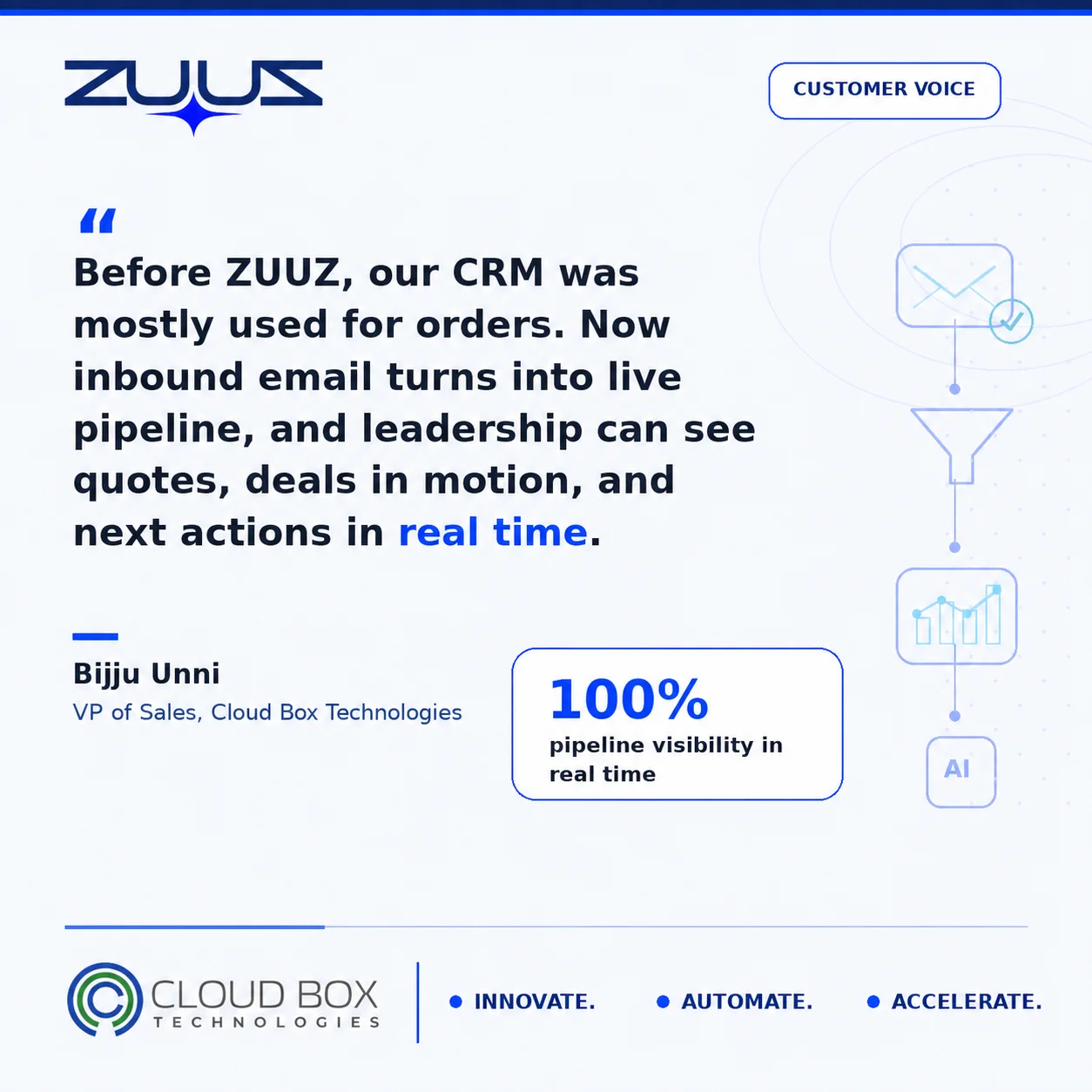
The insight behind ZUUZ came directly from operating Cloud Box Technologies, an IT services and cloud distribution company that grew from $0 to $25 million ARR. At that scale, the pipeline was not in the CRM. It was in email. Reps were closing deals, renewing accounts, and handling multi-vendor procurement through shared inboxes while the CRM showed a fraction of the activity. Building a pipeline visibility layer on top of that CRM would have reported on 40 percent of the business. The fix required addressing the capture layer first.
RA Technologies: $120K Surfaced in 72 Hours
RA Technologies, an IT services firm in the United States, connected their shared inbox to ZUUZ and ran the 90-day historical lookback on first connection. The system identified $120,000 in pipeline from prior email threads that had never been recorded in their CRM. These were not lost opportunities or cold leads. They were active conversations with existing accounts, including renewal discussions and project expansions, that had been progressing through email while remaining invisible to sales leadership.
The $120,000 figure represented active pipeline, conversations still in motion, not historical analysis of past losses. That is the practical distinction between a capture tool and a reporting tool: ZUUZ surfaces deals that can still be worked.
For IT sales organizations tracking renewals across multiple product lines, the renewal tracking guide covers how to structure multi-product visibility once the capture layer is in place.
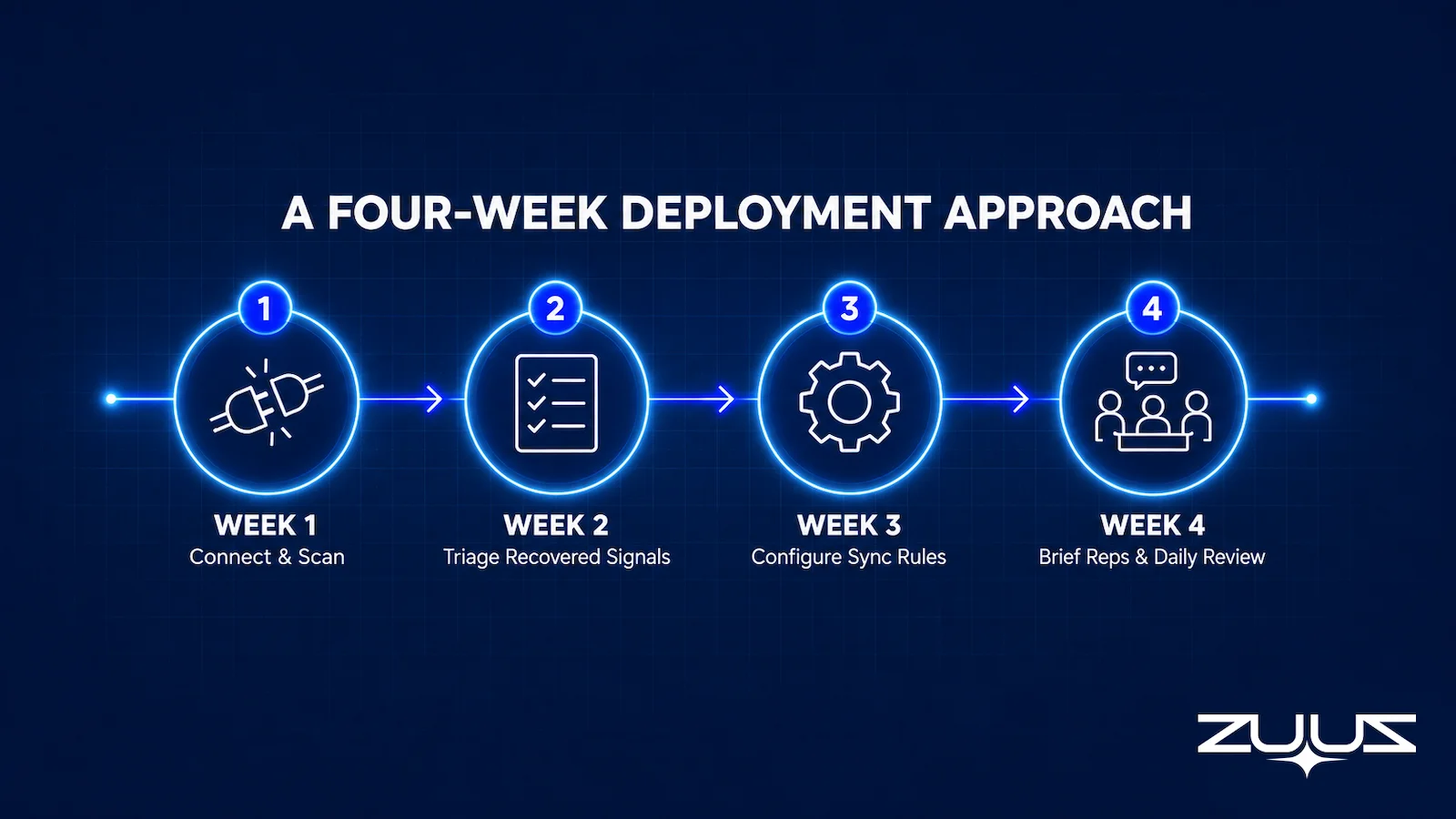
A Four-Week Deployment Approach
For IT sales teams evaluating pipeline visibility tools, the deployment sequence matters. Adding a forecasting layer or BI dashboard before fixing the capture layer produces polished reports on incomplete data. The sequence below prioritizes the foundation first.
Week 1: Connect and Scan
Connect the shared inbox or rep inboxes to the capture tool and run the historical analysis. For ZUUZ, this means a 90-day lookback that surfaces deal signals, renewal conversations, and procurement threads that were never logged. The output is a triage list of surfaced pipeline organized by account and signal type. No changes to rep workflow are required at this stage.
Week 2: Triage Surfaced Signals
Sales leadership and reps review the surfaced signals and identify which accounts need immediate outreach. This is the fastest pipeline review many IT sales teams will have run because the data is complete rather than representative. Teams typically find a mix of renewal conversations still in play, RFP responses that need follow-up, and procurement contacts who sent pricing questions that went unanswered.
Week 3: Configure Sync Rules
Set the CRM sync rules for ongoing capture: which signal types trigger automatic deal creation, which require rep approval before writing to the CRM, and which accounts are excluded from automatic capture. For IT sales teams with distributor relationships or multi-vendor accounts, configuring the account matching rules at this stage prevents duplicate records and ensures signals map to the correct account hierarchy.
Week 4: Brief Reps and Establish the Daily Review
A 30-minute briefing is typically sufficient to explain the daily digest format to reps. The key message is simple: the system flags signals, reps confirm or dismiss them, and the CRM updates automatically. Reps do not change how they work in email. The capture layer operates in the background. The guide to fixing missed sales leads in email covers the rep-facing workflow in detail.
Sales tools that require significant rep behavior change see lower adoption than tools that fit existing workflows. Capture-layer tools succeed specifically because they require no workflow change from the rep side.
From an operator’s seat
From an operator’s seat, the four weeks above run in that order for a reason that has little to do with technology. Week one is a lookback rather than live capture because reps will not trust a system writing to their accounts until they have watched it read a thread they remember. The part teams do not plan for is that week two is the real work: a shared inbox with two years of history surfaces more live signal than one person can review in a day, and the teams that get through it name one owner and give the review a fixed slot rather than widening the filters. Across the deployments ZUUZ runs, the pattern is that pipeline looks worse in week three before it looks better, because stalled deals a stale stage had been hiding finally show up on the dashboard.
ZUUZ is an AI layer on top of the CRM a team already runs, never a CRM and never a replacement for one. The forecasting and BI layers in this stack report on what the rep entered; ZUUZ writes the record they report on.
A first step that costs an hour. Connect one mailbox, let ZUUZ read the last 90 days, and have the rep review what it found before anything is written to the CRM. The trial runs 30 days free with no credit card: https://zuuz.ai/trial/
Frequently Asked Questions
What Are IT Sales Pipeline Visibility Tools?
IT sales pipeline visibility tools are software systems that surface deal status, renewal signals, and revenue risk across an IT sales team’s active accounts. They range from CRM platforms like Salesforce and HubSpot to forecasting layers like Clari and BoostUp, to email capture tools like ZUUZ. The most common failure point is incomplete CRM data: visibility tools can only display what has been recorded, and most IT deal signals never leave the inbox.
Why Do Pipeline Visibility Tools Fail for IT Sales Teams?
Most IT sales pipeline visibility tools fail because they operate on the dashboard layer rather than the capture layer. If deal signals including renewal mentions, RFP attachments, and procurement questions never leave the inbox and reach the CRM, no visibility tool can surface them. The problem is not the reporting software. It is the gap between where deals happen (email) and where they are recorded (CRM). Fixing the dashboard before fixing capture produces accurate-looking reports on inaccurate data.
How Much Pipeline Do IT Sales Teams Typically Miss in Their CRM?
The volume varies by team size and deal complexity, but the pattern is consistent. RA Technologies, an IT services firm, surfaced $120,000 in previously unrecorded pipeline within 72 hours of connecting their shared inbox to ZUUZ. That represented active deals and renewals, earned business that their CRM had never captured from 90 days of prior email activity. Most IT sales teams with shared inboxes and multi-vendor accounts find similar gaps on first audit.
What Is the Difference Between a CRM and a Pipeline Visibility Tool?
A CRM is the system of record where deals, contacts, and activity logs are stored. A pipeline visibility tool sits above the CRM and interprets that data for forecasting, risk scoring, and reporting. The distinction matters because adding a visibility tool does not fix incomplete CRM data; it amplifies it. Teams need accurate capture first, then a visibility layer on top. Investing in Clari or a BI dashboard before the CRM reflects real account activity is a sequence error.
How Does ZUUZ Improve Pipeline Visibility for IT Sales Teams?
ZUUZ reads inbound and outbound email, identifies deal signals using IT-specific vocabulary (co-term, refresh cycle, OEM allocation, renewal mentions), and syncs structured records to Salesforce, HubSpot, or Zoho. Reps review flagged signals in roughly 90 seconds per day rather than performing manual CRM entry. The result is CRM data that reflects what is actually happening in accounts, not what reps remembered to log at the end of the week.
Can ZUUZ Recover Pipeline From Historical Emails?
Yes. ZUUZ runs a 90-day historical lookback on first connection, scanning prior email threads to identify deals and signals that were never recorded in the CRM. This is how RA Technologies surfaced $120,000 in pipeline within 72 hours: conversations that were already in progress but invisible to their sales leadership because they had never been logged. The lookback surfaces deals that can still be worked, not historical reporting on past losses.
See What Your Inbox Is Actually Doing.
Forecasting tools and dashboards display what is in your CRM. ZUUZ captures what never made it there, so book 15 minutes and see the pipeline that exists today but is not in your reports.

CEO of ZUUZ. He scaled Cloud Box Technologies from 0 to $25M ARR in IT services and distribution before building ZUUZ. Connect on LinkedIn

