
Conversational CRM: What It Is and How It Works
Conversational CRM covers two different things: customer messaging tools and rep-facing tools that answer pipeline questions in plain language.
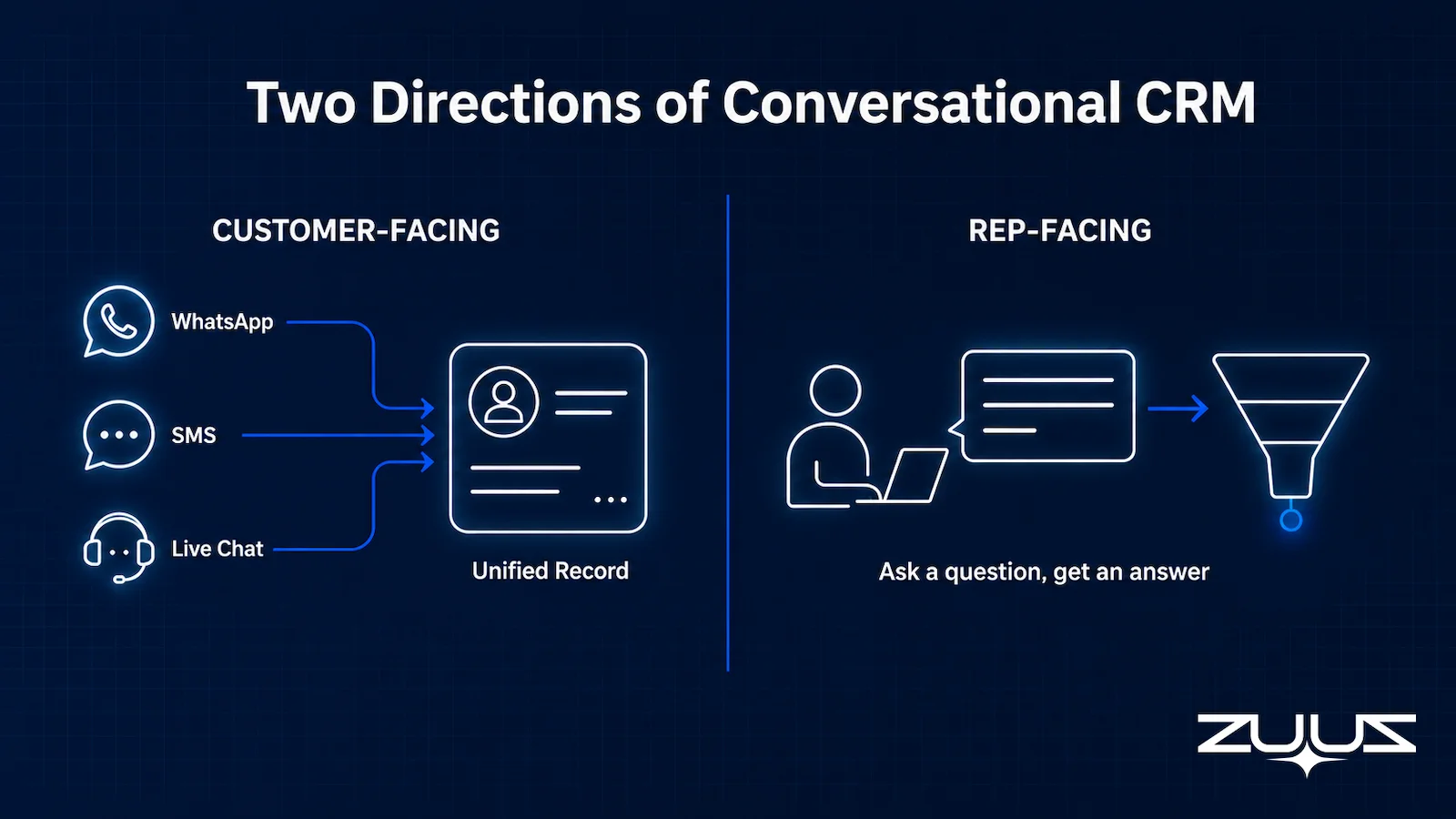
- Conversational CRM covers two different things: customer-facing tools that add chat and messaging to support and sales conversations, and rep-facing tools that let a sales team query their own CRM data in natural language.
- The customer-facing half integrates WhatsApp, SMS, and live chat so a company can talk to customers inside the CRM instead of a separate inbox.
- The rep-facing half replaces clicking through dashboards and filters with a plain question: what is the status on this account, which deals are stalling, what changed this week.
- Most conversational CRM coverage online focuses on the customer-facing half. The rep-facing half is newer and less written about, despite solving a more common daily problem for sales teams.
- ZUUZ is a rep-facing conversational layer: it answers questions about pipeline and accounts from the email signal it already reads, spoken or typed, without a separate dashboard to learn.
- The mechanism behind the answers: ZUUZ is a revenue intelligence layer on top of the CRM a team already runs. It connects to the sales inbox, reads LinkedIn messages and meeting or call transcripts, and writes leads, stakeholders, next steps and renewal signals into the CRM automatically, with full change history and one-click rollback.
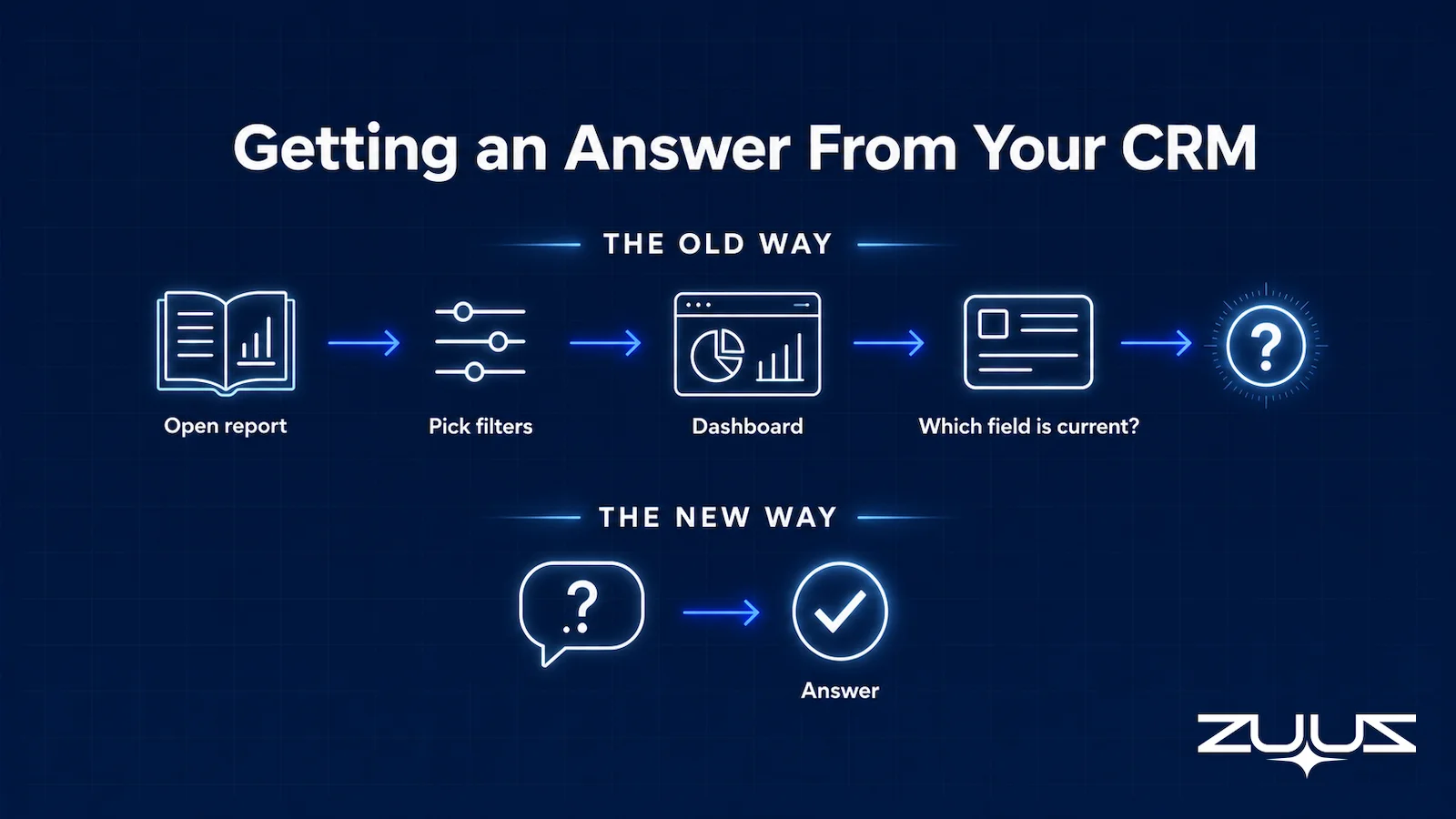
A rep needs to know one thing before a call: where does this account actually stand. The honest answer usually takes four clicks, two filters, and a guess about which of three CRM fields is current. Conversational CRM exists to collapse that into a single question typed or spoken in plain language.
The term covers more ground than most explanations admit. Some conversational CRM tools are built for talking to customers, while others are built for a rep talking to their own pipeline. A related category worth distinguishing is tools reps query directly in plain English rather than through a chat interface built for customers, covered in the guide to an AI CRM assistant.
The two solve different problems and get bundled under the same label more often than they should.
This guide separates the two directions conversational CRM actually runs in, covers what to evaluate in each, and names where the rep-facing half is heading next.
What Conversational CRM Actually Means
Conversational CRM is a CRM that lets a user interact with records through natural language instead of forms, dropdowns, and manual data entry. Instead of opening a contact record and clicking through five fields, a user asks or states what they need, and the system reads or updates the record accordingly.
The category grew out of two separate pressures. Customer-facing teams wanted to fold messaging channels like WhatsApp, SMS, and live chat into the same system that tracks the account, unifying interactions the way Slack’s own explanation of conversational CRM describes, so a conversation and a CRM record stop living in different tools. Sales and RevOps teams wanted a faster way to ask their own CRM a question than opening a report and adjusting filters until the answer appeared.
Both count as conversational CRM. Confusing them leads a buyer evaluating a rep-facing tool straight into a customer-messaging platform that solves an entirely different problem.
The Two Directions Conversational CRM Runs In
Every conversational CRM tool sits on one side of a clear line: is the conversation happening with a customer, or with the CRM itself.
Customer-Facing: Messaging Folded Into the Record
Customer-facing conversational CRM integrates messaging channels such as WhatsApp, SMS, and live chat directly into the CRM, so a support or sales conversation updates the record automatically instead of living in a separate inbox. A customer can resume a conversation days later on a different channel, and the system keeps the full thread attached to their record.
This direction is the one most existing coverage of conversational CRM describes, largely because it maps cleanly onto customer support and live chat, categories that already had well-known vendors before the term existed. Intercom, Zendesk, and HubSpot’s own Conversations tool all built toward this definition from the support and messaging side, adding CRM structure underneath a conversation rather than starting from the CRM record itself.
Rep-Facing: Querying the CRM in Plain Language
Rep-facing conversational CRM lets a salesperson or manager ask their own pipeline a question instead of building a report. “What is the status on Acme” or “which deals went quiet this week” returns a direct answer, spoken or typed, instead of a dashboard the rep has to interpret themselves.
This half of the category is newer, less covered, and arguably solves a more common daily frustration: not talking to a customer through the CRM, but getting a straight answer out of a system built for data entry rather than for being asked things.
Why Rep-Facing Conversational CRM Matters
A CRM is built to store fields. It is not built to be asked a question, which is why finding out whether a deal moved this week usually means opening a report, picking the right filters, and hoping the underlying data was entered correctly in the first place. The pattern underneath is a familiar one: teams add tools like conversational interfaces faster than they fix the data those tools depend on.
Rep-facing conversational CRM removes the report-building step entirely. A manager preparing for a pipeline review does not need to know which report shows stalled deals. They ask which deals stalled, and the system answers from the same data the CRM already holds, or from signals the CRM never captured at all.
The value compounds when the underlying data comes from more than the CRM’s own fields. A question like “what changed on this account this week” is only as good as the system’s ability to read what actually happened, which for most B2B deals means the email threads the CRM was never updated from in the first place.
What Rep-Facing Conversational CRM Does Not Replace
A conversational layer answers questions faster. It does not replace the CRM as the system of record, and it should not make a final call on an ambiguous account without a rep reviewing the reasoning behind the answer.
The distinction matters most on judgment calls: a stalled deal might be genuinely dead, or it might be waiting on a single internal approval nobody logged. A conversational interface can surface the pattern. Deciding what to do about it still belongs to the rep or manager reading the answer.
What to Evaluate in a Conversational CRM Tool
The right evaluation questions depend entirely on which direction a team actually needs.
Together, the four questions below form a simple evaluation sequence: confirm the direction, verify the data sources, check whether it writes back, and test whether it holds context. A tool that passes the first three and fails the fourth still works as a single-question lookup, not a conversation.
Which Direction Does the Team Need
A support team drowning in WhatsApp and SMS threads needs the customer-facing direction. A sales or RevOps team tired of building reports to answer basic pipeline questions needs the rep-facing direction. Evaluating a customer-facing tool against a rep-facing need, or the reverse, produces a mismatch no amount of configuration fixes.
What Data the Answers Are Actually Drawn From
A rep-facing tool is only as useful as the data behind its answers. A system that only reads CRM fields will answer confidently and still miss the deal signal sitting in an email thread nobody logged. Ask specifically which sources feed an answer before trusting the answer itself.
Whether It Writes Back or Only Reads
Some conversational interfaces only answer questions. Others can also take an instruction and update a record, draft a follow-up, or flag a risk. The second category removes more manual work, provided every write action is logged and can be rolled back rather than acting invisibly.
Whether It Holds Context Across a Conversation
A single question answered well is a low bar. The harder test is a follow-up: asking “what about last quarter” right after asking about a deal’s current status, and getting an answer that understands “last quarter” refers to the same account without repeating the account name.
Tools built as a thin layer over a search index tend to fail this test the moment a conversation goes past one exchange. A rep who has to restate the full context every time they ask a follow-up question has not saved much time over building the report themselves.
Signs a Rep-Facing Answer Cannot Be Trusted
- The tool cannot name its source. An answer with no way to trace back to the email thread, call note, or CRM field it came from is not verifiable.
- Follow-up questions require restating the account name. That signals a search layer, not a system holding conversational context.
- The answer changes depending on how the question is phrased. A rep-facing tool that gives a different answer to “what is the status on Acme” versus “how is Acme doing” is guessing at intent rather than reading structured data.
Stop Clicking Through Reports. Just Ask.
Connect Salesforce, HubSpot, Zoho, Attio, or Pipedrive and ask ZUUZ what is happening in your pipeline, out loud or in writing. Start free, with no integration project required.
The Record-Ready Test
A conversational layer can only answer what the record holds, so the first thing worth testing is not the language model but the record underneath it. The Record-Ready Test is the check ZUUZ uses before any question interface goes near a team:
- Choose an account the owning rep has not touched in two weeks.
- Ask a colleague to say who the buying group is, what was last agreed and what happens next, using the CRM alone.
- Every answer that needs the rep, the inbox or a call is a record-ready failure.
- A record that passes survives a handoff, a territory change and a departure. One that fails is a person, not a system.
Run it on five accounts before buying a conversational CRM tool. If the colleague has to walk over to the rep to answer step two, a rep-facing tool that reads CRM fields only will return that same blank back as a fluent sentence. Catching it during evaluation is far cheaper than catching it in a pipeline review.
Conversational CRM: How ZUUZ Turns Your Pipeline Into a Question You Can Ask
ZUUZ is a rep-facing conversational layer, not a customer-messaging tool. It connects to the sales inbox, extracts the deal signals a CRM field never captures, and answers questions about pipeline and accounts from that signal, spoken or typed.
Asking “what’s the status on Acme” returns an answer built from the actual email thread, not just whatever stage a rep last selected in a dropdown. The same read-and-answer loop covers renewal risk, stalled deals, and which accounts went quiet this week, without a separate report to build first.
What Customers Say
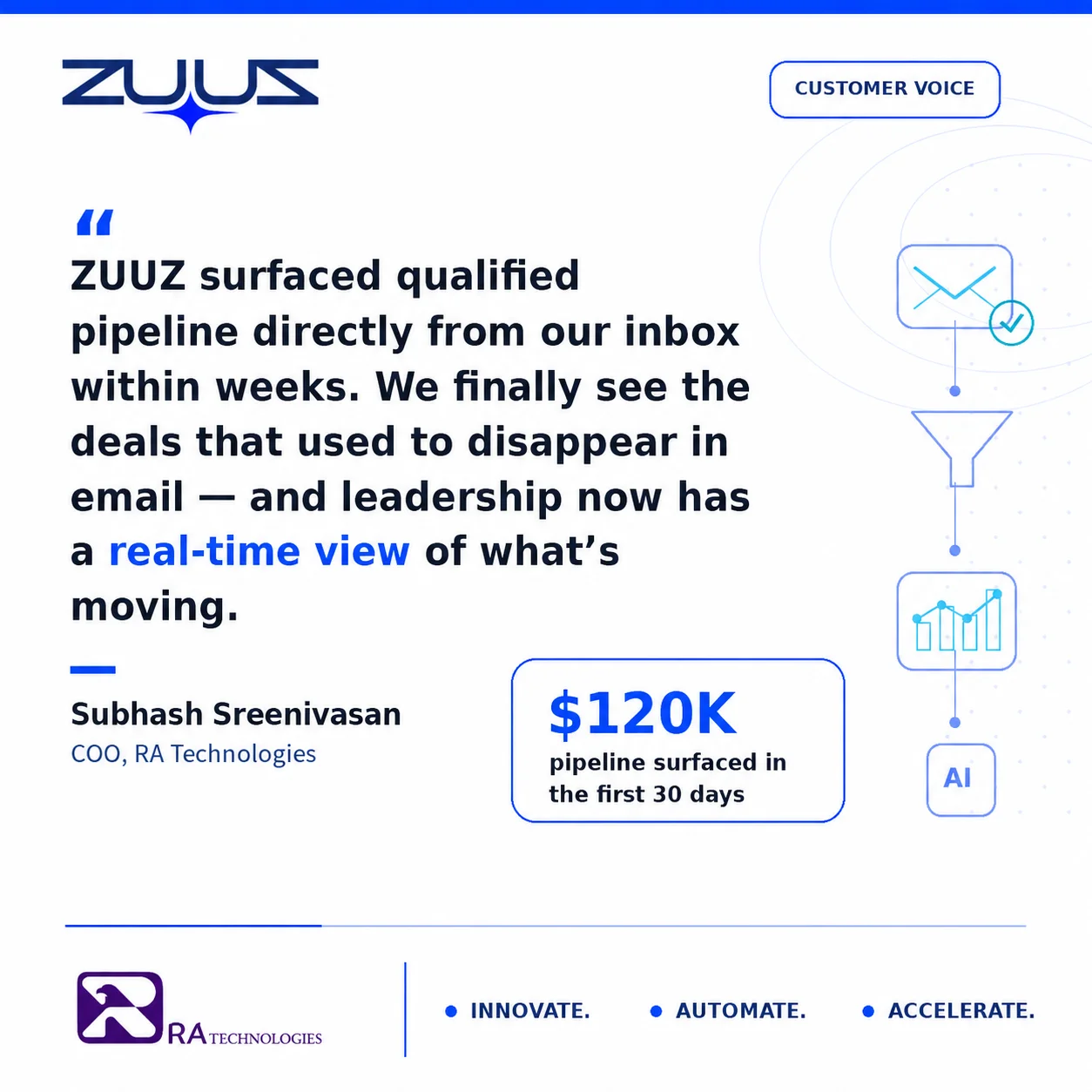
RA Technologies, an IT services firm in the United States, connected its shared inbox to ZUUZ and ran a 90-day historical lookback. The same signal a rep can now simply ask about surfaced $120,000 in pipeline that had never been logged in the CRM at all.
What Customers Say
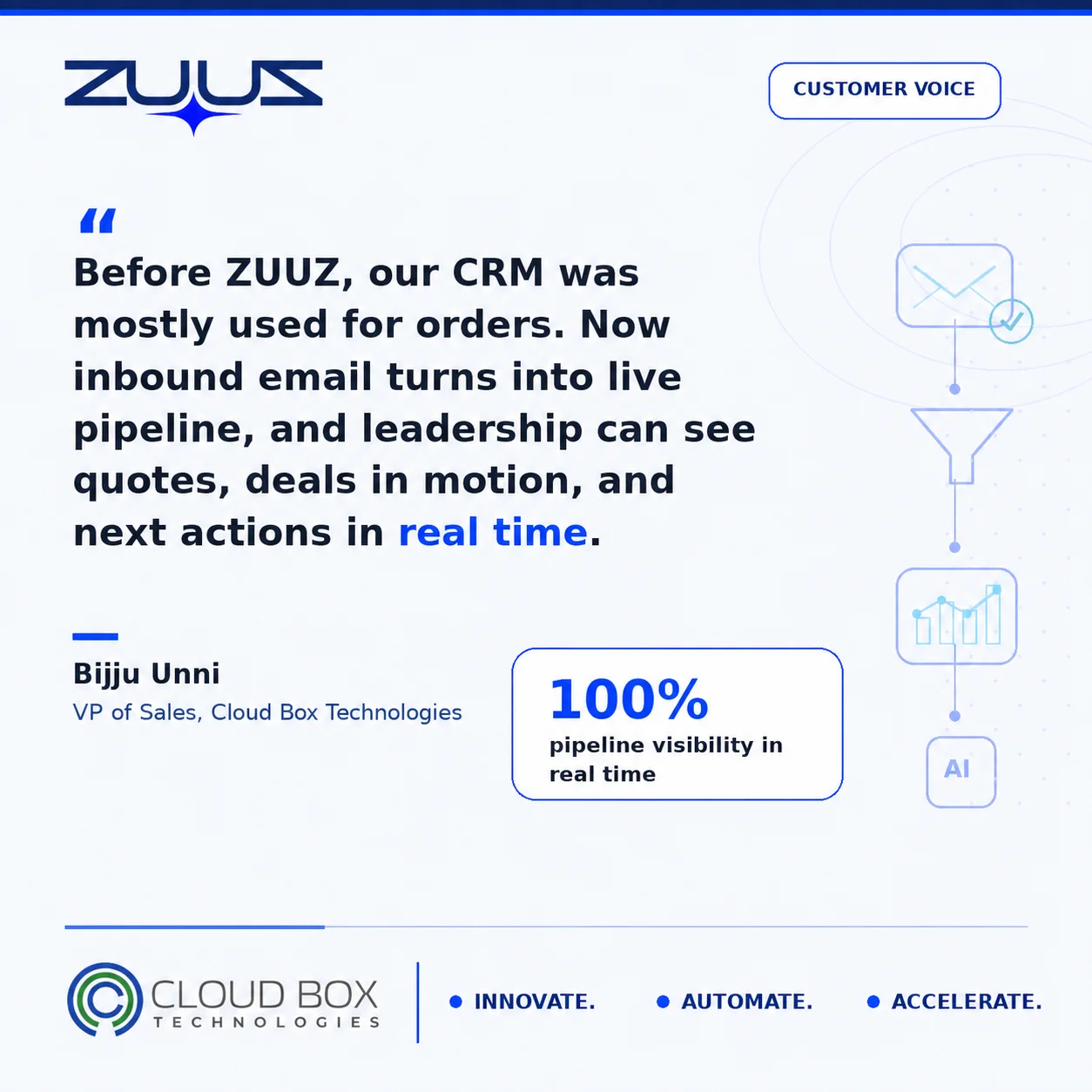
Cloud Box Technologies, an IT services and cloud firm in the UAE, ran into the same underlying gap from the CRM side rather than the messaging side. Its CRM held processed orders only, with no view into pipeline still in motion. Connecting ZUUZ gave leadership a live view of pipeline in real time from a single connected mailbox, the same answer a conversational query surfaces on demand instead of waiting for a report to be built.
From an Operator’s Seat
Across the deployments ZUUZ runs, the pattern is that the first two weeks of questions are not really questions, they are an audit. Managers ask about the accounts they are least certain of, which are exactly the accounts with the thinnest records, so any tool that answers confidently from three empty fields gets caught in the first sitting. The part teams do not plan for is that trust here is one-strike: a single wrong answer read out loud in a pipeline review and the manager quietly goes back to building the report by hand, however good the next fifty answers are. The order of operations that survives contact with a real team is capture first, query second, which means connecting the signal source and letting it fill the record for a few weeks before opening the question interface to everyone.
ZUUZ is a revenue intelligence layer on top of the CRM a team already runs; it is never a CRM and never replaces one. Most rep-facing tools in this category answer from what the rep entered and therefore inherit every gap already in the record, while ZUUZ writes the record first, from the sales inbox, LinkedIn messages and meeting or call transcripts, and answers from what is actually there.
How to Choose Between Customer-Facing and Rep-Facing Tools
The two directions rarely compete for the same budget line, since they solve different problems for different teams inside the same company.
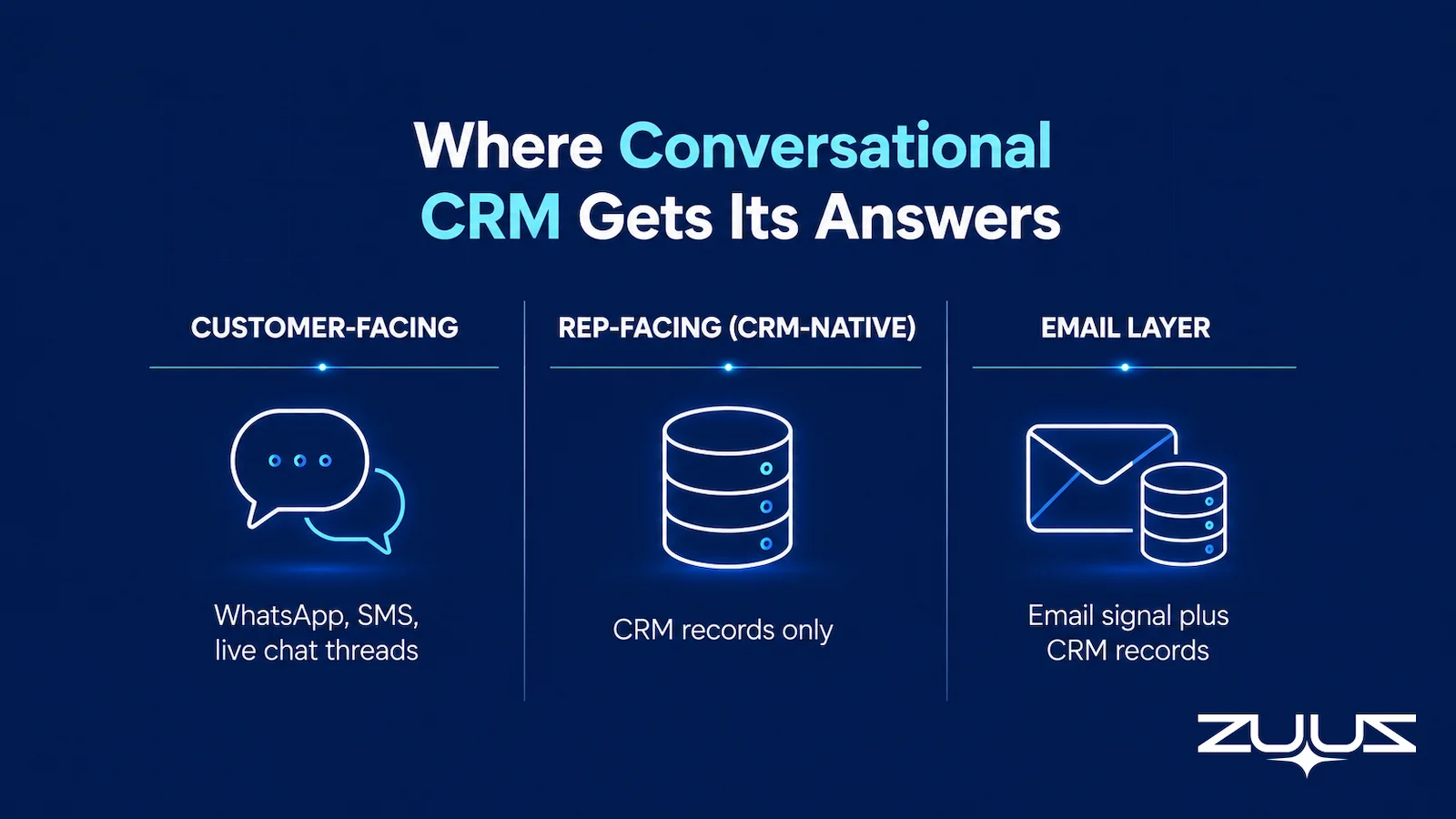
| Direction | Primary Job | Data Source | Best-Fit Team |
|---|---|---|---|
| Customer-facing | Folds messaging channels into the customer record | WhatsApp, SMS, live chat threads | Support and customer-facing sales teams |
| Rep-facing (CRM-native) | Answers questions from existing CRM fields | CRM records only | Teams whose data is already logged accurately |
| ZUUZ | Answers questions from email signal plus CRM records | Inbound and outbound email, synced to the CRM | Teams whose real pipeline activity lives in email, not just CRM fields |
The guide to CRM data quality covers why a rep-facing tool that only reads CRM fields inherits every gap already sitting in those records.
Frequently Asked Questions
What Is Conversational CRM?
Conversational CRM is a CRM that supports natural-language interaction instead of requiring forms, dropdowns, and manual data entry for every update or lookup. The term covers two distinct directions: customer-facing tools that integrate messaging channels into the customer record, and rep-facing tools that let a sales team query their own pipeline in plain language. Both count as conversational CRM, but they solve different problems for different teams.
What Is the Difference Between Customer-Facing and Rep-Facing Conversational CRM?
Customer-facing conversational CRM folds messaging channels like WhatsApp, SMS, and live chat into the customer record, so a support conversation updates automatically instead of living in a separate inbox. Rep-facing conversational CRM lets a salesperson or manager ask their own CRM a question, such as a deal’s status, instead of building a report. The two rarely compete for the same budget, since they serve different teams.
How Does Rep-Facing Conversational CRM Work?
A rep-facing conversational CRM reads data from the CRM, and in more advanced tools from email and other channels, then answers plain-language questions using that data instead of requiring a rep to build and interpret a report. A question like “what’s the status on this account” returns a direct answer drawn from the underlying signal, spoken or typed, rather than a dashboard the rep still has to read.
Is Conversational CRM the Same as a CRM Chatbot?
A chatbot is one implementation of conversational CRM, typically limited to answering simple, pre-scripted questions. Full conversational CRM tools go further, connecting to live data sources and answering open-ended questions about accounts and pipeline in real time. The distinction matters because a basic chatbot layer can look similar to a genuine conversational CRM in a demo while answering only a narrow set of scripted questions underneath.
Does Conversational CRM Only Work With Voice?
Conversational CRM does not require voice. Most implementations accept both typed and spoken natural-language questions, and many teams use typed queries far more often than voice ones. Voice adds convenience in specific moments, such as prepping for a call while walking between meetings, but the underlying capability, answering a question in plain language, works the same either way.
Why Do Most CRMs Struggle to Answer Simple Questions?
A standard CRM is built to store fields, not to be asked things, so answering a question like “which deals went quiet this week” requires opening a report and manually applying the right filters. The problem compounds when the CRM’s own fields are incomplete, since a report can only be as accurate as the data a rep remembered to log. Conversational CRM tools that read beyond CRM fields, into email and call activity, close part of that gap.
What Data Should a Rep-Facing Conversational CRM Tool Draw From?
The most useful rep-facing tools draw from more than CRM fields alone, since CRM data reflects only what a rep remembered and had time to log. Tools that also read email threads and call activity can answer questions about signals that never made it into a CRM field at all, such as a stakeholder change mentioned only in an email reply. Asking which sources feed an answer before adopting a tool avoids a false sense of completeness.
Can Conversational CRM Update Records, or Only Answer Questions?
Some conversational CRM tools only answer questions, leaving the rep to make any resulting update manually. Others can also take an instruction, draft a follow-up, or flag a risk directly from the conversation, removing an additional manual step. The more capable category should still log every write action with a one-click way to roll it back, and nothing should send to a buyer without a person confirming it first.
Conversational CRM only solves the problem it was built for if a buyer knows which direction they actually need. A support team drowning in messaging channels and a sales manager tired of building reports are asking for two different things wearing the same label. The rep-facing half, answering questions from the real signal behind a deal rather than just the fields a rep remembered to fill in, is the newer and less crowded half of the category, and the one most B2B sales teams have not yet realized exists.
A Concrete First Step
Testing a rep-facing layer does not need a migration or a pilot committee. Connect one mailbox, let ZUUZ read the last 90 days, and see what it writes to the CRM, with full change history and one-click rollback. The questions it can answer on day one are a fair measure of how much of the pipeline was living in email rather than in fields. It is a 30-day free trial, no credit card: https://zuuz.ai/trial/

