
Why CRM User Adoption Fails and What Actually Fixes It
CRM user adoption stalls because the behavior being adopted is data entry. Here is how to measure it honestly, and how to remove the task instead.

CEO of ZUUZ. He scaled Cloud Box Technologies from 0 to $25M ARR in IT services and distribution before building ZUUZ. Connect on LinkedIn
TL;DR: CRM user adoption has been treated as a training problem for two decades and the reports are still wrong, because the behavior being asked for is data entry and data entry is not a behavior worth adopting. Reps are not refusing the CRM, they are refusing to retype what they already wrote in an email. This guide covers what CRM adoption actually measures, which adoption metrics are honest and which are attendance in disguise, and what changes when the record updates itself.
- CRM adoption is not license usage. A rep can hold a seat, log in daily, and still keep the real state of a deal in a sent folder and a private spreadsheet.
- Most CRM adoption challenges trace back to duplicate work rather than attitude. What the CRM asks for already exists somewhere the rep wrote it once.
- Change management fixes definition problems: stage criteria, handoff (see the full sales handoff checklist) rules, what counts as qualified. It does not fix redundancy.
- Common CRM adoption metrics measure attendance. Logins, time in system, and training completion all rise without a record becoming more accurate.
- Better metrics measure the record instead of the rep: capture coverage, update latency, completeness on decision fields, and stage accuracy under audit.
- When capture is automated, login-based adoption can fall while CRM quality rises. A scorecard that penalizes the fix is measuring the wrong thing.
- ZUUZ is a revenue intelligence layer on top of the CRM a team already runs: it connects to the sales inbox, reads LinkedIn messages and meeting or call transcripts, and writes leads, stakeholders, next steps and renewal signals into the CRM automatically, with full change history and one-click rollback. It is not a CRM.
A sales manager opens the pipeline report on Monday and finds eleven deals sitting in the same stage they occupied three weeks earlier. Each rep working those deals can describe exactly what happened, because the detail is in a sent folder. Almost none of it is in the CRM. The company has run two training programs, appointed champions in every region, and tied part of the variable comp plan to CRM hygiene, and the report is still wrong.
Closing that gap is what CRM user adoption programs are supposed to do, and after twenty years of them the gap is largely still there. This article looks at why the standard prescription keeps missing, how to measure CRM adoption in a way that survives scrutiny, and what changes when the record updates itself from work the rep is already doing.
What CRM User Adoption Actually Measures
CRM user adoption describes how consistently a team treats the CRM as the place where the state of a deal lives. It is not the same as license utilization, and the two numbers separate fast. A rep can open Salesforce every morning, read a dashboard, close it, and run the remaining nine hours out of an inbox and a personal spreadsheet. Seat usage looks healthy in that scenario while the pipeline report stays wrong.
Google’s own summary of this topic states the failure mode outright: teams keep working from email drafts and private spreadsheets rather than the central database. That is not a description of people rejecting software. It describes people working from whichever surface holds the freshest version of the truth, which for most B2B sales conversations is the email thread itself. The CRM ends up as a summary of the work rather than the place the work happens.
A more useful definition is the share of decisions a company can make from the CRM without having to ask a human first. Under that framing, a team with a 98 percent weekly login rate and a pipeline nobody trusts has adopted a login habit, not a system of record. It also explains why CRM data quality and CRM adoption are usually the same conversation held under two different names.
Why Sales Reps Do Not Update the CRM
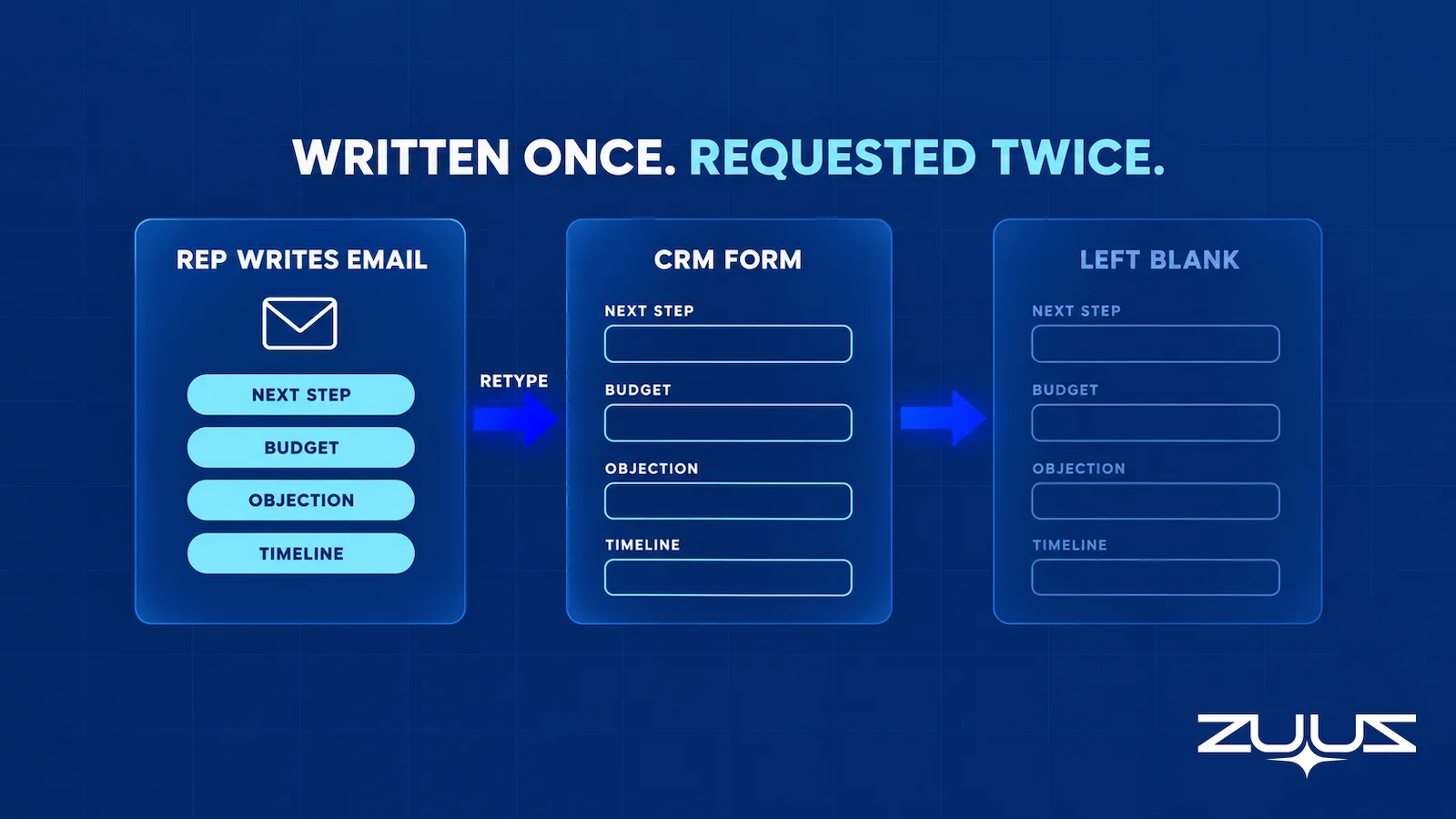
The default explanation is resistance to change, and it persists mainly because it is convenient for everyone except the rep. A closer answer is that CRM updating asks a person to say the same thing twice. The rep has already written the next step, the objection, the budget hint, and the revised timeline into an email the customer read. The CRM then requests that same content again, in a different shape, into fields someone else designed.
That is a redundancy, not a skill gap, and redundancy is the first thing anyone drops when the day runs short. The time pressure behind that choice is documented by the CRM vendors themselves. Salesforce’s own sales research reports that sales reps spend 60% of their time on non-selling tasks, drawn from a survey of more than 4,000 sales professionals. A rep protecting the remaining 40 percent will not spend it restating an email.
Skipping the second entry is therefore the rational move, which is why every incentive scheme aimed at the behavior has to keep running to hold it in place. Two secondary forces compound it. Required fields accumulate the way boxes accumulate in a garage, each added by someone who needed it once for a report that no longer runs and never reviewed for removal. And the exchange is one-directional: the rep supplies data and a manager reads the report, which is exactly the asymmetry a comparison of manual CRM entry against automated capture tends to surface.
The CRM Adoption Challenges Training Cannot Reach
Adoption programs tend to treat every symptom as one problem with one cure. Separating them makes clear why some respond to training and some do not. The table below splits the most common CRM adoption challenges by what training realistically changes.
| Challenge | What training changes | What actually closes it |
|---|---|---|
| Information already written in an email has to be retyped into fields | Nothing. The rep already knows how | Capture the content at its source and write it to the record |
| Required fields exist with no decision attached to them | Compliance rises briefly, then decays | Delete the field or attach it to a real decision |
| Records are stale by the time a manager reads them | Nothing. Latency is structural | Shorten the path between the interaction and the update |
| Reps get no value back from logging | Nothing durable | Return something usable: context, alerts, answers |
| Nobody agrees what a stage or a qualified lead means | A great deal. This is a definition problem | Documented criteria plus manager reinforcement |
| No owner when a sync fails or a record duplicates | Some, once ownership is named | Named ownership plus monitoring on the integration itself |
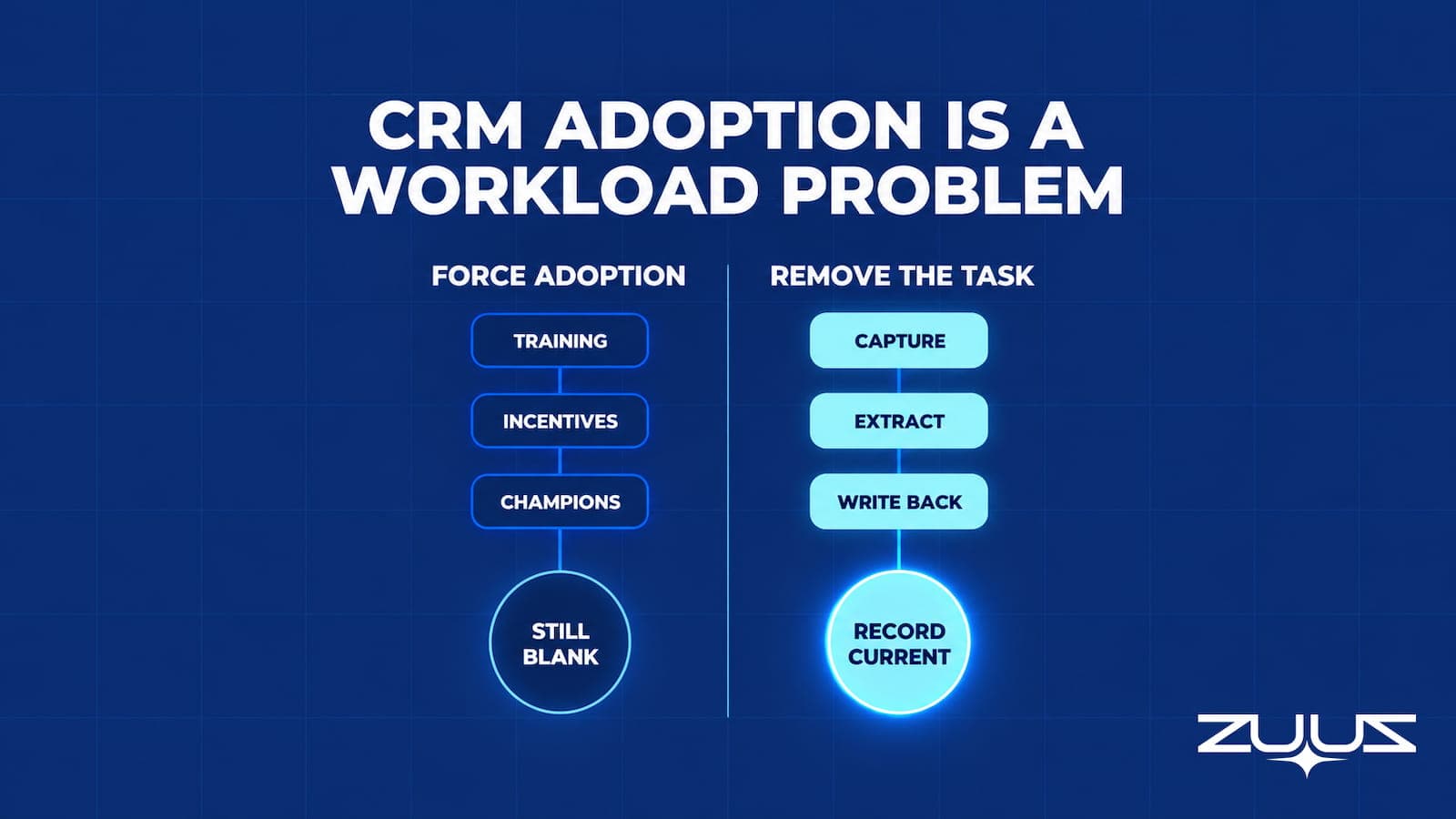
The pattern in that table is the useful part. The challenges sales teams face with CRM adoption fall into two groups: problems of agreement and problems of labor. Training, sponsorship, and champions move the first group reliably. They leave the second group exactly where it was, because no amount of alignment makes a duplicated task worth doing.
CRM Adoption Is a Workload Problem. Not a Training Problem.
ZUUZ reads the email thread and writes the structured update into Salesforce, HubSpot, Zoho, Attio, or Pipedrive. See it run on a real inbox.
Where Change Management Genuinely Works
Dismissing change management wholesale would be both wrong and useless to anyone who has already run one. Salesforce’s own CRM adoption guidance centers on role-based rollout, executive involvement, and defined success measures, and that advice is correct for the class of problem it addresses. Definition problems respond to it very well.
Change management earns its keep on questions that have no technical answer. What separates a qualified lead from an interested one. Which stage a deal enters when procurement gets involved. Who owns an account during a territory change. Those are agreements, and agreements need sponsorship, documentation, and repetition to hold.
The limit is sharper than most adoption programs admit. Change management can make a task easier to perform correctly, and it can raise the social cost of skipping it. It cannot make a redundant task worth performing. Once the required behavior is transcription rather than judgment, more training produces a better-trained population that still will not transcribe, and the program’s success becomes a function of how long leadership keeps pushing.

How to Measure CRM User Adoption
Most teams asking how to measure CRM user adoption start with a single ratio, and the ratio itself is fine. Adoption rate equals the number of users meeting a defined standard divided by the number of eligible users, times 100. The trouble is that the formula hides four inputs, and a number quoted without them cannot be compared to anything, including its own value last quarter.
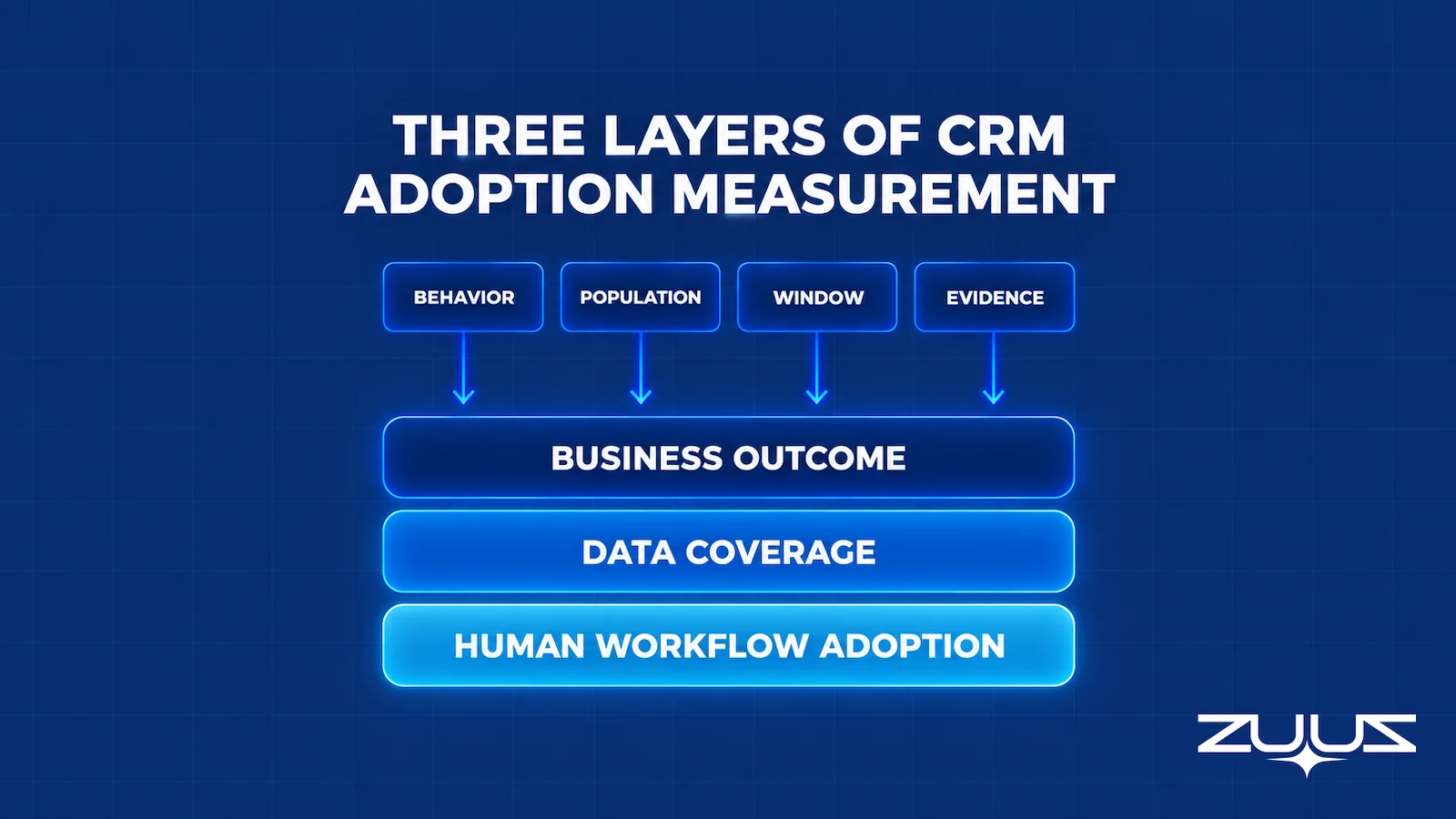
The four are the behavior, the population, the window, and the evidence. Behavior means the specific action being counted, such as updating a next step within one business day of a customer meeting, not the vague notion of using the system. Population means who is genuinely expected to do it, which usually excludes managers, marketing seats, and read-only finance users. Window matters because weekly and quarterly measurement of the same behavior can differ by dozens of points.
Evidence is the input teams skip most often. CRM-native reporting covers part of it: Zoho documents audit logs that track actions performed on modules and individual records, and HubSpot’s custom report builder can slice record activity by owner. What logs cannot show is what was supposed to be recorded and was not, so honest measurement needs a sample as well: take thirty recent closed or stalled deals, read the email threads, and count how many material events reached the record at all. That sampling step is what separates an adoption number from a login number.
Measurement then splits into three layers rather than one. Human workflow adoption covers judgment work only a person can do. Data coverage covers how much of what happened is represented at all, regardless of who or what put it there. Business outcome covers whether decisions improved, which is the slowest signal and the most often misattributed.
The Capture Gap Audit
The sampling step above has a repeatable version worth running before the next adoption campaign is funded. Its purpose is to measure how much of what the team already knows never reached the CRM.
- Pick one closed-won and one slipped deal from the last quarter.
- Read the full email and message thread end to end; list every fact that mattered: people, objections, dates, competitors, commitments.
- Open the CRM record for the same deal and mark which of those facts appear in a field, not a note.
- The percentage missing is the capture gap. Anything above about a third means the team is running on a CRM that records outcomes, not the deal.
Run on a single pair of deals it takes about ninety minutes, and the output reframes the whole adoption conversation. A typical closed-won deal yields twenty to thirty facts that mattered, of which the record holds the amount, the close date, the stage history and one contact. The second decision-maker who joined in week three, the competitor named in a reply, the discount agreed in a forwarded thread and the commitment that set the timeline are all in the mailbox. The reps were not disengaged; they were present for every one of those facts and simply never retyped them. That is a capture gap, not an adoption gap, and no amount of enablement closes it.
CRM Adoption Metrics Worth Tracking and the Vanity Ones
Once measurement is separated into layers, the standard scorecard starts looking thin. Most published CRM adoption metrics count presence rather than contribution, which is why they are easy to collect and easy to move without changing anything real.
| Metric | What it actually tells anyone | Verdict |
|---|---|---|
| Logins per week | That a browser tab was opened | Vanity |
| Time spent in the CRM | Possibly that the interface is slow | Vanity, and often inverted |
| Training completion rate | Attendance | Vanity |
| Records or activities created | Volume, and trivially gameable | Weak on its own |
| Capture coverage | Share of real customer interactions represented in the record | Strong |
| Update latency | Hours between an interaction and a usable record | Strong |
| Decision-field completeness | Whether next step, amount, close date, and owner are populated | Strong |
| Stage accuracy under audit | Whether the stage matches what the email thread shows | Strong |
| Duplicate and match error rate | Whether updates land on the right record | Strong |
| Rep hours spent on CRM admin | The cost side of the ledger | Strong, and lower is better |
One consequence of that split deserves stating plainly, because it catches teams by surprise. If capture becomes automatic, reps have fewer reasons to open the CRM to type, so login counts and time-in-system fall. Meanwhile coverage, latency, and accuracy improve. Any adoption scorecard built on the first group will report a regression at the exact moment the underlying problem gets solved, and someone will be asked to explain a declining adoption rate on a pipeline that has never been more accurate.
The safeguard is to name the outcome a metric stands in for before adopting it. Logins were only ever a proxy for records being current, so once records can be current without logins, the proxy has to be retired rather than defended. Teams that track CRM data quality signals alongside usage tend to catch this before it turns into an argument.
Watch Adoption Metrics Move Without Another Campaign.
Capture coverage, update latency, and field completeness change when the record stops depending on a rep remembering to type.
What a Good CRM Adoption Rate Looks Like
There is no credible universal benchmark, and the round numbers that circulate are usually a vendor’s internal target repeated until it sounded like research. A percentage is only meaningful once the behavior, population, and window are attached to it, which is why two companies quoting the same adoption rate can be in completely different conditions.
A worked example makes the point. Suppose a 40-rep team reports 92 percent weekly active usage, which sounds like a success. On audit, 48 percent of stage changes in the last quarter carry both a next step and a stated reason, and the median gap between a customer meeting and any record update is six days. The first number describes a habit. The second and third describe whether the pipeline can be trusted in a forecast conversation, and they are the numbers a RevOps leader actually needs.
A more defensible approach sets a separate target per measurement layer and states the window. Something like: 90 percent of eligible reps complete required deal review fields within two business days, capture coverage above 85 percent of material customer interactions, and median update latency under 24 hours. Those are operating goals for one team, not industry standards, and they should be reset once consistently met. Teams running structured deal management processes usually find the second and third targets harder than the first, which is diagnostic in itself.
CRM Adoption Best Practices After Training Has Failed
The CRM adoption best practices that matter at this stage are different from the ones that appear in a rollout plan, because the rollout already happened. The team knows how to use the system. The task is to find and remove the work that has no business being manual, then retrain on the smaller remainder.
Instrument one workflow before changing anything. Pick a single motion, such as inbound lead to first qualified meeting, and record what actually occurs today. Guessing at the friction produces a redesign that fixes the wrong step.
Count the duplicate entries specifically. For each field a rep is asked to fill, ask where that information first appeared. Anything whose first appearance was an email, a calendar invite, or a document is a candidate for capture rather than entry, and the count is usually higher than leadership expects.
Delete every required field with no decision attached. If nobody can name the decision or report a field feeds, it is overhead. This one change often does more for perceived usability than a quarter of enablement work, and it costs nothing to test.
Capture at the source and keep humans on judgment. Transcription belongs to software. Qualification calls, competitive read, relationship risk, and whether a deal is genuinely worth pursuing belong to the rep, and a good lead scoring approach makes that division explicit rather than implied.
Give the rep something back. A system that answers questions, surfaces a stalled deal, or assembles account history before a call earns voluntary use. This is where a conversational interface over the CRM changes the relationship, because asking is cheaper than reporting.
Assign an owner for capture failures. Sync errors, unmatched records, and integration outages need a named person and an alert, otherwise the automation quietly degrades and reps conclude the data cannot be trusted. That conclusion is very hard to reverse once it forms.
CRM Adoption Solutions Compared by What They Remove
Vendors describe CRM adoption solutions by what they add. A more useful comparison is by what each one takes off the rep’s plate, because that is the variable the thesis of this article turns on.
| Approach | What it removes | What it leaves | Best when |
|---|---|---|---|
| Field pruning and configuration | Unused required fields and dead clicks | All remaining manual entry | The form has grown without review |
| Training and enablement | Nothing from the workload | The full entry burden | The gap is genuinely knowledge or definitions |
| In-app guidance overlays | Nothing from the workload | The full entry burden, performed more correctly | Reps cannot find the right screen or field |
| Native email and calendar sync | Logging that a message or meeting occurred | Extracting what it meant, and updating fields | Activity history is the main gap |
| Rules-based automation | Predictable field updates and handoffs | Anything requiring interpretation of language | Mappings are stable and well understood |
| AI extraction with CRM writeback | Reading a conversation and writing the structured update | Judgment calls, exceptions, offline conversations | The real content lives in email threads |
| ZUUZ, a revenue intelligence layer on the CRM already in place | Reading the sales inbox, LinkedIn messages and meeting or call transcripts, and drafting the leads, stakeholders, next steps and renewal signals as CRM fields | The judgment call, with one-click rollback on any update; the CRM stays the system of record | The team keeps Salesforce, HubSpot, Zoho, Attio or Pipedrive and the records lag the conversation |
Two rows are worth separating carefully. In-app guidance overlays are a real and legitimate category, and they solve navigation and onboarding problems well, but they teach the click path rather than removing the click. Native connectors sit closer to the goal without reaching it: HubSpot’s documentation for connecting an individual work email describes logging email replies to the CRM, which puts the message in the timeline. It does not put the revised close date in the close date field, and it is that second step where the manual work actually sits.
The best way to update a CRM automatically with AI, in practice, is the row at the bottom of that table combined with the row above it. Deterministic rules handle what is predictable, language models handle what is written in prose, and bidirectional sync keeps the result consistent with whatever the rep changes by hand.
Remove the Data Entry. Keep the CRM You Have.
ZUUZ runs on top of Salesforce, HubSpot, Zoho, Attio or Pipedrive at once. No migration, no new system of record for the team to learn.
CRM Adoption: How ZUUZ Removes the Data Entry Instead of Enforcing It
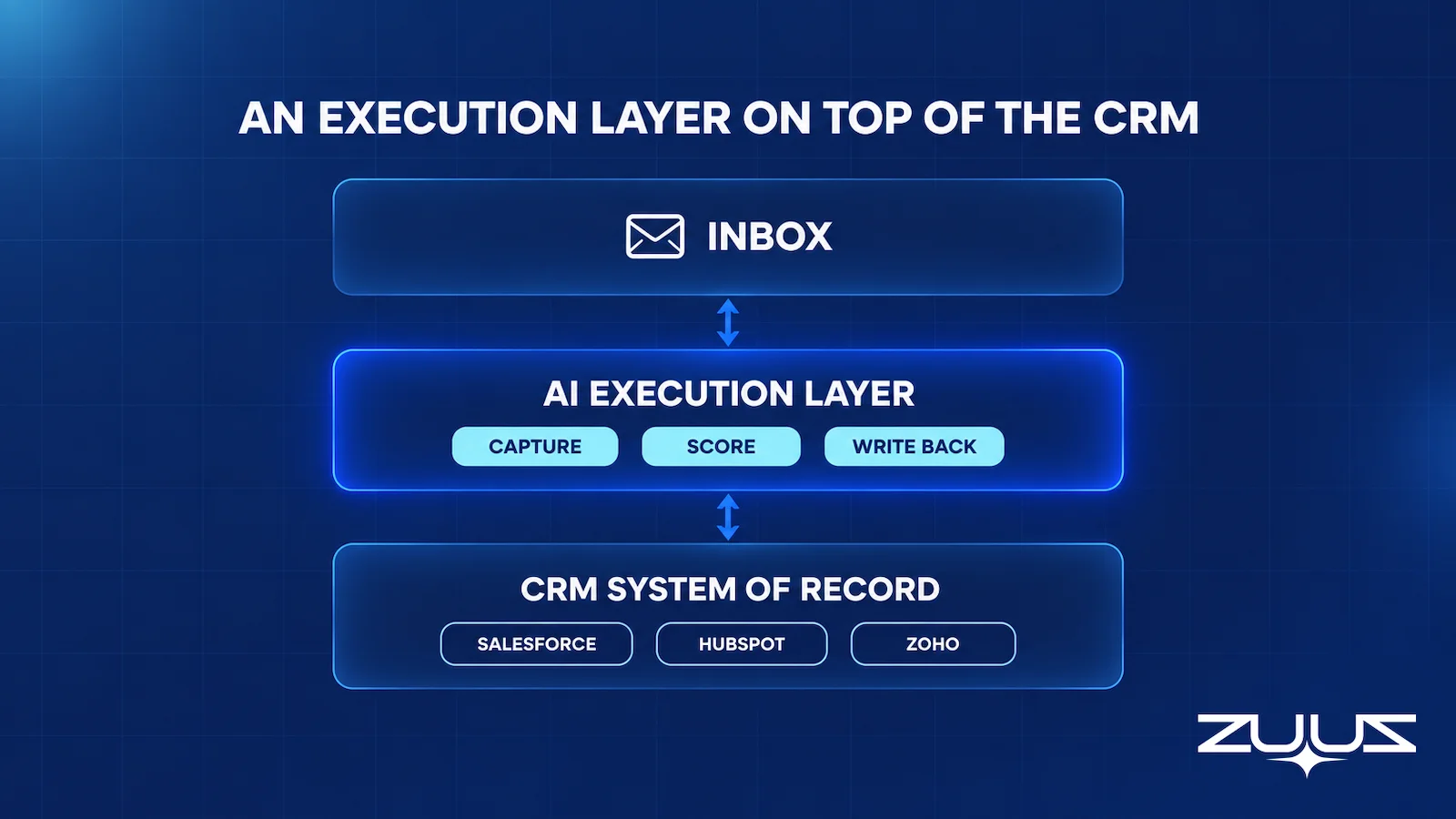
ZUUZ is a revenue intelligence layer that runs on top of an existing CRM rather than replacing it. Salesforce, HubSpot, Zoho, Attio or Pipedrive remain the system of record, and ZUUZ operates across more than one at once for teams that run more than one. The design premise matches the argument above: if the CRM record can be produced from work already happening, adoption stops being a behavioral problem and becomes an integration one.
In practice that covers six jobs. Email lead capture reads inbound mail and creates the lead rather than waiting for someone to key it in. Lead scoring ranks what arrives. Pipeline risk monitoring flags deals that have gone quiet against their own history rather than a generic rule. Account management keeps context attached to the relationship, CRM sync writes the structured result back into the fields decisions depend on, and an AI search agent lets a rep ask about an account in plain English instead of building a report. ZUUZ does not forecast revenue, and it is not a CRM.
The measurable version of this shows up in coverage rather than compliance. At RA Technologies, a US-based IT services firm, ZUUZ surfaced $120K in previously unrecorded pipeline within 72 hours of going live, and that pipeline existed the whole time in email threads that nobody had transcribed. Details are in the RA Technologies case study. Teams evaluating this pattern usually also want to understand how an AI CRM assistant handles reads and writes before wiring it to live records.
From an operator’s seat
Across the deployments ZUUZ runs, the pattern is that adoption dashboards get worse before anyone admits the record got better. Logins fall, time-in-system falls, and a manager whose bonus is tied to a usage target raises it as a problem in week two. The part teams do not plan for is that the first change history is long: ninety days of unrecorded context arrives at once, and a rep asked to check two hundred updates in an afternoon will skim them, which defeats the point. The order of operations that works is one rep, one week, a history small enough to read properly, and the usage target retired from the scorecard before the pilot starts rather than after the first complaint.
Which CRM Platforms Are Easiest for Sales Reps to Adopt
Which CRM platforms are easiest for sales reps to adopt gets asked constantly, and the honest answer is that it is usually the wrong variable to optimize. Real differences exist: default field counts vary, mobile experiences vary, and some platforms ship a usable pipeline view before any configuration. Those differences are worth something in the first month, and they are small next to the difference between typing and not typing.
A team that switches platforms carries the same duplicate-entry problem into the new one, generally with a fresh round of training and a new set of custom fields accumulating on top. That is the mechanism behind a company being on its third CRM in six years with the same complaint about rep usage each time. The more productive version of the question is which configuration of a given CRM asks the least of a rep, and what layer sits above it to handle the rest. That is also why reducing manual data entry without switching CRMs is usually cheaper than migration, with the step-by-step version covered in this guide to reducing manual data entry with CRM automation.
What to Test Before the Next Adoption Campaign
Before committing another quarter to enablement, a short test will show whether the problem is agreement or labor. Pick one team and one workflow, and hold everything else constant.
Establish a baseline first, using the layered metrics above rather than logins: capture coverage against a sample of email threads, median update latency, and completeness on the four fields that drive decisions. Then remove one category of manual work from that team only, whether by deleting fields, connecting a source, or adding an extraction layer, and leave a comparable team unchanged. Compare after one full sales cycle, not one month.
The result is easy to read. If coverage and accuracy improve while rep hours on CRM admin fall, the problem was labor and the fix scales. If nothing moves, the problem was agreement, and the change management work is the right investment after all. Either answer is worth more than another campaign launched on an assumption, and it is a far cheaper way to find out why a CRM pipeline is wrong than debating it in a QBR. It also tends to surface how much of a rep productivity problem was administrative all along, and where CRM email automation fits in the remaining workflow.
A First Step Smaller Than a Campaign
There is a cheaper opening move than a pilot design. Connect one mailbox, let ZUUZ read the last 90 days, and have the rep who owned those threads check what it wrote to the CRM in the change history. That single step produces the capture gap number from the audit above as a by-product, on real deals, without asking anyone to change how they work. If the review turns up nothing the record did not already hold, the problem genuinely is agreement and the enablement budget is the right call. The trial runs 30 days, free, with no credit card: https://zuuz.ai/trial/
Frequently Asked Questions
Why do sales reps not use the CRM?
Reps skip the CRM mainly because updating it means restating information they already communicated. The next step, the objection, and the revised timeline usually exist in an email the customer already read, so entering them again produces nothing the rep needs and arrives after the decision it was meant to inform. Required fields with no attached decision and a lack of anything useful coming back make the trade worse.
How do you measure CRM user adoption?
Adoption rate is the number of users meeting a defined standard divided by eligible users, times 100, but the number is meaningless without four inputs: the specific behavior, the eligible population, the time window, and the evidence source. Pair CRM audit logs with a manual sample of recent deals, reading the email threads to count how many material events reached the record at all.
What are the biggest CRM adoption challenges?
The largest CRM adoption challenges are duplicate entry of information that already exists in email, required fields with no decision behind them, records that go stale before anyone reads them, and no value returning to the rep who logs. A second group covers disagreement about stage definitions and unowned sync failures. Only the second group responds reliably to training.
What is a good CRM adoption rate?
No universal benchmark holds up, because a percentage without a stated behavior, population, and window cannot be compared across companies. A defensible target sets a separate goal per layer, such as 90 percent of eligible reps completing required deal fields within two business days, capture coverage above 85 percent of material interactions, and median update latency under 24 hours.
Can a CRM update itself automatically?
A CRM does not update itself, but a layer above it can. Autonomous CRM tools that update themselves generally work by reading source systems such as email and calendar, extracting structured facts from the conversation, and writing them into CRM fields through the platform API. The CRM stays the system of record while the writing happens without a rep opening a form.
Which CRM is easiest for sales reps to adopt?
Default field counts and mobile experience do differ across platforms, so some feel lighter in the first month. That difference is small next to whether reps have to retype what they already sent. A team switching platforms usually carries the same duplicate-entry burden into the new one, which is why configuration and an automation layer tend to matter more than platform choice.
How can sales reps stop doing CRM admin work?
The workable path is removing the task rather than scheduling it better. Audit one workflow and identify every field whose information first appeared in an email, calendar invite, or document, delete required fields with no decision attached, and route the remainder through capture and extraction. What should stay manual is judgment: qualification, competitive read, and whether a deal is worth pursuing.
What is the best way to update a CRM automatically with AI?
The reliable pattern combines deterministic rules for predictable mappings with AI extraction for anything written in prose, then bidirectional sync so automated writes and manual edits stay consistent. Before trusting it with live records, test match accuracy against the right account, field-level write precision, permission handling, and how corrections are applied when the extraction gets something wrong.

