
How to Reduce Manual Data Entry Using CRM Automation
Reduce manual data entry using CRM automation and AI: audit every entry point, automate capture at the source, and measure whether the typing actually dropped.
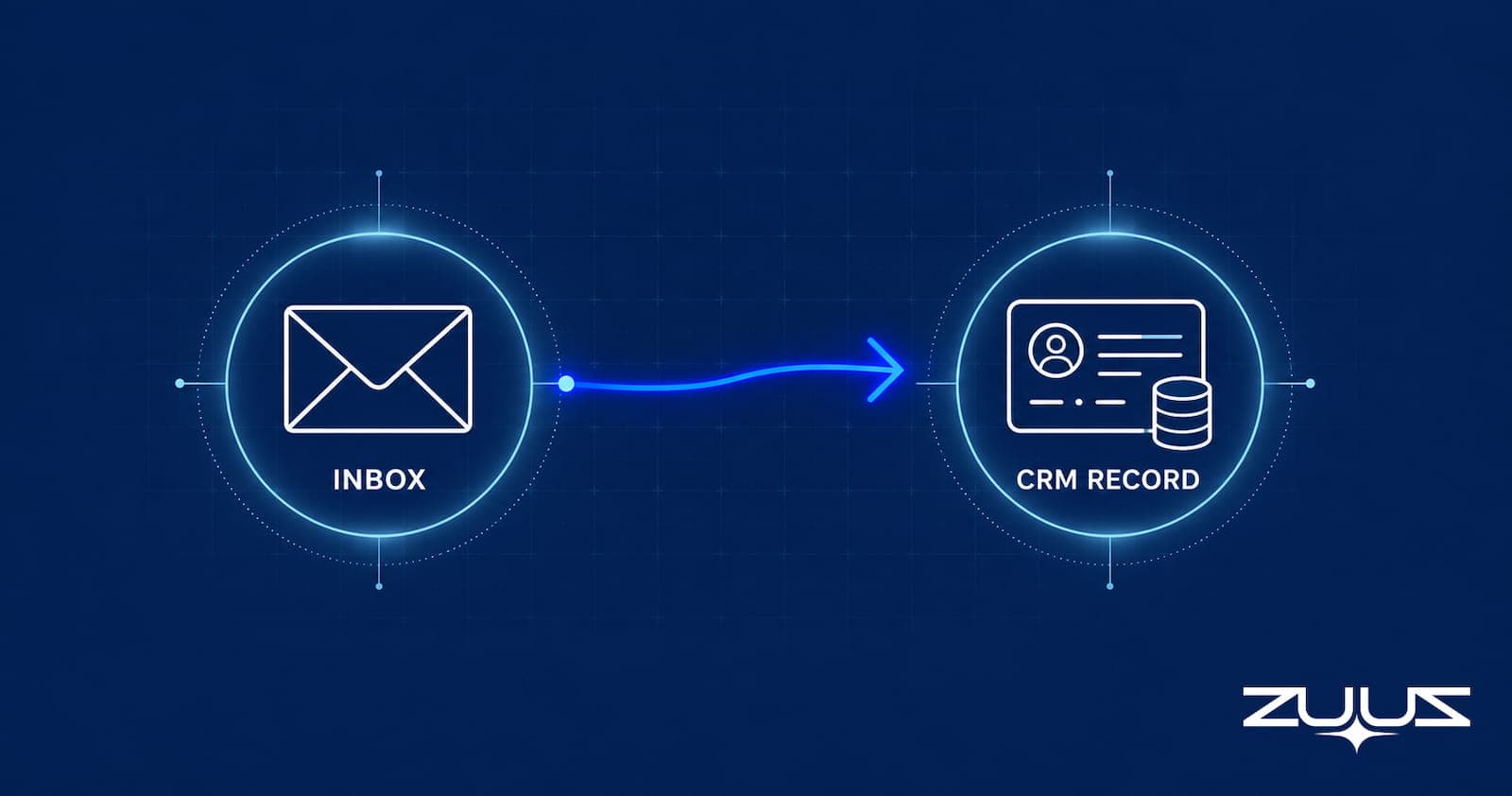
- Manual data entry keeps returning after CRM rollouts because the entry point is one step removed from the deal signal, not because reps are careless.
- Reducing manual entry starts with an audit of where data actually gets typed, not with picking a new tool first.
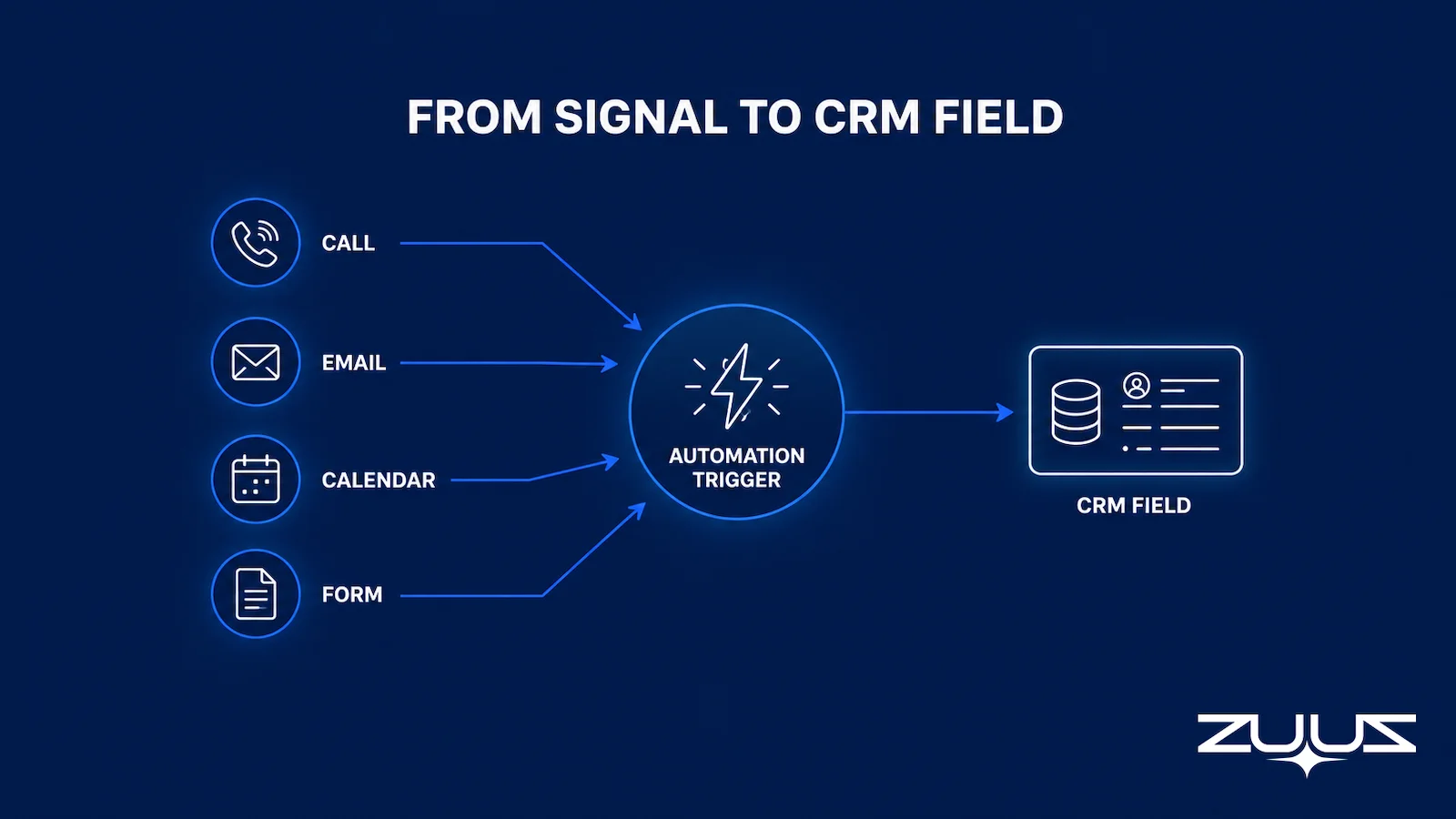
- Every manual entry point maps to a trigger source, email, calls, calendar, or forms, and each trigger needs a different capture method.
- CRM automation works in layers, native rules, integration tools, and email or call signal extraction, and the right layer depends on the signal, not a fixed maturity order.
- Rollout sequencing determines whether automation sticks, since reps abandon systems that change too many fields at once.
- ZUUZ reads inbound and outbound email and writes structured fields to Salesforce, HubSpot, or Zoho automatically, closing the entry point before a rep has to open it.
- ZUUZ connects to your sales inbox, reads LinkedIn messages and meeting or call transcripts, and writes leads, stakeholders, next steps and renewal signals into the CRM for the rep to approve in one click, which removes the entry points no CRM rule can automate.
A rep closes a call, opens the CRM, and finds six empty fields: deal stage, next step, competitor mentioned, budget confirmed, decision timeline, stakeholder list. None of it was typed during the call, and most of it will not get typed at all. This is not a discipline problem.
It is a sequencing problem: the CRM asks for data at the exact moment a rep has already moved on to the next task. Reducing manual data entry with CRM automation means changing where and when that data gets captured, not adding another reminder to log it. This guide walks through the process: auditing where manual entry actually happens, mapping each entry point to the trigger that should capture it, choosing the right automation layer, and rolling it out so it sticks.
Why Manual Data Entry Keeps Coming Back Even After CRM Rollouts
Companies buy a CRM to get away from spreadsheets, then discover the CRM has become the spreadsheet reps avoid. The problem is rarely the software itself. It is that every manual entry point forces the rep to stop selling and start typing at the exact moment they have the least incentive to do it.
The fix is not another training session or a stricter required-fields policy. Required fields just get filled with placeholder values to clear the wall. The real fix, covered in more detail in ZUUZ’s comparison of automated capture versus manual CRM entry, is removing the manual step entirely by connecting the CRM to where the deal information already exists.
Fixing this is not about choosing a new platform first. It starts with finding out exactly where manual entry is happening today.
1. Audit Where Manual Data Entry Is Actually Happening
Before configuring any automation, list every field a rep fills in by hand across a typical deal cycle. Include fields in adjacent systems that eventually get copied in, like a quote re-typed into an opportunity record.
Time the process across a handful of live deals. Note which fields get filled in real time, which only surface during a weekly pipeline review, and which never get filled at all. This produces a ranked list of manual entry points by frequency and business impact, not a guess.
Any field that does not drive pipeline visibility or reporting is a candidate for removal, not automation.
Table 1: Common Manual Entry Points and Where the Data Already Exists
| Manual Entry Point | Where the Data Already Exists | Typical Delay Before Entry |
|---|---|---|
| Call notes and next steps | Call recording or transcript | One to three days, if entered at all |
| Deal stage changes | Verbal agreement inside an email thread | Until the next pipeline review |
| Competitor mentioned | Inbound or outbound email | Rarely entered |
| Quote or pricing details | Quoting tool or PDF proposal | Re-typed manually, if at all |
| Stakeholder and contact updates | Email signature blocks and CC lines | Almost never updated |

Most of these fields are not missing information. They are information that already exists somewhere else and has not been copied over, the same root issue behind most CRM data quality problems. That distinction determines what happens next: mapping each point to the source that should capture it automatically.
- Does it capture from the channels where the deal actually moves – email, calendar, LinkedIn messages, meeting and call transcripts – or only from data already inside the CRM?
- Does what it captures land in CRM fields a report can read, or only in an activity feed a human has to open?
- Does the rep have to remember anything for it to work: a BCC, a button, a sidebar, a sync?
- Can the rep correct it in one click, in the place they already work, before it is written?
- Does it work on the CRM you already run, or does it assume a migration?
- Which of the entry points from your own audit does it actually remove, named one by one, rather than a percentage of “admin time saved”?
2. Map Each Manual Entry Point to an Automation Trigger
Every manual entry point traces back to a moment when the information first became known: a call, an email, a calendar invite, or a form. A stage change usually traces back to a confirmation buried in an email thread, not a rep’s independent judgment. Mapping each entry point to that moment turns “someone should type this” into “something should capture this.”
Phone-based teams face a specific version of the mapping problem. The call itself is the entry point, but the CRM only sees it if the phone system is connected.
Reducing manual data entry from calls means routing call metadata, and transcripts where available, straight into the contact record. That connection between the phone system and the CRM integration layer is the mechanism, not a policy reminder to log calls faster.
For most B2B sales teams, though, the primary channel is email, not the phone. A deal’s most important updates, budget approval, a revised timeline, a new stakeholder, usually arrive as a paragraph in a thread the rep already opened and read.
That thread is also where missed sales leads tend to hide, and mapping it to a CRM field is a parsing problem, not a rep-behavior problem. IT services teams running RFP-heavy inboxes face a sharper version of it, covered in email-to-CRM automation for IT companies.
Once entry points are mapped to their trigger sources, the next decision is which layer of automation actually captures each one.
3. Match the Automation Layer to the Signal, Not the Tool
CRM automation is not one thing. Native automation rules inside Salesforce, HubSpot, or Zoho handle structured, predictable changes: a field auto-populates when a deal moves stages, a task gets created when a date passes. These rules are fast to configure and need no new tooling, but they only fire on data already inside the CRM.
Some native rules chain further: once a field populates, it can also trigger a task, an alert, or a follow-up sequence automatically.
Integration-layer tools sit between the CRM and adjacent systems: calendars, phone systems, quoting tools, e-signature platforms. They move existing data into the CRM automatically, closing gaps the audit in Step 1 surfaced.
A third layer reads unstructured communication directly. Some vendors market this as an autonomous CRM that reduces manual data entry by reading and acting on email or calls without a rule configured for every field. What matters is whether the system writes to real CRM fields and picklists, or only drops a summary into a free-text field no report will ever use.
Table 2: Three Layers of CRM Automation
| Automation Layer | What It Captures | Best Fit For |
|---|---|---|
| Native CRM rules | Structured changes already inside the CRM, like stage moves and date triggers | Fast, low-cost wins on data the CRM already holds |
| Integration-layer tools | Data from adjacent systems: calendar, quoting, e-signature, phone | Closing gaps between separate tools reps already use |
| Email and call signal extraction | Unstructured signals inside email threads and call transcripts | Deal-critical updates that never get typed manually |
| Capture layer (where ZUUZ sits) | Facts inside the sales inbox, LinkedIn messages and meeting or call transcripts, written into CRM fields rather than a feed | Deal facts that live in conversations and never get typed at all: stakeholders, next steps, competitors, renewal signals |
Most teams eventually need all three layers, but starting with the highest-volume entry point from the audit produces the fastest visible improvement. Teams evaluating specific vendors can compare options in ZUUZ’s guide to the best CRM to reduce manual data entry.
Picking the right layer only pays off if the rollout does not collapse the moment reps see ten new automated fields at once.
Not Sure Which Automation Layer Fits Your CRM Stack?
ZUUZ operates across Salesforce, HubSpot, Zoho, Attio or Pipedrive, so the right layer depends on the actual setup.
4. Roll Out CRM Automation Without Losing Rep Adoption
The fastest way to kill a CRM automation project is turning on every rule and integration in the same week. Reps who see ten fields suddenly populating, some right and some wrong, stop trusting the CRM data and quietly go back to their own notes.
Sequence the rollout, starting with the highest-frequency, lowest-risk entry point from the audit, usually call logging or email capture, and confirm accuracy for two to three weeks before adding the next layer. Teams weighing sequencing against their specific CRM setup can also talk to ZUUZ’s team about a rollout plan. A CRM for startups that reduces manual data entry benefits from this sequencing even more than a large team’s stack does, since there is no dedicated ops person to catch errors quietly.
Give reps a way to correct a wrong field without filing a ticket. A single inline correction path preserves trust more than a perfect accuracy rate on day one.
None of this matters without a way to confirm the manual entry problem actually improved.
5. Measure Whether Manual Data Entry Actually Dropped
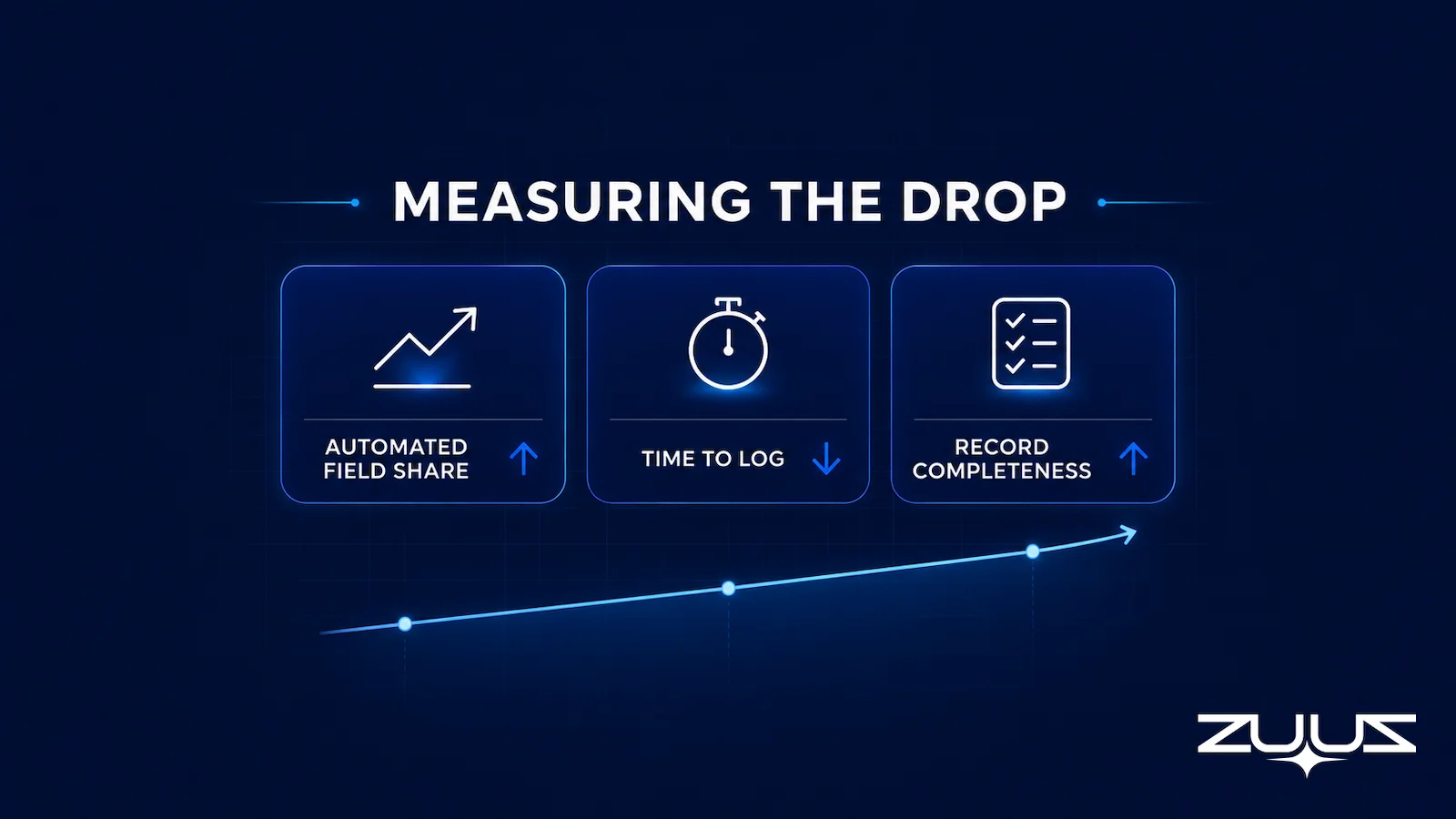
Track the share of key fields, deal stage, next step, close date, competitor, updated automatically versus manually against the Step 1 audit baseline. A rising automated share is the real signal, not a subjective sense that the CRM feels more accurate.
Time-to-log matters just as much: how long after a call, email, or meeting a field actually gets updated. Automation should collapse this from days to minutes for the entry points it covers, while any remaining manual entry points stay on the old timeline.
Review record completeness at the pipeline stage where deals typically stall, not just at close. Incomplete records earlier in the funnel are what break pipeline visibility, and that is where automation should show the clearest improvement first.
Table 3: Metrics to Track After Rollout
| Metric | What It Shows | How Often to Check |
|---|---|---|
| Automated field update share | How much of the audit’s manual entry points are now captured automatically | Weekly for the first two months |
| Time-to-log | How long after the triggering event a field gets updated | Weekly, per automation layer |
| Record completeness by stage | Whether incomplete records concentrate at a specific pipeline stage | Monthly |
A rising automated-update share paired with falling time-to-log is the clearest signal a rollout is working, apart from any subjective sense that the CRM feels more accurate.
The Capture Gap Audit
The audit in step 1 tells you where reps are typing. The Capture Gap Audit tells you something different and more uncomfortable: how much of what the team already knew never reached the CRM at all, through any route, manual or automated.
- Pick one closed-won and one slipped deal from the last quarter.
- Read the full email and message thread end to end; list every fact that mattered – people, objections, dates, competitors, commitments.
- Open the CRM record for the same deal and mark which of those facts appear in a field, not a note.
- The percentage missing is the capture gap. Anything above about a third means the team is running on a CRM that records outcomes, not the deal.
Run on a manual-entry project, the audit usually reorders the backlog. The entry points that feel most painful – re-typing a quote, updating a stage – are the ones reps do eventually complete, so they show up in the CRM late rather than never. The facts that fail the audit are the ones no trigger can create: the procurement contact who appeared in a CC line in week three, the competitor named once in a reply, the verbal agreement to start in the next fiscal quarter. Those never had a field to go missing from, which is why a rules-only automation project can cut typing time and leave the record just as thin as before.
From an operator’s seat
The order of operations matters more than the tool choice: run the capture gap audit before designing triggers, because native CRM rules can only automate data the CRM already holds, and the audit is what reveals how little that is. The thing that surprises teams is that reps do not resist automation – they resist correcting it somewhere other than where they work, so an approval step that lives in a second tab gets abandoned inside two weeks no matter how good the extraction is. Across the deployments ZUUZ runs, the pattern is that field mapping, not model quality, is what decides whether manual entry actually drops: every captured fact needs a named field, and anything that lands in a note is work someone will redo later. The cost nobody budgets is the hour with the sales ops owner to decide those fields before rollout rather than after.
ZUUZ is an AI layer on top of the CRM a team already runs – it is never a CRM and never replaces one. Most automation in this category moves data the rep already entered from one field to another; ZUUZ writes the facts that were never entered, and the rep approves them.
Mapping Email Signals to CRM Fields: How ZUUZ Cuts Manual Entry at the Source
Step 2 identified email as the primary trigger source for most B2B deals, and Step 3 raised the question of which automation layer should act on it. ZUUZ operates at that specific layer. It reads inbound and outbound email, extracts the deal signals that matter, stage changes, next steps, competitor mentions, stakeholder additions, and writes them directly into the corresponding CRM fields.

Because ZUUZ is CRM-agnostic, it performs this write into Salesforce, HubSpot, or Zoho without requiring a team to switch CRMs or migrate data to adopt it. The rep never opens a separate tool, since the field is already populated by the time the CRM record gets opened again. Teams can see the full mechanism in a ZUUZ product walkthrough.
A US-based IT services company handled a high volume of pricing and renewal-driven email threads. Account managers used to manually log stage changes and stakeholder updates after each exchange, a process that lagged the actual conversation by days. Moving that capture to email parsing meant the CRM record reflected the deal status the moment the email arrived, instead of whenever a rep found time to update it.
This is the mechanism behind what some teams describe as an autonomous CRM that reduces manual data entry: not a chatbot layered on top of the database. It is a system that closes the gap between when information exists and when it reaches the record.
See the Email-to-CRM Mapping in a Live Walkthrough
Watch how ZUUZ reads inbound email, extracts deal signals, and writes them into Salesforce, HubSpot, or Zoho automatically.
Keeping Manual Data Entry Down As the Team Scales
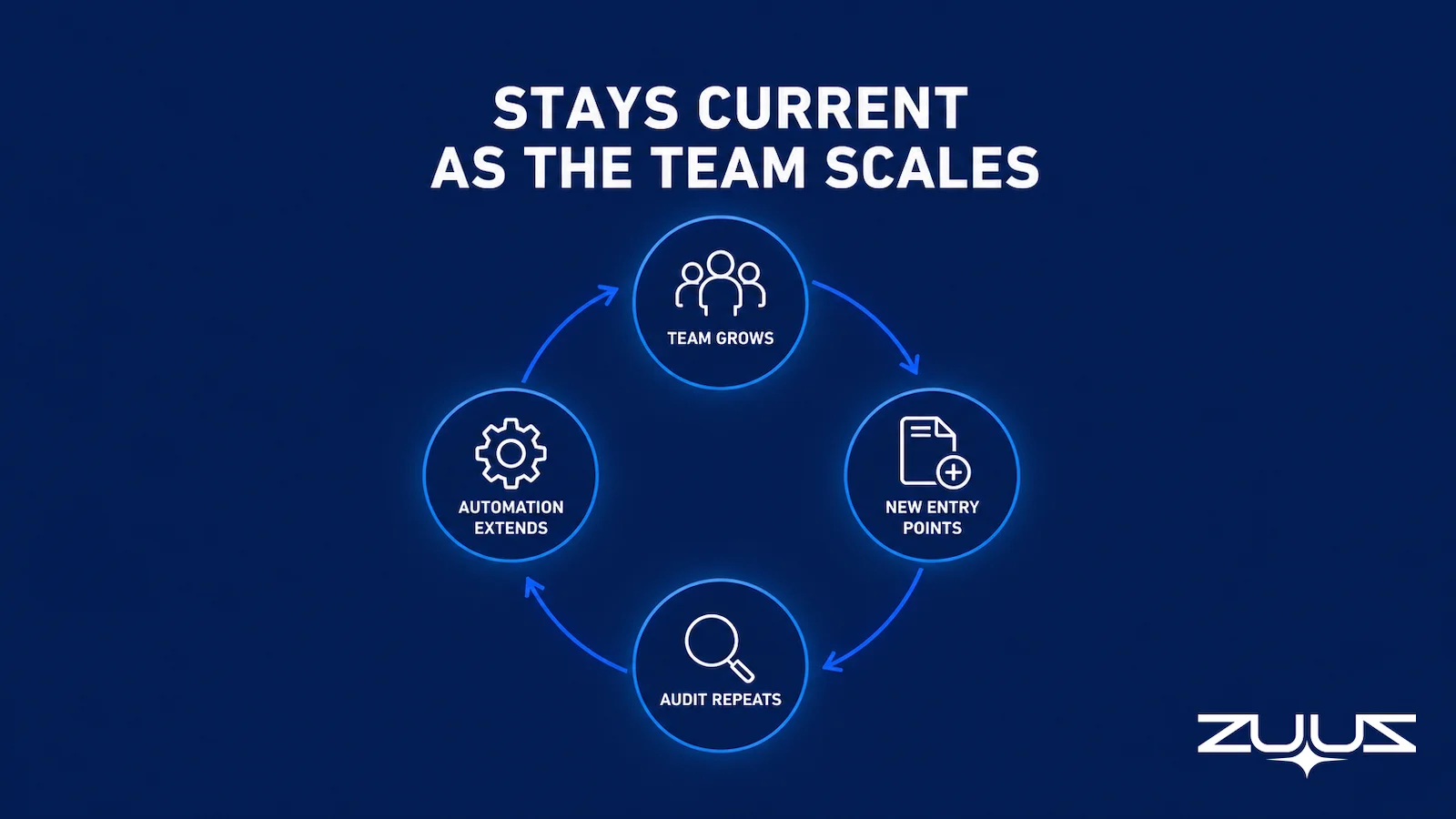
The five steps here are not a one-time project. As a sales team adds reps, channels, or a second CRM, new manual entry points appear in the same predictable places: calls, email threads, quotes, and stage changes. Over time, this process becomes one piece of a broader RevOps software stack, not a standalone fix.
The audit from Step 1 is worth repeating every time the team grows or adds a channel, not just once during initial rollout. Teams that treat CRM automation as a standing practice, rather than a project with an end date, are the ones whose pipeline data stays usable six months later. Start with the highest-volume entry point and build outward from there.
A first step narrow enough to finish this week
The concrete first step is one mailbox, not a rollout. Connect it, ZUUZ reads the last 90 days, and the rep reviews what it found before anything is written to the CRM. That review doubles as the capture gap audit on real deals, and it shows which of your audited entry points disappear on their own. The trial runs 30 days free, with no credit card: https://zuuz.ai/trial/
Frequently Asked Questions
What Does CRM Automation Actually Replace in Manual Data Entry?
CRM automation replaces the step where a rep manually types information that already exists somewhere else, a call, an email, a calendar invite, into a CRM field. It does not replace judgment calls like qualifying a deal or writing a proposal. The goal is removing keystrokes tied to facts that are already known, not removing the parts of the sales process that require a person.
What Are the First Steps to Reduce Manual Data Entry with CRM Automation?
The first step is an audit: list every field a rep fills in by hand and time how long each one takes to get logged. That audit produces a ranked list of manual entry points by frequency, which determines what gets automated first. Skipping the audit and buying a tool before knowing where the gaps are is the most common reason automation projects stall.
Can CRM Automation Eliminate Manual Data Entry Completely?
CRM automation reduces manual data entry by a wide margin but rarely eliminates it completely. Some fields depend on subjective judgment a system cannot infer from an email or a call, like a qualification score based on internal strategy. The realistic target is automating every entry point tied to an existing fact, and leaving judgment-based fields to reps.
How Does CRM Integration with Phone Systems Reduce Manual Data Entry from Calls?
Connecting a phone system to the CRM routes call metadata, and transcripts where available, directly into the contact or deal record without a rep summarizing the call afterward. This closes the gap between when a call happens and when its outcome reaches the CRM. Teams that rely heavily on phone-based selling typically prioritize this integration first, since calls are their highest-volume manual entry point.
Is an Autonomous CRM Different from CRM Automation That Reduces Manual Data Entry?
An autonomous CRM that reduces manual data entry is generally CRM automation applied to unstructured signals, reading emails or calls and writing structured fields back, rather than a separate product category. The distinction that matters in practice is whether the system writes to real CRM fields and picklists or only drops information into a free-text notes field that reporting tools ignore.
Which CRM Automation Approach Works for Startups Reducing Manual Data Entry?
Startups reducing manual data entry typically get the most value from automating the single highest-frequency entry point first, usually email or call capture, rather than deploying every automation layer at once. Small teams lack a dedicated ops person to catch errors, so a slower, sequenced rollout protects data trust more than it does at a larger company with more oversight capacity.
How Does CRM Automation Reduce Manual Data Entry in Sales Specifically?
In sales, CRM automation reduces manual data entry by capturing the deal signals that already exist in emails, calls, and calendar invites: deal stage, next step, competitor mentioned. It writes them into the CRM without a rep retyping them. This differs from support or marketing automation, which typically triggers on ticket status or campaign engagement rather than deal-progression signals.
How Long Does It Take to Roll Out CRM Automation That Reduces Manual Data Entry?
A single automation layer, like native CRM rules or one integration, typically takes one to two weeks to configure and validate against real deal data. A full rollout across audit, mapping, and multiple automation layers usually runs six to ten weeks when sequenced properly. Each layer needs two to three weeks of accuracy checking before the next one goes live.
How does AI reduce manual data entry for sales teams?
AI reduces manual data entry by reading the sales emails, call notes, and meeting follow-ups where deal information first appears, extracting the contact, company, stage, and next-step details, and writing them into the CRM fields a rep would otherwise type. The rep reviews and corrects instead of transcribing, so the record exists before anyone remembers to log it.
What is the difference between manual and automated data entry in a CRM?
Manual data entry depends on a person opening the CRM after a conversation and typing what happened, which is why records lag and fields stay empty. Automated data entry captures the same information from the channel where it originated and writes it to the CRM without a rep in the loop. The difference shows up as fewer blank fields, current close dates, and less admin time per deal.
What does manual data entry actually cost a sales team?
The cost of manual data entry shows up in three places: selling time spent on CRM admin instead of conversations, an error rate that grows with every retyped field, and pipeline that is never recorded because the rep moved on. Teams measure it by tracking admin hours per rep, the share of deals with incomplete records, and how many opportunities appear in email but never reach the CRM.
See How an IT Services Team Closed the Same Gap
An IT services company stopped logging pricing and renewal email updates by hand once ZUUZ started writing them to the CRM automatically. See the same mechanism applied to a live inbox.

CEO of ZUUZ. He scaled Cloud Box Technologies from 0 to $25M ARR in IT services and distribution before building ZUUZ. He built it after seeing how much manual CRM entry sales teams tolerated simply because no one had connected the inbox to the record.

