
How Bidirectional CRM Sync Keeps Records Current
Learn how bidirectional CRM sync keeps Salesforce, HubSpot, and Zoho records current with field mapping, conflict handling, and real-time write-back.
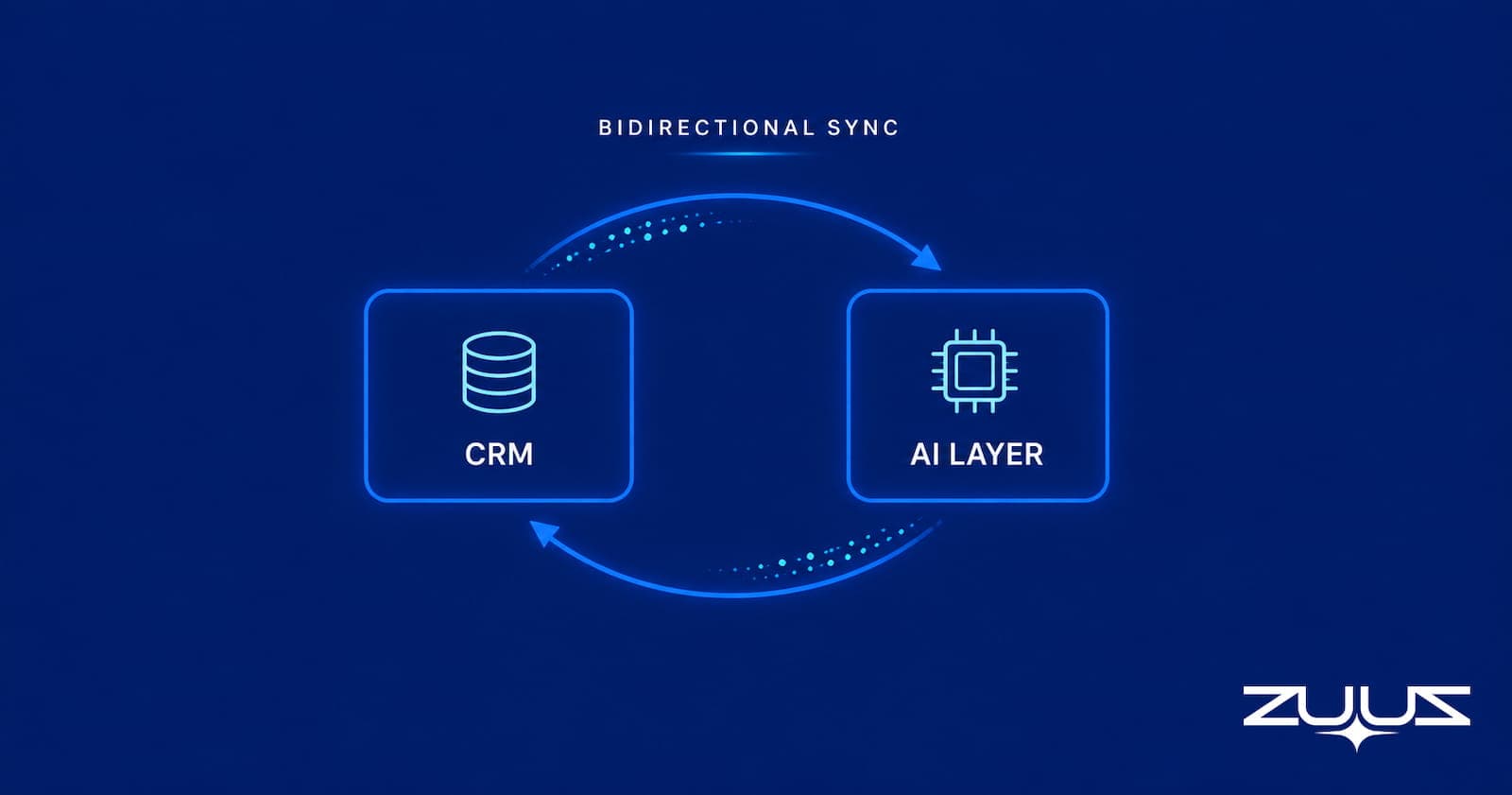
TL;DR: Bidirectional CRM sync lets records flow into the CRM from an outside system and back out again, governed by field mapping and ownership rules rather than a one-time import. The hard part is deciding which side wins when both change, how fast updates propagate, and how new signals get written back without creating duplicates. ZUUZ runs this as an AI layer on top of the CRM, writing email-captured lead and deal signals back into Salesforce, HubSpot, or Zoho automatically.
- Bidirectional CRM sync describes direction of data flow, not speed. Real-time sync is a separate choice about frequency.
- Field mapping and conflict handling decide whether two-way sync keeps records trustworthy or turns into a duplicate-generation engine.
- Not every field should be two-way. Mature setups assign a direction and an owner to each field.
- Writing email-captured lead and deal signals back into the CRM is the payoff most one-way integrations never deliver.
- Two-way CRM sync is a control problem: current context, clear authority, reliable matching, and selective write-back.
- ZUUZ runs bidirectional sync as an AI layer on top of the CRM, CRM-agnostic across Salesforce, HubSpot, Zoho, Attio or Pipedrive, and never replaces the system of record.
A sales rep updates a deal stage in the CRM on a Monday. That same afternoon a prospect replies to an email thread with a new decision maker copied in and a revised budget. By the time anyone reconciles the two, the CRM record shows the old contact and no note about budget. The email held the fresher truth, and the CRM held the stale one. Neither system knew about the other. This is the exact gap that bidirectional CRM sync exists to close, and this article covers how that sync works rather than why data hygiene matters in the abstract.
What Bidirectional CRM Sync Actually Means
Bidirectional CRM sync, also called two-way CRM sync, is a data integration pattern where a record updated in one system is automatically reflected in the connected system, and the reverse holds true as well. When a lead is enriched in an outside application, the CRM sees it. When a rep changes an owner or a stage in the CRM, the connected application sees that too. Both systems stay aligned instead of drifting apart.
The value shows up in what it removes. Without two-way sync, teams copy information between tools by hand, and every manual copy is a chance to introduce an error or skip a record entirely. Keeping records aligned automatically is closely related to broader CRM data quality work, though sync solves a narrower problem: consistency between systems, not correctness within one.
Two-Way Sync vs One-Way CRM Sync
One-way sync moves data in a single direction. A source system pushes records into the CRM, and the CRM has no way to send anything back. That is fine for a reporting warehouse that only reads CRM data, or for a form that only creates leads. It falls short the moment the CRM itself becomes a source of updates that another tool needs.
Two-way sync closes that loop. The connected system can tell when a contact already exists, surface the matching record, and update it instead of creating a second copy. It can also receive changes the CRM originates, so a stage change made by a rep reaches the tool that acts on it. The practical test for any vendor is simple: does the integration truly read and write, or does it only push data into the CRM and call that an integration.
Bidirectional Is Not the Same as Real-Time
A common mistake is to treat bidirectional and real-time as the same feature. They are separate. Bidirectional describes which way data can travel. Real-time describes how quickly a change propagates after it happens. A sync can be two-way and still run on a nightly batch, and a sync can be one-way and still fire within a second.
Most sales workflows need updates to land fast enough that a rep acting on a record is acting on current information. That points toward real-time or near-real-time sync for the fields reps touch, and a slower cadence is acceptable for data nobody reads mid-conversation. The next section walks through the mechanics that make either cadence reliable.
See Two-Way Sync Run On Live Records.
Watch ZUUZ read CRM context, match records, and write approved changes back to Salesforce, HubSpot, or Zoho.
How Two-Way CRM Sync Works Under the Hood
A durable two-way sync is not two independent API calls firing in opposite directions. It is a loop that reads context before it writes, so the system knows whether an incoming change should create a record, update one, or do nothing. Skipping the read step is the single most common cause of duplicate records.
Table 1 breaks the loop into its stages.
Table 1: The read-match-decide-write loop in bidirectional CRM sync
| Stage | What happens | Why it matters |
|---|---|---|
| Read | Pull the current CRM state for the relevant object | Prevents blind writes over newer data |
| Match | Identify whether the incoming data maps to an existing record | Separates a new lead from a new signal about an existing account |
| Decide | Apply field rules to choose what may change | Stops the sync from overwriting protected fields |
| Write | Create or update the approved fields | Keeps the CRM as the operational system of record |
| Confirm | Read the resulting state back | Gives the connected system accurate context for its next action |
The confirm step is the half most guides omit. After a write lands, the connected application needs the CRM’s resulting state, including any values the CRM itself calculated or a validation rule adjusted, so its next decision starts from reality rather than from what it hoped it wrote.
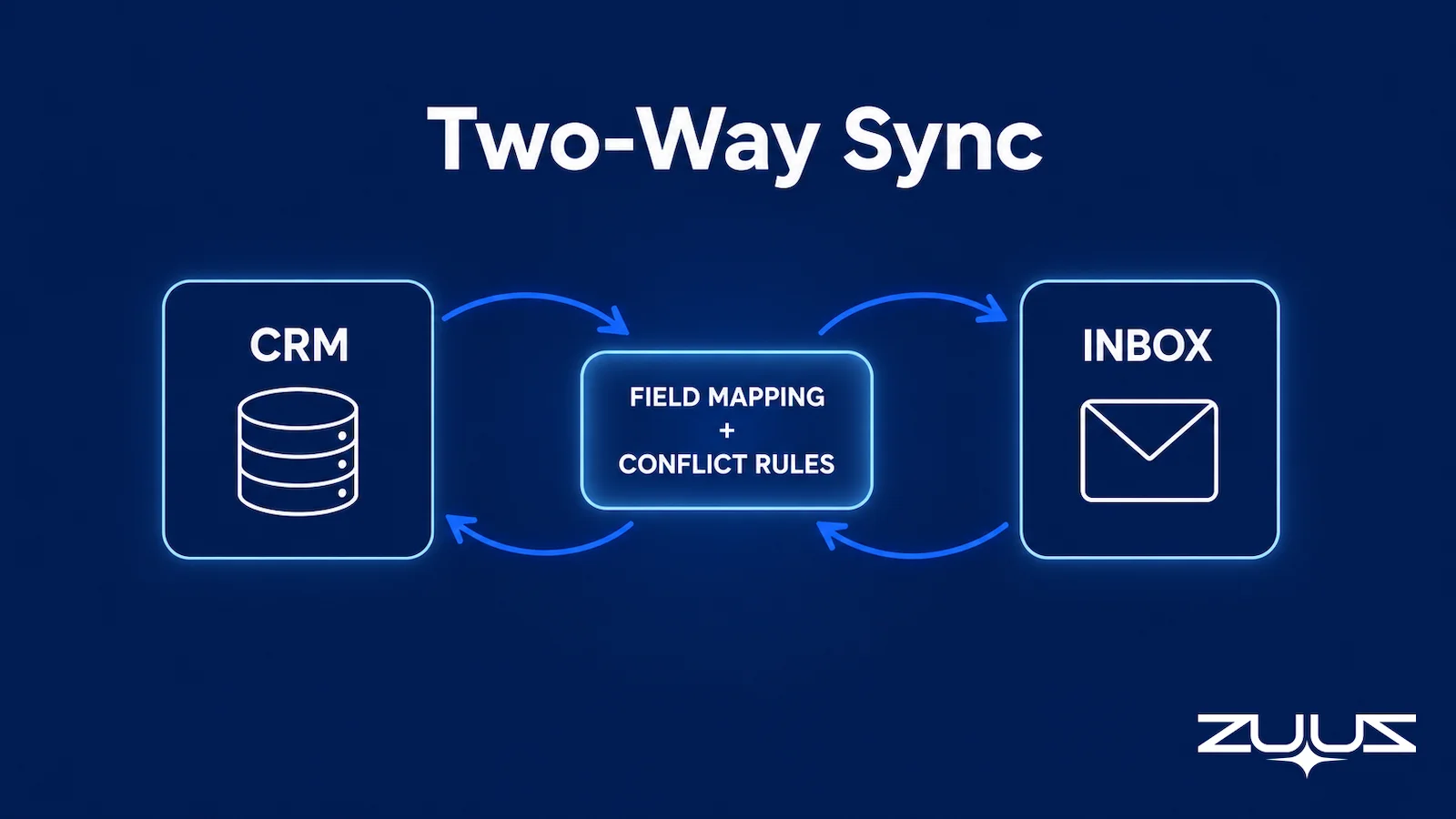
The Hard Part Is Field Mapping and Conflict Handling
Moving data is the easy part. Deciding what is allowed to change, when, and under whose authority is where two-way sync succeeds or fails. Field mapping and conflict handling are the mechanics that keep automatic CRM updates trustworthy instead of destructive.
Field-Level Direction and Ownership
Field mapping, sometimes called data mapping, is more than connecting a field in one system to a field in another. It assigns each mapped field a direction and an owner. Some fields are read-only from the CRM’s side, some are write-only, and only a subset are genuinely two-way. Assigning that up front is what keeps a sync from blindly overwriting good CRM data with stale outside values.
Table 2 shows a simplified field-authority matrix teams can adapt.
Table 2: A field-authority matrix for CRM sync
| Field | Owner | Direction | Conflict rule | What ZUUZ does |
|---|---|---|---|---|
| Contact email | External enrichment | Into CRM | Fill only if blank | Proposes the address found in the thread signature when the field is empty, for the rep to approve |
| Deal stage | CRM | Out of CRM | CRM always wins | Reads it, never writes it; the rep moves the stage in the CRM |
| Last activity date | External signal | Into CRM | Most recent timestamp wins | Writes the timestamp of the captured email, LinkedIn message or meeting transcript |
| Account owner | CRM | Out of CRM | CRM always wins | Reads it to route the suggestion to the right rep; does not change it |
| Lead score | External layer | Into CRM | Overwrite on each run | Suggests it with the source thread attached as evidence; the rep approves in one click |
The pattern most safe integrations follow is to read broadly and write narrowly. The sync can use wide CRM context to make a good decision while holding tight, explicit permission over the small set of fields it is allowed to change.
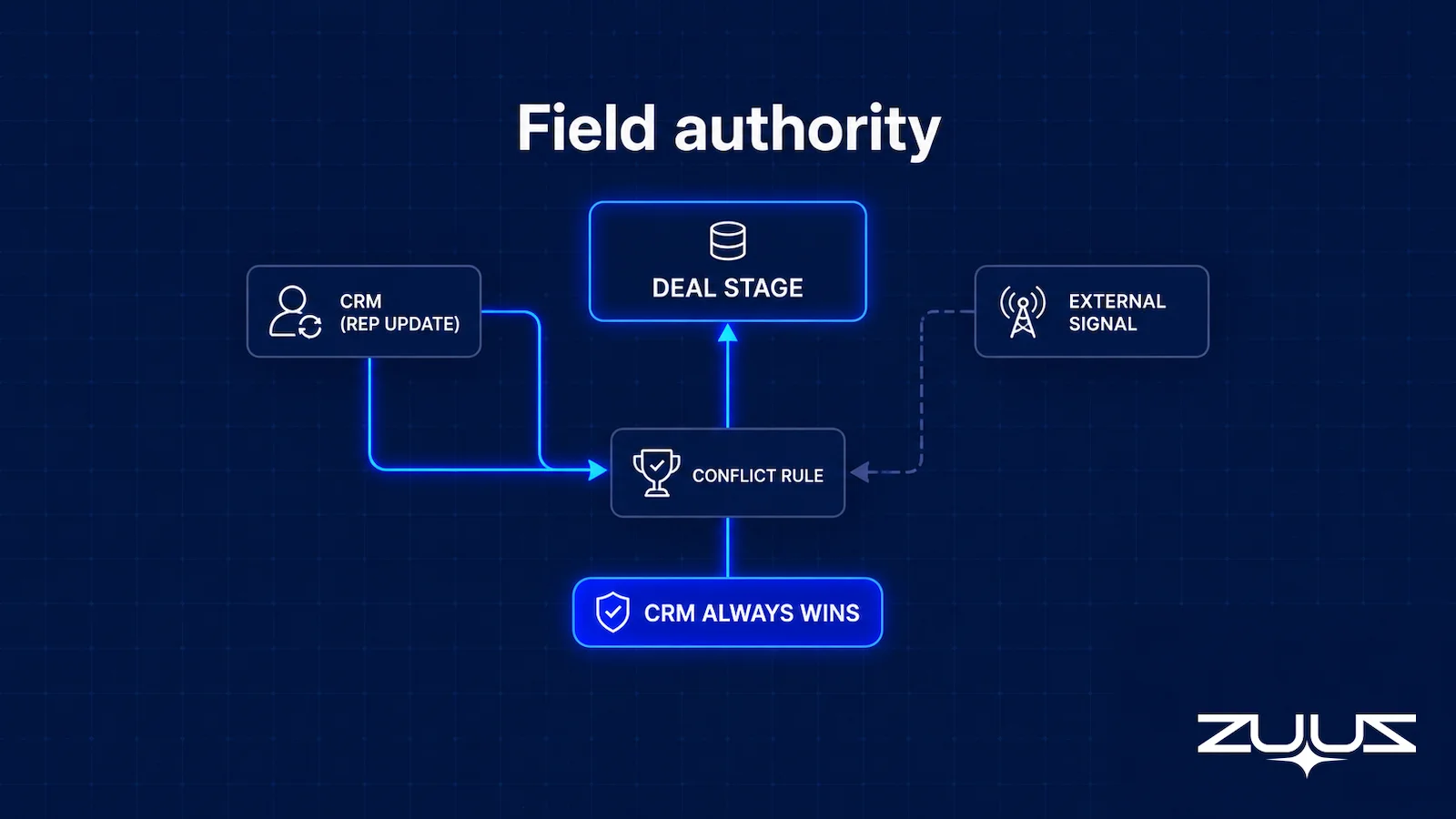
Conflict Resolution When Both Sides Change
A conflict happens when the same field changes in both systems between syncs. Naive last-write-wins logic can quietly replace a rep’s deliberate edit with an older automated value, and that erodes trust in the CRM fast. A safer approach names a single source of truth per field, uses timestamps only where recency genuinely signals truth, and routes high-impact changes to human review rather than silent overwrite.
Curious how this looks on live records across two CRMs at once? Book a ZUUZ demo and see two-way sync applied to your own fields.
Loop Prevention and Duplicate Writes
Two more mechanics separate production-grade sync from a weekend script. Loop prevention means the system recognizes which side originated a change, so a write into the CRM does not bounce back out and trigger an endless cycle of updates. Idempotency means the same event, if it arrives twice, writes once. Together they stop the sync from thrashing records and inflating activity history with phantom changes.
How to Choose Between Real-Time and Batch CRM Sync
Sync frequency is a deliberate design choice, not a single setting. Real-time CRM sync usually rides on a webhook that fires the instant a record changes, while batch sync polls the API on a schedule. Faster is not always better, because more frequent writes consume API limits and can amplify a bad rule quickly. The right cadence depends on how soon a stale value would cause a rep to act on wrong information.
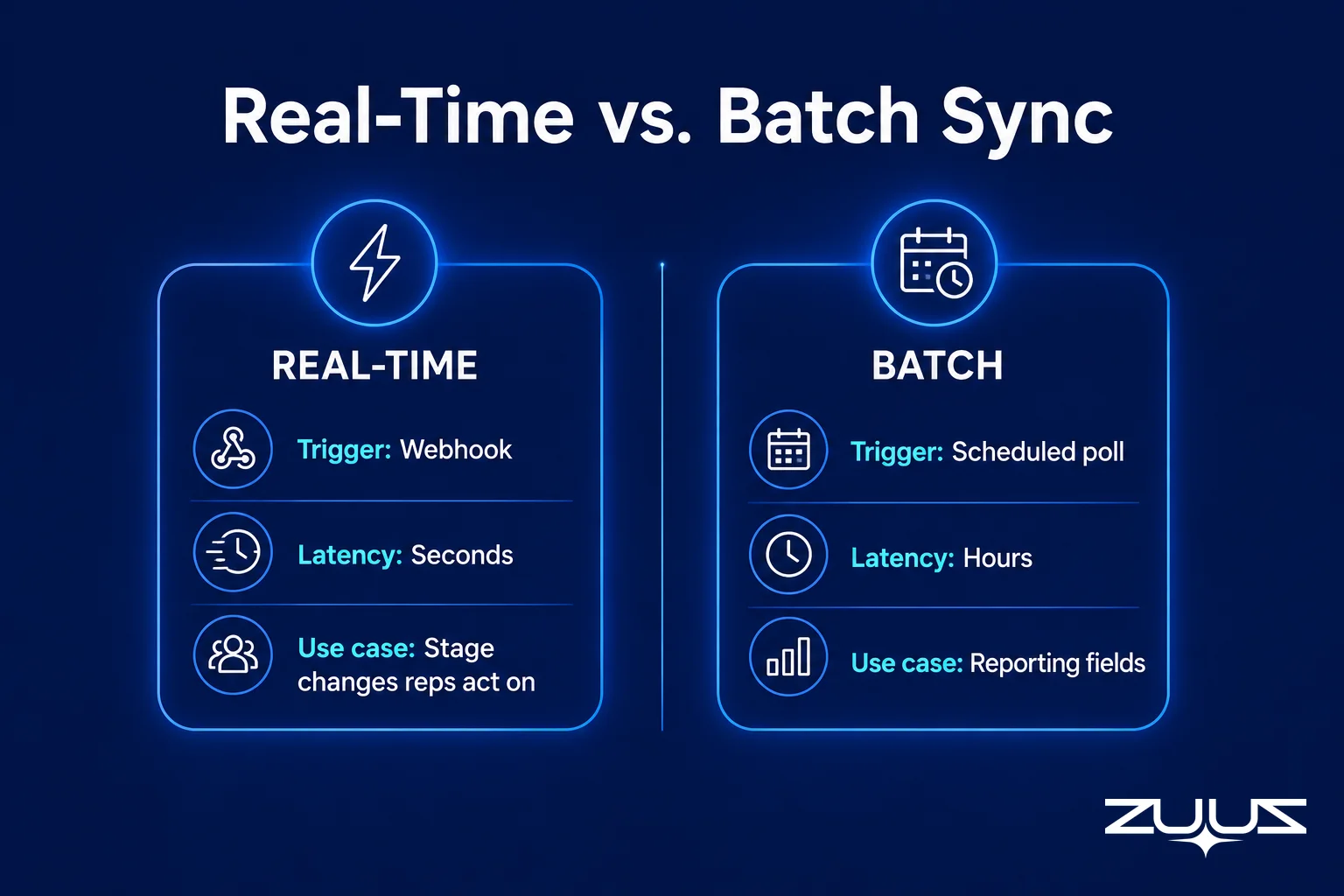
Table 3 compares the common cadences.
Table 3: Real-time, near-real-time, and batch CRM sync
| Cadence | Typical delay | Best for | Trade-off |
|---|---|---|---|
| Real-time | Seconds | Reply signals, stage changes reps act on | Highest API load |
| Near-real-time | Minutes | Lead enrichment, scoring updates | Small lag on fresh signals |
| Scheduled batch | Hours to nightly | Reporting fields, low-churn data | Records can be stale mid-day |
A practical setup mixes cadences. Fields a rep reads during a live conversation belong on real-time or near-real-time CRM data sync, while archival or reporting fields can ride a slower batch without anyone noticing the lag.
Turn Inbox Signals Into CRM Updates.
ZUUZ captures deal signals from email and writes them back to the right record, governed by your ownership rules.
Where Email-Captured Signals Change the Sync Story
Most two-way sync discussions assume the outside data comes from another structured application. The richer and messier source is the inbox. Deals move in email threads: a new stakeholder gets copied in, a renewal date shifts, a competitor gets mentioned, a budget number appears. That information rarely reaches the CRM unless someone types it in, which is exactly the manual step two-way sync should eliminate.
This is where sync differs from email-to-CRM automation for IT companies that only captures leads one way. Capturing an inbound lead into the CRM is the first half. Reading the CRM’s existing context for that account, deciding whether the email represents a new record or an update to an open opportunity, and writing the change back with the right ownership rules is the second half. A system that captures but never writes back leaves the freshest signals stranded outside the record.

The distinction also separates sync from data quality. A salesforce email integration for IT sales teams can log messages against a record, and data-quality tooling can clean fields already present. Bidirectional sync is the mechanism that turns a captured email signal into a governed CRM change and keeps that change consistent across every connected system.
What Should and Should Not Sync Both Ways
Making every field two-way is usually poor design. Bidirectional sync adds conflict surface, so it belongs only where both systems genuinely need to write. Fields with a single clear owner should stay one-directional, and some application-specific data does not belong in the CRM at all.
Table 4 offers a starting split.
Table 4: What to sync bidirectionally versus one way
| Data | Recommended direction | Reason |
|---|---|---|
| Contact and account details | Bidirectional | Both systems create and edit them |
| New activity and reply signals | Into CRM | The inbox originates them |
| Deal stage and pipeline status | Out of CRM | The CRM is the system of record |
| Financial and lifecycle values | Single authoritative source | Conflicts here are costly |
| App-only processing data | Do not sync | Keeps the CRM from becoming a dumping ground |
The guiding rule is to sync what both systems act on and to leave everything else with one owner. Discipline here is what keeps the CRM clean as automation scales, rather than watching two-way sync slowly fill it with noise.
How ZUUZ Handles Bidirectional CRM Sync
ZUUZ approaches two-way sync as an AI execution layer that sits on top of the CRM, not as a replacement for it. The CRM stays the system of record. ZUUZ reads its context, captures and scores leads from email, and writes approved changes back so the record reflects what actually happened in the conversation. It does not forecast pipeline and it does not ask teams to abandon the CRM they already run.
Because ZUUZ is CRM-agnostic, the same execution layer works across Salesforce, HubSpot, Zoho, Attio or Pipedrive, including organizations running more than one at once. That matters for the sync mechanics discussed above: field mapping, conflict rules, and cadence are applied consistently regardless of which CRM sits underneath, so a rep working an account does not need to know or care where the record physically lives.
The framing stays rep-facing. ZUUZ is internal sales-ops tooling that keeps the rep’s records current, not a customer-facing bot. A UAE-based distribution company and a US-based IT services firm can run the same two-way sync against different CRMs and get the same outcome: email-captured signals written back automatically, governed by explicit ownership rules, kept consistent in real time.
Map Your Fields, Then Watch It Sync.
Bring your Salesforce, HubSpot, or Zoho setup and see bidirectional sync run on your real fields, with write-back you control.
How to Evaluate Two-Way CRM Sync
Turning these mechanics into a buyer checklist keeps a CRM integration sync evaluation grounded. The questions below separate genuine two-way sync from a connector that only logs data. A vendor should answer each without hedging, because production data depends on the specifics rather than a generic claim of integrating with a CRM.
- Does it truly read and write, or only push into the CRM?
- Can sync direction be controlled at the field level, not just per object?
- How are identity matching, conflicts, and duplicate writes handled?
- What happens when a sync fails, and can failed writes be diagnosed safely?
- Is there an audit trail of automated CRM changes?
- Does the integration survive CRM customization such as new required fields and custom objects?
A sync that answers these well tends to hold up as schemas change and volume grows. One that cannot is likely a one-way push wearing a two-way label.
The Record-Ready Test for a Synced Record
Sync health is usually measured in API errors and row counts. A better measure is whether the record the sync produced is usable by someone who was not in the deal. The Record-Ready Test exists to decide whether a record could be handed to someone else today without a conversation.
- Choose an account the owning rep has not touched in two weeks.
- Ask a colleague to say who the buying group is, what was last agreed and what happens next, using the CRM alone.
- Every answer that needs the rep, the inbox or a call is a record-ready failure.
- A record that passes survives a handoff, a territory change and a departure. One that fails is a person, not a system.
Applied to a two-way integration, the test exposes a specific failure: a sync that moves activity timestamps and enrichment fields both ways will pass every technical check and still fail step two, because a last activity date does not say what was agreed. A record is ready when the buying group, the last commitment and the next step are fields the sync maintains, not context a colleague has to reconstruct from a thread.
From an operator’s seat
Conflict logic is rarely what breaks a two-way sync in production. Across the deployments ZUUZ runs, the first failures come from the customer’s own CRM configuration: a required field on a custom object, a picklist that rejects a value nobody documented, or a validation rule added by an admin who has since left. The order of operations that works is read-only for the first week, writes enabled on two fields, then widen from there, because it surfaces those rules as rejected writes someone can read rather than as silent divergence. The cost nobody budgets is the hour with the CRM admin to inventory validation rules, and that hour is much cheaper before the first write than after it.
The first step, concretely
Connect one mailbox. ZUUZ reads the last 90 days of that inbox, and the rep reviews everything it found before a single field is written to the CRM. That review is the whole evaluation: if the 90-day lookback surfaces deals, stakeholders and next steps the CRM never recorded, the capture gap is real. The trial runs 30 days free with no credit card: https://zuuz.ai/trial/
Conclusion and Next Steps
Good bidirectional CRM sync is about controlled action, not maximum data movement. The systems that keep records trustworthy are the ones that read current context first, match incoming data to the right record, respect field-level ownership, and write back only what they are permitted to change. As inbox signals become the freshest source of deal truth, the write-back half of the loop is what separates a live CRM from a stale one. Teams evaluating this capability should start by mapping which fields genuinely need two-way flow, then test any tool against real CRM customizations rather than a clean demo. Seeing the mechanics run on actual records is the fastest way to judge fit.
Frequently Asked Questions
What is bidirectional CRM sync?
Bidirectional CRM sync is a two-way integration where a record updated in the CRM is reflected in a connected system, and a change in that system is reflected back in the CRM. It relies on field mapping and ownership rules so updates flow both ways without creating duplicates or overwriting good data.
What is the difference between one-way and bidirectional CRM sync?
One-way sync moves data in a single direction, so a source system feeds the CRM but receives nothing back. Bidirectional sync lets both systems update each other. The difference is about which directions data is permitted to travel, not about how fast the sync runs.
Is bidirectional CRM sync the same as real-time sync?
No. Bidirectional describes direction of data flow, while real-time describes how quickly a change propagates. A two-way sync can run on a nightly batch, and a one-way sync can update within seconds. Most sales fields benefit from real-time or near-real-time two-way sync.
Does bidirectional sync mean every CRM field updates both ways?
No, and it usually should not. Mature setups assign each field a direction and an owner. Some fields are read-only from the CRM, some write-only, and only a subset are genuinely two-way. Making every field bidirectional adds needless conflict risk.
How does bidirectional CRM sync prevent duplicate records?
It reads the CRM and matches incoming data to an existing record before writing. If a match is found, the sync updates that record instead of creating a second one. Weak identity matching is the main reason a poorly built sync generates duplicates.
What happens when the same CRM field changes in both systems?
That is a conflict, and the integration needs an explicit rule to resolve it. Options include naming an authoritative source per field, using timestamps where recency signals truth, or routing high-impact changes to human review. Blind last-write-wins logic risks erasing deliberate edits.
How do you keep CRM records in sync across systems?
Keeping CRM records in sync starts with field mapping that gives each field a direction and an owner, then a read-match-decide-write loop that checks current context before changing anything. Real-time sync handles fields reps act on live, batch handles reporting data, and record matching prevents duplicates. The aim is consistency across every connected system without overwriting good data.
Which CRMs does ZUUZ support for bidirectional sync?
ZUUZ is CRM-agnostic and runs two-way sync across Salesforce, HubSpot, Zoho, Attio or Pipedrive, including organizations using more than one. It works as an AI execution layer on top of the CRM, keeping records current without replacing the system of record or adding forecasting.

CEO of ZUUZ. He scaled Cloud Box Technologies from 0 to $25M ARR in IT services and distribution before building ZUUZ. Connect on LinkedIn

