
Email Tracking Software Beyond Open and Click Rates
Email tracking software only reports opens and clicks. See why that misses the real deal signal, and what reads email content automatically instead.


CEO of ZUUZ. He scaled Cloud Box Technologies from 0 to $25M ARR in IT services and distribution before building ZUUZ. Connect on LinkedIn
TL;DR: Most email tracking software tells a rep whether a message was opened or a link was clicked. It does not read what the email actually says or act on it. ZUUZ extracts the deal signal from the email itself and writes a structured record to the CRM automatically.
- Most email tracking software reports open and click events, not the content of what was sent or received.
- Open tracking has become less reliable as email clients increasingly pre-fetch images, inflating open rates independent of whether a human read the message.
- Tracking that a prospect opened an email says nothing about what they wrote back, which is where the real deal signal lives.
- An open records an image request, not a person reading. Mail proxies and security scanners generate that request without a human, and blocked images hide real reads in the other direction.
- Tracking pixels also carry costs beyond accuracy, including link reputation exposure and a consent question European regulators now address directly.
- A separate category reads the email itself and extracts contact, intent, and deal information automatically.
- ZUUZ reads inbound and outbound email and writes structured records to the CRM, going beyond notification into actual capture.
Email tracking software answers one question well: did the recipient open this message. For a rep trying to time a follow-up call, that is genuinely useful. For a sales team trying to know whether a deal moved forward, it answers the wrong question.
The reply itself, the part where a prospect actually says yes, asks a question, or requests a quote, is where the real signal lives. Most tracking tools never look at it.
This guide covers what email tracking software does well, where open tracking has gotten less reliable, and what a tool built to read content rather than count opens looks like instead.
What Email Tracking Software Actually Does
Email tracking software embeds a tracking pixel or link wrapper in an outbound message, then reports back when the pixel loads or the link gets clicked. Tools in this category, Mailtrack, Yesware, Mixmax, and HubSpot’s own email tracking feature, notify a rep in real time and log the event against the contact record.
This works well for timing: a rep sees an email was opened twice in ten minutes and calls while the prospect is still thinking about it. It does not tell the rep anything about what the prospect wrote back, what they asked for, or whether the message even reached a real decision maker.
Pricing for this category ranges from free tiers for individual Gmail users to enterprise contracts bundled into a larger sales engagement platform. The feature itself, tracking a pixel, is cheap to build and widely available, which is part of why so many tools compete on it.
What to look for in an email tracking tool
- Signal honesty. Does it separate proxy and scanner opens from the rest, or report one undifferentiated number?
- Reply handling. Is a reply and what it says treated as a first-class signal, or as one more event on a timeline?
- Capture, not just notification. Does anything from the message reach a CRM field a report can read, or does it stop at a desktop alert?
- Deliverability cost. What do the pixel and the rewritten links do to the sending domain over time?
- Consent posture. Can tracking be switched off per recipient or per region without losing the rest of the tool?
- Rep effort. Does the rep have to remember a toggle, a BCC or a sidebar for the signal to be recorded at all?
Why Open Tracking Has Gotten Less Reliable
Open rate is the metric most sales teams still quote and the one that has degraded fastest. Understanding why means looking at the mechanism rather than the number, because the mechanism explains which readings are wrong and in which direction.
How Open Tracking Actually Works
Nearly every open-tracking feature works the same way. The sending tool embeds a transparent image one pixel wide and one pixel tall into the message body, hosted at a URL unique to that recipient and that message. When an email client renders the message it requests the image, and the arrival of that request is recorded as an open. Nothing else is measured: no scroll depth, no dwell time, no confirmation that a person was in front of the screen.
One consequence follows directly. An open is not a record of a human reading an email. It is a record of a machine fetching an image. The two were close enough to treat as the same for years, because the only thing fetching that image was the recipient’s client at the moment they opened the message. Three changes broke that assumption.
Apple Mail Privacy Protection Fires Opens With No Reader
Apple’s Mail app routes message content through proxy servers and loads remote content on arrival rather than on display. Apple’s own user documentation says the feature hides the recipient’s IP address so senders cannot link it to other online activity or determine location, and that it prevents senders from seeing whether the recipient opened the message. It achieves that not by suppressing the pixel request but by making the request meaningless, since content loads regardless of what the person does.
The result for a sender is that a delivered message can register an open at delivery time whether or not it was ever displayed. Apple Mail Privacy Protection preloads that image automatically on delivery, before a human ever opens the message, registering an open that never really happened.
Security Scanners Fire Both Opens and Clicks
The second source of noise is corporate email security, and it is the one sales teams underestimate because it produces false clicks as well as false opens. Filtering services fetch remote content and follow links before a message reaches an inbox, so the tracking server sees engagement no human produced. Microsoft documents this for Safe Links in Defender for Office 365: inbound message URLs are rewritten to a Microsoft protection domain, and URLs are scanned prior to message delivery regardless of whether they are rewritten. A sender watching a click report sees a click. The recipient has not seen the message yet.
Scanner traffic has a recognizable shape once a team knows to look. Opens and clicks arrive within seconds of send rather than minutes or hours, clicks land on every link in the message including the unsubscribe link no interested buyer would press, and the requests come from data center ranges rather than consumer networks. Some tools filter that pattern out of aggregate reporting. Very few filter it out of the real-time notification a rep sees and acts on.
Image Proxying and Caching Distort What Is Left
Gmail loads external images through Google’s own infrastructure rather than letting a sender’s server reach the recipient’s device directly. Google’s help documentation explains that images are scanned for suspicious content before the recipient receives them and that senders cannot use image loading to learn about the recipient’s computer or location. Two things follow. Geographic and device data attached to an open often describes the proxy rather than the person, and a cached image may not generate a second request on a second viewing, so repeat opens systematically undercount.
Blocked Images Produce the Opposite Error
The errors do not all run one way, which is why no simple discount factor repairs them. A recipient whose client asks before displaying external images can read a message closely, forward it internally, and reply to it while generating no open at all. Plain-text readers, screen reader users with images off, and locked-down enterprise clients produce the same silence, because a text-only read makes no image request to count.
The two directions do not cancel out. An open event carries no field saying whether a human caused it, so two accounts with identical open rates can have completely different real readership. None of this makes open tracking useless. It does mean an open notification is a weaker signal than it was a few years ago, and reps who treat it as proof of engagement are increasingly acting on noise.
What Each Email Signal Actually Tells You
A more useful way to handle email data is to rank the available signals by how much inference each one supports. Sales teams tend to collapse them into a single engagement score, which hides the fact that some inputs are close to noise and others are close to proof. The sorting principle is simple: reliability rises with the amount of deliberate human effort a signal requires.
Table 1: What Each Email Signal Tells You, and How Far to Trust It
| Signal | What it actually tells you | Reliability in 2026 |
|---|---|---|
| Open | An image was requested from the tracking server | Low. Proxy pre-fetch and security scans generate it with no human involved |
| Repeat opens | The tracking image was requested more than once | Low. Caching suppresses genuine repeats, forwarding inflates them |
| Click | A link URL was requested from the tracking host | Low to medium. Link checkers follow every link, including unsubscribe |
| Out-of-office auto-reply | The address is live and the person is away until a stated date | High for timing and deliverability, zero for buying intent |
| Forward | Rarely detectable directly, usually inferred when a new name joins the thread | Low as a tracked event, high as a buying signal when visible |
| Reply | A human read enough of the message to respond | High. Requires deliberate action machines do not fake |
| Content of the reply | Budget, timeline, competitor, objection, next step, named stakeholders | Highest. The decision-relevant detail lives here |
| Meeting booked | The buyer committed calendar time to the conversation | Highest. Hard to produce accidentally, hard to misread |
The bottom rows are the ones a pipeline review can use, and the top rows are the ones most tracking dashboards are built around. An open costs the recipient nothing and can be produced entirely by machines. A reply costs attention. The content of that reply is the only entry that states what the deal needs next, and it is the one signal a tracking pixel is structurally incapable of seeing.
The Gap Between Notification and Capture
Notification tools tell a rep that something happened. They do not read the email’s actual content, extract who it came from if that contact is new, or update a CRM field based on what was said. A reply that includes a budget range, a timeline, or a request for a proposal sits in the inbox exactly as it arrived, unseen by the CRM until a rep manually logs it.
This is the same gap that causes sales leads to go missing inside an inbox more broadly. Tracking that a message was opened does nothing to close it, since the content of the reply is what actually matters to the deal.
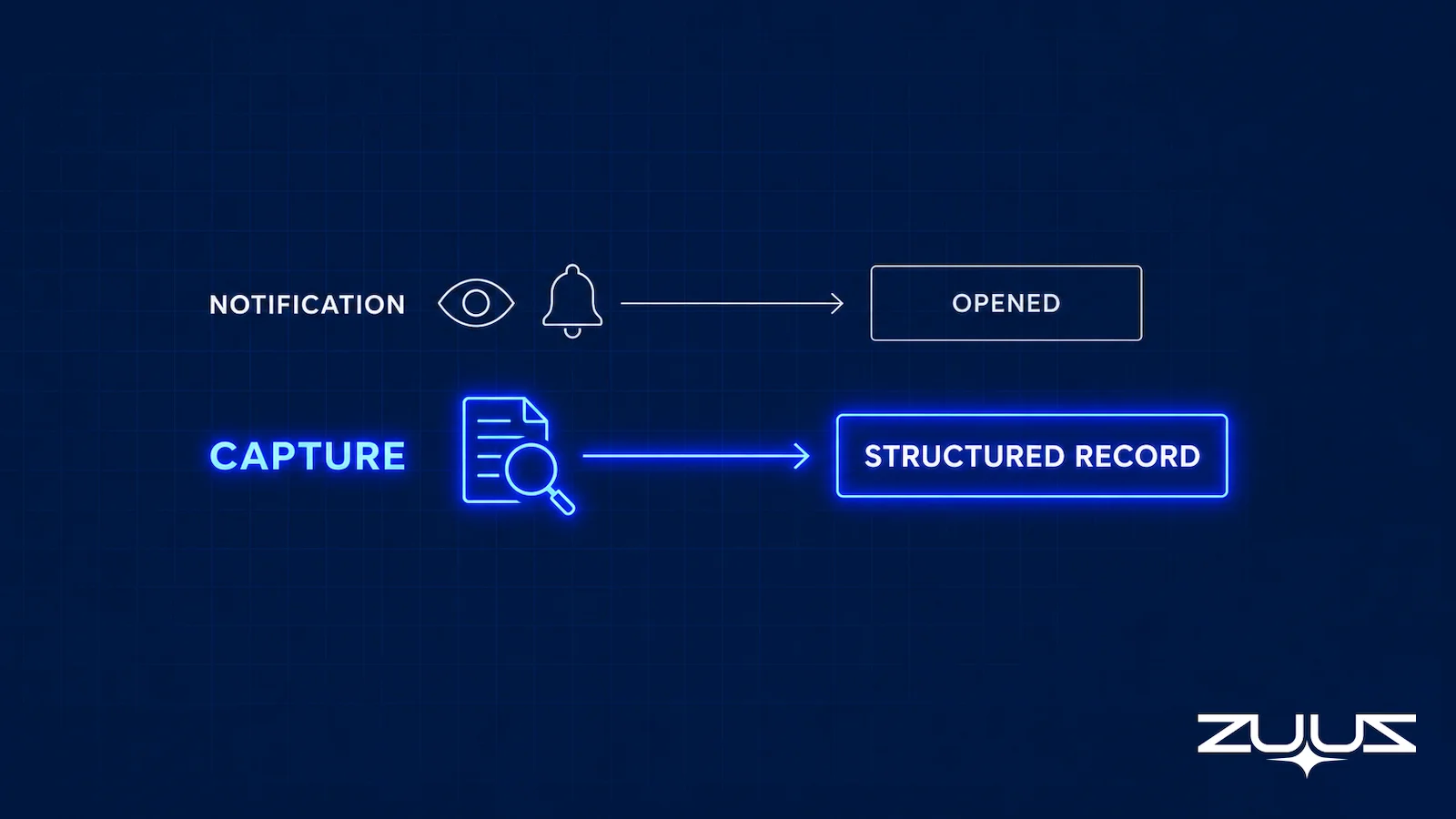
A second, separate category of tool reads the email content itself: extracting contact details, product interest, and deal signals, then writing a structured record to the CRM. This is a different job from notification, closer to automated lead capture from email than to tracking pixels.
See What Your Emails Actually Say.
ZUUZ reads the content of every email and writes the deal signal to your CRM automatically. Book a 15-minute walkthrough.
Comparing Email Tracking to Email Signal Capture
The two categories solve adjacent but different problems, and a team evaluating either should be clear on which one it actually needs.
Table 2: Email Tracking Versus Email Signal Capture
| Question | Email Tracking Software | Email Signal Capture | ZUUZ |
|---|---|---|---|
| What it reports | Open and click events | Extracted deal content | Leads, stakeholders, next steps and renewal signals written into CRM fields |
| Reads message content | No | Yes | Yes, from the connected sales inbox, plus LinkedIn messages and meeting or call transcripts |
| Creates or updates CRM records | Logs the event only | Writes structured fields | Drafts the field update in Salesforce, HubSpot, Zoho, Attio or Pipedrive for the rep to approve in one click |
| Best for | Timing a follow-up | Closing the record-creation gap | Teams keeping the CRM they already run and wanting the record filled without rep typing |
Neither replaces the other outright. A team that has already solved for capture may still want open tracking for timing, but a team missing capture will not fix that gap by adding better notifications.
The Deliverability and Privacy Side of Tracking Pixels
Accuracy is not the only cost of tracking, and it is not the cost that gets an operator into trouble. The pixel and the wrapped link are additions to a message the recipient never asked for, and both carry consequences worth pricing in before tracking goes on across a whole team.
Pixels, Link Wrapping, and Spam Placement
Open tracking adds a remote image loaded from a domain that is usually not the sending domain. Click tracking goes further and rewrites every link so it points first at a tracking host and only then at the real destination. Filtering systems weigh domain and link reputation as part of placement, and a shared tracking domain carries the accumulated sending behavior of every other customer using it. A team that has done everything right on its own domain can inherit a reputation problem from a redirector it does not control.
Guidance from the mailbox providers points the same way. Google’s sender guidelines ask that links in a message body be visible and easy to understand, so recipients know what to expect when they click, and a wrapped tracking link fails that test on inspection. None of this makes a tracked message undeliverable, and no honest source supports a specific percentage penalty. It does mean tracking moves a message closer to the patterns filters are built to examine, and that a sender takes on reputation exposure from infrastructure shared with strangers.
Consent and the Surveillance Question
Regulators now treat email tracking pixels as a tracking technology in their own right rather than an incidental part of rendering a message. The European Data Protection Board’s Guidelines 2/2023 on the technical scope of Article 5(3) of the ePrivacy Directive address tracking pixels directly. They describe a pixel as a hyperlink to a resource, usually an image, embedded in content such as an email, whose sole purpose is to establish a communication that would not otherwise have occurred. They note that a sender may include one to detect when the receiver reads the email, and they conclude that distributing tracking pixels and tracking links to a recipient’s terminal equipment constitutes storage under Article 5(3), at minimum through client-side caching, even where that storage is not permanent.
The implication is that pixel tracking in those jurisdictions sits inside a consent regime rather than outside one. That is a question for counsel, but a team tracking European contacts should know it exists. Separately from the law, a growing number of recipients object to being tracked at all, and a sales team whose tracking is spotted by a technically literate buyer has spent trust it did not need to spend.
Environments That Neutralize the Pixel First
The third pressure is structural. More of the corporate mail estate now proxies, strips, or pre-fires tracking before a human is involved, and each environment fails in a different direction.
Table 3: How Different Mail Environments Affect Tracking Accuracy
| Environment | What happens to the pixel or link | Effect on what gets reported |
|---|---|---|
| Apple Mail with Mail Privacy Protection | Remote content is fetched through a proxy on delivery | Opens inflate. Delivered messages can register as opened |
| Gmail | Images are served through Google’s proxy and cached | Location and device data describe the proxy. Repeat opens undercount |
| Microsoft Defender for Office 365 with Safe Links | Links are rewritten and scanned before delivery | Clicks inflate, sometimes across every link in the message |
| Secure email gateways and sandbox analysis | Content is fetched and detonated for inspection | Opens and clicks fire with no person present |
| Clients set to ask before displaying images | The tracking image is never requested | Genuine opens are never recorded |
| Plain-text reading and tracker-blocking extensions | The pixel is stripped or never rendered | Genuine opens are never recorded, including from careful readers |
A team cannot tell from its own data which of these applied to any single message, because the environment is not reported alongside the event. That is the objection to open rate as a management metric in 2026: the error is large, it varies by recipient, and it is not observable from the inside.
What to Evaluate Before Choosing a Tool
The first question is which problem is actually costing deals. If reps already know what prospects are saying but struggle with follow-up timing, tracking software solves that directly. If deals go quiet because nobody logged what a prospect actually asked for, tracking adds a notification without fixing the underlying gap.
The second question is whether the tool works across more than one CRM. A team running Salesforce in one region and a different CRM elsewhere needs a tool that captures the same way regardless of which system owns the account.
The third question is whether the output feeds directly into lead scoring or sits as a separate log a rep still has to interpret manually. A tracking event with no scoring layer behind it still requires human judgment to act on, which is the same manual step signal capture is meant to remove.
A fourth question, newer than the others, is how the tool degrades. Anything built on pixel rendering keeps losing accuracy as proxying spreads, so a roadmap treating open rate as the headline number is planning around a shrinking asset. Teams already running native activity capture inside the CRM should check what that logging stores, since recording that an email occurred belongs to the tracking category rather than the capture category despite the name.
Table 4: Questions to Ask Before Choosing Between the Two Categories
| Question to ask | Points toward email tracking | Points toward signal capture |
|---|---|---|
| What is actually costing deals? | Follow-up timing is too slow | Replies never reach the CRM record |
| Does it read the message body? | No. Events only | Yes, including detail sitting in attachments |
| What happens to the data next? | A timeline entry a person still interprets | Structured fields a scoring layer can rank |
| How does it hold up as mail privacy spreads? | Accuracy falls as proxying and scanning grow | Reply content is unaffected by proxying |
The Record-Ready Test
Open and click data answers whether a message was delivered into something. It does not answer whether the deal is written down. The Record-Ready Test checks the thing tracking cannot:
- Choose an account the owning rep has not touched in two weeks.
- Ask a colleague to say who the buying group is, what was last agreed and what happens next, using the CRM alone.
- Every answer that needs the rep, the inbox or a call is a record-ready failure.
- A record that passes survives a handoff, a territory change and a departure. One that fails is a person, not a system.
Run it on an account with a healthy tracking history and the gap becomes obvious. The timeline will show eleven opens and four clicks, and the colleague will still not be able to name the second stakeholder who joined the thread or the date the buyer committed to. Tracking tells you the envelope moved; the test asks what the letter said.
From an Operator’s Seat
Across the deployments ZUUZ runs, the pattern is that teams do not abandon open rate because someone proves it is wrong. They abandon it the first time a forecast is argued using it and loses. The part teams do not plan for is what happens to their historical reporting: once proxy-driven opens are discounted, last year’s numbers stop comparing to this year’s, and somebody has to decide publicly that a metric the team quoted in board decks is no longer quoted. It is easier to retire it by replacing it than by debunking it, which in practice means standing up reply content and meeting-booked as the reported signals first and letting open rate fade into a timing tool for a single message. Teams that try to win the argument on accuracy alone tend to keep the metric and the distrust.
Past the Open Rate: How ZUUZ Reads What the Email Says
RA Technologies, a US-based IT services company, had run HubSpot for two years before connecting its sales inbox to ZUUZ. Standard activity tracking had never surfaced deals sitting in replies with no CRM record to log against.
A 90-day historical lookback across that mailbox surfaced $120,000 in pipeline that had never been recorded in HubSpot at all. ZUUZ reads inbound and outbound email, extracts contact, company, and deal signals, including data found in attachments, and writes structured records back to Salesforce, HubSpot, or Zoho without requiring manual entry.
A lead scoring layer ranks what gets captured by intent and engagement, going further than an open notification ever could toward answering whether a deal is actually moving.
ZUUZ is an AI layer on top of an existing CRM rather than a replacement for one, and it does not send email. It reads the mail a team already sends and receives, extracts the deal signal from the content, and syncs structured records into whichever CRM the account runs. Alongside capture and scoring, pipeline risk monitoring watches for deals going quiet and account management keeps the resulting records current. Because the input is message content rather than a rendered pixel, none of the proxying and scanning behavior described earlier degrades it.
The point is not that open tracking should be switched off. It is that a CRM record built from email content outlasts an engagement event, and a team asking open rate a question it cannot answer will keep being surprised by deals it thought were warm.
Stop Guessing From Open Rates Alone.
See what ZUUZ extracts from a connected inbox in a live 15-minute walkthrough.
A Concrete First Step
The difference between notification and capture is easier to see on real threads than in a comparison table. Connect one mailbox, let ZUUZ read the last 90 days, and have the rep review what it found before anything is written to the CRM, then compare that against what the tracking tool logged over the same period. It is a 30-day free trial, no credit card: https://zuuz.ai/trial/
Frequently Asked Questions
What is email tracking software?
Email tracking software embeds a tracking pixel or wrapped link in an outbound email, then notifies the sender when the message is opened or a link is clicked. It reports engagement events rather than reading or acting on the email’s actual content.
Is email open tracking still accurate?
Less reliably than in the past. Many email clients now pre-fetch or cache embedded images for security scanning before a human opens the message, which can register a false open or mask a real one depending on the client’s settings.
What is the difference between email tracking and email signal capture?
Email tracking reports whether a message was opened or clicked. Email signal capture reads the actual content of an email and extracts contact, company, and deal information, writing it directly into CRM fields rather than only logging that an event occurred.
Does email tracking software update the CRM automatically?
Most tools log the open or click event against an existing contact record but do not create new records or update deal fields based on what the email actually says. That gap is what separates tracking tools from signal capture tools.
Can ZUUZ replace email tracking software?
ZUUZ is not built around open and click notifications. It reads the content of inbound and outbound email and writes structured deal records to Salesforce, HubSpot, or Zoho, which addresses the capture gap that tracking notifications do not solve.
Why does a reply matter more than an open?
An open confirms a message was seen. A reply contains the actual deal signal: a budget mention, a timeline, a request for a proposal. A tool that only tracks opens has no visibility into any of that content, which is where the decision-relevant information actually lives.
Why does HubSpot email tracking show an open when nobody read the email?
HubSpot email tracking, like most trackers, records an open when the tracking pixel loads. Preview panes, security scanners, and Apple Mail Privacy Protection can load that pixel without a person reading the message, which is why open counts run high. HubSpot documents this behavior in its own help content. An open is a timing hint, not evidence that a buyer engaged with the content.
Does HubSpot email tracking capture what the email actually says?
HubSpot email tracking does not capture what the email says. It records opens, clicks, and replies as events on the contact timeline, but it does not read the message body to extract a budget, a competitor mention, a renewal date, or a change in decision timeline, and it does not write those details into CRM fields. Email signal capture is a separate capability that reads the content and updates the record.
How does email open tracking work?
The sending tool embeds a transparent image one pixel wide and one pixel tall in the message, hosted at a URL unique to that recipient and that message. When the email client renders the message it requests the image, and the tracking server records that request as an open. That is the entire mechanism. It measures an image request, not a person reading, which is why anything that fetches images automatically produces an open no human caused.
Can someone tell if I read their email?
Less reliably than most senders assume. If a message carries a tracking pixel and the client loads it, the sender sees an open. Apple Mail Privacy Protection loads remote content on delivery through a proxy, so the sender learns nothing about whether a person opened it. Gmail serves images through Google’s proxy, which hides location and device details. A client set to ask before displaying external images produces no open at all. Replying is what tells a sender definitively that a message was read.
Why did my email open rates suddenly go up?
A sharp rise in open rate with no matching rise in replies or meetings usually means machine opens rather than new interest. The two common causes are mail privacy features that pre-load images on delivery and corporate security tools that fetch content and follow links before the message reaches the inbox. A quick diagnostic is timing and spread: opens and clicks landing within seconds of send, hitting every link including unsubscribe, are almost always automated.
Is email tracking legal?
That depends on jurisdiction and is a question for counsel rather than a vendor. What can be said is that regulators no longer treat tracking pixels as an incidental rendering detail. The European Data Protection Board’s Guidelines 2/2023 on the technical scope of Article 5(3) of the ePrivacy Directive address email tracking pixels directly and conclude that delivering one to a recipient’s device amounts to storage and access under that article, even when the storage is only a cache.
Do tracking pixels affect email deliverability?
They add risk factors rather than a fixed penalty, and any source quoting a precise percentage should be treated with suspicion. Open tracking loads a remote image from a domain that is usually not the sending domain, and click tracking rewrites links so they point at a tracking host first. Filtering systems weigh link and domain reputation, and a shared tracking domain carries the behavior of every other sender on it. Google’s sender guidelines also ask that links be visible and easy to understand, which a wrapped redirector does not satisfy.
What replaced open rate as a sales metric?
No single number replaced it. The workable substitute is a hierarchy: replies, the content of those replies, meetings booked, and pipeline created, in that order of usefulness. Each requires deliberate human action, which is what makes them hard for a proxy or a scanner to fake. Open rate still has narrow uses for timing a follow-up on one message, but it no longer supports comparisons between campaigns, periods, or reps.

