
HubSpot Email Lead Capture Automation for IT Sales
HubSpot email lead capture automation misses organic inbound for IT teams. See how VARs and MSPs close the gap without changing rep behavior.
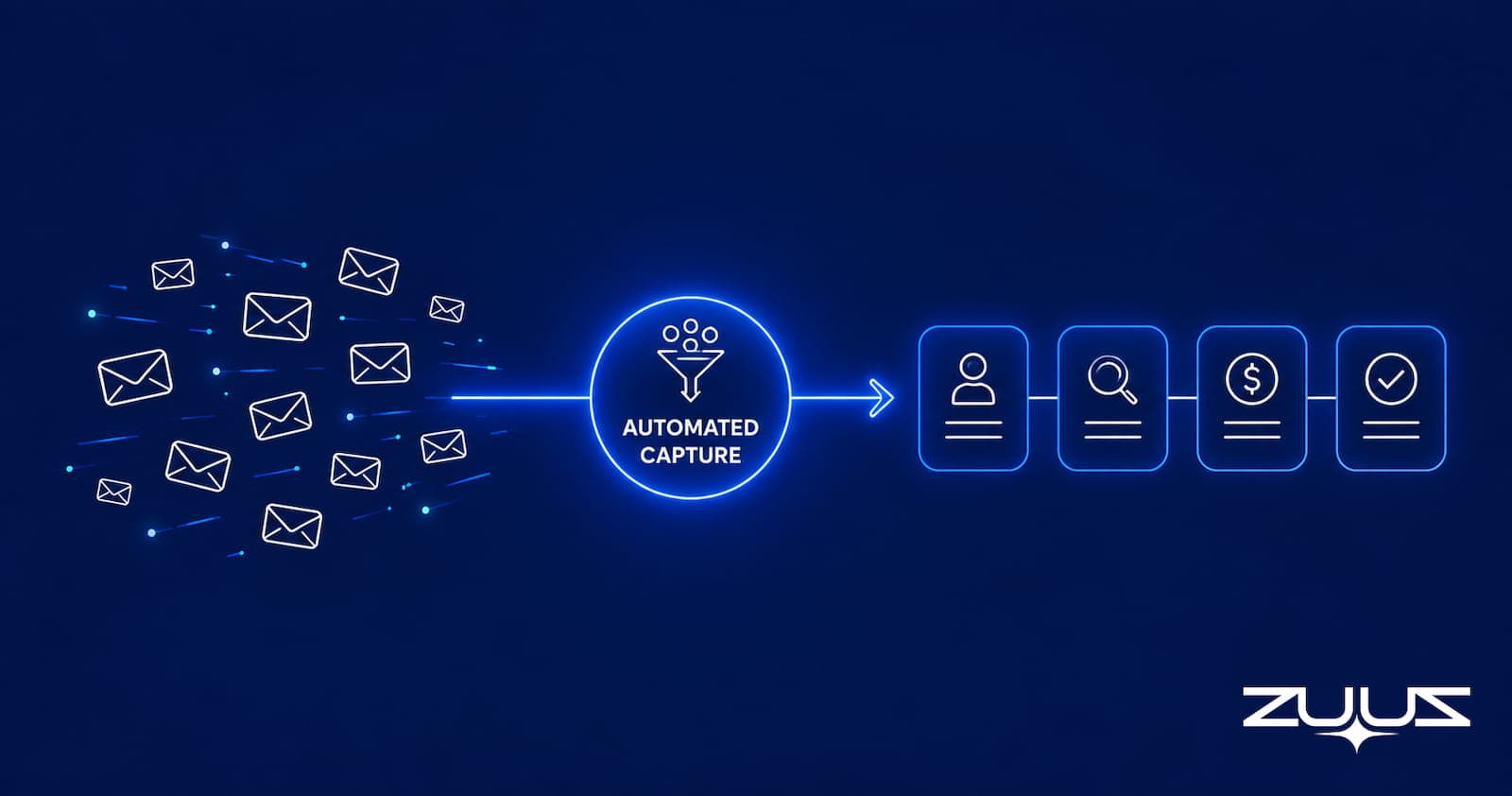
- HubSpot’s native email tools are reactive: they capture what reps initiate or what flows through a structured sequence. Organic inbound (renewals, forwarded threads, eval conversations) falls outside their scope.
- Manual CRM logging fails at volume because reps cannot consistently triage, classify, and log every email signal while managing active accounts.
- HubSpot email lead capture automation requires a trigger layer between the inbox and HubSpot that reads thread context, not just sender-recipient metadata.
- HubSpot workflows handle structured outbound well but miss the complex, multi-participant threads that dominate IT sales: distributor pricing chains, renewal check-ins, competitive eval mentions.
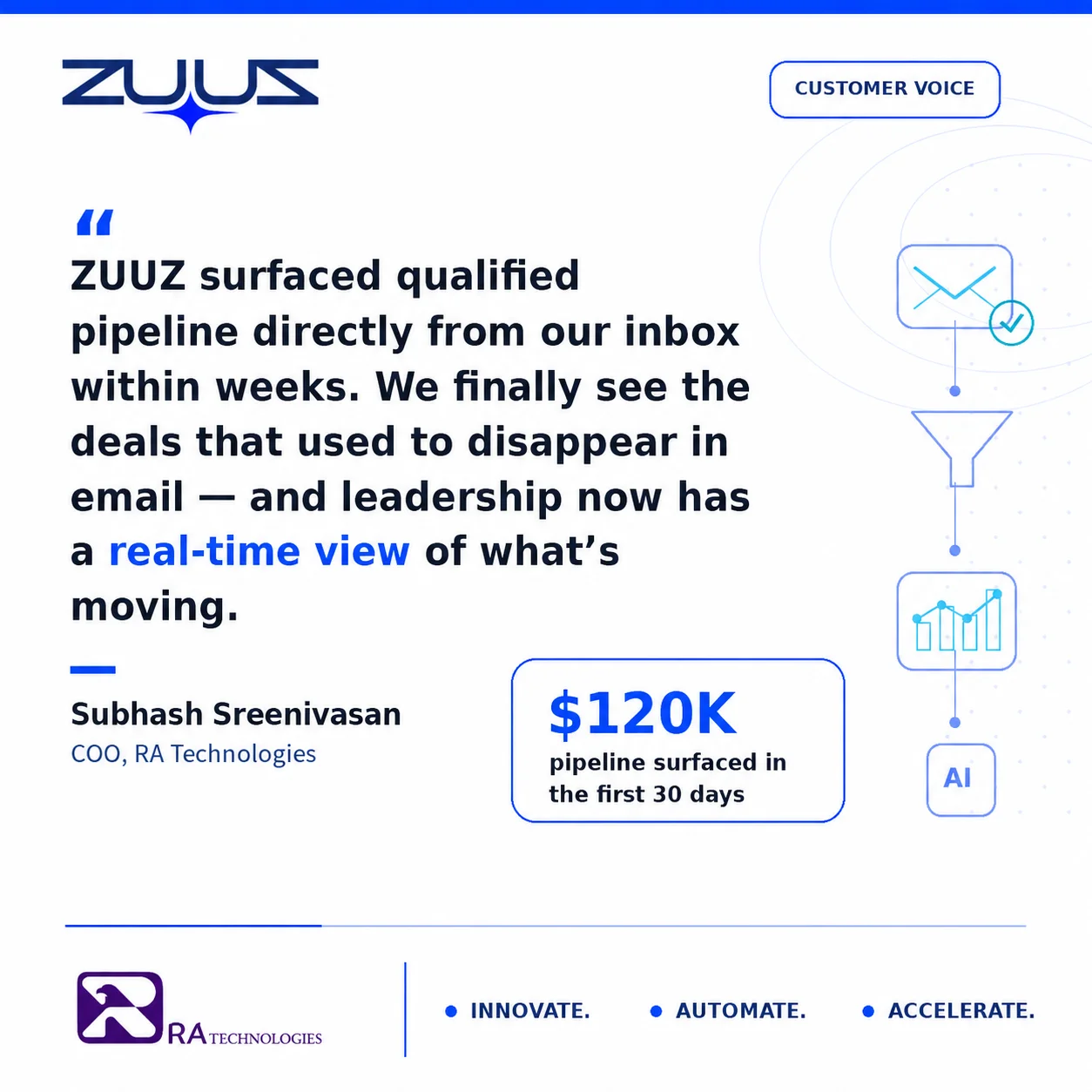
- RA Technologies surfaced $120K in active pipeline from a 90-day email lookback through ZUUZ. None of it had been logged in HubSpot.
- A complete automation stack connects shared inboxes directly to HubSpot, routes signals to the correct pipeline stage, and alerts reps with full thread context, not just a contact notification.
- ZUUZ is an AI layer on top of the CRM a team already runs, never a CRM itself: it connects to your sales inbox, reads LinkedIn messages and meeting or call transcripts, and writes leads, stakeholders, next steps and renewal signals into the CRM for the rep to approve in one click, on Salesforce, HubSpot, Zoho, Attio or Pipedrive.
Most CRM records in IT sales lag the conversations that already happened. The renewal came up over email. The pricing request went back and forth for a week. The eval involved three people at the account. None of it reached HubSpot until the deal was won, lost, or forgotten.
HubSpot email lead capture automation is the category of tools designed to close that gap. It reads inbound email, identifies deal signals, and pushes structured records into HubSpot automatically. For IT services companies, VARs, and MSPs, getting this right separates a CRM that reflects reality from one built on what reps remembered to log. This guide covers what HubSpot’s native email capture does well, where it falls short for IT sales, and how to catch the signals most teams miss. Teams whose lead intake starts with a phone call or an AI receptionist rather than an email thread face a related but different capture problem, covered in the guide to the best lead qualification software for AI receptionists.
The Pipeline Problem Hidden in Your HubSpot Setup
At Cloud Box Technologies, there were 10 to 12 renewals cycling every month. The CRM was six weeks behind reality. The problem was not that nobody cared about HubSpot. It was that every meaningful conversation was happening in Outlook, and HubSpot had no visibility into any of it. Teams that already have an automated capture layer running tend to ask a follow-up question next: whether it is worth the spend, covered in the guide to measuring ROI on lead qualification automation.
That gap is structural, not behavioral. For IT services companies, VARs, and MSPs, deals get discussed, negotiated, and sometimes decided entirely through email. Renewals, upsells, evaluation conversations, pricing threads: they all run through the inbox. The CRM only sees what a rep chooses to log, and that choice happens under time pressure, between calls, on a phone screen. A newer approach to that same problem lets a rep just ask the CRM directly instead of clicking through fields, covered in the guide to an AI CRM assistant.
The result is a HubSpot pipeline that reflects a fraction of what is actually in motion. The rest sits invisible in email threads, waiting for someone to notice it before it expires.
See the Pipeline Your CRM Can’t See.
ZUUZ connects to the sales inbox, extracts the deal signal, and writes it to Salesforce, HubSpot, Zoho, Attio or Pipedrive. Book a 15-minute walkthrough on your own inbox.
Why Manual CRM Entry Fails IT Sales Teams
The standard response to incomplete CRM data is rep accountability. Log your emails. Update your opportunities. Keep HubSpot current. It is a reasonable expectation that consistently does not hold at scale.
Email volume at a 50-person IT services company runs into the thousands per week. Reps are reading messages on phones, between calls, in the middle of client conversations. The mental note, I’ll log this later, rarely survives the next wave of email. A 2024 Salesforce State of Sales report found that sales reps spend only 30% of their time on active selling, with administrative tasks including CRM logging consuming a significant portion of the remainder.
Beyond time pressure, there is a classification problem. Reps can only log what they recognize as a signal. A customer asking a vague question about what happens when their contract comes up reads like routine account management, but it is a renewal intent signal. A forwarded pricing thread buried four levels deep is a warm lead. Manual logging requires constant real-time triage at a volume where consistent accuracy is not realistic.
What HubSpot’s Built-In Email Capture Does Well
HubSpot has genuine email integration capabilities, and understanding them prevents over-engineering a solution for problems that already exist natively. The Gmail and Outlook sidebars let reps log emails with one click, create contacts from email signatures, and track opens and replies on outbound sequences. BCC logging routes a copy of any sent email to a HubSpot address and auto-associates it with the matching contact record. According to HubSpot’s own documentation on email automation, workflow enrollment triggers can fire on events like contact reply, email open, and link click, enabling structured follow-up without rep involvement.
These capabilities are well-suited for SDR-heavy teams running structured outbound. Enrollment, follow-ups, and reply detection all operate without manual rep action inside a defined sequence.
The constraint is that all of these tools are reactive: they capture what a rep deliberately initiates or what flows through a pre-configured sequence. They do not touch the organic inbound side of the inbox: the customer who replies to a thread from three weeks ago, the distributor who forwards a pricing request, the prospect who re-engages after six months of silence. That is where the gap lives, and for IT sales teams, that gap is where most of the pipeline actually sits.

The Gap in HubSpot’s Native Setup and How to Close It
The distinction that matters is reactive versus active capture. HubSpot’s native email tools are reactive: a rep takes an action and HubSpot records it. Active capture works the other way. The system reads the inbox continuously, identifies signals without being asked, and creates structured records before anyone has a chance to forget.
Closing the gap means adding a layer between the email inbox and HubSpot that does this work automatically. The technical category is sometimes called email-to-CRM automation middleware. It ranges from lightweight workflow connectors to AI-native platforms built for complex sales environments with multi-participant threads, forwarded pricing chains, and renewal signals that do not match a standard lead form pattern.
The right approach depends on deal complexity and email volume. The starting point is the same in every case: stop treating email logging as a rep responsibility and treat it as an infrastructure problem.
How to evaluate an email capture setup
- Does it capture from the channels where the deal actually moves: the shared inbox, the calendar, LinkedIn messages, and meeting or call transcripts?
- Does what it captures land in HubSpot fields a report can read, or only in an activity timeline someone has to open?
- Does the rep have to remember anything: a BCC, a button, a sidebar, a manual sync?
- Can the rep correct a captured record in one click before it is written?
- Does it read the whole thread, including forwarded pricing chains and multi-participant procurement threads, or only sender and recipient metadata?
- Can every record it creates be traced back to the exact message it came from?
How to Automate Email Lead Capture into HubSpot
A properly automated email lead capture setup for HubSpot follows five operational steps. Each step builds on the previous one. Skipping steps two or three is the most common reason automations produce noisy, low-quality records.
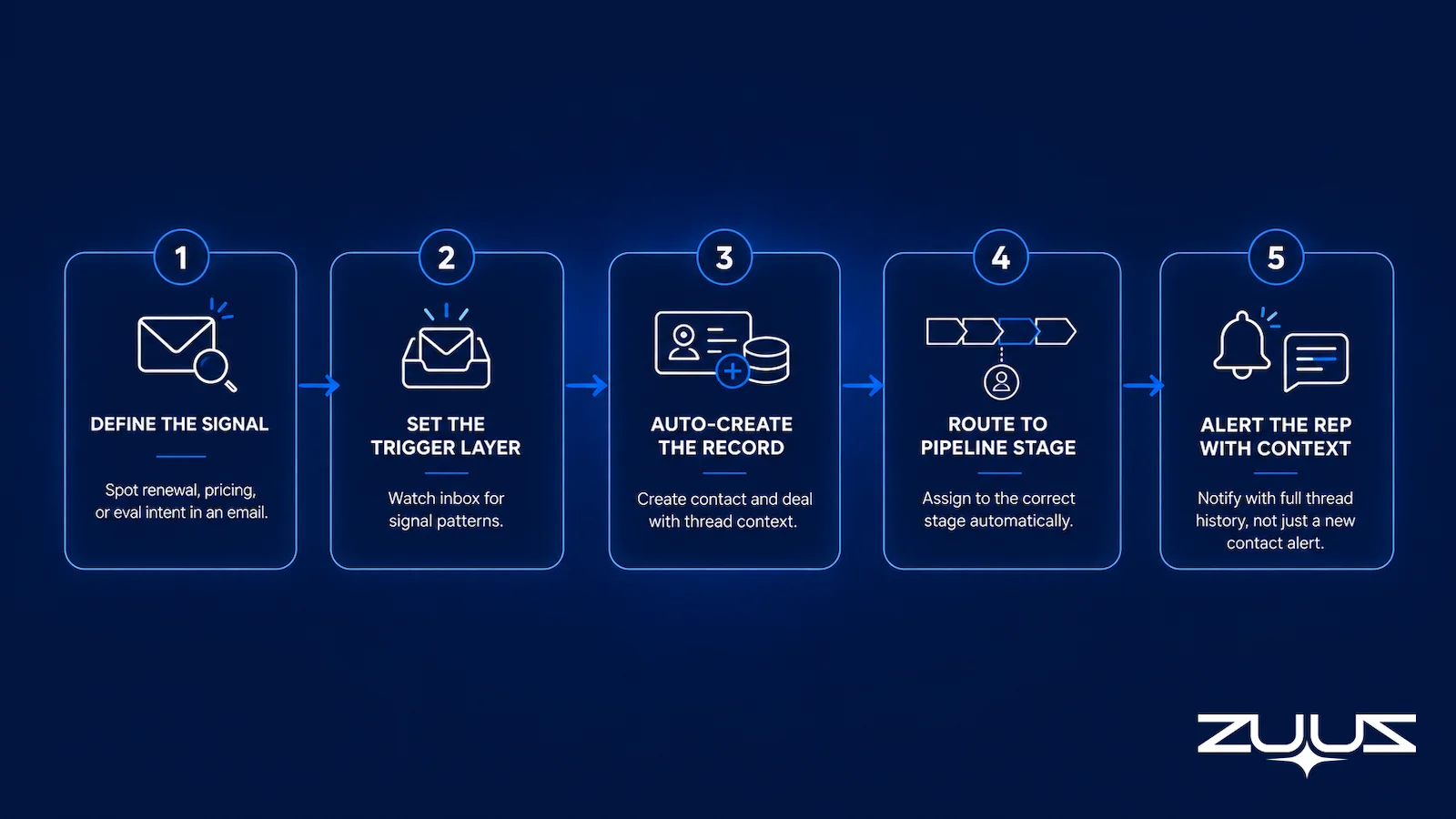
Step 1: Define what counts as a signal. Not every email is a lead. A renewal intent signal looks different from a support question or a vendor invoice. Map out the signal patterns specific to the business: replies to sequences, new inbound from domains not in HubSpot, subject lines containing keywords like pricing, renewal, evaluation, or contract, and forwarded threads from existing accounts.
Step 2: Set up the trigger layer. Depending on the approach, this is either HubSpot workflow enrollment rules, inbox-level filtering, or a third-party connector watching for the signal patterns defined in Step 1. The goal is to catch the email before it gets buried in a thread.
Step 3: Auto-create or update the HubSpot record. When a signal fires, the system should create a contact if none exists, associate the email thread with the correct company record, and populate it with metadata: subject line, timestamp, full thread history, sender domain. Not just “an email arrived,” but actual context that a rep can act on.
Step 4: Route to the correct pipeline stage. A pricing question from an existing customer belongs in a renewal pipeline. A cold inbound inquiry belongs in new business. The trigger should assign to the appropriate deal stage based on account and contact metadata already in HubSpot.
Step 5: Alert the rep with context. The final step is the most operationally important. The alert should not say “new contact created.” It should say: “This person replied to the renewal email sent three weeks ago. The thread has four messages. Here is what they said.” Context, not just notification, determines whether the rep takes action.
HubSpot Workflows vs. Purpose-Built Email-to-CRM Tools
HubSpot’s own workflow automation handles a portion of this use case, particularly for teams with clean inbound flows, structured sequences, and relatively simple deal types. Where it falls short is in the scenarios most common in IT sales: long multi-participant email threads, forwarded distributor pricing chains, renewal conversations spanning weeks across different contacts at the same account, and technical evaluation threads involving engineers, procurement, and the account executive on the same chain.
HubSpot workflow rules are condition-based. They look for specific triggers and match against known records. They are not built to read context, understand thread history, or classify ambiguous signals that do not fit a pre-defined enrollment condition.
Table 1: HubSpot Workflow Automation vs. Purpose-Built Email-to-CRM Tools for IT Sales
| Email Scenario | HubSpot Workflows | Purpose-Built Tool (e.g., ZUUZ) |
|---|---|---|
| Structured outbound sequences | Strong: native capability | Overkill for this use case |
| Inbound replies to active sequences | Good: reply detection supported | Good: also supported |
| Organic inbound from unknown senders | Partial: requires domain matching rules | Strong: reads thread and creates record automatically |
| Renewal threads on existing accounts | Weak: no context reading capability | Strong: identifies renewal signals from thread language |
| Multi-participant forwarded threads | Weak: single-sender trigger model | Strong: parses all participants and thread history |
| Competitive eval mentions buried in email | Not captured | Catches it: flags for rep review |
| Deduplication against existing HubSpot records | Moderate: requires workflow configuration | Strong: matches against contact, company, and deal records |
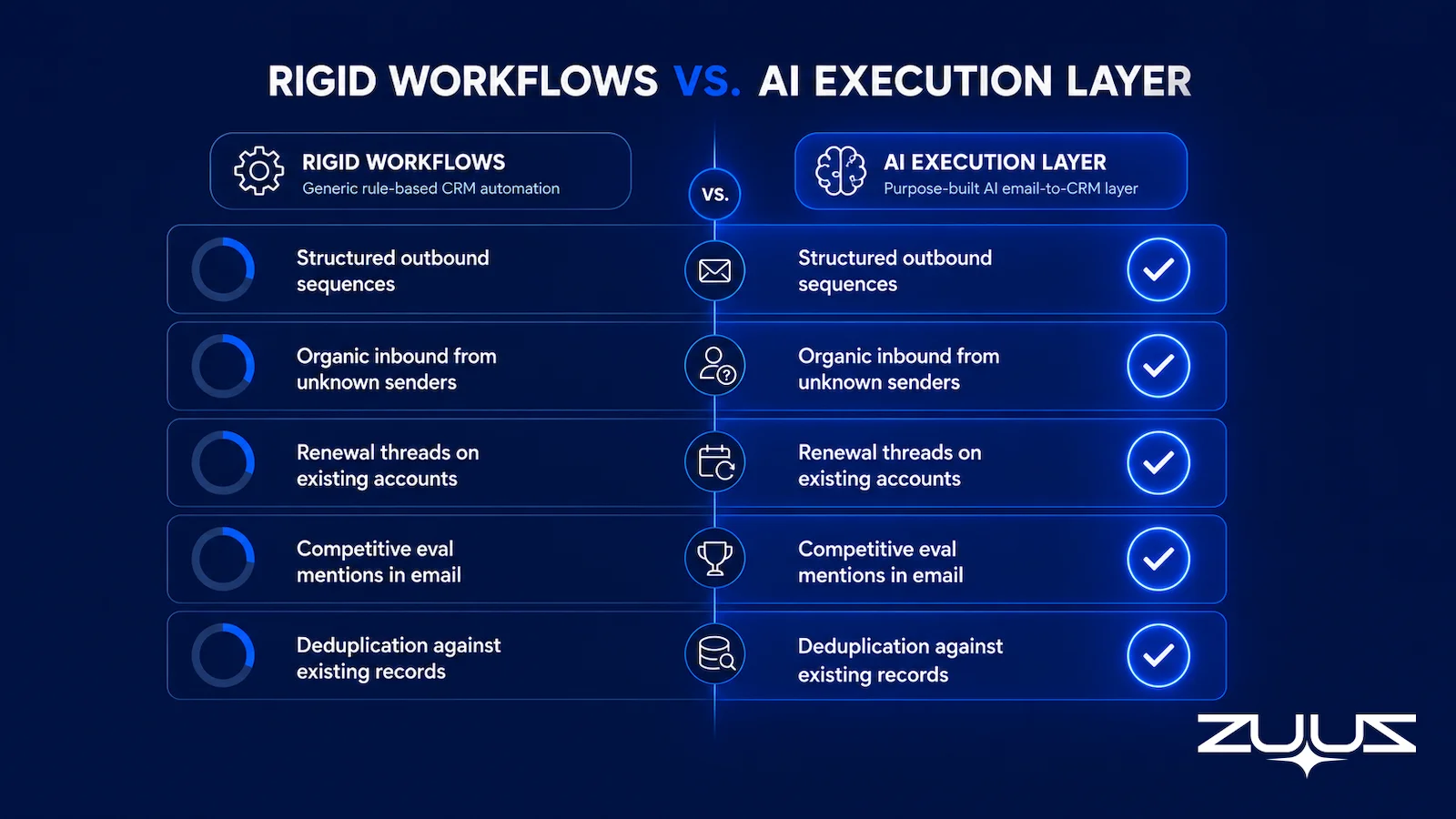
The decision framework: if a team runs a clean SDR motion with structured outbound and relatively simple deal types, HubSpot’s native tooling is probably sufficient. If the team is an IT VAR, MSP, or IT services firm managing multi-product accounts, renewal cycles, and distributor relationships, the native tools cover the easy cases and miss the ones that carry the most pipeline value.
Stop Losing Pipeline in the Inbox.
Connect your CRM in minutes and let ZUUZ capture the signals your team never logs. Start free, with no integration project required.
HubSpot Email Lead Capture Automation: How ZUUZ Closes the Gap for IT Sales
ZUUZ is built for IT sales teams that have outgrown what HubSpot’s native tools can do for them. The platform connects to a team’s email, both shared sales inboxes and individual rep inboxes, and reads every inbound thread at the content level. It classifies intent: renewal signal, new business inquiry, competitive eval mention, pricing request from an existing account. Then it pushes structured records into HubSpot automatically: contacts, deal associations, and activity notes with full thread context, without requiring any change to rep behavior.
No BCC rules. No sidebar logging. No manual review queue. The CRM gets updated because the system handles it, not because a rep remembered.
The practical result is illustrated by RA Technologies, an IT services company based in the US. After connecting their email to HubSpot through ZUUZ and running a 90-day historical lookback, the first pass surfaced $120K in pipeline that had never been logged. Active conversations. Pricing exchanges. Renewal threads. Deals the team could still act on. None of it was new lead generation; the team finally had visibility into the conversations that had been happening in their inboxes all along.
The buying signals that matter most in IT distribution do not look like leads when they arrive. The pricing question buried in a forwarded thread, the renewal conversation that starts as a casual check-in, the eval mention in paragraph four of a technical email: they look like email. ZUUZ reads them as leads and logs them accordingly.
ZUUZ operates across Salesforce, HubSpot, Zoho, Attio or Pipedrive. For teams running HubSpot as their primary CRM, it writes directly to contact records, deal stages, and activity timelines, without requiring a separate integration layer or CRM migration. Teams that operate across multiple CRM instances, or that are evaluating a CRM change, can run ZUUZ across both simultaneously. That CRM-agnostic architecture is a meaningful advantage for IT firms managing acquired businesses or multi-division operations with different CRM deployments. Teams weighing the cost of doing this by hand can compare the tradeoffs in our breakdown of ZUUZ versus manual CRM entry.
Common Mistakes When Setting Up Email Lead Capture
Over-triggering. Capturing every email thread as a lead creates noise that is worse than no automation at all. Reps begin ignoring alerts, duplicates accumulate in HubSpot, and the signal-to-noise ratio collapses. Good automation is selective. It classifies intent before creating a record, not after.
Duplicate contact chaos. Without proper deduplication logic, automated capture creates multiple contact records for the same person, orphaned company associations, and deal records linked to the wrong accounts. Before turning on any automation, auditing HubSpot’s deduplication settings and establishing merge rules for new contacts is a prerequisite, not an afterthought.
Capturing the contact without the conversation. A contact record that says “source: email” with no thread history is not useful. The value of email capture is context: what was discussed, when, and between whom. Setups that create skeleton records without populating the activity timeline add work for reps without adding information.
Replacing rep judgment on qualification. Automation should surface signals, not make qualification decisions. A pricing email from a customer domain should trigger a record creation and an alert. Whether that record belongs in the active pipeline as a deal is still a human call. Systems that auto-promote to deal stage without rep review create inaccurate pipeline figures that undermine the forecasting HubSpot is supposed to support.
Teams building email-to-CRM automation for IT companies run into all four of these problems in sequence. Each one is preventable with the right setup decisions upfront.

How to Measure If Your Email Lead Capture Is Working
Once automation is running, four metrics determine whether it is delivering or just generating activity.
Percentage of new contacts created via automation vs. manual. If manual entry still dominates after 30 days, the automation is not catching the inbound signals it should. Baseline this figure before launch and track the shift over the first month.
Pipeline coverage ratio before and after. Compare the number of active opportunities at the same pipeline stage in the same month, before and after automation. Materially higher coverage means the system is surfacing what was previously invisible.
Average lag time between first email touch and CRM entry. Manual logging creates multi-day delays between a buying signal arriving and a rep acting on it. Automation should reduce this lag to near-zero. Persistent lag after launch indicates the trigger layer is not firing correctly on inbound signals.
Leads worked versus leads logged. The gap between what the system created in HubSpot and what a rep actually followed up on is a signal about alert quality. Reps dismissing automated notifications consistently means the classification is too broad or the context is missing.
For teams with persistent CRM pipeline accuracy problems, these four metrics are the clearest evidence of whether an email capture setup is actually closing the gap or just adding data volume.
The Record-Ready Test
Capture rate and notification volume measure the automation. The Record-Ready Test measures the thing a sales leader actually buys this category for: whether a HubSpot record could be handed to someone else today without a conversation.
- Choose an account the owning rep has not touched in two weeks.
- Ask a colleague to say who the buying group is, what was last agreed and what happens next, using the CRM alone.
- Every answer that needs the rep, the inbox or a call is a record-ready failure.
- A record that passes survives a handoff, a territory change and a departure. One that fails is a person, not a system.
Worked example for an IT sales team on HubSpot: a renewal thread ran three weeks across the shared inbox, a distributor quote and two people at the account. HubSpot holds the contact, the logged emails and an open deal. A colleague reading it can name the primary contact but not the second stakeholder who asked for the co-term option, cannot say what was agreed on price, and cannot say what happens next week. Three record-ready failures on an account the dashboard shows as healthy, and every one of them is a capture gap rather than a logging gap.
ZUUZ is an AI layer on top of the CRM a team already runs, never a CRM and never a replacement for one. Most tools in this category report on what the rep entered or forward a notification and leave the typing to the rep; ZUUZ writes the record and asks the rep to approve it.
What a Complete HubSpot Email Automation Stack Looks Like for IT Sales
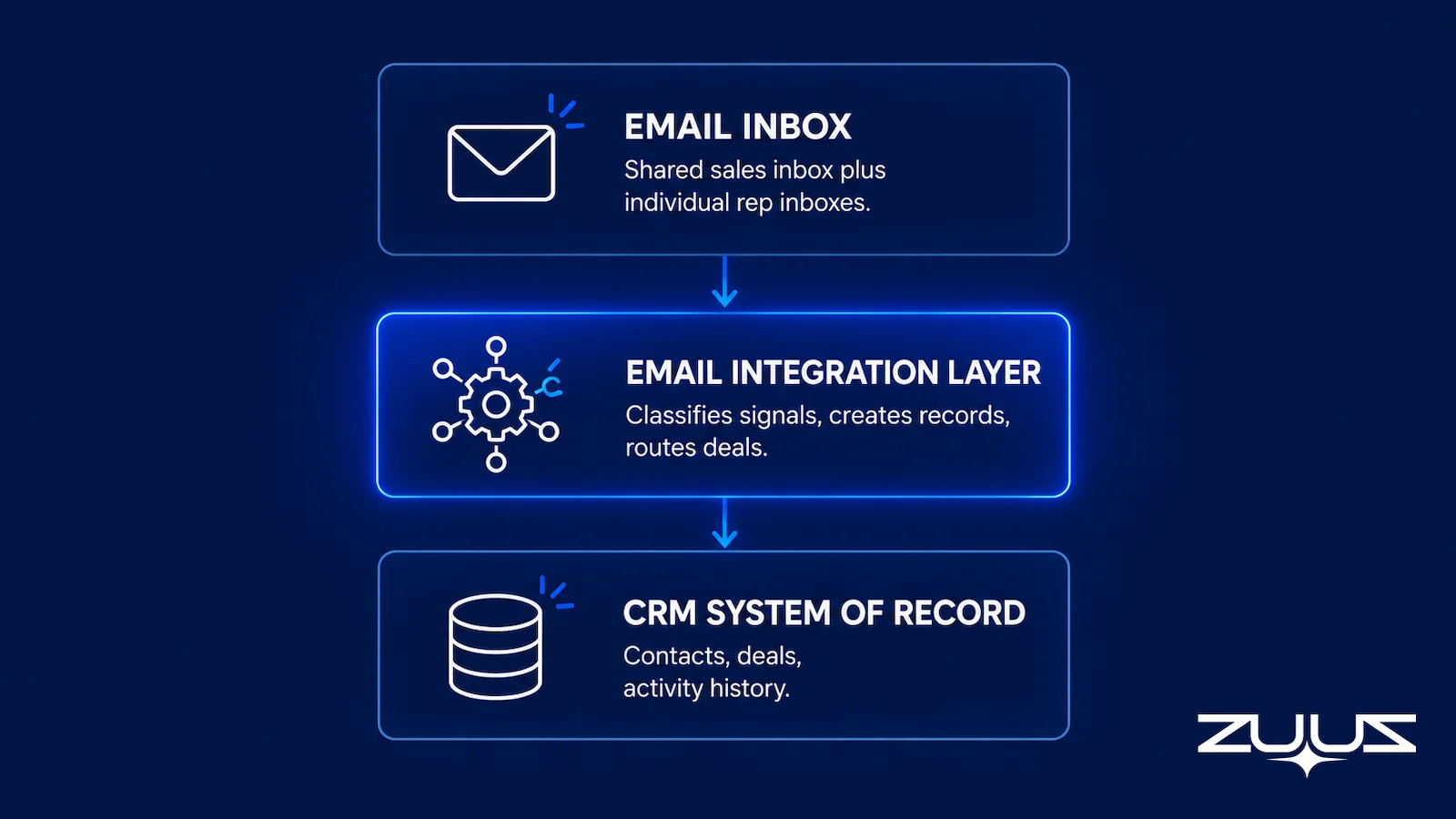
The goal is not more automation. The goal is full pipeline visibility from the first email in a thread. A complete stack for IT sales has three core components.
HubSpot CRM as the system of record for contacts, companies, deals, and activity history. This does not change.
An email integration layer that connects shared sales inboxes and individual rep inboxes to HubSpot, classifying signals, creating records, and populating activity timelines automatically. This is the gap most IT teams are missing. Without it, everything downstream is built on incomplete data.
Deal auto-creation rules that route classified signals to the correct pipeline: new business versus renewal, VAR account versus direct customer, based on account and contact metadata already in HubSpot.
Optional additions layer on top of this foundation: email sequencing for structured outbound, renewal date alerting, and intent scoring. Teams focused on IT sales pipeline visibility consistently report that the email integration layer is the highest-impact investment. Sequencing and scoring provide incremental lift. The integration layer determines whether the CRM reflects reality at all.
From an operator’s seat
From an operator’s seat, the order of operations decides whether a setup like this survives month two. Teams want capture switched on across every mailbox on day one, and the deployments that hold up start with one shared inbox and a 90-day lookback, because the lookback is what convinces reps the thing reads threads correctly before it starts writing to their accounts. The part teams do not plan for is triage capacity in that first week: a shared inbox with two years of history surfaces more live signal than one person can work through in a day, and the fix is a named owner and a short daily review, not a narrower filter. The failure mode to watch is the opposite of the one teams expect. Over-broad classification does less damage as bad data than as habit, because once reps learn to dismiss the notifications the whole setup quietly becomes a log nobody opens.
A first step that costs an hour. Connect one mailbox, let ZUUZ read the last 90 days, and have the rep review what it found before anything is written to HubSpot. The trial runs 30 days free with no credit card: https://zuuz.ai/trial/
Frequently Asked Questions
Does HubSpot Automatically Capture Leads from Email?
HubSpot’s native email tools capture emails when a rep actively initiates the log. Truly automatic capture, where inbound emails create contacts and deals without rep action, requires either HubSpot workflow automation configured for specific triggers, or a purpose-built email-to-CRM tool like ZUUZ that reads every inbound thread and pushes structured records automatically. The native tools handle structured outbound. Organic inbound requires an additional layer.
What Is the Best Way to Sync Email Leads into HubSpot?
For IT sales teams managing high deal volumes, the most reliable method is AI-native email parsing: a system that reads every inbound email, identifies intent signals at the thread level, and pushes structured contact and deal records into HubSpot automatically, with no rep action required. This captures organic inbound conversations that HubSpot’s built-in tools miss entirely, including renewal threads, forwarded pricing requests, and multi-participant evaluation conversations.
Can HubSpot Track Emails Without the Sales Rep Doing Anything?
Partially. HubSpot auto-logs emails sent through sequences, but inbound replies and organic email conversations still require rep logging unless automation middleware is added. Purpose-built tools connect to shared inboxes and handle inbound capture without any rep behavior change, covering the organic conversations HubSpot’s native tools leave untracked. The distinction matters most for IT teams where most of the valuable pipeline arrives as organic inbound, not sequence replies.
What Tools Automate Email Lead Capture for IT Sales Teams?
Options range from HubSpot’s native workflow automation to AI-native platforms built specifically for IT services, VARs, and MSPs. HubSpot workflows handle structured outbound well. For organic inbound such as renewal threads, distributor pricing chains, and multi-participant eval conversations, purpose-built tools that parse thread context produce more complete and reliable CRM records. The right choice depends on deal complexity and the volume of organic inbound relative to structured sequence traffic.
How Do I Set Up HubSpot Email Automation for a VAR or MSP?
Start with HubSpot’s Gmail or Outlook integration for baseline activity logging, then configure workflow enrollment triggers for inbound sequence replies. For full coverage of organic email such as renewals, distributor threads, and eval conversations, connect a tool that reads inbox context and creates structured HubSpot records automatically, without relying on rep BCC rules or manual logging. The trigger-layer configuration for IT-specific signal patterns is the step most teams skip, and the most common reason automation coverage remains incomplete after launch.
How Much Pipeline Do IT Sales Teams Typically Lose to Unlogged Emails?
The pipeline lost to unlogged email varies by team size and deal complexity, but IT services firms running 90-day email lookbacks routinely surface active pipeline that was never logged. RA Technologies, an IT services company, surfaced $120K in active pipeline from a 90-day lookback on email through ZUUZ. Those conversations were active but entirely invisible in HubSpot before ZUUZ connected. The finding was not unusual; it reflects the standard picture for IT sales teams without systematic inbox visibility.
What Is the Difference Between HubSpot Workflows and Email-to-CRM Automation Middleware?
HubSpot workflows are condition-based: they match specific triggers against known records and run predefined actions. Email-to-CRM middleware reads the actual content of email threads, including sender context, conversation history, and embedded signals, then creates structured records even when no trigger condition was pre-configured. Middleware covers the ambiguous, organic conversations that workflow rules cannot anticipate. For IT sales teams, the middleware layer is what captures the signals that matter most and are most commonly missed.
See What Your Inbox Is Actually Doing.
Connect email to HubSpot and see what active pipeline is sitting in your team’s inbox right now. Most IT sales teams find the first results within 48 hours of connecting.

CEO of ZUUZ. He scaled Cloud Box Technologies from 0 to $25M ARR in IT services and distribution before building ZUUZ. Connect on LinkedIn

