
Account Planning Template for B2B Sales Teams
Account planning for B2B sales teams: a one-page account plan template whose fields stay current because the facts come from real customer conversations.

CEO of ZUUZ. He scaled Cloud Box Technologies from 0 to $25M ARR in IT services and distribution before building ZUUZ. Connect on LinkedIn
TL;DR: Account planning is the written strategy for one customer: who is in the buying group, what was last agreed, what happens next, when the renewal and its notice window fall, and where the risks and expansion ideas sit. Most plans fail because the facts under them were typed once, from memory, and then went stale in an inbox. ZUUZ is an AI layer over Salesforce, HubSpot, Zoho, Attio or Pipedrive that captures those facts from email, LinkedIn messages and meeting and call transcripts, writes them to CRM fields for the rep to approve in one click, and does not write the plan itself.
- An account plan is the strategy for one customer, written down by the account owner. Account management is the ongoing work across a whole book of customers.
- The fields that decay fastest are the buying group, the last agreed commitment, the next step and the renewal notice date, which is why a plan needs a dated source for each.
- A one-page account planning template with a source and date beside every fact beats a long document that nobody reopens.
- In Salesforce, HubSpot and other CRMs, the plan works best as custom fields on the account record that reports can filter, not as an attached file.
- The Renewal Signal Check finds the accounts where the renewal date is the only thing the system knows.
- ZUUZ keeps the facts under the plan current from conversations the team already has. It does not build account plans, org charts, relationship maps or whitespace analysis, and it does not forecast.
Picture a managed services account that the team believes is safe. The plan was written in January, it lists the renewal as "Q3", and it names an office manager as the champion. By August the office manager has moved to part time, a new outside consultant has started appearing on the email thread, and the contract required sixty days written notice that nobody on the account team had on a calendar.
None of those facts was hidden. They sat in replies to three different threads, while the plan in the shared folder still described the account as it looked in January.
This guide covers what account planning is, which accounts earn a plan, a one-page template teams can copy, a worked example, how to hold the plan in Salesforce or HubSpot, and how to keep its facts current from the conversations that change them.
What Account Planning Is and What It Is Not
Account planning is the practice of writing down, for one customer, what the relationship is today, what it should become and what happens next. In B2B sales it covers the buying group, the commercial position, the renewal calendar, the risks and the expansion ideas for an account the team intends to keep and grow. The plan belongs to the account owner and is read by the manager and whoever covers the account.
The term is often confused with its neighbors. Account management is the ongoing work of serving a book of customers, and the software category that supports it is covered in the guide to CRM account management software. This guide stays with the plan itself, the document and the fields behind it, for one account at a time.
| Document | Question it answers | Scope | Typically refreshed |
|---|---|---|---|
| Account plan | Where does this customer stand, and what is the plan to keep and grow it? | One customer | When something material changes |
| Opportunity plan | How does this one deal close? | One deal | Weekly while the deal is open |
| Account review | What happened with this customer over the last period? | One customer, backward looking | Quarterly or at contract milestones |
| Renewal tracker | Which contracts end when, and who owns each? | Every customer | Monthly |
Which Accounts Need Key and Strategic Plans
Not every customer needs a plan, and writing one for every account is how the whole exercise collapses under its own weight. Key account planning starts with a selection rule applied before anyone opens a template. Four tests do most of the work: the share of revenue the account carries, a renewal inside the next two quarters, an expansion need the customer has named, and dependence on a single contact.
Strategic account planning is the deeper version, reserved for the handful of customers whose loss or growth would visibly move the year. It adds a longer horizon, an executive sponsor and a closer look at how the customer buys.
| Tier | Typical accounts | Plan depth | Review trigger |
|---|---|---|---|
| Strategic | The few customers whose renewal or expansion moves the year | Full one-page plan plus an executive sponsor | Monthly, and on any change in the buying group |
| Key | Accounts with a renewal inside two quarters or a named expansion need | One-page plan | Quarterly, and 120 days before the notice date |
| Standard | The rest of the book | Owner, renewal date, notice period and next step only | At renewal, or when something changes |
Business model changes the emphasis. A managed service provider has few contracts per customer, so the term, the auto-renewal clause and the notice period dominate, which is the territory of MSP account management. A reseller or distributor has many product lines per customer, so the plan must say which lines renew when, as described in renewal tracking for VARs and distributors.
Why Account Plans Go Stale After the Kickoff
A plan is usually written in one sitting, at the start of the year or before a planning offsite, from what the account owner remembers. That is the moment it is most accurate and the last time it will be.
The facts that change are small and they change in conversations. A new name appears on the cc line. A customer writes "send the revised scope by the 15th". A renewal date shifts because the customer wants to co-terminate two contracts. A contact mentions that she is leaving. Each lands in an inbox, a calendar invite, a LinkedIn message or a call, and none reaches the plan unless the rep retypes it.
The retyping competes with the next customer email, so it happens before a review, from memory, in one batch. That is the same mechanism behind poor CRM data quality.
The test of a stale plan is a handoff. If another rep cannot take over the account tomorrow from the plan alone, the plan is a narrative, not a record, a failure familiar from any sales handoff.
How to evaluate whether an account plan can be trusted
- A source beside every fact. Can each entry be traced to a dated email, call or meeting, rather than to the rep's recollection?
- Dates, not descriptions. Are the renewal date, the notice deadline and the next step stored as dates a report can filter?
- A buying group built from the thread. Are the named stakeholders the people who actually write, attend and approve, not the people on last year's org chart?
- Fields, not files. Does the plan live in CRM fields that a list view can read, or in a document nobody opens?
- Nothing without approval. Can the rep correct or reject a fact in one click before it is written to the record?
- History kept. Does the record keep the previous renewal date and the previous champion instead of overwriting them?
Keep the Plan Tied to What the Customer Actually Said.
See how ZUUZ captures stakeholders, dates and commitments from the sales inbox and writes them to the CRM for the rep to approve, so the plan starts from what happened.
An Account Planning Template Teams Can Copy
A sales account plan template is a fixed set of fields completed for every account that earns a plan. The same fields on every account make gaps visible across the book. The table below fits one page and can be rebuilt as an Excel or Google Sheets file or as a set of CRM fields.
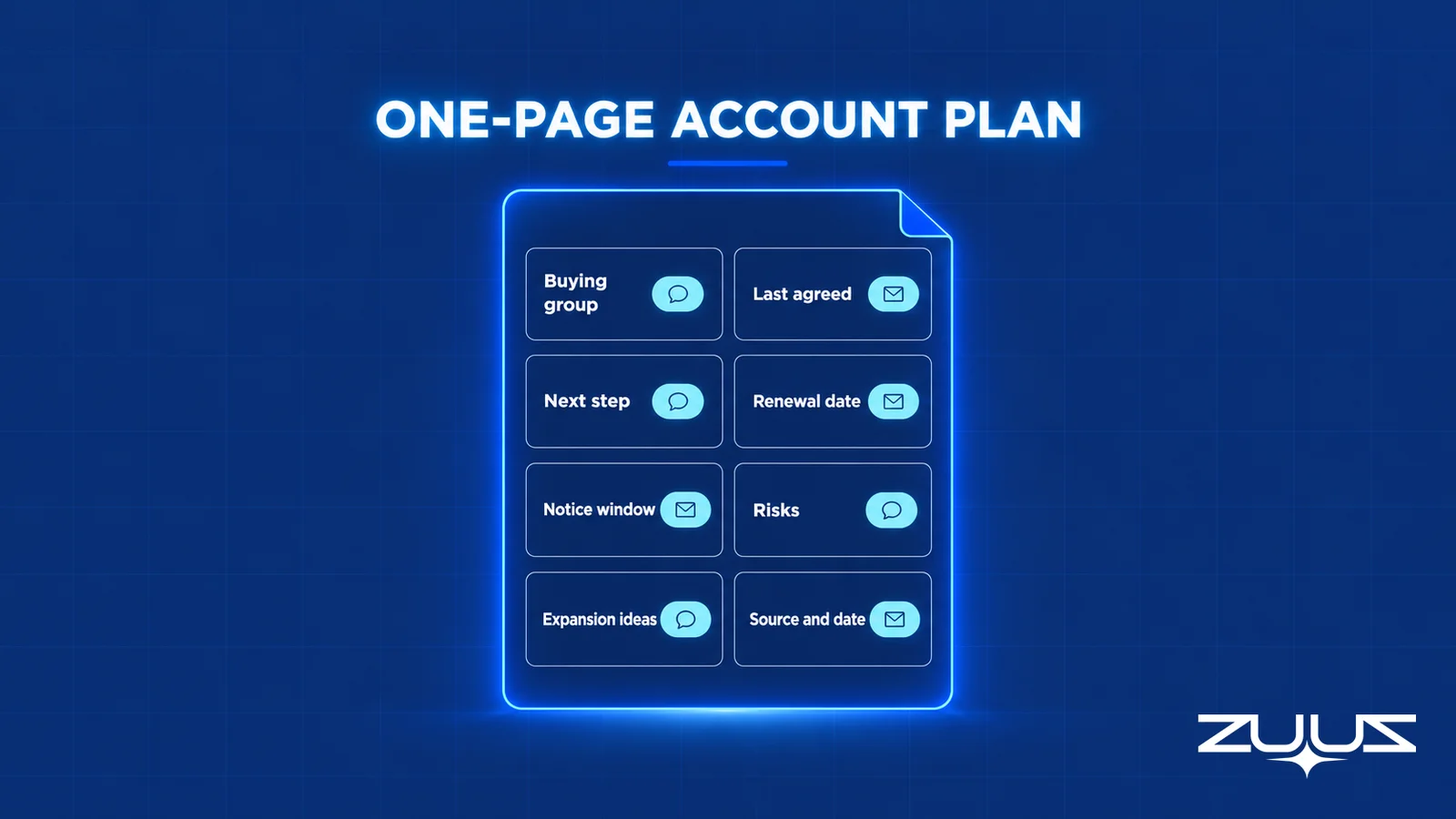
| Field | What to record | Where the fact comes from | Valid when |
|---|---|---|---|
| Account and owner | Customer, owner, services or products in place, contract value | The CRM account record and the contract | The owner and contract value match the CRM |
| Buying group | Who signs, who uses it daily, who influences, who has recently appeared | Senders, recipients and meeting attendees across the threads | Each name has a role and the date they last wrote or attended |
| Last agreed | The most recent commitment the customer made in writing | The latest customer reply that confirms a decision | The entry quotes or paraphrases a dated customer message |
| Next step | The next dated action, with an owner | The thread or calendar, not the rep's intention | It has a date in the future and involves the customer |
| Renewal date and notice | End of term, auto-renewal clause, notice period, last day notice can arrive | The contract, then any customer message that moves the date | Both the end date and the notice deadline are dates |
| Risks | Specific conditions that could cost the account | Customer wording about budget, contacts, satisfaction or alternatives | Stated as a condition with evidence, not as "timing" |
| Expansion ideas | Needs the customer has voiced that the team can serve | Customer messages and meeting notes | Marked as an idea until the customer confirms demand |
| Source and date | Where each fact came from and when | The message or meeting behind the entry | Every row above has one |
Two fields carry most of the weight. The renewal date and notice period turn a vague "Q3" into a searchable deadline, and last agreed separates what the customer committed to from what the team hopes. One caution applies to any template kept outside the CRM: a spreadsheet that holds values the CRM does not becomes a second source of truth, so CRM fields should be pulled into it and the template should hold only the judgment fields.
An Account Plan Example for a Managed Services Customer
The following account plan example is an illustration, not a real customer. It shows a completed one-page plan for a sixty-seat professional services firm that buys managed IT services, with the source and date that make each entry checkable.
| Field | Entry | Source and date |
|---|---|---|
| Account and owner | Regional accounting firm, managed services, fourth year, owner is the account manager | CRM record and signed agreement |
| Buying group | Managing partner (signs); office manager (daily contact, champion, moving to part time); outside IT consultant (new on threads, influencer) | Email thread from the last renewal discussion; consultant first appeared on the most recent reply |
| Last agreed | Partner agreed to review a quote for backup upgrades once the security review is scheduled | Partner's reply to the proposal email |
| Next step | Schedule the security review with the partner and the consultant, owner is the account manager | Calendar hold sent and awaiting acceptance |
| Renewal date and notice | Term ends September 30; auto-renews; 60 days written notice, so notice must arrive by August 1 | Signed agreement, clause on renewal |
| Risks | Champion reducing hours; consultant asked a question about a competing quote | Office manager's email; consultant's reply |
| Expansion ideas | Backup upgrade (customer asked for a quote); security awareness training (mentioned once, not confirmed) | Partner's reply; mention in a meeting note |
Three things make the example useful. The renewal row names the notice deadline, not just the month. The buying group row records a change, the consultant, that a static org chart would miss. And the expansion row separates a quote the customer asked for from a topic that surfaced once.
See the Account Plan Facts That Are Already in the Inbox.
ZUUZ reads the sales mailbox and meeting transcripts for the stakeholders, dates and commitments an account plan depends on, then lets the rep approve each one before it reaches the CRM.
How to Build an Account Plan in Five Passes
Most of the material for a plan already exists in the mailbox and the CRM. Five passes, done in order, produce a plan another rep can act on.
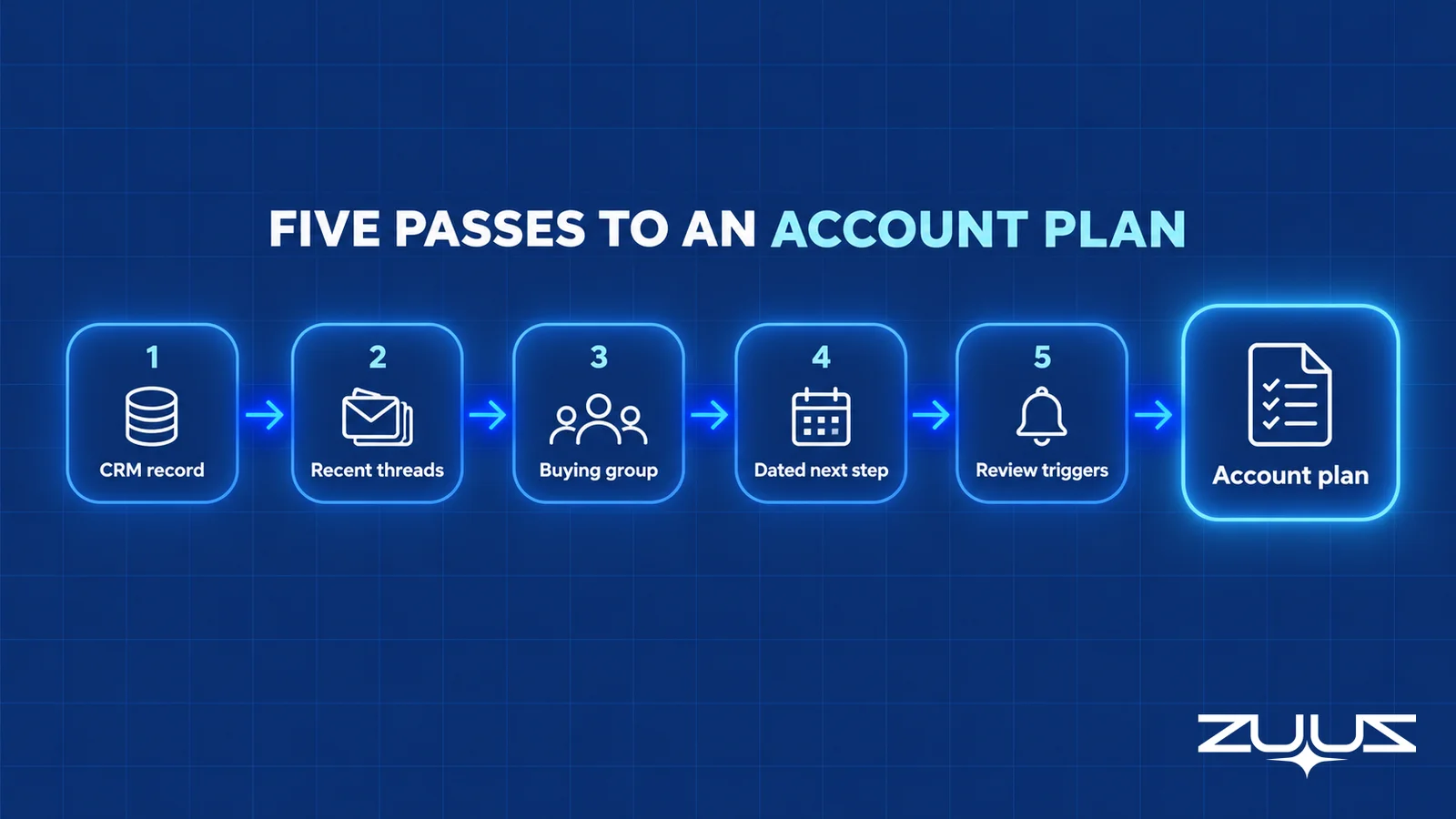
- Pull what the record already holds. Start with the CRM account, its open deals, its contract dates and its contacts. Anything already in a field does not need retyping.
- Read the last ninety days of threads. The mailbox holds the decisions, the new names and the dates that moved. Note each fact with the date of the message it came from.
- Name the buying group from who actually writes and attends. A signer who has never replied is a different position than one who answered last week.
- Write the next step as a dated commitment. A step that involves the customer and has a date in the future is a plan. "Follow up" is an intention.
- Set review triggers, not only a calendar. A new contact, a moved renewal date or a quote request should each prompt a look at the plan.
The mailbox pass is the one most teams skip, and it is the one that finds changes in the buying group. Small teams sometimes run it from Outlook and a spreadsheet, as described in the guide to using Outlook as a CRM, which stops working once the book outgrows what one person can read.

Account Planning in Salesforce and HubSpot
Teams searching for account planning in Salesforce or account planning in HubSpot want the plan to live where the account already lives. The practical answer is the same in both: the plan is a set of fields on the account record, not a file attached to it. Salesforce documents the account object and how to create custom fields on it, and HubSpot documents how to create and edit properties on company records. Other CRMs offer comparable custom fields.
Fields make the plan queryable. A date field for the renewal and another for the notice deadline allow a list view of every account whose notice date falls inside the next one hundred twenty days. A text field for last agreed, paired with the date it was confirmed, shows which accounts have gone quiet.
Notes still have a place for narrative, but a report cannot read them. Anything a manager would filter by belongs in a field. Getting conversations into those fields is a separate problem, treated in the guides to logging meeting notes in Salesforce and logging LinkedIn messages in the CRM.
Make the Plan Fields Fill From Real Conversations.
ZUUZ writes structured updates to Salesforce, HubSpot, Zoho, Attio or Pipedrive from the inbox and transcripts, and the CRM stays the system of record.
The Renewal Signal Check Applied to Account Plans
The renewal row is where an account plan earns its keep or fails, and it can be tested in under an hour. The Renewal Signal Check is a four-step audit of the renewal calendar against what customers have actually said.
- List every renewal in the next two quarters and its date field.
- For each, find the last real conversation and what it said about budget, champion or satisfaction.
- Mark every renewal where the date is the only thing the system knows.
- Those are the renewals that surprise you; the signal existed, in a mailbox.
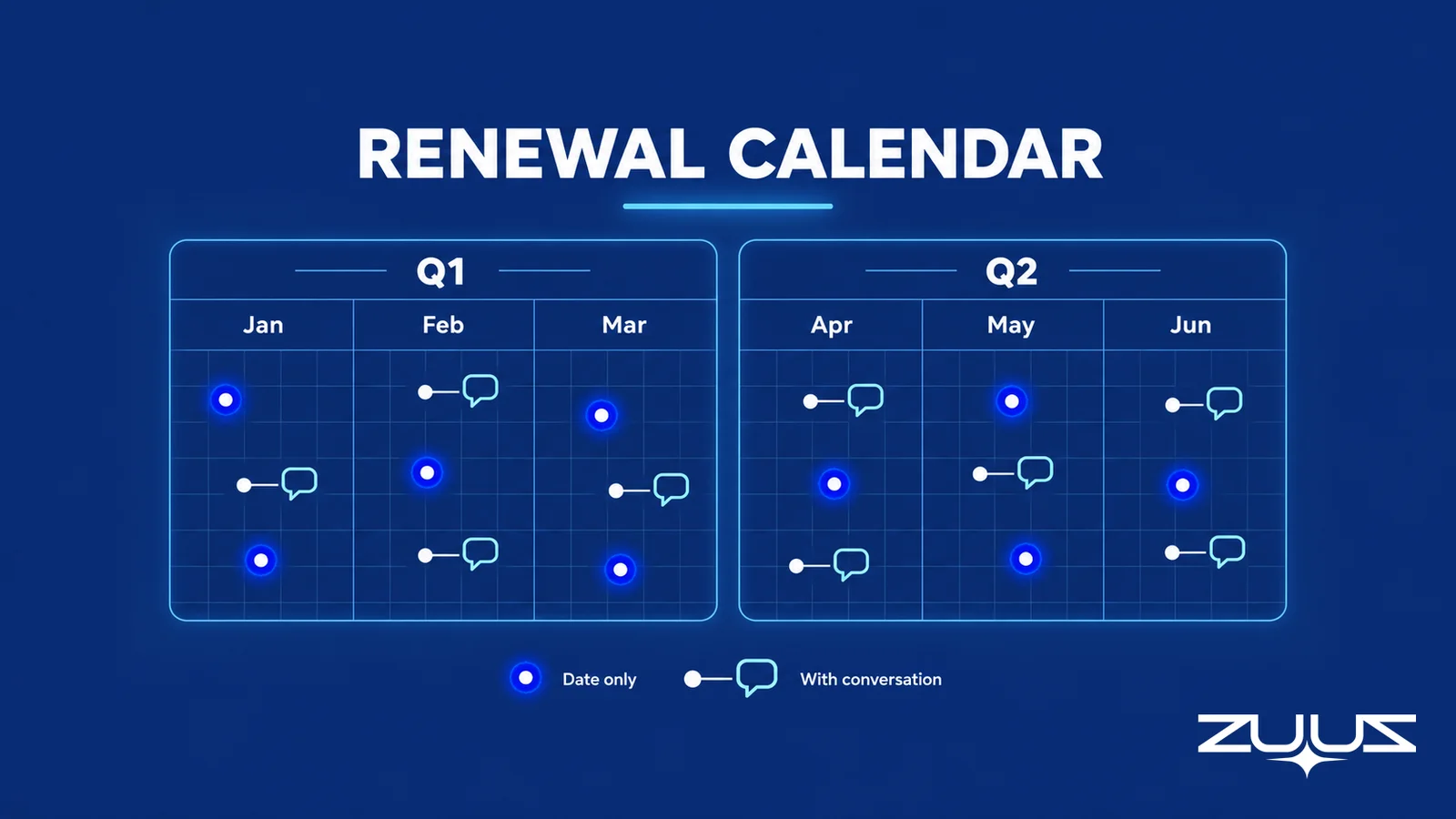
Worked example, again an illustration. A team lists nine renewals for the next two quarters. Six have a recent customer message the plan reflects. Three have a date and nothing else, and when the owner opens the threads, one shows the champion announcing a departure and another shows a customer asking whether a competitor can quote. Neither fact was in a field.
The check works at any size, and it connects to the wider renewal discipline described in the guides to renewal tracking software and tracking renewals across multiple products. For conversational warning signs, see churn risk software.
Mistakes That Cost Renewals After the Plan Is Written
Most plans fail on the same handful of habits, and almost none of them are about strategy.
- Relying on one champion. A single named contact is a single point of failure.
- Missing the notice deadline. A renewal date without a notice period lets the window close unnoticed.
- Treating silence as agreement. No reply to a proposal is an unknown, and the plan should record it as one.
- Confusing an expansion idea with demand. Only a quote request or a dated commitment is demand.
- Keeping the plan in a document. A shared-drive file is read at kickoff and ignored after.
From an operator's seat
Having run sales in IT services and distribution, Avinash Gujje, CEO of ZUUZ, has seen the same pattern in plan after plan: the strategy paragraphs are rarely wrong, and the facts underneath them are. The contact who left, the notice date and the thing promised in a reply are the entries that decay, and they decay quietly because nobody owns updating them. The plans that held up were the shortest ones, a handful of dated fields another rep could act from. The part teams do not plan for is the first review after an offsite, when half the plan is already out of date.
Review cadence follows the tiers: monthly for strategic accounts, quarterly plus a check 120 days before the notice date for key accounts, and a glance at renewal for the rest. Events matter more than the calendar.
How ZUUZ Keeps the Facts Under an Account Plan Current
ZUUZ is an AI layer on top of the CRM a team already runs, never a CRM and never a replacement for one. It connects to the sales inbox, the calendar, LinkedIn messages (read-only), Microsoft Teams meeting transcripts and inbound call transcripts, and writes structured records to Salesforce, HubSpot, Zoho, Attio or Pipedrive. Nobody changes how they work: ZUUZ hands the rep finished work to approve in one click, and manual entries take precedence.
For account planning, the relevant capability is Account Management, which is a lens, not a new dataset. It assembles the deal history, the renewal and churn status and the communications for each account from signals ZUUZ already captured, so the facts under the plan are in one place. The stakeholders, dates and commitments mentioned in conversations are surfaced for the rep to confirm, and when a thread suggests a renewal is slipping, ZUUZ flags it early with the conversation behind it.
| Plan work | Who does it | Notes |
|---|---|---|
| Writing the plan and the strategy | The account owner | The rep owns the plan; ZUUZ does not write it |
| Keeping buying group, last agreed, next step and dates current | ZUUZ captures, the rep approves | Written to CRM fields in real time once approved |
| Org charts, relationship maps and whitespace analysis | Not ZUUZ | Use the planning tool or process the team already has |
| Scoring accounts or forecasting renewal outcomes | Not ZUUZ | ZUUZ reports what happened, and does not score or forecast |
| Deciding what to do about a flagged renewal | The account owner | The flag comes with the conversation behind it |
The pattern shows up in customer results. At RA Technologies, a US IT services company, ZUUZ ran on the same HubSpot instance the team had used for two years, with the same people, and surfaced $120K in pipeline in the first 30 days that the CRM had never seen, captured from the sales mailbox. The full story is in the RA Technologies case study. At Cloud Box Technologies, a UAE cloud and IT services business, one connected user tracks 10 to 12 renewals in minutes and leadership sees live pipeline.
The first step is small. Connect one mailbox, let ZUUZ read the last 90 days, and run the Renewal Signal Check against the renewals it finds. The gap between what the plan says and what the threads say is visible in minutes, before anyone commits to a rollout.
Frequently Asked Questions
What is account planning?
Account planning is the practice of writing down, for one customer, the buying group, the commercial position, what was last agreed, the next step, the renewal and notice dates, the risks and the expansion ideas. The account owner writes it, and the manager and any covering rep read it. It is the strategy for a single account, not the ongoing work across a book.
What should an account planning template include?
An account planning template should include the account and owner, the buying group, what was last agreed, the next dated step, the renewal date and notice period, the risks, the expansion ideas, and a source and date beside every fact. Eight fields on one page is enough. Anything longer tends to go unread and unrefreshed.
How do you create an account plan?
Pull what the CRM already holds, read the last ninety days of email and meeting threads, name the buying group from who actually writes and attends, write the next step as a dated commitment, and set review triggers for new contacts and moved dates. Each fact should carry the source and date, so another rep can check it.
What is key account planning?
Key account planning is selecting which customers get a plan and how deep it goes. Common tests are revenue share, a renewal inside two quarters, an expansion need the customer has voiced, and dependence on a single contact. Accounts that pass get a one-page plan, and the rest keep a minimal record of owner, renewal date and next step.
What is the difference between account planning and strategic account planning?
Strategic account planning is the deeper form, reserved for the few customers whose renewal or growth moves the year. It adds a longer horizon, an executive sponsor and a closer look at how the customer buys. Ordinary account planning uses the same fields on a lighter one-page plan for the wider set of key accounts.
What is an account plan example?
An account plan example is a completed one-page plan for a real or illustrative customer, such as a managed services client. It lists the buying group with roles, the last agreed commitment, a dated next step, the renewal date and notice deadline, specific risks and expansion ideas, each with a source and date. The example earlier in this guide follows that format.
How do you do account planning in Salesforce?
Create custom fields on the account for the renewal date, the notice deadline, last agreed, last confirmed date and the next step, then build list views and reports that filter on them. Keep narrative in notes that cite the fields. The plan then lives where reps already work, and a manager can see every account with a notice date in the next quarter.
How do you do account planning in HubSpot?
Create custom company properties for the renewal date, notice deadline, last agreed and next step, then build saved views and reports on them. Use a dropdown property for stakeholder roles so the data stays filterable. The plan then sits on the company record, visible to anyone who opens the account, rather than in a separate document.
How often should an account plan be updated?
Update it when something material changes, and review it on a fixed rhythm as a backstop. Strategic accounts deserve a monthly look, key accounts a quarterly one plus a check 120 days before the notice date, and standard accounts a glance at renewal. A new stakeholder, a moved date or a quote request should reopen the plan within the week.
What is the difference between account planning and account management?
Account management is the ongoing work of serving a book of customers, including prioritizing them and handling renewals. Account planning is the written strategy for one of those customers. Account management decides which accounts get attention, and the plan decides what happens on each. The software category behind the first is covered in the CRM account management guide.
Can account planning be done in Excel?
Account planning can run in Excel or Google Sheets for a small book, with one row per account and the template fields as columns. The risk is a second source of truth that drifts from the CRM. The workable pattern is to pull CRM fields into the sheet and let it hold only the judgment fields and decisions.
Does ZUUZ build account plans?
No. The rep owns the plan. ZUUZ is an AI layer over the CRM that captures stakeholders, dates and commitments from email, LinkedIn messages and meeting and call transcripts, and writes them to CRM fields for the rep to approve in one click. It does not build org charts, relationship maps or whitespace analysis, and it does not forecast or score accounts.
A first step smaller than a rollout. Connect one mailbox. ZUUZ reads the last 90 days and the rep reviews what it found before anything is written to the CRM. Whatever that surfaces on the top five renewals is the honest input for the next account planning review. 30-day free trial, no credit card: https://zuuz.ai/trial/

