
Sales Pipeline Software for Small Business Without Overhead
Sales pipeline software for small business should remove manual work, not add it. See what to evaluate, skip, and how ZUUZ fits without replacing the CRM.

CEO of ZUUZ. He scaled Cloud Box Technologies from 0 to $25M ARR in IT services and distribution before building ZUUZ. Connect on LinkedIn
TL;DR: Sales pipeline software for a small business should improve visibility and follow-through without requiring a dedicated administrator or forcing a lean team into enterprise-style processes. The right evaluation lens is manual work removed per hour spent maintaining the system, not features added to a checklist. ZUUZ adds pipeline monitoring and deal-risk visibility as an execution layer over Salesforce, HubSpot, or Zoho, without replacing the CRM and without attempting sales forecasting.
- A small sales team’s scarce resource is attention, not software features, so pipeline tools should be judged by manual work removed rather than functionality added.
- Sales pipeline software does not have to mean replacing the CRM; a lean team already running Salesforce, HubSpot, or Zoho can often improve visibility by adding a layer on top of it instead.
- “Simple” pipeline software should not mean “too basic to grow with.” A small team can still need email context, two-way CRM sync, and risk visibility.
- Small businesses often do not need heavy CRM customization, a separate tool for every pipeline problem, or sophisticated forecasting built on incomplete data.
- The most useful test of pipeline software is running it against real, already-understood deals rather than a generic product demo.
- ZUUZ monitors pipeline and deal-risk signals as an execution layer over the CRM a small team already uses, and it does not perform sales forecasting.
A five-person sales team at a small distribution company does not usually lack software. The founder can look at the CRM, a spreadsheet, and an inbox all at once and still not say with confidence which deals are actually moving this week. Reps update the pipeline when they remember to, important context sits in email threads nobody else reads, and there is no one whose job is to keep the system honest.
That gap is not a discipline problem. It is what happens when pipeline software gets evaluated the same way for a ten-person company as for a thousand-person one, and the small team ends up carrying complexity built for a team five times its size.
The right sales pipeline software for a small business should raise visibility and follow-through without adding a part-time administrator’s worth of maintenance. This article covers what a lean sales team actually needs from pipeline software, what most small teams can skip, and how to evaluate a tool against the real cost of running it, not just its feature list.
What Is Sales Pipeline Software for a Small Business
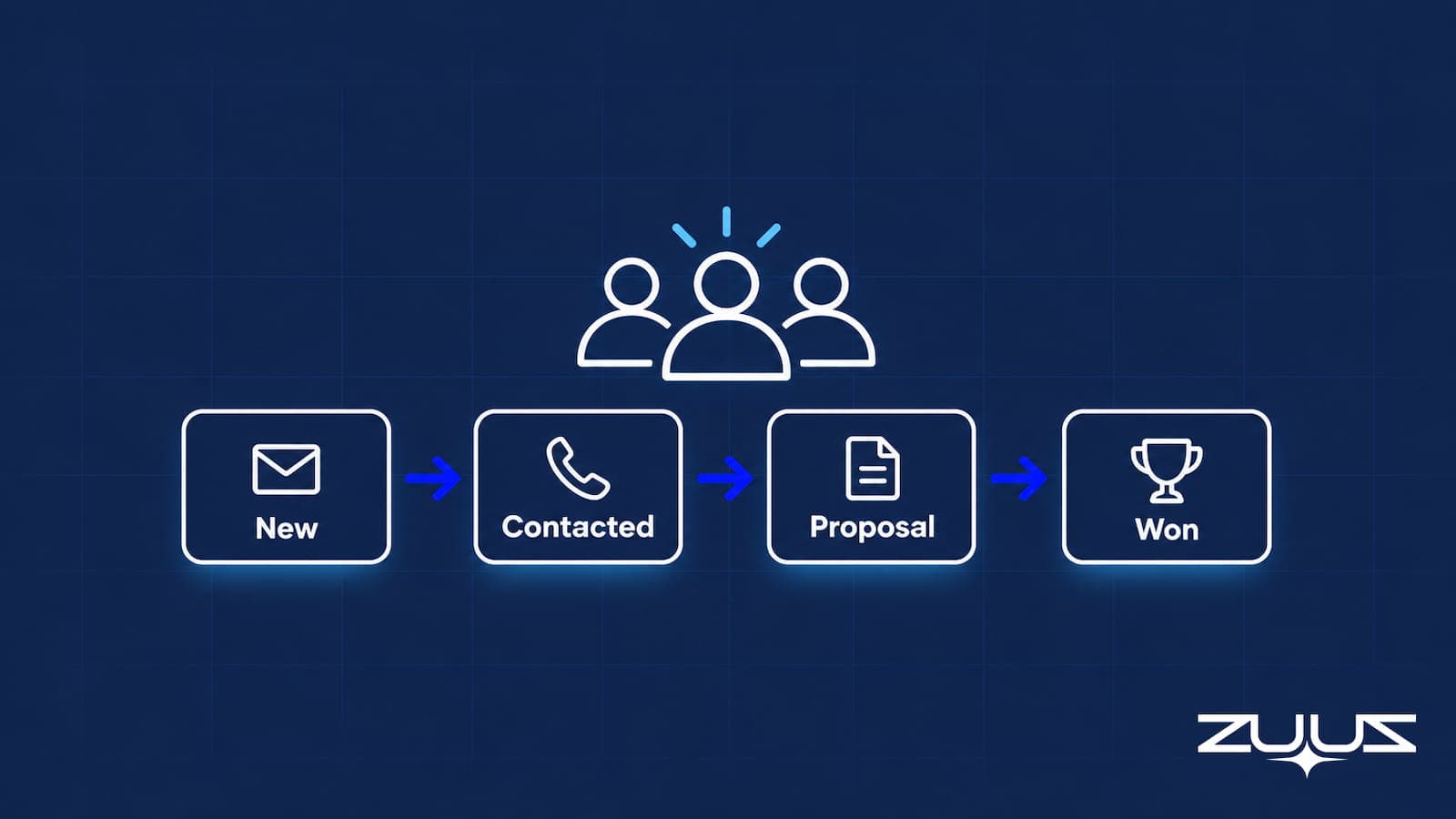
Sales pipeline software gives a small team a shared, current view of every prospective deal, from first real interest through a defined set of stages to won or lost. For a business without a dedicated RevOps function, its job is narrower and more practical than it sounds: capture opportunities as they appear, show where each one actually stands, preserve the context a rep would otherwise forget, and surface deals that have gone quiet before a review meeting finds them by accident.
Pipeline software does not have to mean replacing the CRM
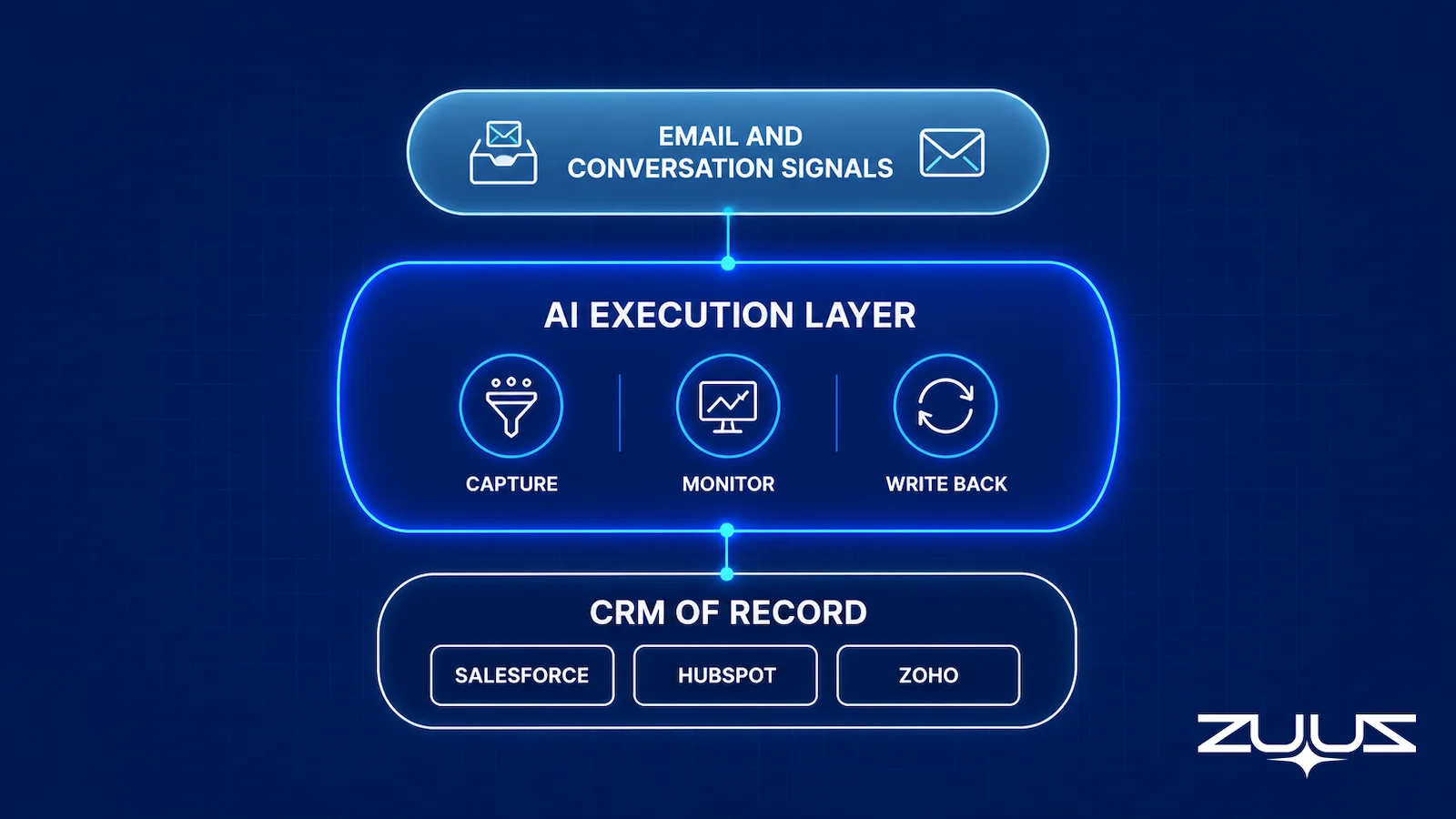
Two basic approaches exist. A CRM with a built-in pipeline view handles capture and stage tracking inside the same system that stores contacts and accounts, and both Salesforce and HubSpot document this natively for teams that want it. A pipeline or execution layer instead connects to a CRM the business already runs, adding visibility and automation on top of it rather than becoming a second system of record.
A small business already running Salesforce, HubSpot, or Zoho does not need to migrate platforms just to see its pipeline more clearly. The more direct fix is often improving what reaches the CRM already in place, which is covered in more depth in the fuller sales pipeline management software buyer’s guide for teams evaluating the broader category.
Why Small Businesses Should Evaluate Pipeline Software Differently
An enterprise sales organization can absorb a full-time system administrator, months of implementation, and a dozen specialist tools stitched together. A six-person team cannot. Evaluating pipeline software with the same checklist a thousand-person company would use misses the actual constraint a small team is working under, and it is a large part of why a CRM pipeline quietly goes wrong in the first place.
The scarce resource is attention, not features
For a lean team, the better evaluation question is not what a tool can do, but how much useful pipeline visibility comes back per hour the team spends maintaining it. A platform with fifty configurable fields and workflow rules can genuinely outperform a simpler one on a feature comparison and still cost a small team more time than it saves.
Every added workflow becomes something someone has to maintain
Custom fields, required stages, automation rules, dashboards, and extra integrations all look like capability during a sales call. In practice, each one becomes a small recurring task: someone has to build it, explain it to new hires, and fix it when the process changes. A team without a dedicated administrator absorbs that cost directly, usually in the form of stale data nobody has time to clean up.
But easy to use should not mean too basic to grow with
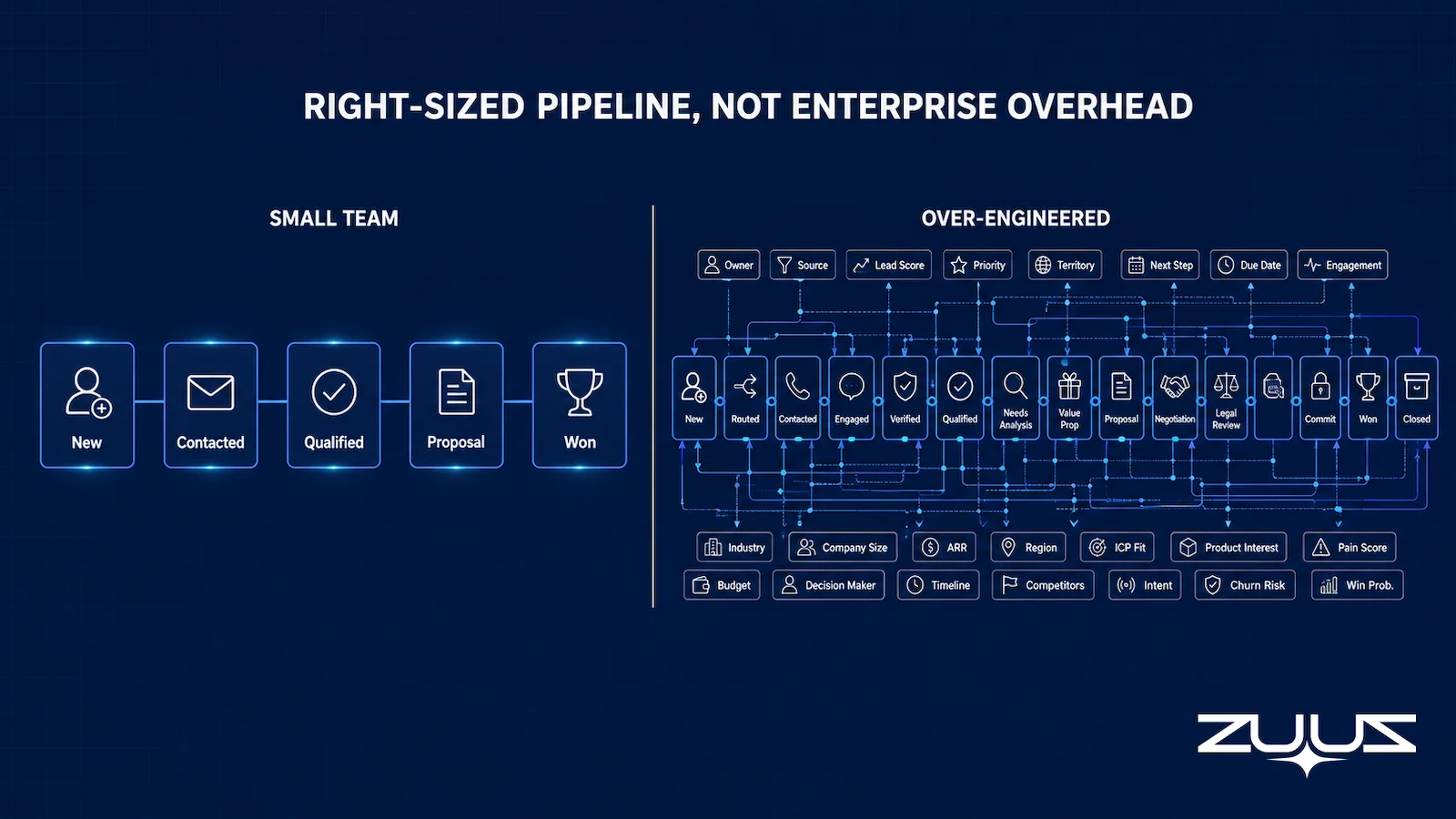
The opposite mistake is picking the simplest possible tool and outgrowing it within a year. A ten-person company can still need multiple pipelines, real CRM integration, email context, configurable stages, and risk visibility. The goal is right-sized complexity: enough capability to be useful, without the operational weight built for a much larger team.
Less Time Configuring. More Time Selling.
See how ZUUZ adds pipeline visibility to the CRM already in place, without a new system for a small team to maintain.
Seven Capabilities That Matter Most for a Small Sales Team
Not every pipeline feature matters equally to a small team. These seven are worth prioritizing before anything else on a vendor’s feature list.
1. A pipeline view the whole team can read at a glance
Look for a view built around stage, deal value, owner, expected close timing, next step, and the last meaningful activity, not a dashboard that requires interpretation before anyone can act on it. If a manager needs a walkthrough to read the pipeline view, the tool is already adding overhead instead of removing it.
2. Fast capture of opportunities
A new opportunity should not require a rep to open a blank record and type everything in by hand. Ask whether the software can capture an opportunity that shows up in email and whether it updates an existing CRM record instead of creating a duplicate, since a scored lead that never becomes a tracked opportunity is a common way small teams lose real pipeline. For a small team, a missed opportunity is usually more costly than a weak report.
3. Email and conversation context
A deal can look perfectly healthy on a CRM stage label while the actual email thread shows a pricing objection, a competitor mention, or a buyer who has gone quiet for two weeks. A small team living mostly in its inbox should weigh how deeply a pipeline tool connects that conversation activity back to the CRM record, and missed signals in email are one of the more common ways a small pipeline drifts from reality unnoticed.
4. Clear next actions, not just stage labels
The system should make it obvious what needs attention today: which deals have had no follow-up, which are waiting on the business rather than the buyer, and which have stalled without anyone noticing. Automated follow-up reminders tied to actual conversation activity do more for a small team than a stage field that only answers where a deal sits.
5. Pipeline risk signals, kept lightweight
Look for basic risk flags such as inactivity, declining engagement, a missed follow-up, or a deal approaching its expected close date with little real progress. A small team does not need a full deal-level tracking and risk-signal system built for a large deal desk to benefit from a simple, explained flag that something has gone quiet.
6. CRM integration that does not create a second database
For a business already on Salesforce, HubSpot, or Zoho, ask whether sync runs one way or two ways, which fields actually update, and how quickly. Two-way sync that keeps records current in both directions matters more here than a long list of supported CRMs, since a tool that requires a rep to manage the same opportunity in two places has added a task, not removed one.
7. Reporting an owner can actually use
Small-business reporting needs to answer practical questions: what is active, what moved this week, what stalled, and where the pipeline is concentrated. That is different from formal sales forecasting, and a small team should not expect confident revenue predictions from a system that is still catching up on basic deal capture.
What Small Businesses Usually Do Not Need
Matching enterprise infrastructure is not the goal, and each of the following carries a real cost a lean team should weigh before adding it.
Heavy CRM customization before the sales process is repeatable
Building dozens of fields and workflow rules around a sales process that is still changing month to month usually just encodes a moving target. Teams focused on reducing manual data entry through automation generally get more value from that than from adding structure before a process has proven itself over real deals.
A separate tool for every pipeline problem
A small team can end up running a CRM, a sequencing tool, a pipeline-inspection tool, a call-intelligence tool, a reporting tool, and a task manager, each integrated with the others. Every additional tool is another login, another data source that can drift out of sync, and another subscription to justify.
Sophisticated forecasting built on data that is not reliable yet
If the underlying CRM records are incomplete or out of date, adding a more advanced forecasting layer on top mostly produces a more polished version of bad data. The first problem worth solving is usually pipeline capture and visibility, not a probability model, and a small business is better served by trustworthy pipeline data today than a forecast built on records nobody fully trusts.
CRM Alone vs Dedicated Pipeline Software vs an AI Execution Layer
Most small businesses are choosing between three real options, and understanding the difference avoids buying the wrong one.
| Approach | Best fit | Watch for |
|---|---|---|
| CRM pipeline view alone | Reps already update it consistently and pipeline volume is manageable | Email context and risk signals are easy to miss |
| Dedicated pipeline software | The CRM’s native pipeline view is genuinely insufficient | Can become a second system to maintain if not tightly connected |
| ZUUZ as the AI layer on the CRM you already run | A small team that wants to keep Salesforce, HubSpot, Zoho, Attio or Pipedrive and have the record written from the conversations already happening in email, LinkedIn messages and meeting or call transcripts | It is not a CRM and does not forecast; a rep still approves each suggested write, so someone has to spend a couple of minutes a day on review |
| AI execution layer over the CRM | The CRM works, but activity between conversations and CRM records keeps getting lost | Should reduce manual work, not add another dashboard to check |
A business whose reps already keep the CRM current, and whose pipeline is small enough to review directly, may not need anything beyond what the CRM already provides. Dedicated pipeline software earns its place when the CRM’s own pipeline view is genuinely insufficient, though it is worth checking whether it becomes a second system a rep has to maintain rather than a replacement for manual work.
An AI execution layer fits a third, more specific situation: the CRM itself is not the problem, but what happens between a buyer conversation and the CRM record is. Leads arrive through email, pipeline changes go unrecorded, reps spend real time on manual updates, and a manager cannot see risk that is sitting in a conversation rather than a CRM field. ZUUZ takes this third approach, and how a small team should compare it against automated pipeline software focused on workflow automation is worth a closer look before choosing between the two.
Pipeline Visibility. Without a New System to Learn.
See how ZUUZ layers onto the CRM a small team already runs, instead of asking it to migrate platforms.
How ZUUZ Fits as an Execution Layer for a Small Sales Team
ZUUZ is not a CRM and does not ask a small team to move off Salesforce, HubSpot, or Zoho. It runs as an execution layer on top of whichever CRM the business already uses, reading sales email to catch opportunities and context that would otherwise stay buried in an inbox, and writing structured updates back to the CRM record instead of creating a second one. Reps can also query pipeline information in plain English rather than building a report, in the same spirit as ZUUZ’s broader AI CRM assistant capability.
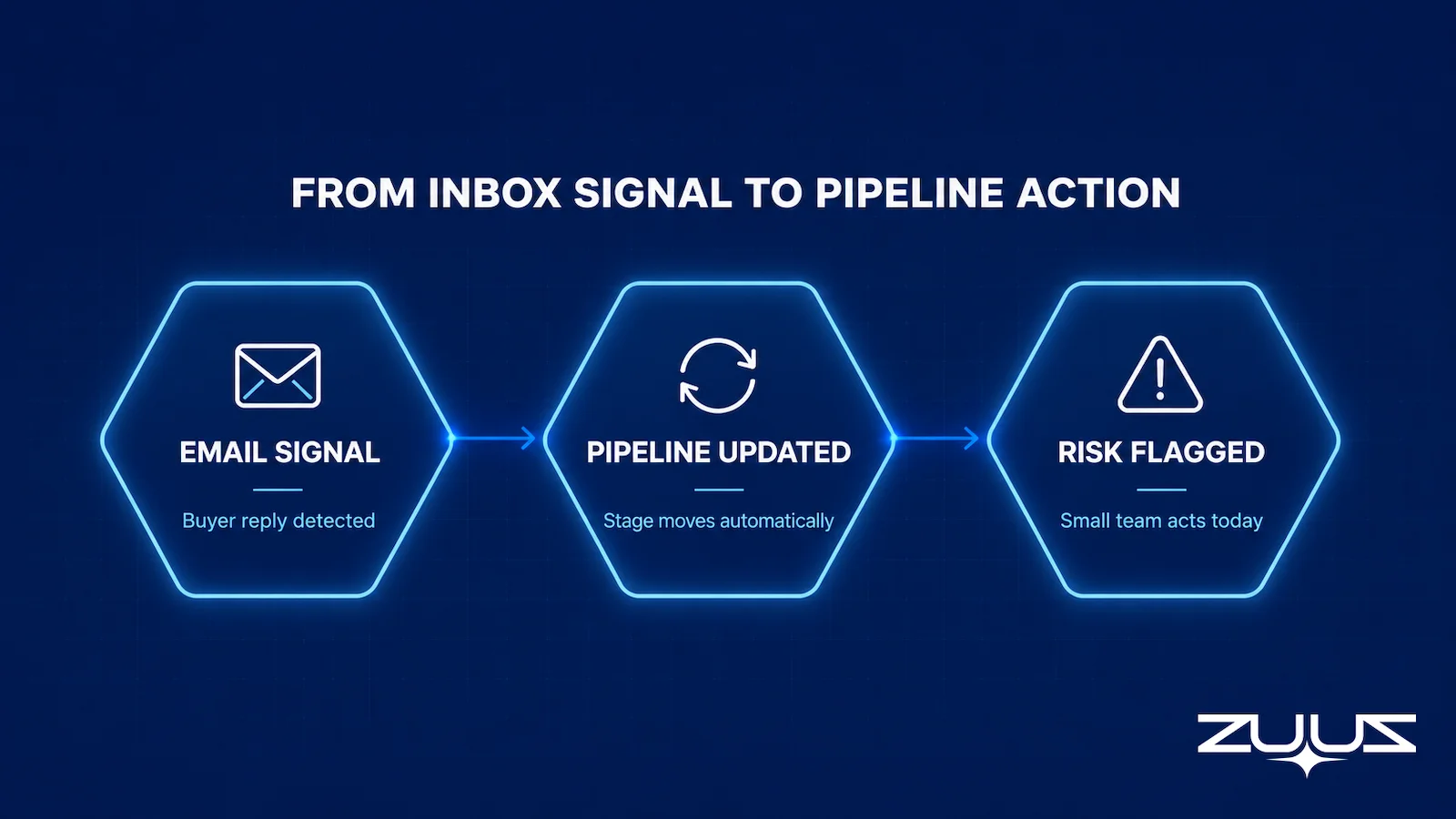
For a lean team, the practical effect is fewer manual steps per deal. When a buyer replies with a question, an objection, or a new stakeholder, that context reaches the CRM without a rep copying it in by hand. When a deal goes quiet, or engagement drops off compared with how that account normally behaves, ZUUZ surfaces it as a pipeline or deal-risk signal instead of letting it sit unnoticed until the next pipeline review finds it by chance.
ZUUZ is CRM-agnostic by design, which matters for a small business that may not have settled permanently on one platform. It also does not perform sales forecasting; the job here is keeping pipeline data current and surfacing risk early, not producing a revenue prediction. RA Technologies, a US-based IT services firm running a lean sales team, used this approach to keep deals from stalling silently between CRM updates.
How to Choose Pipeline Software When You Have a Small Team
A structured evaluation beats a feature checklist, and it does not need to take long.
Step 1: Identify where pipeline information is currently being lost
Common places include the inbox, a spreadsheet, personal notes, a chat tool, or a rep’s memory. Naming the actual leak points is more useful than starting from a generic requirements list.
Step 2: Count the manual steps required per opportunity
For a typical deal, count how many times a rep has to manually create a record, copy information, change a stage, log an activity, or update a field. The cumulative burden matters more than the number of features on a pricing page.
Step 3: Test the software against the real sales process
Use actual stages, a real stalled opportunity, and a real pricing objection rather than a vendor’s demo script. What the software detects on its own, versus what a rep still has to maintain by hand, is the real comparison.
Step 4: Check whether implementation needs specialist help
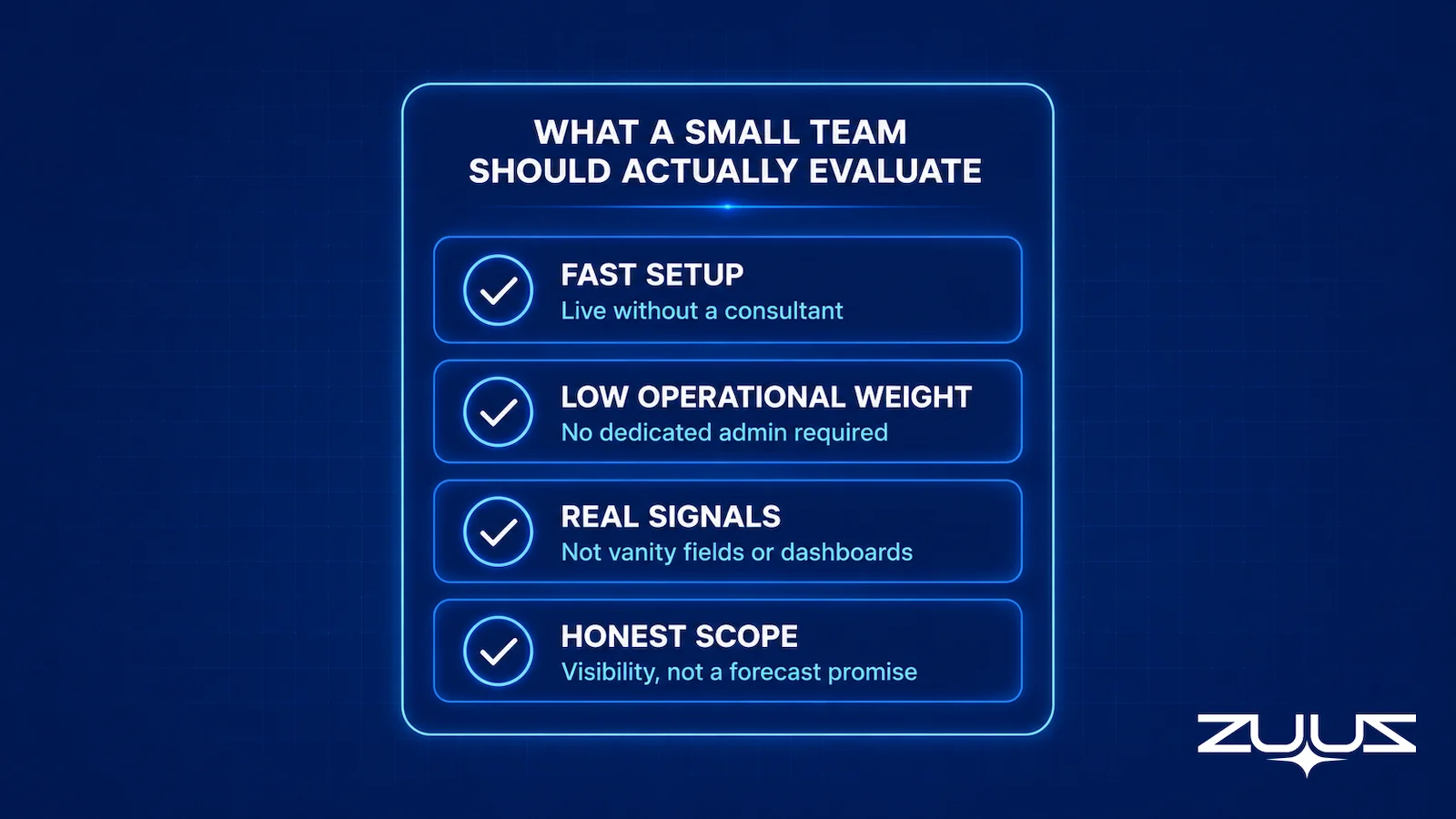
Ask directly whether the team can configure it without a consultant, and how long it takes before a real deal is visible in the system. A tool that needs weeks of specialist setup is a poor fit for a team with no one dedicated to running it.
Step 5: Evaluate cost in team time, not just subscription price
A lower-priced tool that demands constant manual maintenance can end up costing more than a pricier one that removes that work. For a small business, operating cost measured in hours is often the more honest number.
Test It on Ten Real Deals. Not a Demo Script.
Book a session and run ZUUZ against the deals already sitting in the pipeline this week.
A Small-Business Pipeline Software Scorecard
A simple scorecard makes the evaluation concrete. Score each option under consideration from 1 to 5 on the criteria below, based on the real sales process rather than a demo.
| Criterion | Question to answer |
|---|---|
| Setup | Can the team start without a consultant? |
| Daily effort | How much manual maintenance does it require? |
| Pipeline visibility | Can a manager quickly see what needs attention? |
| Email context | Does it understand activity happening outside the CRM? |
| CRM compatibility | Does it work with the CRM already in place? |
| Risk visibility | Does it flag stalled or neglected opportunities? |
| Flexibility | Can it support the process as the team grows? |
| Total cost | What does it cost in money plus team time? |
A tool that scores well on features but poorly on daily effort and total cost is, for a small team, the wrong tool, regardless of how it compares on a spec sheet. Sales-focused analyst coverage of the broader category, such as Forrester’s ongoing sales technology research, tends to make the same point from the enterprise side: adoption and daily use matter more than raw capability.

Signs It Is Time to Upgrade the Pipeline Setup
Several patterns tend to show up together once a small business has outgrown its current setup: opportunities disappearing into inboxes, an owner who has to ask reps individually for updates, CRM stages that have gone stale, follow-ups that get missed, several people selling with nobody holding the full picture, and pipeline meetings spent reconstructing facts instead of making decisions.
The CRM does not have to be replaced
Sometimes the fix is not a new CRM. It is improving what reaches the CRM already in place, which is the layer approach covered earlier in this article and the reason a growing team is often better served by adding execution capability than by migrating platforms.
A small sales team does not need to imitate enterprise infrastructure to run a trustworthy pipeline. The goal is not the largest feature set available; it is accurate pipeline data, enough context to act on it, and low enough maintenance that the system stays current without a dedicated administrator. Software that reduces the number of manual steps behind each deal is doing its job, and software that only adds another dashboard to check is not, no matter how many features it lists.
The Pipeline Truth Test
Before buying anything, find out whether the pipeline number you already have can survive a question. The Pipeline Truth Test exists for exactly that.
- Take the top five deals by value in the current quarter.
- For each, find the evidence in the CRM for its stage and close date: a dated, written commitment, not a rep’s assurance.
- Count how many rest on a stage last changed more than two weeks ago.
- A pipeline in which most of the top five lack dated evidence is a forecast of rep optimism. ZUUZ does not forecast; it makes the record underneath the number real.
In a small business this takes about twenty minutes, and the result usually decides the software question on its own. If four of the five deals have dated evidence, the CRM pipeline view is probably enough and the gap is reporting. If three of them rest on a stage nobody has moved since the month began, a new pipeline tool will not help, because the problem is not where the pipeline is displayed. It is that what the team learned in conversation never reached the record.
From an operator’s seat
In a small business the deals that fail this test are usually the owner’s, not the reps’. Across the deployments ZUUZ runs, the largest opportunity in a five-person pipeline tends to live in the founder’s own mailbox, carried in their head, with a stage set once at creation and never moved again. The part teams do not plan for is that fixing this is a permissions decision before it is a software decision: the owner has to connect their mailbox too, and that is what stalls a rollout far more often than the CRM integration does.
The first step, concretely
Connect one mailbox. ZUUZ reads the last 90 days of that inbox, and the rep reviews everything it found before a single field is written to the CRM. That review is the whole evaluation: if the 90-day lookback surfaces deals, stakeholders and next steps the CRM never recorded, the capture gap is real. The trial runs 30 days free with no credit card: https://zuuz.ai/trial/
Frequently Asked Questions
What is the best sales pipeline software for a small business?
There is no single best answer, because it depends on whether the business needs a CRM at all, already has one, or mainly needs better execution around a CRM that already works. A team without a CRM should generally start there; a team whose CRM is fine but whose email activity keeps getting lost is usually better served by an execution layer than a full platform switch.
Can a small business manage a sales pipeline without a CRM?
A spreadsheet can work for a small business with very few active deals and a single person tracking them, but it breaks down once more than one rep is selling or deal volume grows past a handful of opportunities at a time. At that point updates go stale, deals get duplicated across versions, and nobody has a reliable current view, which is usually the signal to move to dedicated software.
What is the difference between CRM software and sales pipeline software?
A CRM is the broader system of record for contacts, accounts, and history, while sales pipeline software, or a pipeline view inside a CRM, focuses specifically on tracking active opportunities through defined stages toward won or lost. Many CRMs include native pipeline features, so the practical question for a small business is whether that native view is good enough or whether it needs help from dedicated software or an added layer.
How much does sales pipeline software cost for a small business?
Pricing varies widely by vendor and by how much of the CRM stack it replaces versus adds onto, so a small business should treat the subscription price as only part of the real cost. A lower-priced tool that requires constant manual maintenance can end up costing more in team time than a pricier one that removes that work, which is why cost should be evaluated in hours as well as dollars.
What features should a small business look for in sales pipeline software?
Prioritize a pipeline view the team can read without training, fast capture of new opportunities, email and conversation context, clear next actions rather than just stage labels, basic risk signals, CRM integration that will not create a second database, and reporting an owner can actually use. Anything beyond that list should be judged against how much maintenance it adds before being treated as a must-have.
When should a small business stop tracking its pipeline in spreadsheets?
The usual signals are more than one person selling into the same pipeline, deals that go missing between updates, or a founder who has to ask reps individually what is happening instead of seeing it directly. Once a spreadsheet requires manual reconciliation to trust, the maintenance cost of keeping it current usually exceeds what dedicated pipeline software would take.
Can sales pipeline software automatically update the CRM?
Some tools can, though the depth varies significantly between a basic one-way sync and a system that reads activity such as email and writes structured updates back to the CRM record. A small business already running Salesforce, HubSpot, or Zoho should ask specifically which fields update, how quickly, and whether a rep still has to manage the same opportunity in two separate places.
Do small businesses need sales forecasting software?
Not necessarily, and often not first. Pipeline visibility and sales forecasting are related but different problems, and a small business whose CRM records are still incomplete or inconsistent is usually better served by fixing pipeline capture and visibility before adding a forecasting layer on top of data nobody fully trusts yet.

