
Deal Management Software: Scored Leads to Tracked Deals
See how deal management software tracks individual deals, flags stalled and at-risk opportunities, and syncs them back to the CRM without forecasting.

CEO of ZUUZ. He scaled Cloud Box Technologies from 0 to $25M ARR in IT services and distribution before building ZUUZ. Connect on LinkedIn
TL;DR: Deal management software keeps each opportunity aligned with what the buyer is actually doing, tracking deal state and risk signals such as stalled or at-risk deals instead of a stage label that has quietly gone stale. ZUUZ monitors deals and deal risk as an execution layer over the CRM, writing updates back to Salesforce, HubSpot, or Zoho, and it does not perform sales forecasting.
- Deal management software manages individual opportunities, while pipeline management software manages the aggregate view across all of them.
- A CRM stage label such as “Proposal Sent” often stops describing the real state of a deal within days of being set.
- The most useful risk signals come from buyer behavior, engagement decay, commitment slippage, commercial friction, and stakeholder change, not from a fixed rule like “no activity in 14 days.”
- Deal tracking works only when new context reaches the CRM without forcing reps to log everything by hand.
- ZUUZ monitors deals and renewal or churn risk as an execution layer over the CRM, and it does not perform sales forecasting.
- The fastest way to evaluate a tool is to run it against ten real deals the team already understands.
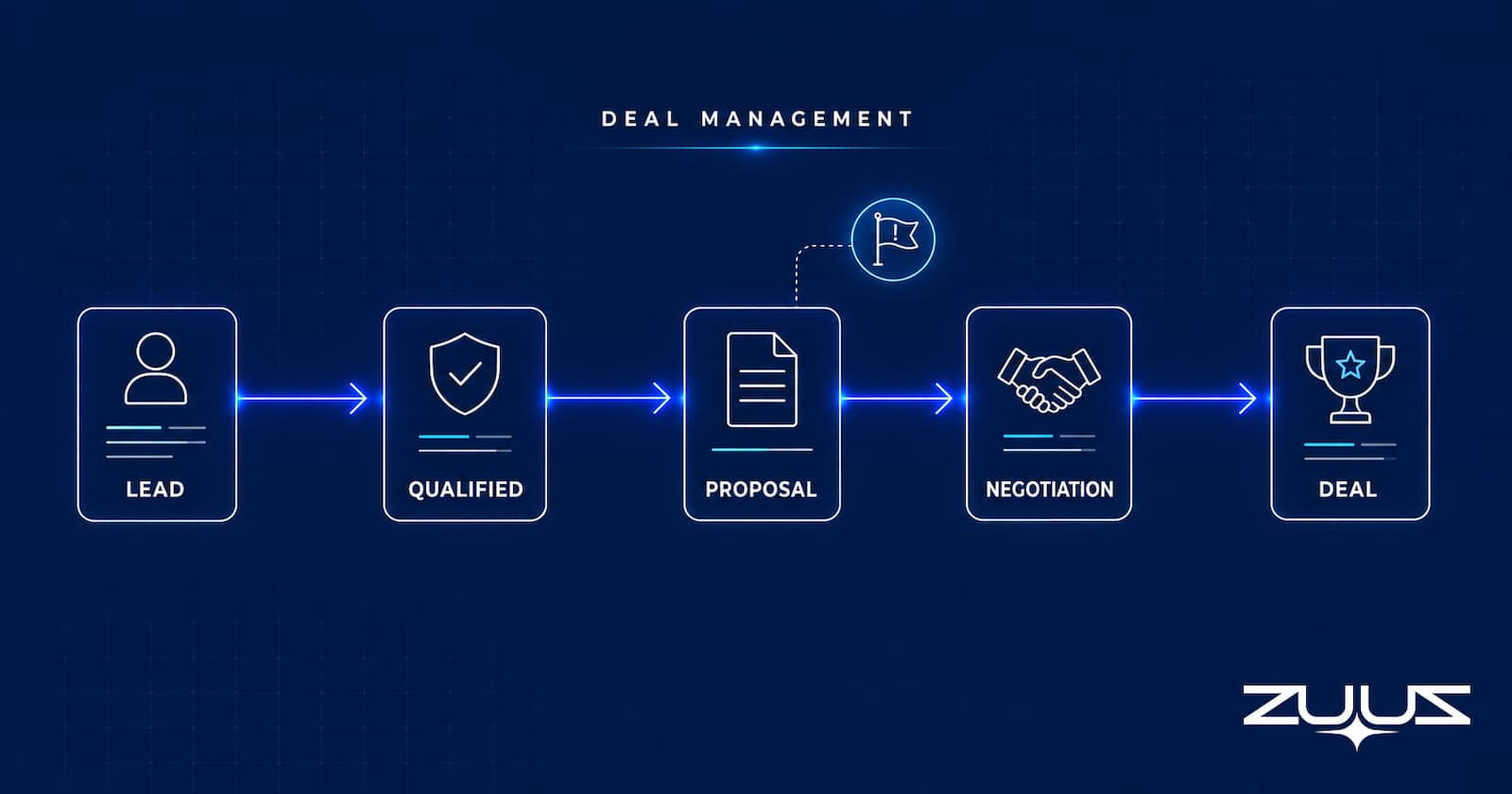
A qualified lead arrives in the CRM with a strong score, a clean company record, and a rep assigned. Two weeks later that same record still reads “Proposal Sent,” yet the buyer has gone quiet, a new procurement contact has appeared in the email thread, and the promised follow-up call never happened. The stage field looks fine. The deal is not. That gap, between what the CRM shows and what is actually happening, is what deal management software exists to close. This article covers what the software does, how it differs from pipeline management and the CRM, the risk signals worth watching, and how a rep-facing execution layer keeps each opportunity honest.
What Deal Management Software Actually Does
Deal management software helps a sales rep keep a single opportunity current from the moment it becomes a real deal through to won or lost. It tracks the state of that deal, the agreed next step, the people involved, and the buyer activity that signals whether the deal is moving or drifting. Where a broad pipeline view answers “how is the quarter shaping up,” deal management answers a smaller and more urgent question: what is happening with this specific opportunity right now, and what should the rep do about it.
The category overlaps with several adjacent terms. Sales deal management, deal tracking software, pipeline deal tracking, opportunity management, and what many teams simply call b2b deal management all describe the same core job of keeping individual opportunities accurate and moving. It is worth separating this from the private-equity sense of deal flow management, which refers to sourcing and screening investment opportunities. In a B2B sales context, deal flow management simply means the steady progression of live deals through the sales cycle, and everything here stays firmly on that side.
The practical output of good deal management is a shorter distance between a change in the buyer’s world and an action by the rep. When a proposal stalls, the rep should learn about it in days, not at the end of the month. That responsiveness is what turns a tidy CRM record into a deal that actually closes.
Deal Management vs Pipeline Management vs the CRM
These three tools are often blurred together, which leads teams to buy the wrong thing. The CRM is the system of record. It stores contacts, accounts, opportunities, and history. Pipeline management software sits above that record and gives leaders the aggregate view: how many deals sit in each stage, where volume is thin, and which stage tends to leak. Deal management is narrower still. It works at the level of one opportunity and one rep.
Table 1 lays out the distinction so teams can match the need to the tool.
Table 1: How deal management, pipeline management, and the CRM differ
| Dimension | CRM | Pipeline management | Deal management |
|---|---|---|---|
| Core question | Who and what do we know? | How is the whole pipeline doing? | What is happening with this deal? |
| Primary user | Everyone | Sales leaders, RevOps | The rep on the deal |
| Unit of focus | Records | All opportunities at once | One opportunity |
| Typical output | Stored data | Stage coverage and health | Next action on a live deal |
| Time horizon | Ongoing history | The quarter | The next few days |
Reading the table, the separation becomes clear. A leader worried about coverage across the board reaches for pipeline management, and the reasons a CRM view can mislead are worth understanding on their own, which is covered in why your CRM pipeline is often wrong. A rep worried about one slipping deal needs deal-level tracking. Both sit on top of the same CRM rather than replacing it, and the best setups keep all three working from one source of truth.
Turn Scored Leads Into Tracked Deals.
See how ZUUZ carries qualification context into a deal record with an owner and a next step, so nothing is lost between the inbox and the CRM.
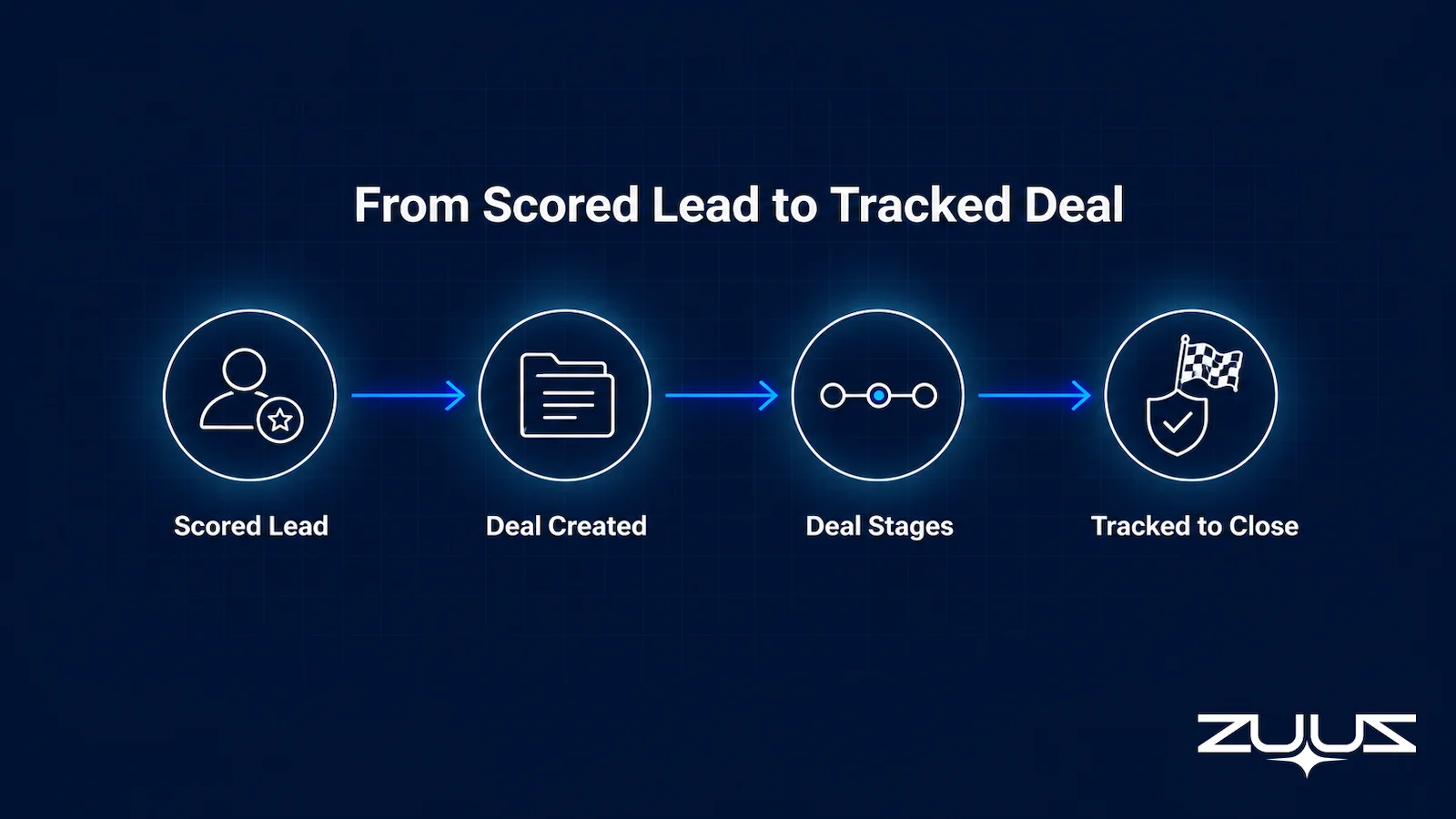
From a Scored Lead to a Tracked Deal
Most deal management content starts at the middle of the funnel, once an opportunity already exists. The more useful place to start is the handoff, the moment a scored lead becomes a tracked deal. Knowing how to track sales deals well begins right here, not in the middle of the funnel, because that transition is where deals quietly go missing when the qualification signal and the deal record live in different systems that never quite meet.
A lead earns its score from fit and intent. Clear ICP scoring criteria for B2B sales decide which inbound conversations are worth a rep’s time, and much of that signal arrives over email before anyone opens the CRM. When email lead qualification is automated, the qualifying detail, the budget hint, the timeline, the named stakeholder, is captured rather than lost in an inbox. The failure point comes next. If that context does not travel into a deal record with an owner and a next step, the score was wasted.
Deal management picks up exactly here. It takes the scored, qualified lead and gives it structure: a stage, an owner, a dated next action, and a running read on whether the buyer is still engaged. Teams building the automated side of this progression can compare tools in this guide to the best automated sales pipeline software. A deal should never begin life as a blank opportunity. It should inherit everything the qualification stage already learned.
Deal Stage Is Not Deal State
Here is the distinction most ranking articles miss. A deal stage is a label a rep sets in the CRM. A deal state is the true condition of the opportunity right now. The two drift apart constantly, and confusing one for the other is how healthy-looking pipelines produce end-of-quarter surprises.
Consider a deal marked “Proposal Sent.” The stage is accurate on the day it is set. Four days later the buyer asks a pricing question, a second decision-maker joins the thread, and the promised sign-off date passes without a word. The stage still reads “Proposal Sent.” The state has changed three times. Nobody moved the CRM field, because nothing in the CRM forced them to.
Table 2 separates the four ideas reps and managers tend to collapse into a single stage label.
Table 2: Four concepts a stage label hides
| Concept | What it describes | Example |
|---|---|---|
| Stage | The label in the CRM | “Proposal Sent” |
| State | The real condition of the deal | Buyer stalled on price |
| Momentum | Whether the deal is speeding up or slowing | Replies slowing from hours to days |
| Next step | The agreed action and its date | Pricing call, no date set |
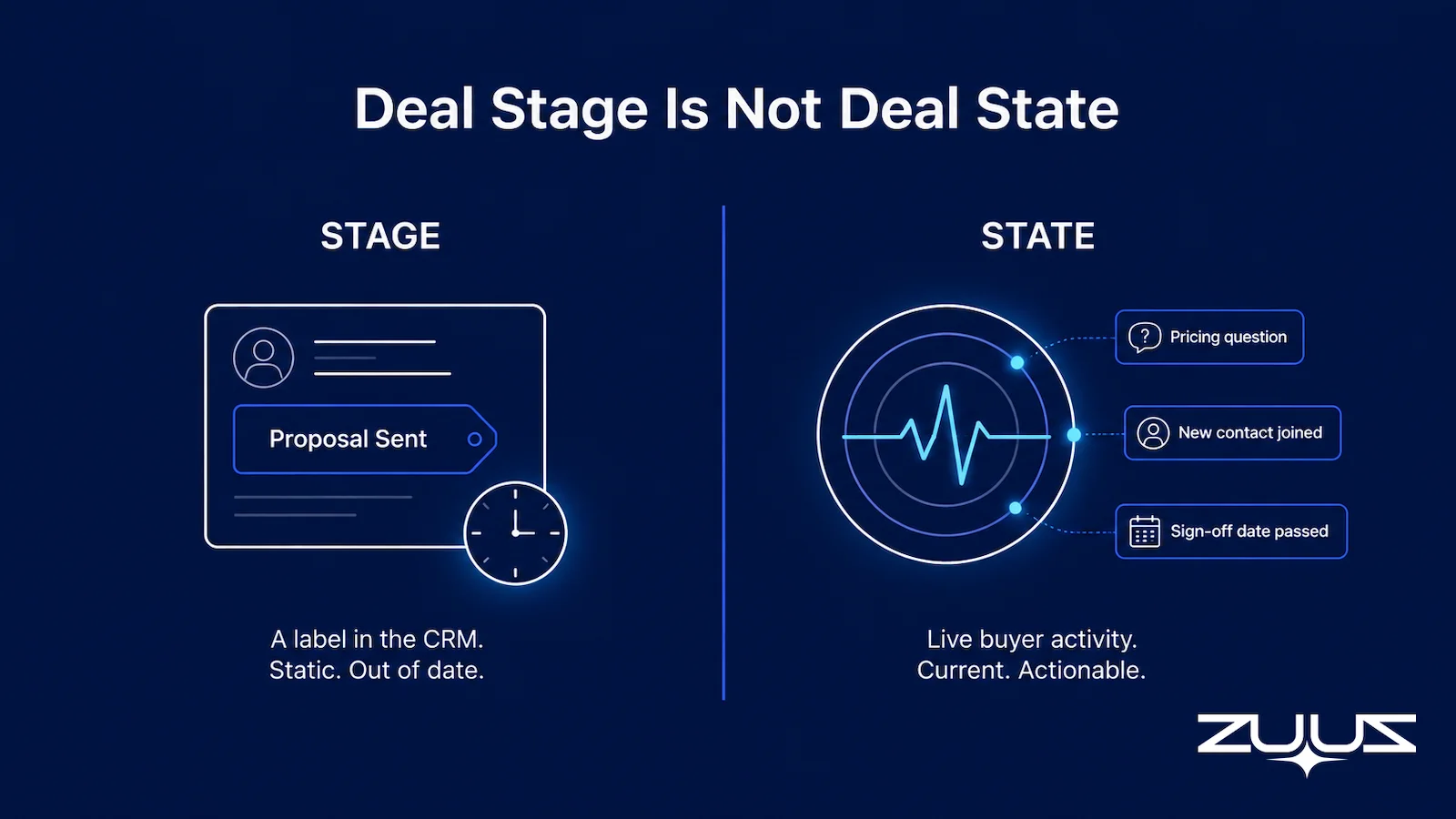
The lesson is that stage alone is a weak proxy for deal health. Deal management software earns its keep by tracking state, momentum, and the next step alongside the stage, so a rep is never fooled by a label that stopped being true a week ago.
Catch a Stalling Deal Before It Goes Cold.
ZUUZ reads buyer behavior and flags at-risk deals with the evidence attached, so a rep acts within days instead of finding out at quarter end.
Why Deals Stall Even When the CRM Looks Current
A stalled deal rarely announces itself. More often the record looks active, with recent emails and a future close date, while the momentum has quietly drained away. Naming the common stall patterns helps reps catch them before the deal is cold.
The first pattern is activity without progress. There are emails and meetings on the record, but no decision, commitment, or stakeholder action has actually changed. The second is a next step with no owner or date, where “follow up later” guarantees the deal drifts. The third is the quiet proposal, where a quote goes out and the commercial conversation simply stops. The fourth is a passed commitment date, which is a far stronger warning than any generic inactivity timer. The fifth is a shift in the stakeholder picture, when a champion goes silent or procurement enters the thread.
Table 3 maps each pattern to what the CRM shows versus the signal underneath it.
Table 3: Stall patterns and their hidden signals
| Stall pattern | What the CRM shows | The real signal |
|---|---|---|
| Activity without progress | Recent emails logged | No commitment has moved |
| Next step with no date | Open opportunity | Nothing is scheduled to advance it |
| Quiet proposal | “Proposal Sent” | Buyer stopped engaging on price |
| Passed commitment date | Future close date | A promise was broken |
| Stakeholder change | Same contact on record | Decision power has shifted |
Seen together, these patterns share a root cause. The CRM records what was entered, not what the buyer is doing. Deal management software narrows that gap by watching behavior, not just the fields a rep remembered to update.
The Deal Risk Signals Worth Watching
Once stall patterns are understood, risk detection can become a repeatable framework rather than a vague AI “health score.” A useful framework names the signal, ties it to observable evidence, and lets the rep judge whether it matters. This is deal risk monitoring: the practice of watching a live deal for early warning signs and attaching the evidence to each one, and it is a separate job from forecasting. Flagging that one deal has gone quiet says nothing about whether the quarter will hit its number, and the software should not pretend otherwise.
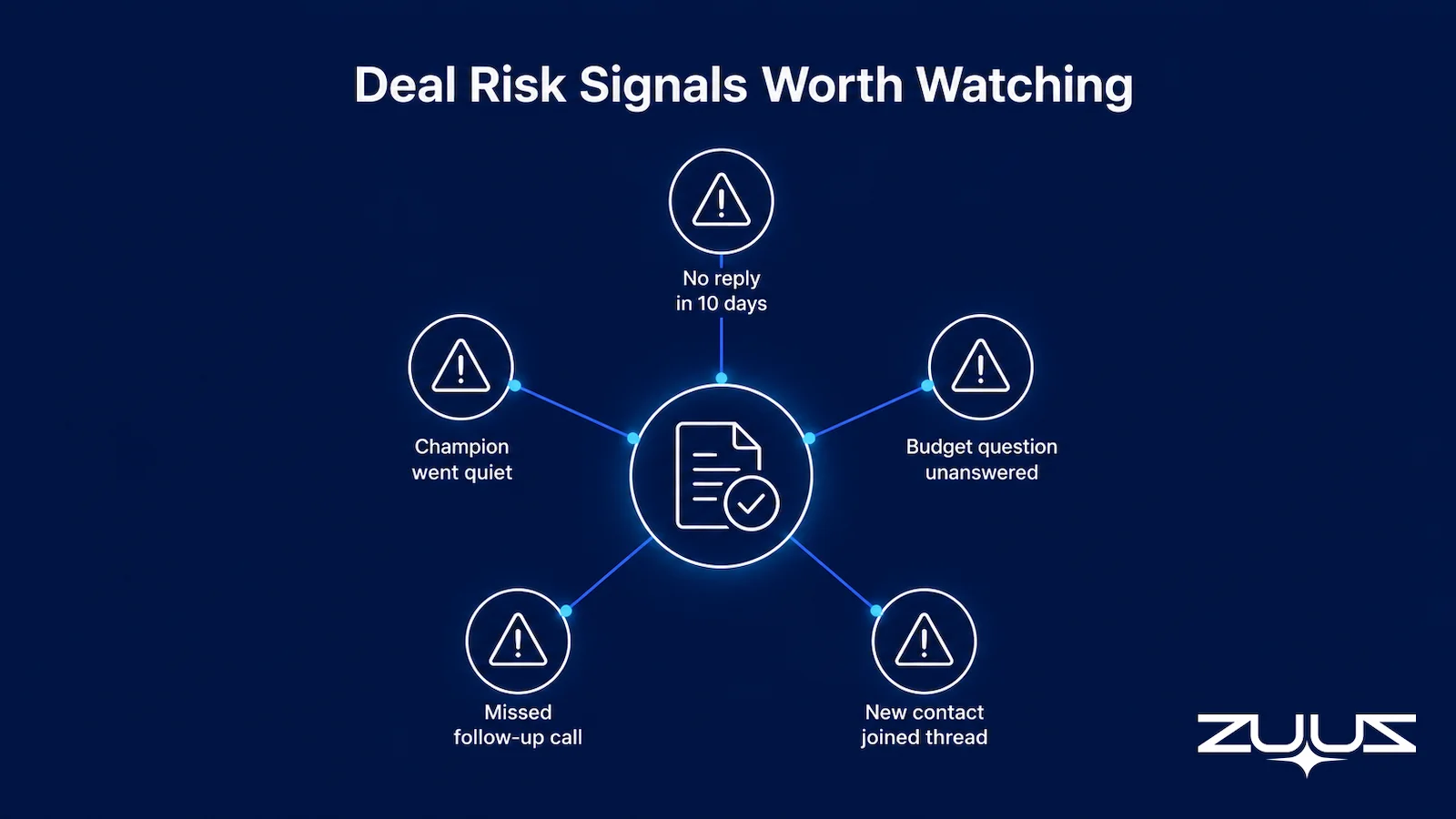
Five signal families cover most of what goes wrong in a live deal. Table 4 defines them.
Table 4: A deal risk signal framework
| Signal | What to watch | Why it matters |
|---|---|---|
| Engagement decay | Slowing replies, unanswered questions | Buyer interest is cooling |
| Commitment slippage | Missed meetings, decisions, or approvals | Promised progress is not happening |
| Commercial friction | Unresolved pricing, scope, or budget issues | The deal is blocked, not moving |
| Stakeholder risk | Champion goes quiet, new decision-maker appears | The buying group has changed |
| Activity without advancement | Busy thread, no stage progress | Motion is being mistaken for progress |
The distinction between a busy deal and a progressing deal is the one most teams miss. A thread full of messages can feel healthy while nothing actually advances. Commercial friction in particular tends to hide inside a pricing approval or a deal desk review that quietly stalls, which no activity log will surface on its own. The same discipline extends past the first sale into renewals, where a quiet account or a slipping commitment is an early churn signal. Teams managing recurring revenue can apply the same logic described in tracking renewals across multiple products, because a renewal is simply a deal whose risk clock never stops.
Deal Tracking Reps Actually Use.
Keep every opportunity current without another screen to maintain, right on top of Salesforce, HubSpot, or Zoho.
What Deal Tracking Software Should Do for a Rep
A dashboard is not the goal. The goal is a set of jobs the software performs on each opportunity so the rep spends less time maintaining records and more time selling. Evaluating a tool against these jobs is more revealing than counting features.
First, it should keep deal context current without constant manual entry, pulling meaningful buyer activity into the record so the rep is not the only source of updates. Second, it should detect when a deal needs attention using real signals, not a simple elapsed-time alert. Third, it should explain why a deal was flagged, showing the evidence behind the alert so the rep can trust or dismiss it. Fourth, it should let reps ask deal questions in plain language, so finding stalled opportunities does not require building a report. The value of that conversational, plain-English access to CRM data is that it removes the reporting tax between a question and an answer.
Underneath all four jobs sits one rule: the CRM stays the source of truth. The right way to manage deals in a CRM is to let deal intelligence update the existing system rather than spin up a competing database that RevOps then has to reconcile. A tool that creates a second version of the truth adds work instead of removing it. That is the difference between deal tracking software that reps actually use and another screen they ignore.
How ZUUZ Manages Deals as an Execution Layer Over the CRM
ZUUZ approaches deal management as an AI execution layer that sits on top of the CRM, not as a CRM itself. It is rep-facing internal sales tooling, and it is deliberately CRM-agnostic, working across Salesforce, HubSpot, and Zoho at the same time. That matters for deal management because most teams do not want to migrate systems to gain deal-level visibility. They want the record they already have to stay current.
The work starts where deals actually begin. ZUUZ captures and scores leads from email, so the qualifying context reaches a deal record instead of sitting in an inbox. As the deal progresses, ZUUZ monitors the pipeline and watches for renewal and churn risk, surfacing the stalled and at-risk signals described earlier. Its bi-directional CRM sync means relevant updates flow back into Salesforce, HubSpot, or Zoho rather than living in a separate tool. A rep can also query the CRM in plain English through the Sales AI agent, asking which deals have gone quiet or what changed on an account without building a report.
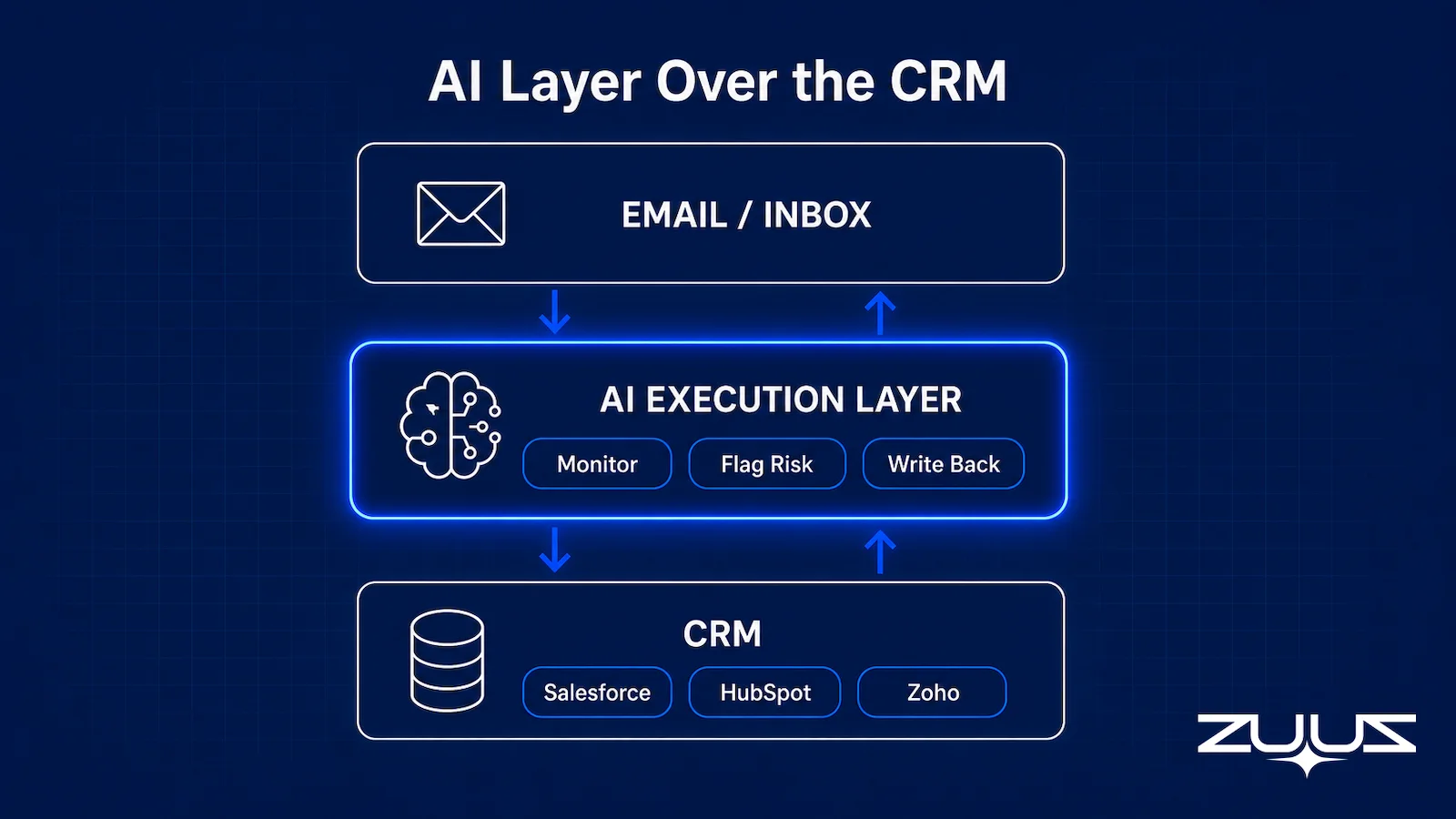
Two boundaries keep the product credible. ZUUZ is not an AI-native CRM, and it does not do sales forecasting. It concentrates on execution: turning buyer signals into rep action while leaving the forecast and the system of record where they already are. Today ZUUZ serves four paying customers across distribution, retail, and IT services in the UAE and the United States, which keeps its approach grounded in how real sales teams work rather than in a demo environment.
Evaluating Deal Management Software on Ten Real Deals
Feature checklists reward the vendor with the longest list, not the tool that fits the team. The best deal management software proves itself on deals a team already understands, so a better test uses ten real deals: a few healthy, a few stalled, some early and some late. Running the software against opportunities with known context reveals whether it understands deal conditions or only performs on clean demo data.
The evaluation asks a few direct questions of each deal. Does the tool find the same risks the best rep already sees? How quickly does a real change reach the CRM? How many manual steps are still required to keep the deal current? Table 5 turns these into a checklist buyers can carry into a demo or pilot.
Table 5: A deal management buying checklist
| Question to ask | What a good answer looks like | Where ZUUZ lands |
|---|---|---|
| Can it tell me what changed in this deal? | More than stage, amount, and last-activity date | New stakeholders, commitments and next steps read from the thread itself |
| Can it separate activity from progress? | It reads momentum, not just logged interactions | Writes the agreed next step and its date, not an activity count |
| Can it explain why a deal is at risk? | Evidence, not an unexplained score | The message the signal came from is attached to the record |
| Does it help the rep act, or only help managers inspect? | Rep-facing next actions | Rep-facing: the rep approves or corrects every write in one click |
| Does it work with our existing CRM? | Bi-directional sync, no migration required | Runs on Salesforce, HubSpot, Zoho, Attio or Pipedrive; no migration |
| Can we prove value on our own live deals? | A pilot on real opportunities, not curated records | Connect one mailbox; the last 90 days of real deals come back for review |
Scoring vendors against this checklist keeps the decision anchored to execution rather than dashboards. A tool that passes on live deals will earn rep adoption. One that only shines in a scripted demo usually will not.
The Capture Layer Test
Before any deal management tool earns a pilot, run it through the Capture Layer Test. The purpose is narrow: judge any tool on whether the record is complete without rep effort.
- Does it capture from the channels where the deal actually moves – email, calendar, LinkedIn messages, meeting and call transcripts?
- Does what it captures land in CRM fields a report can read, or only in an activity feed a human must open?
- Does the rep have to remember anything – a BCC, a button, a sidebar, a sync?
- Can the rep correct it in one click before it is written?
A tool that fails 2 or 3 produces activity history, not a pipeline you can run a review on. On a deal record, that is the difference between seeing that an opportunity was worked and seeing what the buyer agreed to, who agreed to it, and when the next step is due.
Conclusion and Next Steps
Effective deal management is about the space between CRM updates. It keeps each opportunity aligned with what the buyer is actually doing and prompts the rep to act the moment momentum changes, rather than building yet another pipeline chart. The teams that lift their win rate and close more consistently are the ones that treat a scored lead as the start of a tracked deal, watch the real risk signals, and keep the CRM current without drowning reps in data entry. The next step is practical: pick ten live deals, compare what the CRM says against what is really happening, and see how much a rep-facing execution layer closes that gap.
A concrete first step, not a demo: connect one mailbox to ZUUZ. ZUUZ reads the last 90 days on that connection and lists the leads, stakeholders, next steps and renewal signals it found, and the rep reviews that list before anything is written to the CRM. It is a 30-day free trial, no credit card: https://zuuz.ai/trial/.
Business happens in conversations, not in software. Book a ZUUZ demo or contact the team to see deal management as an execution layer over your CRM.
Frequently Asked Questions
What is deal management software?
Deal management software helps a sales rep keep a single opportunity current from the point it becomes a real deal through to won or lost. It tracks the deal’s state, the next step, the people involved, and the buyer activity that shows whether the deal is moving. Its purpose is to shorten the distance between a change in the buyer’s world and the rep’s next action.
Is deal management software the same as a CRM?
No. The CRM is the system of record that stores contacts, accounts, and history. Deal management works on top of that record to keep individual opportunities accurate and moving. The best tools update the existing CRM rather than creating a second database, so the organization keeps one source of truth instead of reconciling two.
What is the difference between deal management and pipeline management?
Pipeline management looks across every opportunity to answer how the whole pipeline is doing, which suits sales leaders and RevOps. Deal management works at the level of one opportunity and one rep, answering what is happening with a specific deal right now. Both sit above the CRM, and many teams use them together rather than choosing one.
When should a sales deal be considered stalled?
A deal is stalled when progress or a promised commitment is missing, not simply when a fixed number of quiet days has passed. A passed sign-off date, an unanswered pricing question, or a champion going silent are stronger signals than an inactivity timer. Good deal tracking software watches these behavioral signals rather than relying on a single rule.
How does deal management software identify at-risk deals?
It watches observable signals such as engagement decay, commitment slippage, commercial friction, and stakeholder change, then attaches the evidence behind each flag. That evidence lets the rep judge whether the alert is meaningful instead of trusting an unexplained score. Methods vary by tool, so buyers should ask what signals a product actually tracks.
Does deal management software do sales forecasting?
Deal risk monitoring and forecasting are separate jobs. Identifying that one deal has stalled says nothing about whether the quarter will hit its target. ZUUZ, for example, monitors pipeline and renewal or churn risk but does not perform sales forecasting, keeping its focus on moving individual deals forward.
What is bi-directional CRM sync in deal management software?
Bi-directional sync means the tool both reads from the CRM and writes relevant updates back to it, rather than only displaying CRM data in another interface. This keeps the system of record current as deals change, so reps and RevOps are not maintaining parallel versions of the truth. It is a core question to ask any vendor during evaluation.
Can deal management software work with Salesforce, HubSpot, or Zoho without replacing the CRM?
Yes. An execution layer adds deal-level tracking and risk monitoring on top of the CRM the team already uses. ZUUZ is CRM-agnostic and works across Salesforce, HubSpot, Zoho, Attio or Pipedrive at the same time, so teams gain deal visibility without a migration or a second system of record.
How do managers get alerted about stalled deals?
Alerts route on a trigger, not a calendar. A monitoring layer watches for engagement decay, a missed next step, or a stakeholder who has gone quiet, then notifies the deal owner and their manager along with the evidence behind the flag. The alternative, waiting for the weekly pipeline review to surface it, means the stall has already cost a week of selling time.
Do automated follow-up reminders fix stalled deals?
Reminders fire on a date, while a stall is a behavioral signal, so a fixed-interval reminder often arrives well before or long after the deal actually went quiet. Detection has to come first: something needs to notice that the buyer stopped replying or that the agreed next step slipped. Reminders become useful once they are triggered by the state of the deal rather than by the calendar.

